Introduction
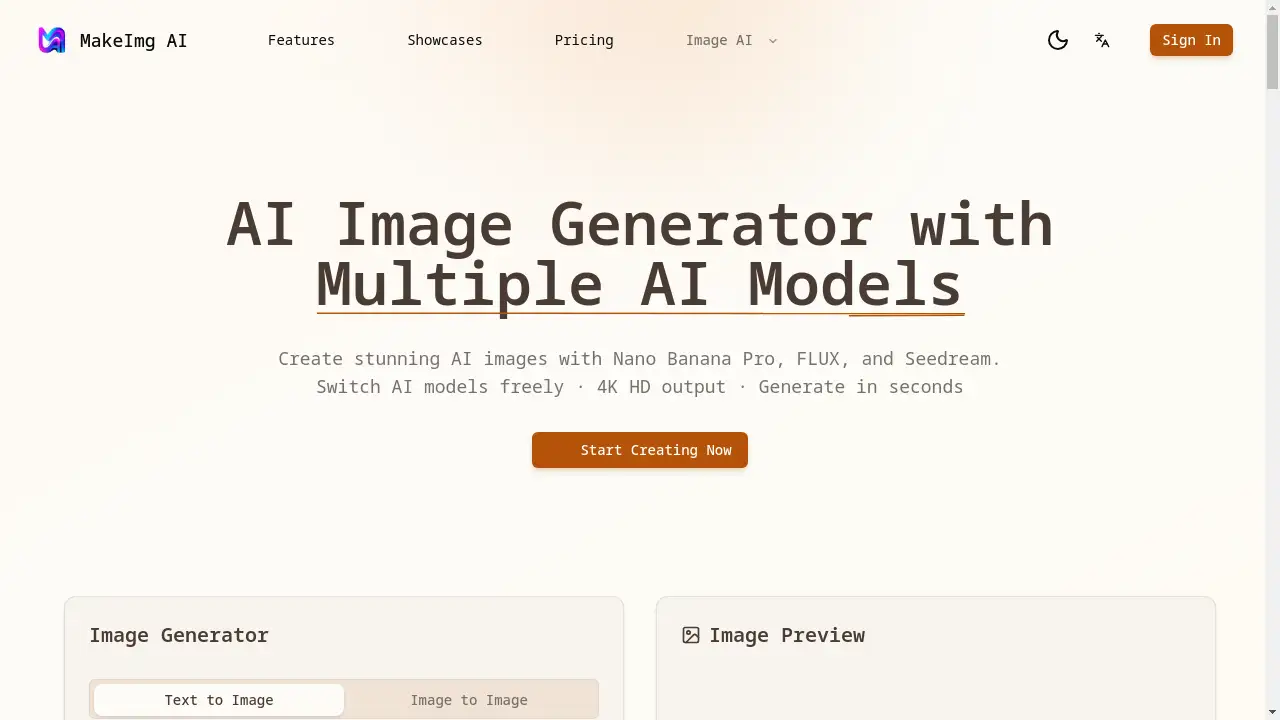
MakeImg AI is a versatile online AI image generator offering multiple AI models for creating stunning visuals.
What is MakeImg AI?
MakeImg AI is an online platform that simplifies AI image generation by providing access to multiple leading AI art models in a single, user-friendly interface. It solves the problem of creative professionals and hobbyists needing to navigate between different, often complex, AI art tools to achieve varied styles. The platform is designed for anyone who needs to create high-quality visuals—from digital artists and marketers to social media content creators and entrepreneurs. What matters most is its ability to deliver precise text rendering, fast generation times, and HD quality output, making professional-grade AI art accessible without requiring technical expertise.
Key Features of MakeImg AI
Text to Image Generation
Transform detailed text descriptions into accurate, high-quality visuals with precise text rendering, allowing users to bring their creative vision to life.
Multiple AI Models
Switch freely between top-tier models like Nano Banana Pro, FLUX, and Seedream to find the perfect style for any project, all within one platform.
Image to Image Transformation
Upload reference images to apply style transfer, enhance details, or use them as a creative starting point for new AI art generation.
Flexible Aspect Ratios
Create images in any dimension, including standard formats like 1:1 for social media, 16:9 for presentations, and 9:16 for mobile stories.
4K HD Download
Export your generated images in up to 4K resolution, ensuring print-ready quality for commercial projects, marketing materials, and large-format displays.
Generation History
Automatically save all prompts, settings, and generated images in a personal history log, enabling users to revisit, re-download, or build upon past creations.
Use Cases for MakeImg AI
Marketing and Advertising Content
Quickly generate eye-catching visuals for social media ads, blog posts, and email campaigns, leveraging multiple AI models for consistent brand imagery.
Concept Art and Illustration
Rapidly prototype ideas and create detailed illustrations for games, books, or personal projects using styles ranging from photorealistic to artistic.
Educational and Presentation Materials
Produce clear, engaging diagrams, infographics, and presentation slides with precise text rendering to explain complex topics visually.
Personal Creative Projects
Experiment with AI art creation for hobbies, personal branding, or unique gifts, using the intuitive platform to explore different artistic styles.
How to Use MakeImg AI
- Create a Free Account: Sign up on the MakeImg AI website using an email or Google account to receive initial bonus credits.
- Select Your AI Model: Choose from available models like Nano Banana Pro for text-heavy designs, FLUX for photorealism, or Seedream for artistic illustrations.
- Craft Your Prompt: Enter a detailed text description of the desired image. The AI image generator supports prompts in over 50 languages.
- Generate and Refine: Click to generate your image. You can then adjust the prompt, switch models, or use the image-to-image feature to refine the result.
- Download and Share: Once satisfied, download your AI-generated image in your preferred resolution (up to 4K HD) or share it directly.
Target Audience for MakeImg AI
- Digital Artists and Graphic Designers
- Social Media Managers and Content Creators
- Marketing Professionals and Advertisers
- Entrepreneurs and Small Business Owners
- Educators and Presenters
- Hobbyists and AI Art Enthusiasts
Is MakeImg AI Free?
MakeImg AI offers a generous free plan that includes initial bonus credits for new users to explore all core features and AI models. This allows for hands-on experience with the AI image generator without any financial commitment. For higher-volume needs, the platform provides affordable premium options through a credit-based system, enabling users to pay only for the generations they need. This flexible pricing makes professional AI art generation accessible for both casual and power users.
Frequently Asked Questions about MakeImg AI
What AI models are available on MakeImg AI?
MakeImg AI provides access to several leading models, including Nano Banana Pro (excellent for text rendering), FLUX (for photorealistic images), and Seedream (for artistic styles). The available models may be updated over time.
How many images can I generate for free?
New users receive bonus credits to start generating images immediately. The exact number of free generations depends on the credit allocation at sign-up. For continuous use, users can purchase additional credit packs.
Can I use the AI-generated images commercially?
Yes, images created with MakeImg AI are typically granted for commercial use. However, users should review the platform's specific Terms of Service for the latest information on licensing and usage rights.
What image resolutions and formats are supported for download?
MakeImg AI supports downloads in high resolutions, including up to 4K HD quality. The specific file formats (like PNG or JPEG) are detailed within the platform's download options.
Does MakeImg AI have an image-to-image feature?
Yes, one of the key features is the image-to-image transformation, which allows users to upload a reference photo to guide the style, composition, or details of the new AI-generated image.
Is there a limit to prompt length?
The platform features a prompt input with a 2000-character limit, providing ample space for detailed and descriptive text instructions to guide the AI image generator.
MakeImg AI Tags
AI image generator, MakeImg AI, Nano Banana Pro, FLUX AI, Seedream, text to image, AI art generator, image to image, 4K HD download, AI models, create AI images, AI art platform