Introduction
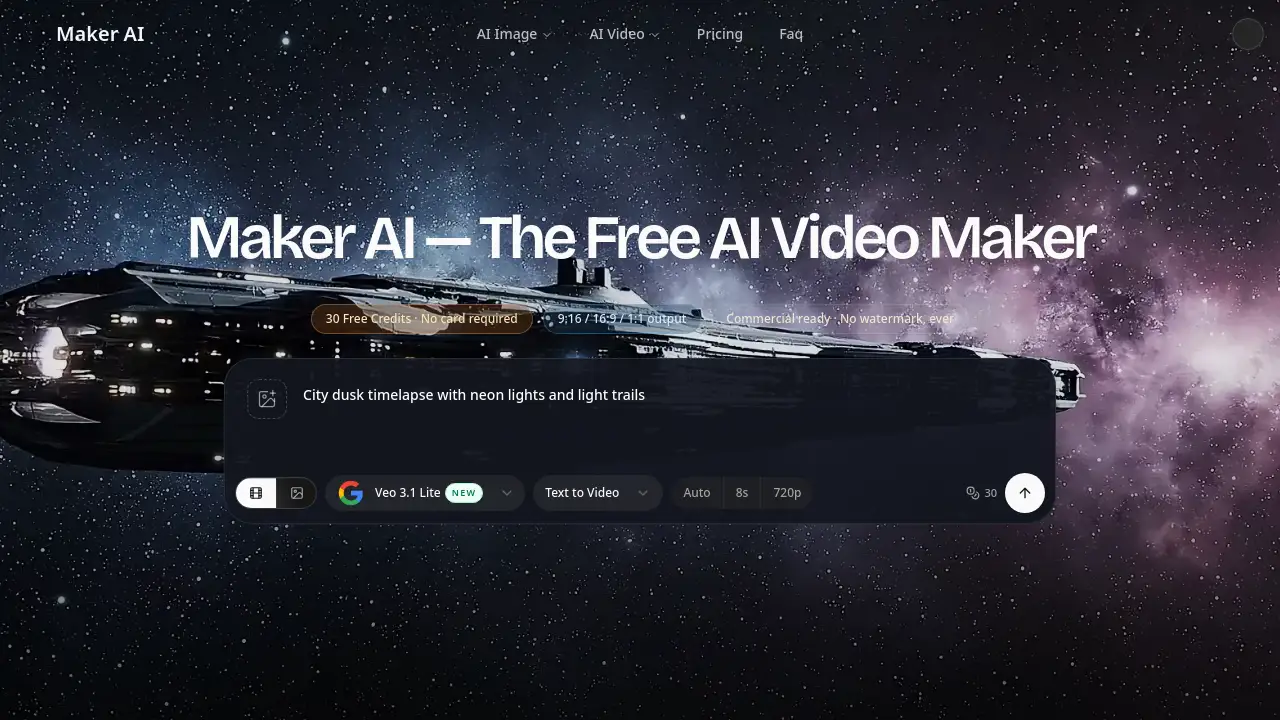
Maker AI is a free AI video maker and AI image maker that turns any photo into a natural-motion video in minutes. It offers 30 free credits, no watermark, and simple tools for creators, marketers, and small businesses.
What is Maker AI?
Maker AI is an online AI video maker and AI image maker designed to help users create short videos and still images from existing photos or text prompts. It solves a common problem: many people have photo libraries but need video content for social media, ads, product pages, or client work. Maker AI turns a static photo into a short clip with natural motion, without requiring editing skills or a camera crew.
The platform works as both a free AI video maker and an AI image maker. Users can upload a JPG, PNG, or WEBP file, write a motion prompt, or choose a preset such as product spin or portrait motion. Maker AI then generates a 5–10 second AI video or an image in a few minutes. It is suitable for e-commerce sellers, social media creators, marketers, photographers, and anyone who wants to turn a photo into an AI video quickly. The service starts with 30 free credits and states that output is watermark-free on every plan.
Key Features of Maker AI
Photo-to-Video Generation with Natural Motion
Turn any photo into an AI video with motion prompts or presets. This photo to video AI workflow helps subjects stay consistent while adding gentle movement, lighting shifts, or camera effects.
AI Image Maker for Stills
Use the built-in AI image maker and AI photo maker to generate still images from text or a reference photo. Export images as PNG or JPG in common social media presets.
Multiple Aspect Ratios and Export Options
Choose 9:16 for TikTok and Reels, 16:9 for YouTube, or 1:1 for product pages. Maker AI exports videos as MP4 at up to 1080p on supported plans.
No Watermark on Any Plan
Generate and download clean output without a watermark. This applies to both the free AI video maker plan and paid plans, according to the product homepage.
Commercial-Ready Output on Paid Plans
Paid-plan outputs are described as cleared for commercial use, including ads, product pages, social media, and client deliverables. Users should review the official terms before publishing.
Simple Prompt-Based Workflow
Upload a photo or start from text, pick a preset or write a motion prompt, and generate. The AI video maker is designed for users without editing experience.
Use Cases for Maker AI
E-commerce Product Showcase
Turn static product shots into short showcase videos with spins, zoom-ins, or ambient motion. This helps product listings, ads, and social carousels look more dynamic.
Social Media Short Videos
Create 9:16 vertical clips for TikTok, Instagram Reels, and YouTube Shorts from an existing photo library. The AI video maker can produce scroll-stopping loops without a camera.
Selfie and Portrait Animation
Animate a selfie or personal photo with subtle hair movement, expression shifts, and soft lighting. This works for profile videos, personal branding, and social media avatars.
Marketing and Advertising Assets
Produce video assets for paid ads, landing pages, and email campaigns from brand photography. Marketers can lower production steps and create more formats from one AI video maker.
Batch Photo Conversion
Convert multiple product or event photos one by one, each with its own motion prompt and aspect ratio. This helps build a larger video content library from existing stills.
How to Use Maker AI
- Upload a JPG, PNG, or WEBP photo, or start with a text prompt in Maker AI.
- Choose the AI video maker for motion or the AI image maker for stills, then select a preset or write your own prompt.
- Generate the result and download it. Videos export as MP4 in 9:16, 16:9, or 1:1, while images export in major social presets.
- Use the 30 free credits to test the workflow before deciding whether to upgrade for more generations, 1080p output, and commercial use rights.
Target Audience for Maker AI
- E-commerce sellers who need product videos from photos
- Social media creators producing short vertical clips
- Small business marketers creating ad and landing page assets
- Photographers and portrait artists animating still images
- Agencies that need fast video drafts for client review
- Individuals who want to turn personal photos into short AI videos
Is Maker AI Free?
Maker AI offers a free starting point with 30 credits and no credit card required. The homepage states that output is watermark-free on both free and paid plans. Paid plans unlock more credits, 1080p output, and commercial use rights. Exact paid plan prices are not listed in the provided homepage content, so users should check the official pricing page for current details.
| Plan | Price | Features |
|---|---|---|
| Free | $0 | 30 free credits, no card required, watermark-free output, trial of video and image generation |
| Paid plans | Not listed on homepage | 1,200 / 3,000 / 8,000 monthly credits, up to 10 video generations per month, 1080p, commercial use, no watermark, 24/7 support |
| Credit top-up | $9.9 one-time for 600 credits | Works alongside any plan, valid for 30 days |
Maker AI's Pros and Cons
| Aspect | Pros | Cons |
|---|---|---|
| Pricing | Free start with 30 credits and no card required | Paid plan prices are not shown in the provided homepage content |
| Features | Video and image generation in one workflow; multiple aspect ratios; presets | Video clips are short, typically 5–10 seconds |
| Output | No watermark on any plan; up to 1080p on supported plans | Free-plan commercial rights should be checked before business use |
| Ease of use | Simple three-step workflow; no editing skills required | Credit costs vary by model and settings, so usage planning matters |
| Privacy | Uploaded photos are processed and then removed; no training on user images according to the homepage | Not a full replacement for advanced video editing software |
Frequently Asked Questions about Maker AI
What is Maker AI?
Maker AI is a free AI video maker and AI image maker that turns photos or text prompts into short videos and images. Users can upload a JPG, PNG, or WEBP file, choose a preset or motion prompt, and generate output in minutes.
Is Maker AI really free?
Yes, Maker AI offers a free starting plan with 30 credits and no credit card required. The homepage also states that output is watermark-free on the free plan. Paid plans add more credits, 1080p output, and commercial use rights.
Can Maker AI turn a photo into a video?
Yes. Maker AI is built to turn a photo into an AI video using natural motion. Users can upload a photo, pick a preset such as product spin or portrait motion, or write a custom prompt.
What video formats and aspect ratios does Maker AI support?
Maker AI exports videos as MP4 in 9:16, 16:9, or 1:1 aspect ratios. The homepage mentions 720p and 1080p output, with 1080p available on supported plans.
Do Maker AI videos have watermarks?
No. The product homepage states that Maker AI does not watermark output on the free plan or paid plans. Users should still review current terms before publishing.
Is Maker AI the same as the original maker.ai?
No. According to the homepage, the original Maker AI / Draft AI service is no longer operational. This Maker AI site is described as an independent AI video maker and AI image maker and is not affiliated with the previous product.
Maker AI Tags
AI video maker, free AI video maker, AI image maker, AI photo maker, turn photo into AI video, photo to video AI, Maker AI review, AI video from photo, no watermark AI video, commercial AI video, AI video generator, AI image generator