Introduction
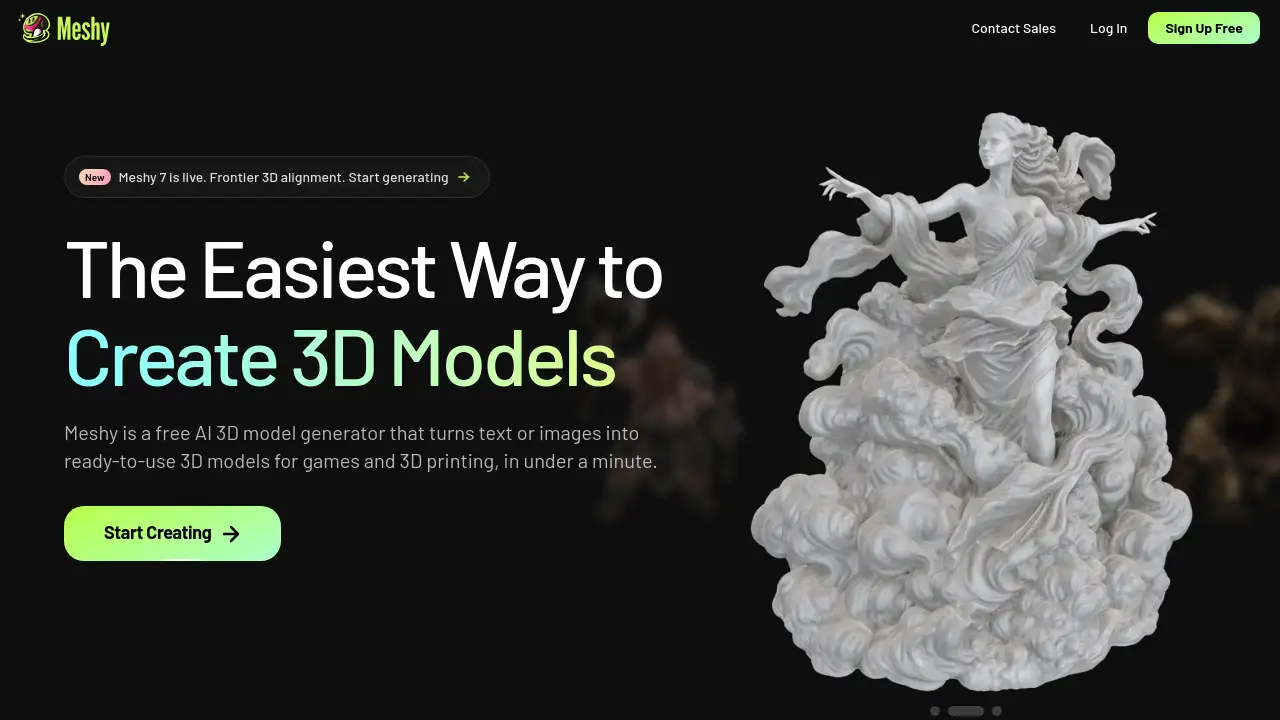
Meshy is an AI 3D model generator that helps creators turn text prompts and images into production-ready 3D models in about 20–30 seconds. As an AI 3D model generator, Meshy simplifies 3D content creation for game developers, 3D printing enthusiasts, and digital artists. This review explores Meshy's features, use cases, pricing, and limitations.
What is Meshy?
Meshy is a web-based platform built around an AI 3D model generator. It solves a common problem: creating 3D models is time-consuming and technically difficult. With Meshy, users can describe an object in text or upload a reference image, and the system generates a textured 3D model automatically. The tool is suitable for indie developers, professional studios, and hobbyists who need quick prototypes or production assets. Because it works directly in the browser, there is no powerful hardware required. The AI 3D model generator also supports exporting to FBX, OBJ, GLB, and STL, so users can take models into Blender, Unity, Unreal Engine, or slicers. This makes it a practical choice for both text to 3D workflows and image to 3D pipelines.
Key Features of Meshy
AI Agent for Guided Creation
The built-in 3D Agent chats with users, brainstorms ideas, turns 2D concepts into 3D models, and answers questions about 3D printing. This reduces the learning curve and helps beginners start with simple prompts.
Quick Text-to-3D and Image-to-3D Generation
Type a text prompt or upload a reference image, and Meshy produces a model in 20–30 seconds. The AI 3D model generator handles multiple styles and supports refinement through text commands.
One-Click PBR Texturing
Meshy generates a full PBR set that includes albedo, normal, metallic, and roughness maps. Users can switch on HD Texture to get crisp 4K details for close-up shots.
Auto-Rigging and Animation Presets
Characters can be auto-rigged for humanoid or quadruped skeletons. A library of over 600 motion presets covers walk cycles, idles, jumps, attacks, and gestures for game animation.
Low Poly Mode for Real-Time Performance
Low Poly Mode creates clean topology and lets users control the poly count. This makes it easy to drop assets into Unity, Unreal Engine, Godot, Blender, or Maya without performance hits.
Built for 3D Printing
Meshy models are watertight and manifold, so they are more likely to print on the first try. A printability check scans every export, and Auto Split breaks complex models into printable parts.
Use Cases for Meshy
Game Development
Use Meshy to generate characters, props, and environment assets quickly. The AI 3D model generator can produce enough game assets for playtesting in a short time.
3D Printing
Hobbyists and designers can create printable models for FDM or resin printing. Export as STL, OBJ, or 3MF and send directly to OrcaSlicer, Bambu Studio, or Cura.
Concept Art and Visualization
Artists can turn sketches or images into 3D concepts to explore designs. The image to 3D workflow is useful for character design and product visualization.
Education and Rapid Prototyping
Students and teachers can test 3D ideas without advanced modeling skills. Meshy helps prototype objects for engineering, medical, or architectural studies.
How to Use Meshy
- Go to Meshy's website and create a free account.
- Start a new project and describe the object in text or upload an image.
- Wait 20–30 seconds for the AI 3D model generator to generate the model.
- Refine the result with text commands or adjust settings.
- Export the model in FBX, OBJ, GLB, STL, or another format.
Target Audience for Meshy
- Indie game developers
- Professional 3D artists
- 3D printing hobbyists and professionals
- Educators and students
- Product designers
- Content creators for virtual reality and metaverse platforms
Is Meshy Free?
Meshy offers a free plan that lets new users generate models without a credit card. Paid plans are available for users who need more generation credits, higher resolution textures, and commercial licenses. For the most current pricing, visit the official Meshy website.
| Plan | Price | Features |
|---|---|---|
| Free | $0 | Generate a limited number of 3D models, export to STL/OBJ, access basic features |
| Pro / Business | Check official site | More credits, 4K textures, advanced export options, priority generation |
Meshy's Pros and Cons
| Aspect | Pros | Cons |
|---|---|---|
| Speed | Generates models in 20–30 seconds | Complex scenes may require manual cleanup |
| Ease of Use | Chat-based agent helps beginners | Full control requires prompt engineering |
| Export Options | Supports FBX, OBJ, GLB, STL, USDZ, 3MF | Some advanced features need paid plan |
| Printing | Watertight and manifold outputs | Not all generated models are perfect immediately |
| Audience | Great for game devs and 3D printing | Heavy users may outgrow free tier |
Frequently Asked Questions about Meshy
How does Meshy generate 3D models?
Meshy uses an AI 3D model generator that reads text prompts or images and creates a mesh with textures. The process takes about 20–30 seconds per model.
Can I use Meshy models for commercial projects?
Meshy is used by studios like Meta and Square Enix, but commercial use depends on the plan. Free users should check the license terms or upgrade for commercial rights.
What file formats can I export from Meshy?
For game assets, Meshy exports FBX, GLB, OBJ, and USDZ. For 3D printing, STL and 3MF are also available.
Does Meshy support 3D printing?
Yes. Meshy models are designed to be watertight and manifold, and the built-in printability check scans for holes and non-manifold edges. Users can export directly to slicers.
Is Meshy free to use?
Meshy has a free tier that does not require a credit card. Paid plans add more credits and features for professional workflows.
What is text to 3D in Meshy?
Text to 3D means typing a description of what you want, and the AI builds a model from that text. Meshy also supports image to 3D by uploading a reference image.
Meshy Tags
AI 3D model generator, text to 3D, image to 3D, 3D printing, 3D game assets, PBR texturing, auto-rigging, low poly 3D, Meshy review, AI Agent 3D, STL OBJ GLB FBX export, Meshy pricing