Introduction
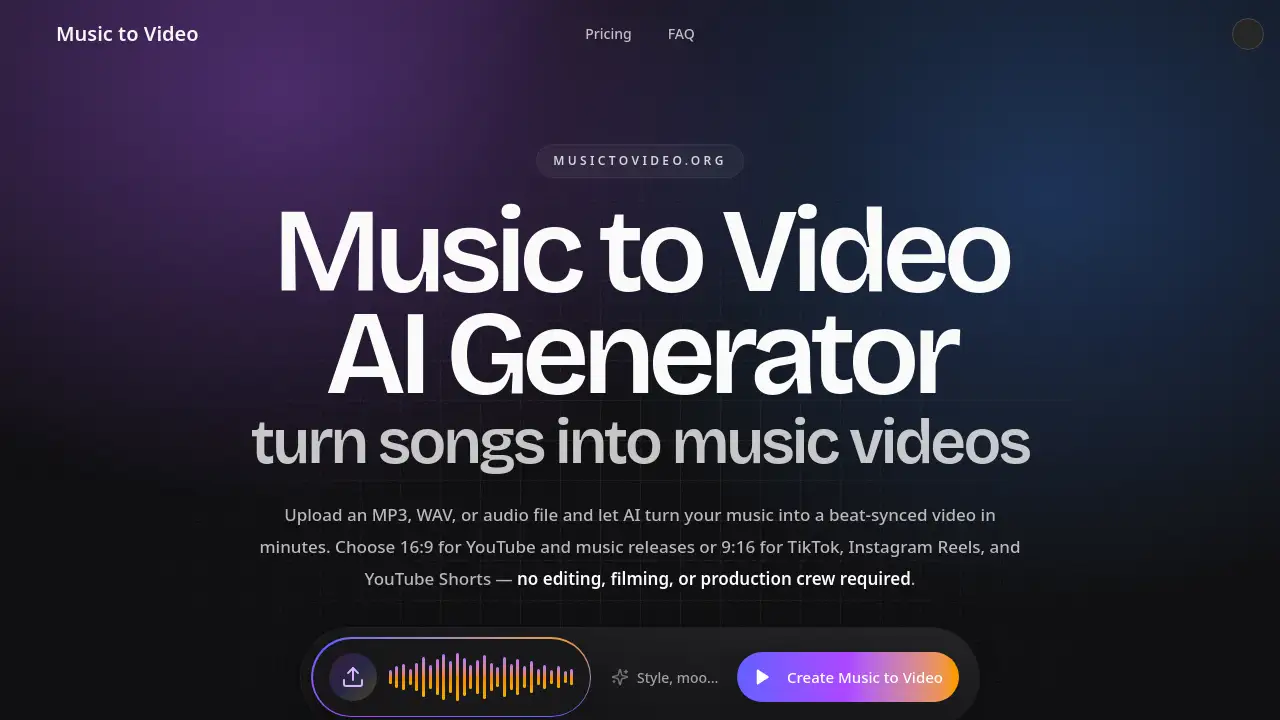
Music to Video AI turns songs into beat-synced videos.
What is Music to Video AI?
Music to Video AI is an online music to video AI generator that converts a song, MP3, or audio file into a beat-synced music video. It is built for people who want to turn music into video without filming, editing, or hiring a production crew. Users upload audio, choose a format and visual direction, and the AI builds scenes that follow the track’s tempo, mood, and section changes.
The tool solves a common problem: traditional music videos take days or weeks, and many AI video makers ignore the song’s structure. Music to Video AI focuses on beat-synced music video creation, with 16:9 output for YouTube and 9:16 vertical music videos for TikTok, Instagram Reels, and YouTube Shorts. It suits independent musicians, AI music creators, social media teams, and labels that need faster music video production.
Key Features of Music to Video AI
Beat-Synced AI Scene Generation
The music to video AI generator analyzes tempo, mood, and section changes before generating scenes. This helps chorus lifts, drops, and verses receive visuals that match the song instead of random clips.
Widescreen and Vertical Output
Users can render 16:9 widescreen music videos for YouTube or 9:16 vertical music videos for TikTok and Reels. The AI composes scenes for the chosen format from the start, reducing extra re-cutting work.
Support for Common Audio Files
Upload MP3, WAV, or M4A files, including recorded songs, instrumentals, and AI-generated tracks from tools such as Suno or Udio. This makes the MP3 to video workflow accessible to different music creators.
Scene Preview and Prompt Edits
Preview first frames and scene direction before the full render runs. Users can rewrite prompts for a single scene without re-rendering the whole music to video, which helps control credits and creative direction.
Multiple Music Video Styles
Create AI lyric videos, music visualizers, AI singer videos, dance cuts, album art videos, and social music videos. Visual directions can include cinematic, neon city, anime, lo-fi, performance, and other styles.
Use Cases for Music to Video AI
Independent Music Releases
Independent musicians can create a beat-synced music video for each release without booking a shoot. Upload an MP3 or WAV file and generate a YouTube-ready music video in 16:9.
TikTok, Reels, and Shorts Promotion
Social creators can produce vertical music videos for TikTok, Instagram Reels, and YouTube Shorts. The 9:16 format helps turn a track into short-form promo cuts without a manual editing timeline.
AI Music and Suno or Udio Tracks
AI music creators can export a song from Suno, Udio, or another music tool and turn music into video. The same music to video AI workflow applies to recorded and AI-generated audio.
Lyric Videos and Visualizers
Artists can generate AI lyric videos or audio-reactive music visualizers for demos, releases, and social clips. These formats are useful when a full performance video is not available.
Album Art and Singer-Led Videos
Users can animate cover art into a shareable music video or build singer-style scenes with a reference image. This adds visual variety to releases without filming new footage.
How to Use Music to Video AI
- Upload an MP3, WAV, or M4A file to the Music to Video AI platform. Use audio that you own or have permission to publish.
- Choose 16:9 for YouTube or 9:16 for TikTok, Reels, and Shorts. Optionally describe the visual style you want.
- Preview the scene direction and adjust prompts for any section before the final render.
- Generate the beat-synced music video and download the finished MP4. The music to video AI generator handles the scene creation from the uploaded audio.
Target Audience for Music to Video AI
- Independent musicians and bands that need affordable music videos for frequent releases.
- AI music creators exporting tracks from Suno, Udio, or similar tools.
- TikTok, Instagram Reels, and YouTube Shorts creators making vertical music videos.
- Labels, agencies, and brand teams producing campaign cuts and visual concepts.
- Content creators who need lyric videos, visualizers, or album art videos.
Is Music to Video AI Free?
Music to Video AI offers a free start with starter credits, so users can test the music to video AI generator before paying. Renders are delivered without a watermark on free and paid plans, according to the product information. Paid plans use a credit system, and credits expire 30 days after issuance.
| Plan | Price | Features |
|---|---|---|
| Free trial | $0 | Starter credits; short music to video test; watermark-free render |
| Entry plan | $18.90/month or $180/year ($15/month billed yearly) | 1,700 credits per cycle; up to 1m20s generated video per cycle; full commercial use; support |
| Popular plan | $49.90/month or $468/year ($39/month billed yearly) | 5,100 credits per cycle; up to 4m generated video per cycle; full commercial use; support |
| High-volume plan | $119.90/month or $1,188/year ($99/month billed yearly) | 13,090 credits per cycle; up to 10m16s generated video per cycle; full commercial use; support |
| Credit pack | $9.9 one-time | 680 credits; up to 32 seconds of generated music video; valid for 30 days |
Music to Video AI's Pros and Cons
| Aspect | Pros | Cons |
|---|---|---|
| Pricing | Free starter credits and multiple paid tiers | Credit limits may matter for long or frequent videos |
| Speed | Generates beat-synced videos in minutes | Final output depends on credits and render workflow |
| Features | Beat-synced visuals, 16:9 and 9:16 output, scene preview | AI results may need prompt adjustments |
| Ease of use | No filming, editing timeline, or production crew required | Users must own or license uploaded audio |
| Flexibility | Supports MP3, WAV, M4A, lyric videos, visualizers, and social cuts | Credits expire 30 days after issuance |
Frequently Asked Questions about Music to Video AI
What is a music to video AI generator?
A music to video AI generator is an online tool that turns a song or audio file into a video using AI. Users upload audio, choose a format and style, and the tool creates beat-synced visuals that follow the track’s rhythm and structure.
How do I turn music into video with AI?
Upload an MP3, WAV, or M4A file, select 16:9 or 9:16, and describe the visual direction if needed. The music to video AI generator analyzes the audio, builds scenes, and renders an MP4 that can be downloaded and posted.
Can I create an MP3 to video for TikTok or YouTube?
Yes. Music to Video AI supports MP3 uploads and offers 9:16 vertical music videos for TikTok, Reels, and Shorts, plus 16:9 widescreen music videos for YouTube and music releases.
Does the AI sync visuals with the music?
Yes. The AI reads tempo, mood, and section changes in the uploaded audio. It uses that information to build a beat-synced music video where verses, choruses, drops, and energy shifts have matching visual scenes.
Can I edit the music video before the final render?
Yes. Users can preview scene direction and rewrite prompts for a specific section before the full render. This allows changes to one scene without re-rendering the entire music to video.
Can I use generated music videos commercially?
Commercial use depends on the plan and the rights to the audio, prompts, and reference materials uploaded. Paid plans list full commercial use for content users have the rights to publish, so users should confirm they own or license the source music.
Music to Video AI Tags
music to video AI, music to video AI generator, AI music video generator, turn music into video, beat-synced music video, MP3 to video, AI lyric videos, vertical music videos, TikTok music videos, YouTube music videos, music visualizer, AI singer videos