Introduction
Video Reverse Prompt Generator: AI tool for video analysis.
What is Video Reverse Prompt Generator?
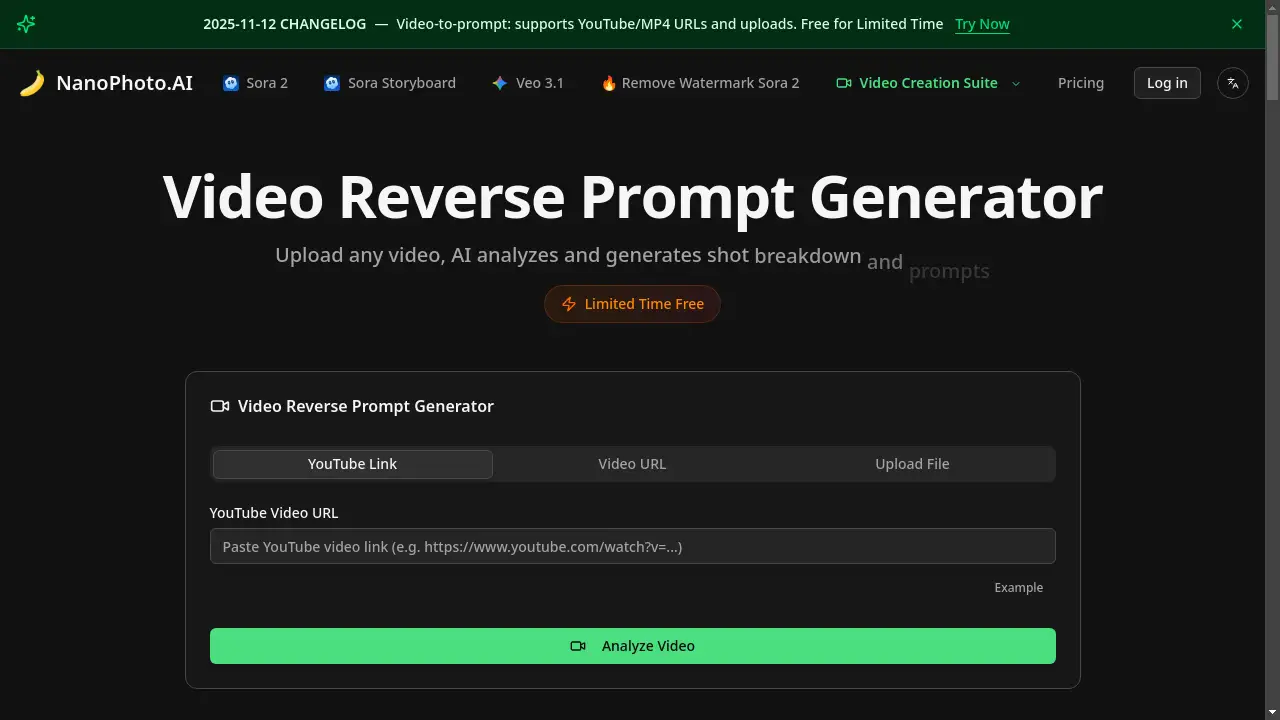
The Video Reverse Prompt Generator is an AI-powered tool that analyzes video content to generate detailed text prompts and shot breakdowns. This tool addresses the challenge for video creators and learners who wish to deconstruct and understand the techniques used in existing videos. It is suitable for anyone looking to improve their video creation skills by learning from professional examples. By simply providing a video from YouTube, a direct video URL, or a local file, the AI performs a deep analysis, producing a professional prompt that describes the visual content. This process saves significant time and effort compared to manual analysis, making it an efficient resource for creative projects and skill development.
Key Features of Video Reverse Prompt Generator
YouTube Support
This feature allows users to directly input a YouTube video link for analysis, eliminating the need to download the video file first.
Video URL Analysis
Users can paste a direct MP4 video link from the web for quick analysis, streamlining the process for online content.
Local File Upload
The tool supports the upload of video files stored on a user's device, with a maximum file size of 30MB for processing.
AI-Powered Breakdown
Leveraging deep learning, the AI analysis provides a professional and detailed shot breakdown, generating accurate prompts from the video content.
Use Cases for Video Reverse Prompt Generator
Learning Video Creation Techniques
Aspiring videographers can use the tool to deconstruct professional videos, understanding shot composition and style to improve their own work.
Generating Creative Prompts
Content creators can input a reference video to instantly generate a detailed prompt, which can be used to guide new video projects or AI video generation models.
Analyzing Competitor Content
Marketers and creators can analyze videos from competitors or industry leaders to reverse engineer successful video strategies and production methods.
Educational Video Breakdown
Educators and students in film or media studies can use the tool to technically analyze video assignments or classic film scenes for academic purposes.
How to Use Video Reverse Prompt Generator
Using the Video Reverse Prompt Generator involves a simple three-step workflow.
- Choose Your Input Method: Select how you want to provide the video. You can paste a YouTube link, a direct video URL, or upload a local MP4 file from your computer.
- Initiate the AI Analysis: Click the analyze button. The AI will then process the video, with the analysis time typically taking between 30 to 60 seconds depending on the video's length and complexity.
- Review and Use the Results: Once processing is complete, view the generated shot breakdown and detailed prompt. You can then copy the text directly for use in your projects or edit it to better suit your needs.
Target Audience for Video Reverse Prompt Generator
- Video Creators and Filmmakers
- Social Media Content Creators
- AI Art and Video Generation Enthusiasts
- Marketing Professionals
- Film and Media Students
- Educators in Creative Fields
Is Video Reverse Prompt Generator Free?
The Video Reverse Prompt Generator is currently available through a limited-time free beta. Accessing this free plan requires a user login. This provides an excellent opportunity to test the AI analysis and prompt generation capabilities without any initial cost. The tool's website also indicates that future premium plans may be introduced, suggesting that the current free access is a generous offering to early users.
Frequently Asked Questions about Video Reverse Prompt Generator
What video formats are supported?
The tool currently supports MP4 format videos. For YouTube videos, the system automatically handles any necessary format conversion.
What is the file size limit for uploads?
Uploaded local video files cannot exceed 30MB. For larger files, it is recommended to use a video URL or a YouTube link for analysis.
How long does the video analysis take?
The analysis time varies based on the video's length and complexity, but it typically completes within 30 to 60 seconds. Users can see the real-time progress during the analysis.
Can I edit the generated prompts?
Yes, the prompts generated by the AI are fully editable. Users can modify the text to refine the details before copying or using it for their creative projects.
Is the video reverse prompt feature free to use?
The feature is currently in a limited-time free beta period, which requires a login to use. This allows users to explore the tool's capabilities at no cost.
What can I do with the generated prompts?
The generated prompts can be used for various purposes, including guiding new video creation, learning shot techniques, or serving as a reference for personal creative projects.
Video Reverse Prompt Generator Tags
video reverse prompt, AI video analysis, generate video prompts, YouTube prompt generator, video shot breakdown, learn video creation, AI content analysis, video to prompt, creative prompt tool, video editing helper, deconstruct video, prompt generation