Introduction
Struggling with unwanted hardcoded text in your clips? This review covers the AI video subtitle remover from NanoPhoto.AI, a tool designed to erase burned-in captions from short videos while preserving original motion, framing, and audio.
What is NanoPhoto.AI AI Video Subtitle Remover?
NanoPhoto.AI AI Video Subtitle Remover is a web-based tool that detects and removes hardcoded subtitles from short video files. Unlike traditional video editors that require manual frame-by-frame masking, this service uses artificial intelligence to identify caption text and reconstruct the background pixels behind it. The result is a clean, subtitle-free MP4 that can be reused for social media posts, marketing assets, or localization workflows. It is especially useful for creators who need to repurpose clips originally containing wrong-language captions, draft text, or platform overlays. By focusing on short-form content, the tool solves a common pain point for video editors, social media managers, and localization teams without the need for heavy desktop software.
Key Features of NanoPhoto.AI AI Video Subtitle Remover
AI-Powered Subtitle Detection and Removal
The core feature is an AI model that identifies burned-in subtitle regions frame by frame. It reconstructs the pixels behind the text so the final video appears as if the captions were never there. This works for most hardcoded subtitles, whether they appear at the bottom, top, or side of the clip.
Stable Video Output with Original Audio
After processing, the cleaned video retains the original timing, framing, and audio track. The tool re-encodes the file, which may slightly change bitrate or file size, but the visual flow and sound stay intact. The final MP4 is stored on NanoPhoto.AI’s servers for a reliable download link.
Duration-Based Credit System
Subtitle removal is priced by video length. One credit covers every 10 seconds of footage, rounded up. For example, a 26-second clip costs 3 credits. This pay-per-use model allows users to process only what they need, without monthly subscriptions.
Support for Multiple Upload Methods
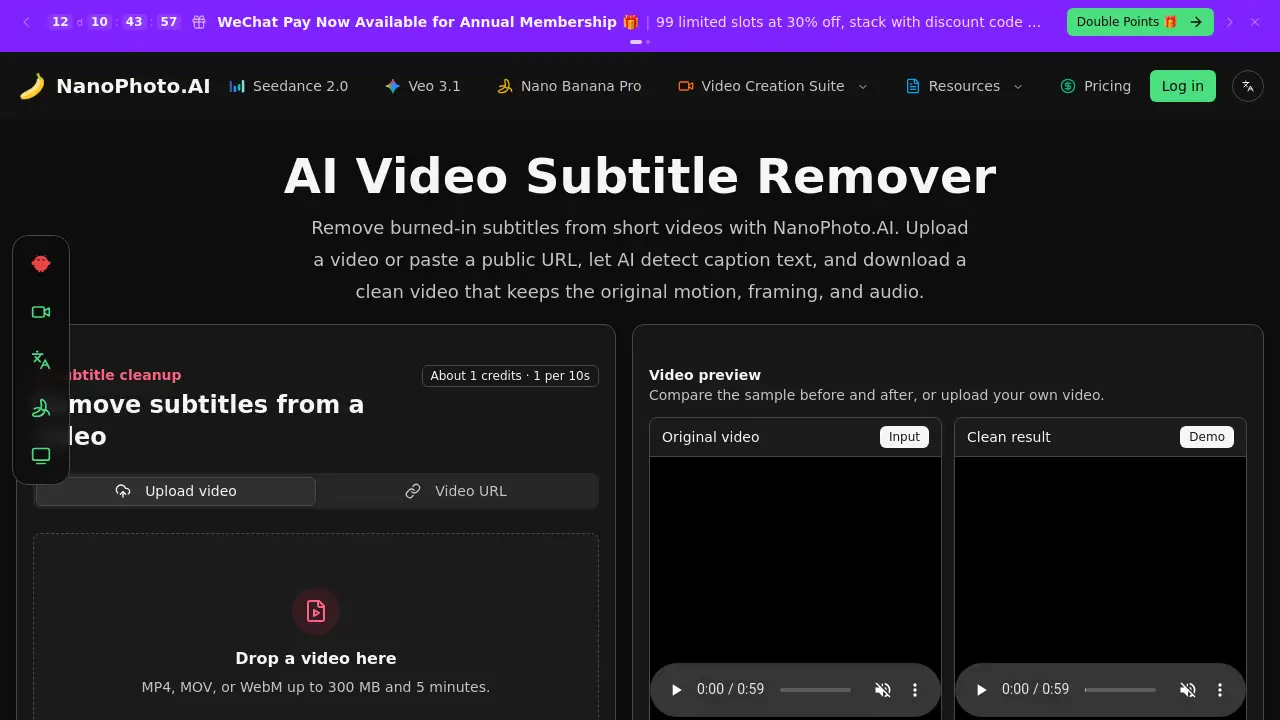
Users can either upload a local MP4, MOV, or WebM file (up to 300 MB and 5 minutes) or paste a public HTTPS video URL. The server fetches the file and submits it for AI cleanup, making it easy to work with clips hosted online.
Browser-Based Preview and Download
Once processing completes, users can compare the original and cleaned versions side by side in the browser. Then download the subtitle-free MP4 directly for editing, posting, or archiving.
Use Cases for NanoPhoto.AI AI Video Subtitle Remover
Social Repost Preparation
When repurposing videos for Shorts, Reels, TikTok, or ads, hardcoded captions often need to be removed before adding fresh text. This tool cleans the clip so creators can overlay new subtitles in a different language or style.
Marketing Asset Reuse
Outdated subtitles on product demos, campaign clips, course teasers, or creator footage can make the video unusable for new layouts. Removing them allows teams to reuse the same footage in different contexts without re-shooting.
Localization Workflows
Before translating subtitles or dubbing into another language, the original hardcoded text must be deleted. This tool prepares clean master clips that can be imported into post-production software for adding new captions or voiceovers.
How to Use NanoPhoto.AI AI Video Subtitle Remover
- Upload or paste a URL – Choose a local MP4, MOV, or WebM file (under 300 MB, max 5 minutes) or paste a public HTTPS video link.
- AI removes caption text – The server processes the video, identifying and erasing hardcoded subtitles frame by frame.
- Review the result – Compare the source and clean versions in the browser preview.
- Download the subtitle-free MP4 – Click the download link to save the cleaned clip for editing or posting.
Target Audience for NanoPhoto.AI AI Video Subtitle Remover
- Content creators making short-form videos for social platforms
- Social media managers who repurpose clips with unwanted captions
- Marketing teams reusing product demos and campaign footage
- Localization specialists preparing master clips for translation
- Video editors who need a quick subtitle removal without opening a heavy editor
Is NanoPhoto.AI AI Video Subtitle Remover Free?
The tool does not offer a free plan. It uses a credit-based system where each credit costs a certain amount (not specified in the reference). One credit removes subtitles from a 10-second video segment. For precise pricing, users should visit the official NanoPhoto.AI pricing page or check the available credit packages.
NanoPhoto.AI AI Video Subtitle Remover's Pros and Cons
| Aspect | Pros | Cons |
|---|---|---|
| Ease of Use | Simple three-step process; no software installs required | Limited to videos up to 5 minutes and 300 MB |
| AI Quality | Accurately detects hardcoded subtitles and repairs background | May struggle with complex backgrounds or overlapping text |
| Pricing | Pay-per-use credits allow flexible spending | No free tier; credit cost not clearly listed in reference |
| Output | Retains original audio and timing; stable download link | Re-encoding may slightly alter bitrate or file size |
Frequently Asked Questions about NanoPhoto.AI AI Video Subtitle Remover
What kind of subtitles can this remove?
The tool is designed for burned-in or hardcoded subtitles that are part of the video image. It is not needed for removable subtitle tracks; those can usually be disabled or deleted in a video editor.
How are credits calculated?
Credits are calculated by duration: one credit for every 10 seconds of video, rounded up. A 26-second clip costs 3 credits.
Which video formats are supported?
You can upload MP4, MOV, or WebM files up to 300 MB and 5 minutes, or paste a public HTTPS video URL that the server can access.
Will the result keep my audio and timing?
The cleaned video keeps the original timing and audio track. Processing may slightly change bitrate or file size because the video is re-encoded.
Why do you store the result after processing finishes?
The AI processing service returns a temporary URL. NanoPhoto.AI downloads the result and stores it in its own storage so your final download link is stable.
Can I use this for long videos?
The tool is built for short-form content. Uploads are limited to 5 minutes and 300 MB. For longer videos, other solutions may be needed.
NanoPhoto.AI AI Video Subtitle Remover Tags
AI video subtitle remover, hardcoded subtitles removal, burned-in captions remover, subtitle cleanup, remove subtitles from video, AI subtitle remover, online video subtitle remover, video caption remover, short video subtitle tool, NanoPhoto.AI, subtitle free video