Introduction
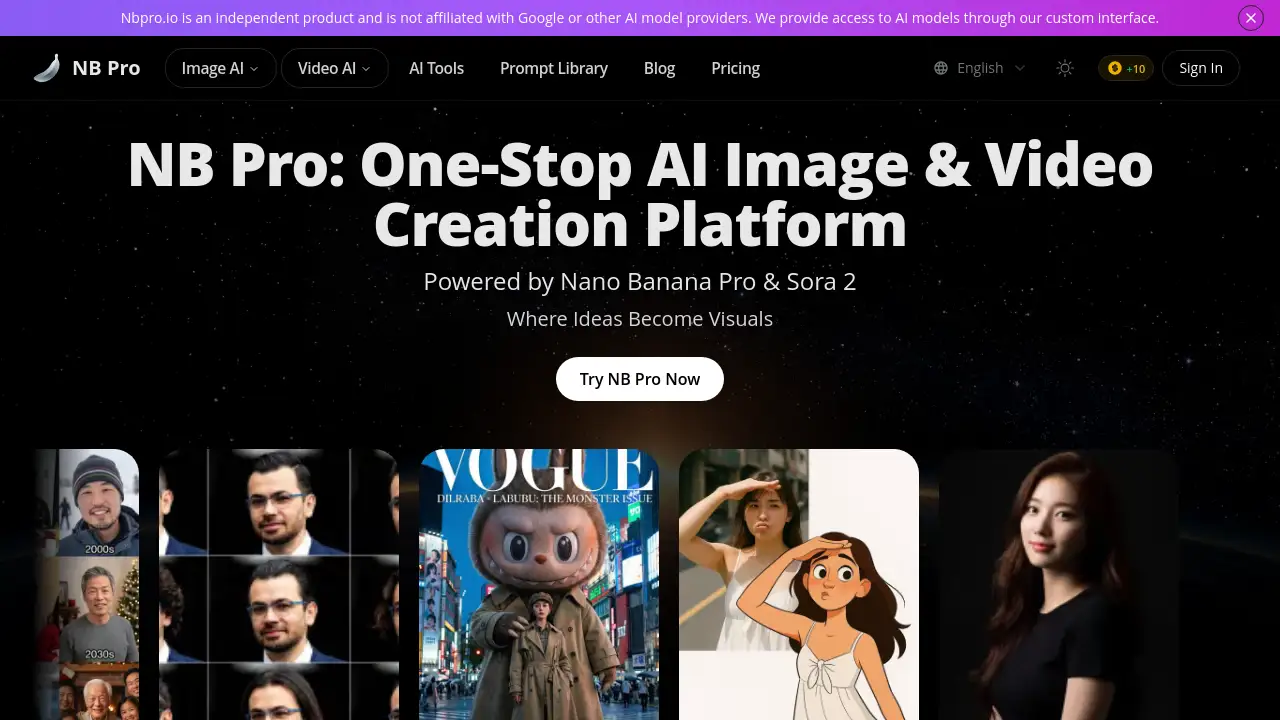
NB Pro is an all-in-one AI platform for generating images and videos powered by advanced models like Nano Banana Pro and Sora 2.
What is nbpro.io?
Nbpro.io is a centralized AI creative platform that provides access to powerful image and video generation models, most notably Nano Banana Pro and Sora 2. It solves the problem of fragmented creative workflows by offering a single interface for multiple AI engines, alongside tools for prompt optimization, editing, and project management. The platform is suitable for a wide range of users, from hobbyists to professional creators, enabling them to transform ideas into high-quality visuals without the need for multiple subscriptions or complex software. What matters is its commitment to providing a free starting point with no watermarks or waiting lists, lowering the barrier to entry for advanced AI art and video creation.
Key Features of nbpro.io
Centralized Multi-Engine Access
The platform grants access to top-tier AI models like Nano Banana Pro, Sora 2 for video, GPT-Image, and more from one unified dashboard, streamlining the creative process.
Smart Prompt Assistant & Library
A built-in AI prompt optimizer helps refine ideas into effective instructions, and a Prompt Library offers inspiration, reducing guesswork and improving output quality.
Advanced Editing & Coherence Tools
Users can make surgical edits to generated images and leverage features for consistent character rendering and complex scene coherence for professional-grade results.
High-Quality, Unrestricted Outputs
Nbpro.io allows for exports in Ultra-HD resolutions up to 4K, offers flexible aspect ratios, and provides all outputs without watermarks and with full usage rights.
Specialized AI Tools
Beyond standard generation, the platform includes utilities for specific tasks like AI hairstyle simulation, old photo restoration, interior design mockups, and manga colorization.
Iterative Dialogue Mode
This feature allows for ongoing conversation with the AI to refine and polish details in an image or video, remembering context for more efficient iteration.
Use Cases for nbpro.io
Marketing & Social Media Content
Create eye-catching graphics, promotional images, and short video clips for campaigns, ads, and social media posts with brand-aligned visuals.
Concept Art & Storyboarding
Illustrators and writers can rapidly visualize characters, scenes, and storyboards, maintaining consistent character rendering across multiple frames.
Product & Interior Design Mockups
Designers can generate realistic product prototypes or experiment with different interior design styles and layouts before committing to physical production.
Personal Creative Projects
Hobbyists can explore AI image and video generation for fun, creating custom artwork, restoring old family photos, or designing unique avatars and cards.
Professional Media Production
Video producers and digital artists can use it for pre-visualization, generating background plates, or creating elements for broadcast-ready final compositions.
How to Use nbpro.io
- Visit and Start: Go to the nbpro.io website. New users can start generating immediately without an account, though creating one unlocks features like cloud storage.
- Choose Your Model: Select your desired AI engine (e.g., Nano Banana Pro for images or Sora 2 for video) from the platform's interface.
- Craft Your Prompt: Enter a text description of what you want to create. Use the Smart Prompt Assistant to optimize your description for better results.
- Configure Settings: Adjust parameters like aspect ratio, resolution, and output number. For image-to-image, you can upload a reference photo.
- Generate and Refine: Click to generate. Use the Iterative Dialogue Mode or editing tools to make adjustments until you are satisfied, then download your watermark-free result.
Target Audience for nbpro.io
- Digital Marketers and Social Media Managers
- Graphic Designers and Illustrators
- Content Creators and Video Producers
- Product and Interior Designers
- Hobbyists and AI Art Enthusiasts
- Writers and Storytellers needing visual aids
Is nbpro.io Free?
Nbpro.io offers a free tier to start generating. For sustained or professional use, it operates on a credit-based subscription model. The following table outlines the main plans:
| Plan | Price (Billed Annually) | Key Features & Credits |
|---|---|---|
| Basic | $7.42/month | 150 credits/month, standard speed, 30-day storage, personal use. |
| Pro (Most Popular) | $14.92/month | 500 credits/month, priority queue, batch generation, unlimited storage, commercial license. |
| Max | $37.40/month | 1,500 credits/month, faster speed, higher concurrency, advanced templates. |
| Ultra | $60.08/month | 3,000 credits/month, fastest priority, API access, team license, best for high-volume workflows. |
All paid plans offer watermark-free outputs. Users should check the official nbpro.io pricing page for the most current details and any limited-time offers.
nbpro.io's Pros and Cons
| Aspect | Pros | Cons |
|---|---|---|
| Access & Cost | Free to start; provides access to premium models like Nano Banana Pro without individual subscriptions. | High-volume users will require a paid subscription, which can become an ongoing cost. |
| Features & Output | All-in-one platform with powerful editing, coherence tools, and Ultra-HD export; no watermarks. | The array of advanced features and models may have a slight learning curve for absolute beginners. |
| Usability | Smart Prompt Assistant and plain-language editing lower the technical barrier for effective use. | As an online platform, it requires a stable internet connection for all functions. |
| Licensing | Clear commercial use license included in Pro plans and above, enabling professional work. | The free tier and Basic plan are for personal use only, limiting professional application. |
Frequently Asked Questions about nbpro.io
Is there a free trial for nbpro.io?
Yes, nbpro.io allows users to start generating AI images and videos for free immediately upon visiting the site, with no watermarks and no waiting list, though with certain limitations compared to the paid plans.
What AI models are available on the platform?
The platform primarily features Nano Banana Pro for image generation and Sora 2 for video creation. It also integrates other third-party models like GPT-Image, offering a multi-engine access point from one interface.
Can I use the images I create for commercial purposes?
You can use images commercially if you are on a Pro, Max, or Ultra subscription plan, which includes a commercial use license. Images generated on the free tier or Basic plan are for personal use only.
What is the Smart Prompt Assistant?
The Smart Prompt Assistant is a built-in tool that helps optimize and refine your text descriptions. It transforms rough concepts into instructions that the AI models can understand better, improving the accuracy and quality of the generated visuals.
How does the Iterative Dialogue Mode work?
This feature allows you to have a conversation with the AI about your generated image. You can ask for specific changes or refinements in plain language, and the AI will remember the context of your original creation, making the editing process more intuitive.
What file formats and resolutions does nbpro.io support for export?
The platform supports downloading images in JPG, PNG, and WebP formats. It can export in Ultra-HD resolutions, including 2K and 4K, with flexible aspect ratios to suit different screens and print media.
nbpro.io Tags
AI image generator, AI video generator, Nano Banana Pro, Sora 2, all-in-one AI platform, prompt optimizer, AI art platform, commercial AI art, free AI generator, no watermark AI, Ultra-HD AI images, consistent character AI, smart prompt assistant