Introduction
A browser-based AI video generator that turns text and images into professional clips.
What is omni video?
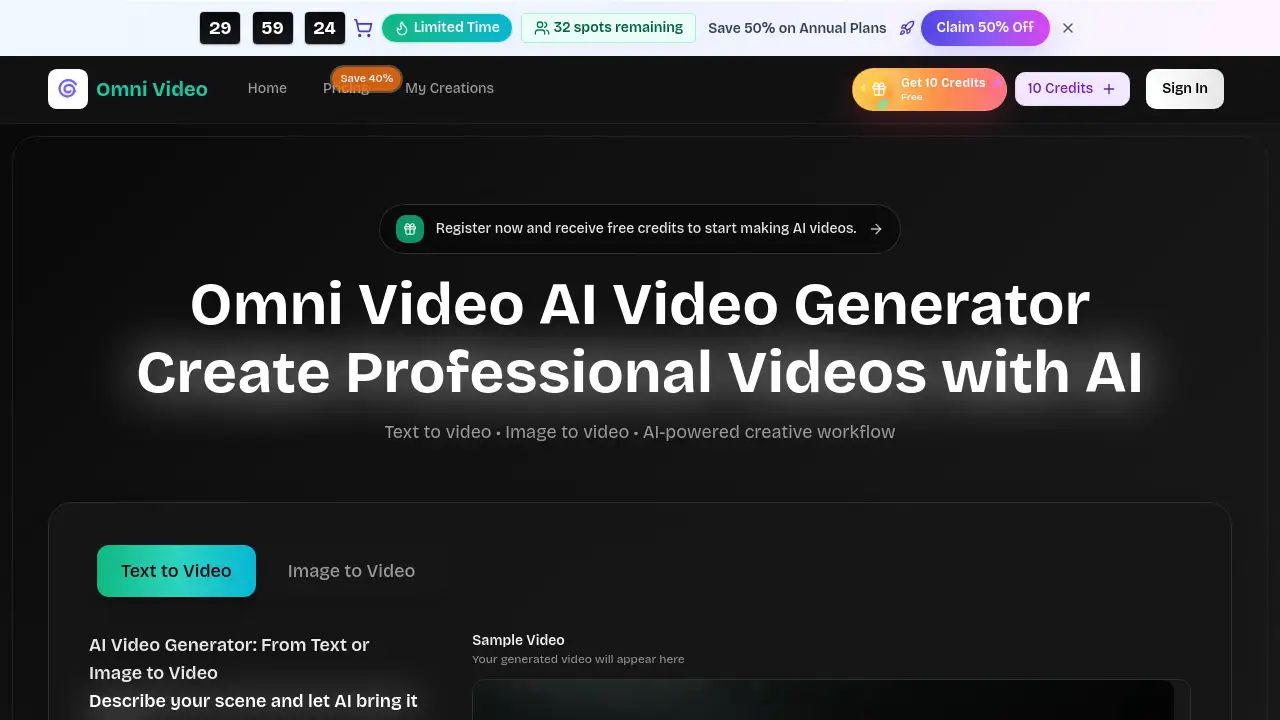
Omni Video is an AI video generator designed to transform written prompts and reference images into short, production-ready video clips. It solves the problem of time-consuming and resource-intensive video production by offering a fast, browser-based tool that requires no prior editing experience. The platform is suitable for marketers, content creators, and business teams who need to quickly generate assets for social media ads, product demos, and brand content. Its focus on AI-generated videos that are usable from the first frame makes it a practical choice for real-world creative workflows.
Key Features of omni video
Flexible Inputs
Omni Video allows users to start the AI video generation process from either a text prompt or an uploaded image, providing a seamless workflow to turn any concept into motion.
Creative Control
The platform offers detailed control over the scene through natural language, letting users fine-tune camera movement, mood, and composition to match their vision.
Smart Iteration
Users can generate multiple variations from a single prompt, compare them side-by-side, and quickly iterate to find the best result, significantly speeding up the creative process.
Production-Ready Output
Every AI-generated video is designed to be usable immediately for campaigns, with options to download watermarked videos in formats ready for social media and advertising.
Template Reusability
The tool allows users to save successful prompts or visual formulas as templates, enabling consistent and efficient video creation across multiple projects and team workflows.
Use Cases for omni video
Social Media Content Creation
Quickly produce engaging short clips for platforms like Instagram Reels, TikTok, and YouTube Shorts to maintain a consistent posting schedule.
Advertising and Marketing Campaigns
Generate high-quality video clips for ads, product showcases, and promotional content without the need for expensive shoots or complex editing software.
Product Demos and Explainers
Create clear, visual demonstrations of products or services, ideal for landing pages, email campaigns, and sales presentations.
Creative Experimentation and Storyboarding
Explore different visual styles, camera angles, and atmospheres for film, animation, or campaign concepts in a risk-free, iterative environment.
How to Use omni video
Using Omni Video is a straightforward, four-step process designed for simplicity.
- Describe Your Scene: Enter a detailed text prompt describing the subject, setting, mood, and desired camera movement. You can also upload a reference image.
- Configure Settings: Choose your preferred aspect ratio, video quality, and duration for the AI-generated video.
- Generate and Compare: Let the AI video generator create multiple takes. Preview each version and select the one that best matches your idea.
- Download and Use: Export the final, production-ready video clip and use it directly in your social media posts, ads, or other projects.
Target Audience for omni video
- Marketing Professionals and Teams needing fast, scalable video content for ads and campaigns.
- Social Media Managers and Content Creators looking to produce a high volume of engaging video clips.
- Small Business Owners and Entrepreneurs who require professional video demos without a large production budget.
- Freelancers and Agencies in design or video production who want to streamline their workflow and offer AI-generated videos as a service.
Is omni video Free?
Omni Video offers a tiered pricing model. While specific free trial credits may be available, the structured plans are as follows:
| Plan | Price (Billed Annually) | Key Features |
|---|---|---|
| Basic | $17.9/month | 1,000 credits/month, Text/Image to video, Unlimited downloads, Commercial rights. |
| Pro | $29.9/month | 2,000 credits/month, Priority generation, Advanced controls, Enhanced support. |
| Enterprise | $59.9/month | 6,000 credits/month, Team workspace, Maximum priority, Dedicated account manager. |
For the most current information on free credits or trial offers, visitors should check the official Omni Video pricing page.
omni video's Pros and Cons
| Aspect | Pros | Cons |
|---|---|---|
| Workflow & Usability | Intuitive, browser-based tool with no complex software to learn. Seamless text and image input. | Creative control is limited to prompts; lacks a traditional video editor for manual fine-tuning. |
| Output & Quality | Focuses on generating production-ready, usable clips from the start. | The final quality and realism of AI-generated videos can vary based on prompt complexity. |
| Pricing & Value | Transparent credit system. Higher-tier plans offer good value for teams with high-volume needs. | Can become expensive for individual creators who need many videos monthly. No clear monthly billing option displayed. |
| Speed & Efficiency | Enables fast iteration and comparison of multiple video variants, speeding up the creative process. | Generation speed is not instant and depends on server queue and scene complexity. |
Frequently Asked Questions about omni video
What is Omni Video and how does AI video generation work?
Omni Video is an AI video generator that creates short video clips from text descriptions and optional reference images. The AI interprets the prompt to generate motion, composition, and style, producing several versions for the user to choose from.
What makes Omni Video different from other AI video tools?
Omni Video distinguishes itself by focusing on practical, production-ready output and a workflow built for fast iteration and comparison, aiming for clips that are usable in real campaigns rather than just experimental outputs.
Can I use the videos I create with Omni Video for commercial purposes?
Yes, paid plans include commercial usage rights, allowing the AI-generated videos to be used in advertising, brand content, and client work. Users should review their specific plan details for the exact terms.
What kind of videos can I create with this AI video generator?
The tool is versatile for creating video clips for ads, social media content, product showcases, explainer videos, cinematic scenes, and creative variations for campaign testing.
How fast does Omni Video generate videos?
Generation time varies based on server queue, selected settings, and the complexity of the scene. Simpler prompts and shorter clips typically process faster.
Do I need video editing experience to use Omni Video?
No, the platform is designed to be accessible without editing skills. The primary skill required is the ability to write descriptive text prompts to guide the AI video generation.
omni video Tags
AI video generator, text to video, image to video, AI-generated videos, video clips for ads, social media video maker, AI video creation, browser-based video tool, marketing video software, content creation tool, professional video generator, fast video production