Introduction
OpenTag is a free, open source AI coworker that brings Claude Code, Codex, or Pi into Slack and Lark. It runs your agents on your own computer, using your own subscription plan or API key.
What is OpenTag?
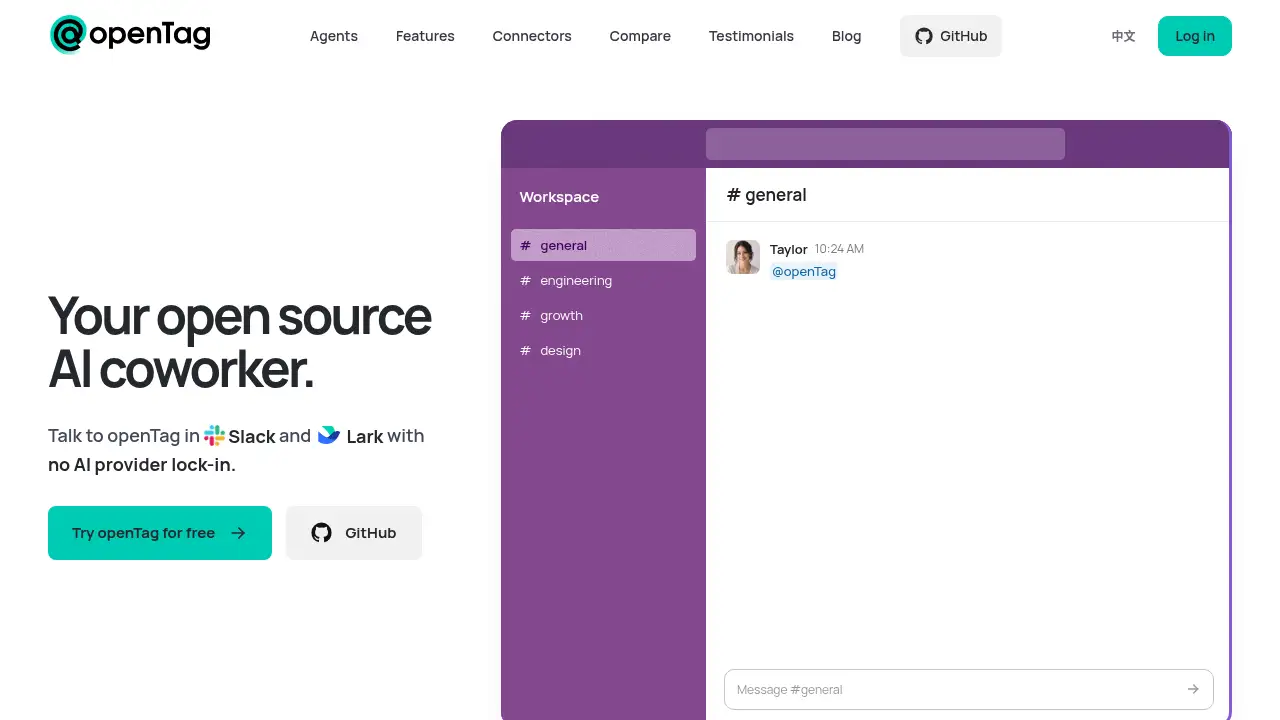
OpenTag is an AI coworker that lives inside your team chat. You mention it in a Slack or Lark thread with a task, and it passes the request to a small background program on your own computer. That program runs a coding agent such as Claude Code, Codex, or Pi, and the answer comes back in the same thread.
The problem it solves is simple. Most hosted chat agents lock a team into one model provider, charge per message or per credit, and keep conversations on someone else's servers. OpenTag takes a different route: the agent runtime stays on hardware you control, the model provider is your choice, and the software itself is open source.
For teams that already pay for a Claude or Codex plan, this matters. Instead of buying another AI subscription, they can point an OpenTag AI coworker at the plan they already have and invite it into a channel. Anyone in that channel can then hand it work, and the results appear where the conversation already happens.
Key Features of OpenTag
Local-first agent runtime
Run the OpenTag AI coworker on a Mac or Linux machine, so code and task output stay on your own hardware. Messages pass through the OpenTag service, but the actual work happens locally.
Bring your own subscription
Connect a Claude or Codex subscription, or any API key, and avoid model lock-in. Teams that share an agent across a workspace can use an API key instead.
Multiple agent runtimes
Choose between Claude Code from Anthropic, Codex from OpenAI, or Pi for multi-provider setups. This flexibility lets one team standardise on OpenTag while still using different agents for different jobs.
Slack and Lark integration
Add your agent to a Slack or Lark workspace and mention it in any thread. One agent can serve an entire channel, and anyone in that channel can talk to it.
Context Tree shared memory
Store team memory as readable markdown files in a git repository inside your own GitHub organisation. This file-based approach keeps memory portable, versioned, and private.
1,000+ service connectors
Link the agent to tools such as GitHub, Notion, Linear, Jira, Google Drive, and Figma. Connectors use your own credentials with the smallest scope that does the job.
Open source under Apache 2.0
Read the code, modify it, or self-host with Docker. An open source licence gives technical teams a way to audit how the agent behaves.
Use Cases for OpenTag
Delegating code tasks from a thread
A developer can describe a fix in Slack and let the OpenTag AI coworker run the change on a local machine. The reply lands in the same thread, so the discussion and the output stay together.
Sharing context across a team
Because Context Tree stores goals, decisions, and patterns as markdown, new agents start with real project context. Teams avoid repeating the same background in every conversation.
Connecting separate work tools
An agent can read a Jira ticket, check a Figma file, or open a pull request in GitHub. This makes OpenTag a practical bridge between chat and the tools a team already uses.
Running several agents in one channel
Agents can hand work to each other and check on each other's progress. Larger teams can split responsibilities, such as one agent for triage and another for implementation.
How to Use OpenTag
- Create an agent. Give it a name and pick a runtime such as Claude Code, Codex, or Pi.
- Prepare your computer. Paste the connection command into your coding assistant on a Mac or Linux machine, then wait for the local program to connect.
- Connect messaging. Choose Slack or Lark and add the agent to your workspace.
- Start working. Mention the agent in a thread with a task and review the reply in the same place.
Setup takes a few minutes and requires an existing Claude, Codex, or Pi installation plus a Slack or Lark workspace where you can chat with the agent.
Target Audience for OpenTag
- Engineering teams that already live in Slack or Lark
- Developers with an existing Claude or Codex subscription
- Organisations that want AI agents to run on local machines
- Privacy-focused teams that prefer self-hosting
- Startups that want an AI coworker without per-seat pricing
- Open source contributors interested in extending the tool
Is OpenTag Free?
OpenTag is free to use and released under the Apache 2.0 licence. There is no per-seat or per-message charge from OpenTag itself. Users pay only for their own AI usage through their existing provider subscription or API key.
| Plan | Price | Features |
|---|---|---|
| OpenTag | $0 | Local agent runtime, Slack and Lark integration, Context Tree memory, 1,000+ connectors, self-hosting with Docker |
| AI provider costs | Paid to your provider | Claude or Codex subscription, or API key usage |
Subscription plans should be used in line with each provider's terms of use.
OpenTag's Pros and Cons
| Aspect | Pros | Cons |
|---|---|---|
| Pricing | Free and open source; you pay only for your own AI usage | Shared workspaces still need an API key for best results |
| Flexibility | Works with Claude Code, Codex, and Pi; no model lock-in | Requires an existing agent installation on a Mac or Linux machine |
| Privacy | Agents run locally; memory lives in your own GitHub repository | Messages pass through OpenTag servers by default |
| Collaboration | One agent can serve a whole channel and hand work to other agents | Only Slack and Lark are supported today |
| Setup | Self-hostable with Docker and clearly documented steps | Some command-line comfort is needed |
Frequently Asked Questions about OpenTag
What is OpenTag used for?
OpenTag lets teams talk to a coding agent from Slack or Lark. You mention the bot in a thread, the task runs on your own computer, and the result appears in the same conversation.
Can I use my existing Claude or Codex subscription?
Yes. OpenTag works with a Claude or Codex plan, or with an API key. For shared workspaces, an API key is the recommended option so usage stays predictable.
Does the AI coworker run in the cloud?
No. The agent runs on your local Mac or Linux machine and talks to your model provider directly. OpenTag's servers do not store your conversations, code, or memory by default.
Which messaging apps does OpenTag support?
Slack and Lark are supported now. Teams and Discord support are listed on the roadmap, so other platforms may follow.
How does Context Tree work?
Context Tree is a file-based, git-backed memory layer. It stores markdown files such as goals and decisions in a private GitHub repository that your team owns and controls.
Can my whole team use one agent?
Yes. One agent serves a channel, and anyone in it can mention the bot. Agents can also pass work to each other and check on each other's progress.
OpenTag Tags
OpenTag, OpenTag AI coworker, open source AI coworker, AI agent for Slack, Lark AI agent, Claude Code Slack integration, Codex agent, local AI agent, bring your own API key, Context Tree memory, self-hosted AI agent, AI coworker for teams