Introduction
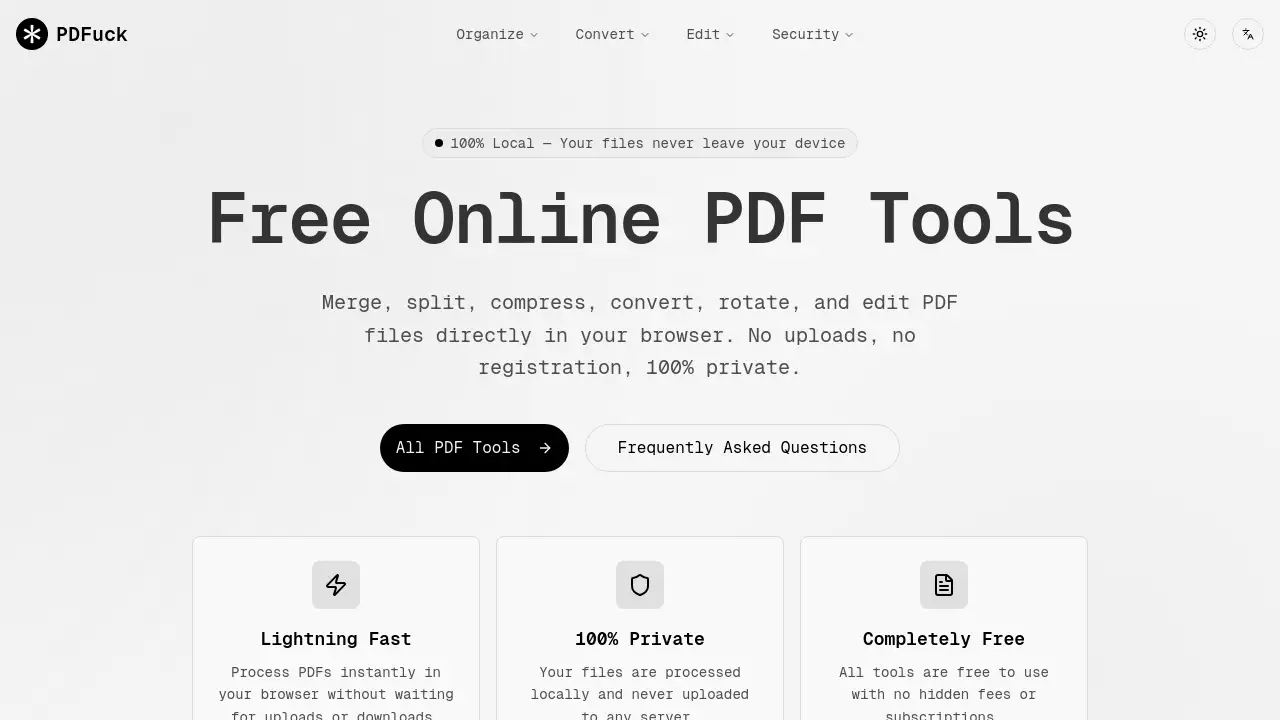
PDFuck is a free, browser-based suite of over 40 privacy-focused PDF tools.
What is PDFuck - Free Online PDF Tools?
PDFuck is a comprehensive collection of free online PDF tools that operate entirely within a user's web browser. This toolset solves the common problem of needing quick, accessible, and secure PDF manipulation without the hassle of software downloads, account registrations, or concerns about data privacy. It is suitable for a wide range of users, from students and office workers to freelancers and small businesses, who regularly need to merge PDF files, compress PDF documents, split, convert, or edit them. The core value of PDFuck lies in its commitment to privacy and convenience, offering instant, browser-based PDF tools that ensure files never leave the user's local device, making it a standout choice for handling sensitive documents.
Key Features of PDFuck - Free Online PDF Tools
100% Local Processing
All file processing happens directly in your web browser, meaning your documents are never uploaded to any server, ensuring privacy-focused PDF tools and maximum security for sensitive information.
Completely Free to Use
The platform offers its entire suite of over 40 tools without any cost, hidden fees, or subscription models, providing truly free online PDF tools for all users.
Instant Browser-Based Operation
Tools work lightning fast by eliminating the need for time-consuming file uploads to remote servers, allowing for immediate processing and download of results directly within the browser.
Extensive Tool Collection
Users have access to a wide array of functionalities including merging, splitting, compressing, rotating, converting, adding watermarks, protecting with passwords, signing, and performing PDF OCR on scanned documents.
No Registration Required
The service can be used immediately without the need to create an account or provide any personal information, emphasizing ease of access and user convenience.
Use Cases for PDFuck - Free Online PDF Tools
Compressing Reports for Email
Professionals can quickly compress PDF file sizes to meet email attachment limits before sending out reports or proposals, ensuring easy delivery without losing quality.
Merging Scanned Documents
Students or administrators can merge PDF files of multiple scanned pages or separate documents into a single, organized file for submission or archiving.
Securing Sensitive Contracts
Business users can protect PDF files with password encryption before sharing confidential contracts or financial statements, adding a layer of security directly in their browser.
Preparing Documents for Print
Individuals can resize PDF pages to standard paper sizes like A4 or Letter and add page numbers or headers/footers to ensure documents are perfectly formatted for physical printing.
Making Scanned Content Searchable
Researchers or librarians can use the PDF OCR tool to convert scanned book pages or historical documents into searchable and selectable text files for easier analysis and reference.
How to Use PDFuck - Free Online PDF Tools
Using PDFuck is a straightforward, three-step process that takes place entirely in your web browser.
- Select a Tool: Navigate to the PDFuck website and browse the collection of over 40 free online PDF tools. Choose the tool that matches your need, such as "Compress PDF," "Merge PDF," or "Sign PDF."
- Upload Your File(s): Click the upload area to select files from your computer or simply drag and drop them into the browser window. Your files remain on your device for local processing.
- Process and Download: Initiate the processing. Once complete, your modified PDF will be ready for instant download directly to your device.
Target Audience for PDFuck - Free Online PDF Tools
- Students and Academics: For compiling research, formatting theses, and managing study materials.
- Office Workers and Administrators: Daily handling of reports, contracts, presentations, and other business documents.
- Freelancers and Small Business Owners: Managing client documents, contracts, invoices, and promotional materials without expensive software.
- General Home Users: For personal tasks like organizing household documents, reducing photo PDF sizes, or signing forms.
- Privacy-Conscious Individuals: Anyone handling sensitive personal, financial, or legal documents who prioritizes data security.
Is PDFuck - Free Online PDF Tools Free?
Yes, PDFuck is completely free. The service does not offer any paid tiers, subscriptions, or premium features. All tools are available for unlimited use at no cost.
| Plan | Price | Features |
|---|---|---|
| Free | $0 | Unlimited access to all 40+ browser-based PDF tools, with 100% local processing and no registration required. |
PDFuck - Free Online PDF Tools's Pros and Cons
| Aspect | Pros | Cons |
|---|---|---|
| Cost & Accessibility | Completely free with no account needed; accessible from any modern web browser. | Requires an internet connection to access the website, though files are processed locally. |
| Privacy & Security | Unmatched privacy with 100% local processing; files never leave the user's device. | Lacks the advanced, automated batch processing features of some desktop software suites. |
| Ease of Use | Extremely simple, three-step process with an intuitive interface for quick tasks. | Functionality is limited to the tools provided; not a full-featured PDF editor for complex layout changes. |
| Tool Variety | Offers a wide range of over 40 specific tools for common PDF manipulation needs. | Performance for very large files (hundreds of pages) may depend on the user's own device capabilities. |
Frequently Asked Questions about PDFuck - Free Online PDF Tools
Is PDFuck safe to use with confidential documents?
Yes, it is exceptionally safe for confidential documents. PDFuck is a privacy-focused PDF tool that processes all files locally within your browser. Your documents are never uploaded to any external server, ensuring they never leave your computer.
What happens to my files after processing?
Nothing. Since all processing is done locally on your device, your original files remain under your control. The tool simply provides you with a new, processed file to download. Your original files are not stored or transmitted anywhere.
Are there any file size or usage limits?
Based on the available information, PDFuck appears to be completely free without stated limits on file size or number of uses. However, extremely large files may be limited by the memory and processing power of your own device since the work is done locally in your browser.
What PDF tools are available?
The suite includes over 40 browser-based PDF tools for tasks like merging, splitting, compressing, rotating, converting, adding watermarks or page numbers, protecting with passwords, unlocking, signing, comparing, redacting, and applying OCR to scanned documents.
Do I need to install any software?
No installation is required. PDFuck operates entirely online through your web browser (like Chrome, Firefox, or Edge). There is no need to download or install any software, plugins, or extensions.
Can I use PDFuck on my phone or tablet?
Yes, as a browser-based web application, PDFuck should be accessible on any device with a modern web browser, including smartphones and tablets. The interface is designed to be responsive and work on various screen sizes.
PDFuck - Free Online PDF Tools Tags
PDFuck, free online PDF tools, merge PDF, compress PDF, split PDF, PDF converter, privacy-focused PDF tools, browser-based PDF tools, PDF editor, PDF sign, protect PDF, unlock PDF, PDF OCR, no upload PDF tools