Introduction
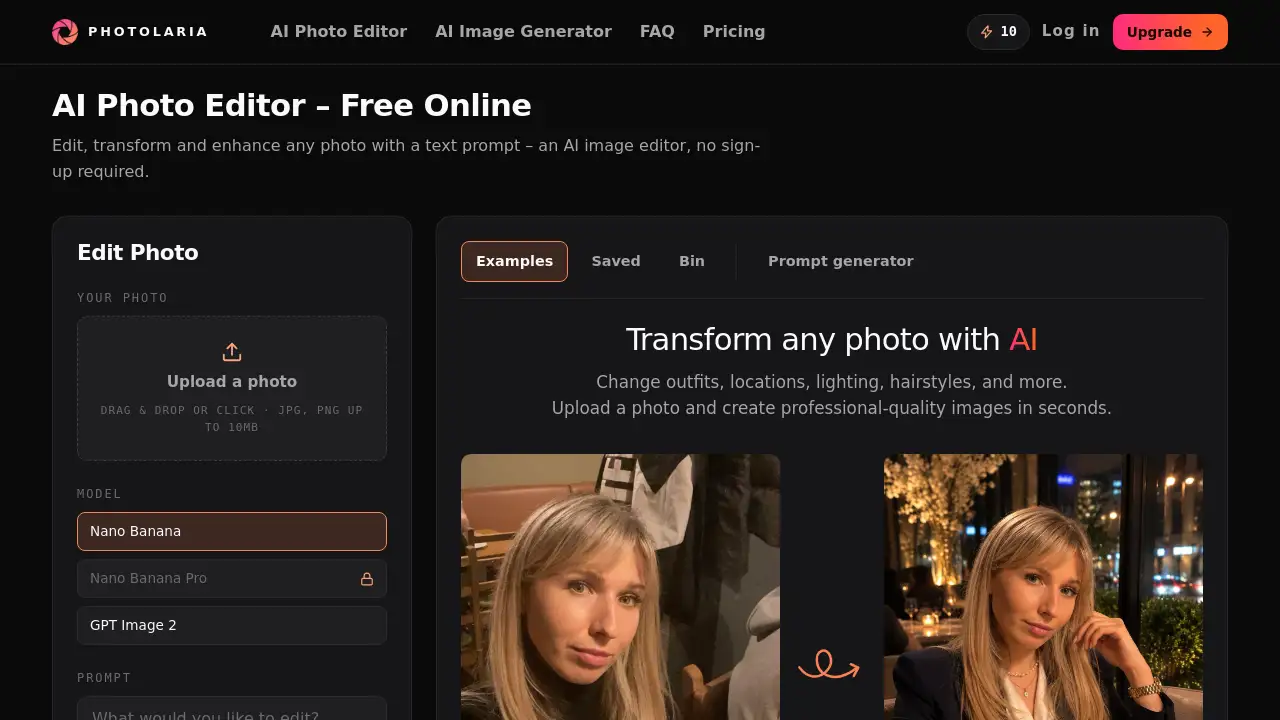
Photolaria is a free online AI photo editor that transforms images using text prompts. This AI photo editor requires no sign-up, making it accessible to everyone. As an AI photo editor, it handles retouching, enhancement, and style changes in seconds. Users describe what they want, and the AI photo editor delivers studio-quality results. This AI photo editor is ideal for quick edits without technical skills.
What is Photolaria?
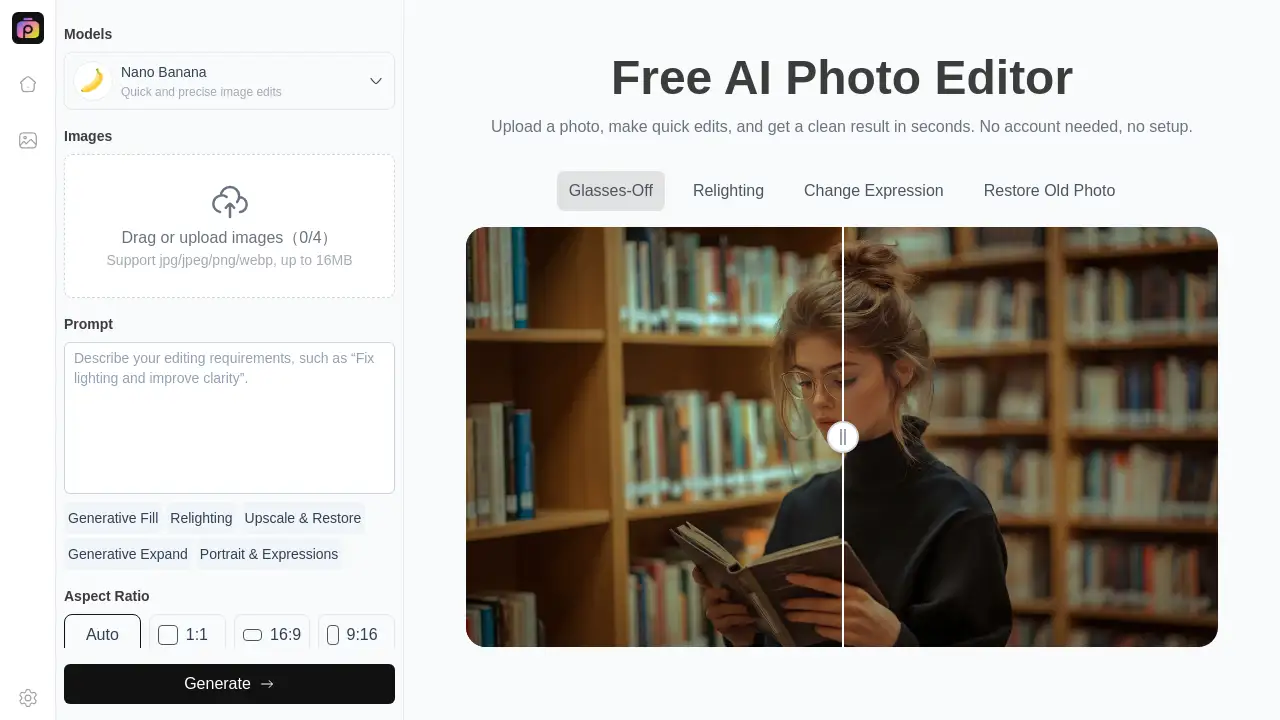
Photolaria is an online AI photo editor powered by artificial intelligence. Unlike traditional software, this AI photo editor lets users edit by typing descriptions. This free online AI photo editor can remove objects, change backgrounds, and adjust lighting. As an AI image editor, it makes photo enhancement simple and fast. The platform offers multiple AI models for different quality needs. Users also get a private gallery and full ownership of generated images. For anyone who needs to retouch photos quickly, this AI photo editor provides a practical solution.
Key Features of Photolaria
Text Prompt Editing
This AI photo editor allows users to type what they want instead of using complex tools. Text prompts make photo enhancement accessible to everyone, from beginners to professionals.
Multiple AI Models
The AI photo editor includes three models: Nano Banana, GPT Image 2, and Nano Banana Pro. Each model offers different capabilities to retouch photos at varying quality levels and credit costs.
No Sign-Up Required
Users can access this AI photo editor instantly without creating an account. This feature makes it one of the most convenient AI image editor tools available online.
Private Gallery
Every user gets a private gallery for their images. This AI photo editor ensures all generations remain private and secure across all plans.
Daily Free Credits
This AI photo editor provides 10 free credits daily. Users can always retouch photos even with an empty balance, ensuring consistent access.
Commercial Usage Rights
Paid plans include commercial rights for generated images. This feature makes the AI photo editor suitable for business and professional use.
Use Cases for Photolaria
Social Media Content Creation
Social media managers use this AI photo editor to generate visuals quickly. Text prompts help create images for Instagram, Facebook, and TikTok without design tools.
E-Commerce Product Photos
Online sellers can retouch photos of their products using this AI photo editor. It helps create professional images without hiring a photographer or studio.
Personal Photo Retouching
Users can remove objects or fix lighting in personal photos. This AI photo editor makes photo enhancement fast and easy for everyday use.
Marketing and Advertising
Marketers use this AI photo editor to create visuals for campaigns. The AI image editor allows rapid iteration with simple text prompts.
How to Use Photolaria
- Visit the Photolaria website. No sign-up is required for this AI photo editor.
- Upload an image or select a sample to start editing.
- Type a text prompt describing the edit. This AI photo editor understands natural language.
- Choose an AI model based on quality and credit cost.
- Click generate. The AI photo editor produces the result in seconds, ready to download or save.
Target Audience for Photolaria
- Social media managers who need quick visuals
- Small business owners who want to retouch photos
- Freelance designers looking for an efficient AI photo editor
- Content creators who need fast photo enhancement
- Photography enthusiasts without technical skills
- Professionals needing commercial usage rights
Is Photolaria Free?
Photolaria offers a free plan with 10 daily credits. This AI photo editor allows instant access without an account. Paid plans offer more credits and commercial rights:
| Plan | Price | Credits | Features |
|---|---|---|---|
| Free | $0 | 10 daily credits | Basic models, personal use only |
| Starter | Monthly | 200 monthly + 10 daily | All models, commercial use |
| Pro | Monthly | 800 monthly + 10 daily | All models, commercial use |
| Studio | Monthly | 3200 monthly + 10 daily | All models, commercial use |
Photolaria's Pros and Cons
| Aspect | Pros | Cons |
|---|---|---|
| Pricing | Free tier with daily credits | Paid plans needed for full features and commercial use |
| Ease of Use | Simple text prompts, no sign-up required | Less control than manual editing tools |
| Features | Multiple AI models, private gallery, data deletion | Credit system limits heavy free usage |
| Privacy | Private gallery, no public images | Guest images expire after 7 days |
Frequently Asked Questions about Photolaria
How many images can I generate with the free plan?
The free plan gives 10 daily credits. Each generation costs 4 to 18 credits depending on the model. With Nano Banana, you can generate 2-3 images per day.
Are my generated images private?
Yes. All images are private on every plan, including Free. No other users can see your generations.
Can I delete my data?
Yes. Users can delete individual images or all data at once. Deleted images stay in the Bin for 30 days before permanent removal. Guest images expire after 7 days.
Who owns the images I generate?
You own the images. Photolaria claims no ownership of generated content. Full ownership details are in the Terms.
Can I use generated images commercially?
Paid plans include commercial usage rights with no restrictions. The Free plan is for personal use only. Users should verify lawful use.
Do I need an account for the Free plan?
No. The Free plan works without an account, but daily credits are only guaranteed with one. Without an account, credits are a courtesy.
Photolaria Tags
AI photo editor, free online AI photo editor, AI image editor, text prompt editing, photo retouching, photo enhancement, online photo editor, AI photo generator, image editing tool, no sign-up photo editor, commercial use AI images, AI photo editing software