Introduction
Lorem Picsum is a random image generator.
What is Lorem Picsum?
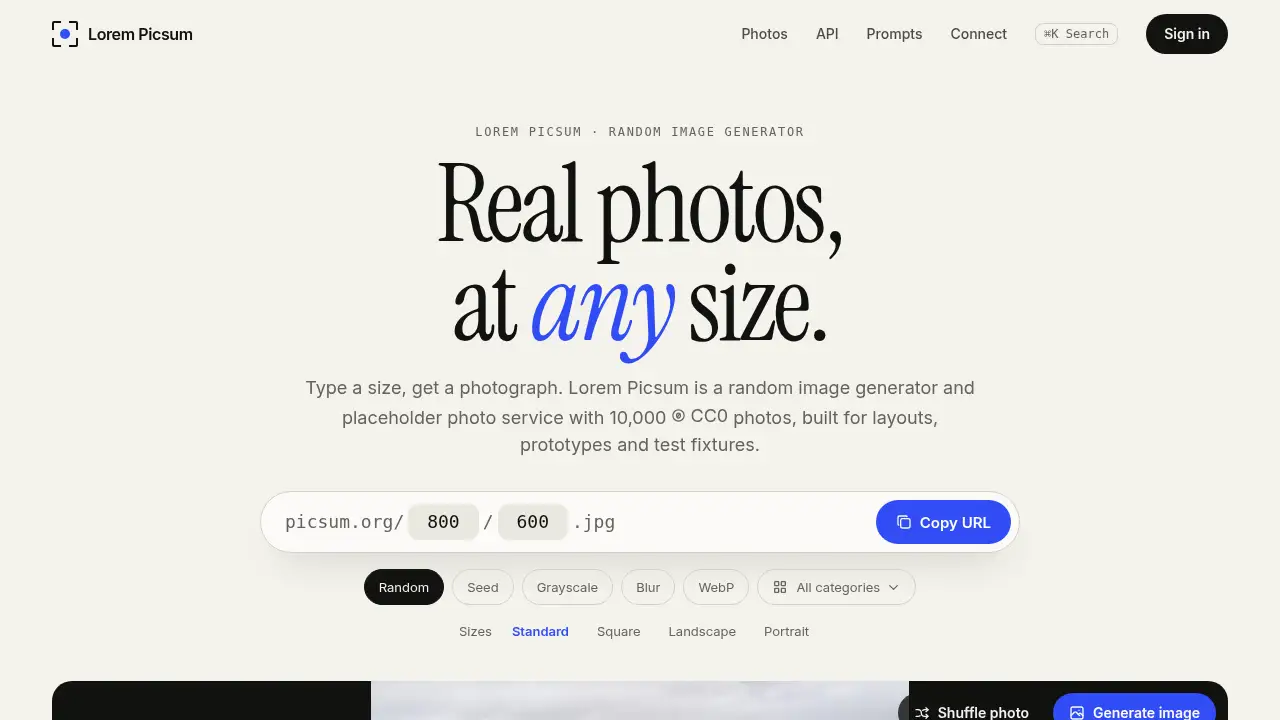
Lorem Picsum is a random image generator and placeholder photo service for real photographs at exact sizes. It is built for layouts, prototypes, and test fixtures, replacing grey boxes with believable images. The service offers 10,000 CC0 photos and a Picsum image API that needs no key and no sign-in. Users can request a random image by adding width and height to a URL, then refine results with tags, categories, seeds, grayscale, blur, or WebP output. This matters because designers and developers often need images that look real without licensing work. Lorem Picsum keeps that workflow simple: paste a URL, get a cropped photo, and ship the layout. The random image generator is useful for quick mockups, while repeatable seeds and photo IDs help teams keep reviews and tests stable.
Key Features of Lorem Picsum
Real Photos at Custom Sizes
Choose a width and height up to 2,000 pixels, or use one number for a square, and the random image generator returns a centered crop at the requested size.
Tag and Category Filters
Use tag or category parameters to narrow the random image generator to a subject or category, and send the same filters to /v2/list to browse matching photos.
Repeatable Seeds
Add a seed to make the same Lorem Picsum photo appear again across design reviews, even when the requested dimensions change.
Grayscale and Blur Effects
Apply grayscale to judge contrast without color, or add blur from 1 to 10 for text overlays and loading skeletons; both effects can be combined.
JPEG or WebP Output
Keep JPEG as the default or add .webp to test a WebP pipeline and serve a smaller file; the format stays explicit in the copied link.
No-Key Picsum Image API
Paste a Picsum image API URL into an image tag or browser without a key or sign-in, making the service easy to use in prototypes and automated checks.
Photo Metadata and IDs
Browse photo records with ID, dimensions, category, tags, credits, and download URL, or open /id/{id}/info for a single photo record.
Use Cases for Lorem Picsum
Prototypes and Wireframes
Use placeholder photos instead of grey boxes to show how a layout feels with real subjects, while the random image generator fills exact dimensions.
Design Reviews and Mockups
Share a seeded Lorem Picsum link so reviewers see the same photo and crop, which keeps mockup feedback focused on layout rather than image changes.
Automated Screenshot Tests
Pin a seed or photo ID, set exact width and height, and choose JPEG or WebP to make visual tests more repeatable.
Loading Skeletons and Text Overlays
Add blur and grayscale to create soft background images for skeleton screens, hero placeholders, or text-heavy sections.
Open-Source Demos and Tutorials
Use CC0 photos in demos, examples, and documentation without hand-picking stock images or chasing permissions.
How to Use Lorem Picsum
- Open Lorem Picsum and choose a size, such as 640 × 640 for a square or 1200 × 800 for a wide block.
- Build the image URL with width and height, then add optional parameters for tag, category, seed, grayscale, blur, or .webp.
- Copy the image link or download the JPEG or WebP file from the preview.
- Place the link in an HTML img tag with width, height, and alt attributes, or use it in a build tool or test runner.
- Browse /v2/list or /id/{id}/info when a project needs specific photo metadata, IDs, or repeatable records.
Target Audience for Lorem Picsum
- Front-end developers and UI designers who need placeholder photos in layouts
- QA engineers and test automation teams who need stable image URLs
- Product teams building prototypes, demos, and design reviews
- Educators and students learning HTML, CSS, and responsive layout
- Open-source maintainers and technical writers who need CC0 photos
- Content creators who need quick random image samples for mockups
Is Lorem Picsum Free?
The provided reference does not list paid plans. Access appears free, with no API key or sign-in required for the Picsum image API. A simple plan table looks like this:
| Plan | Price | Features |
|---|---|---|
| Free | $0 | 10,000 CC0 photos, random image generator, custom sizes up to 2,000 pixels, tags, seeds, grayscale, blur, JPEG and WebP, photo metadata |
No paid tier is described in the reference information. Users should check the official site if pricing or usage terms change.
Lorem Picsum's Pros and Cons
| Aspect | Pros | Cons |
|---|---|---|
| Pricing | Free access with no API key or sign-in described | No paid support or service-level agreement is listed |
| Features | Seeds, tags, grayscale, blur, WebP, and metadata cover common mockup needs | Custom sizes and effects share an on-demand allowance |
| Photos | 10,000 CC0 photos provide real subjects for mockups | The collection is fixed and not a full stock photo library |
| Setup | URL-based use is quick for img tags, build tools, and test runners | Advanced options require learning URL parameters |
| Use cases | Strong for prototypes, design reviews, and screenshot tests | Not intended as final curated stock photography |
Frequently Asked Questions about Lorem Picsum
What is Lorem Picsum used for?
Lorem Picsum is used to fill layouts, prototypes, demos, and test fixtures with real images. The random image generator returns a cropped photo at the requested size, so users do not need to hand-pick images.
How does the random image generator work?
A user enters a width and height, and the random image generator selects a matching photo from the Lorem Picsum collection. Each request can return a different image unless a seed or photo ID is used.
Can users get the same photo every time?
Yes. Add a seed to repeat the same source photo across requests, or copy an ID-based URL to pin a specific Lorem Picsum image. Seeds are useful for design reviews and screenshot tests.
Is the Picsum image API free and keyless?
The Picsum image API needs no key and no sign-in according to the reference information. Users can paste a URL directly into an image tag or browser, which makes the service easy to test.
What sizes and formats are supported?
The API supports widths and heights from 1 to 2,000 pixels. JPEG is the default, and users can add .webp to request WebP output without changing the seed or crop.
Can the CC0 photos be reused in commercial projects?
The photos are designated CC0, and each photo links to its source and creator. Users should check the original record and give credit if they wish, especially for commercial or published work.
Lorem Picsum Tags
Lorem Picsum, random image generator, placeholder photos, CC0 photos, Picsum image API, placeholder photo service, random image API, free placeholder images, WebP placeholder images, seed image generator, prototype images, test fixture images