Introduction
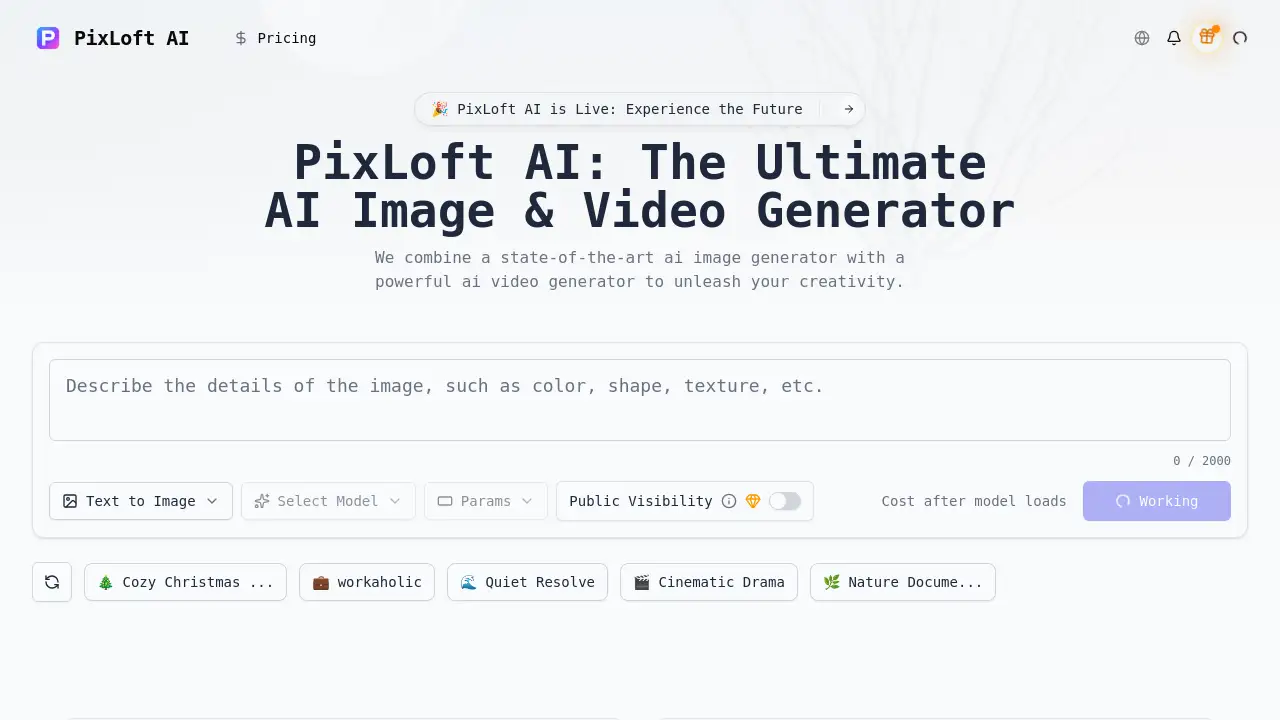
A comprehensive AI image generator and AI video generator for creating stunning visual content from text.
What is PixLoft AI?
PixLoft AI is a creative platform designed to transform text descriptions into high-quality images and videos. It acts as both an advanced AI image generator and a capable AI video generator, allowing users to generate 4K images and cinematic video clips directly from written prompts. This tool solves the problem of needing complex design or video editing skills to produce professional visual content. It is suitable for a wide range of users, from content creators and marketers to artists and hobbyists. By simplifying the content creation process, PixLoft AI makes high-end visual production more accessible and efficient.
Key Features of PixLoft AI
Text-to-Image Synthesis
The core AI image generator function converts detailed text prompts into high-resolution, detailed artwork, supporting various artistic styles and aspect ratios.
Text-to-Video Creation
This AI video generator feature animates written scripts, bringing described actions and scenes to life in video format.
Image-to-Video Animation
Users can upload a static image and use the platform's technology to animate it, creating dynamic video content from a single photo.
Smart Upscaling
Enhance the resolution of generated images to ensure output is crisp and suitable for professional use, whether from the AI image generator or converted videos.
Artistic Style Presets
Apply a range of visual filters and aesthetic presets instantly to generated content to match specific moods or branding needs.
Fast Processing
The platform is optimized for speed, delivering results from both the AI image generator and AI video generator quickly to streamline the creative workflow.
Use Cases for PixLoft AI
Social Media Content Creation
Quickly produce eye-catching graphics and short video clips for platforms like Instagram, TikTok, and YouTube using the AI image generator and AI video generator.
Marketing and Advertising
Generate unique ad visuals, promotional banners, and product demo videos without the need for expensive photo shoots or video production teams.
Concept Art and Storyboarding
Artists and filmmakers can rapidly visualize ideas and create storyboard sequences, leveraging the platform's ability to interpret descriptive prompts.
Educational and Presentation Material
Create engaging illustrations and explanatory videos for educational content, presentations, and online courses.
Personal Projects and Hobbies
Experiment with digital art, create custom wallpapers, or produce fun, personalized video clips for personal enjoyment.
How to Use PixLoft AI
Using PixLoft AI is a straightforward process designed for users of all skill levels.
- Enter Your Prompt: In the provided text box, describe the image or video scene you want to create. Be as detailed as possible for the best results from the AI image generator or AI video generator.
- Configure Settings: Choose your desired AI model, select an aspect ratio and resolution, and pick an artistic style or preset that fits your vision.
- Generate Content: Click the generate button. The AI will process your prompt and settings to create your image or render your video clip.
- Download and Share: Once generation is complete, review your 4K image or cinematic video. You can then download the high-quality file and share it across your chosen platforms.
Target Audience for PixLoft AI
- Content Creators and Social Media Influencers
- Digital Marketers and Advertising Professionals
- Graphic Designers and Concept Artists
- Video Producers, YouTubers, and Indie Filmmakers
- Educators and Course Creators
- Hobbyists and Enthusiasts interested in AI and digital art
Is PixLoft AI Free?
PixLoft AI operates on a credit-based system. New users typically receive a starting amount of free credits to test the platform. After that, credits must be purchased to continue generating content. The cost per generation depends on the model and settings used. For detailed and up-to-date pricing information, it is best to visit the official PixLoft AI website.
PixLoft AI's Pros and Cons
| Aspect | Pros | Cons |
|---|---|---|
| Ease of Use | Intuitive, step-by-step interface suitable for beginners. | Advanced customization options may require experimentation to master. |
| Output Quality | Capable of producing high-resolution 4K images and cinematic-style videos. | Output consistency can vary depending on the complexity of the prompt. |
| Features | Combines both AI image generator and AI video generator in one platform. | Video generation features may have more limitations compared to dedicated, high-end video AI tools. |
| Speed | Fast processing times for image generation. | Video generation and complex tasks understandably take longer to render. |
| Accessibility | Lowers the barrier to entry for professional-quality visual content creation. | Ongoing costs for credits can add up for users with high-volume needs. |
Frequently Asked Questions about PixLoft AI
What is the difference between the AI image generator and AI video generator in PixLoft AI?
The AI image generator creates static, high-resolution images from text prompts. The AI video generator creates short, animated video clips from text, bringing motion and scenes to life.
Do I own the images and videos I create with PixLoft AI?
Typically, users retain ownership of the content they generate for personal and commercial use. However, it is crucial to review PixLoft AI's official Terms of Service for the most accurate and detailed licensing information.
What kind of prompts work best?
Detailed and descriptive prompts yield the best results. Instead of "a cat," try "a fluffy orange tabby cat sleeping on a sunlit windowsill, photorealistic style, shallow depth of field." Specify style, mood, lighting, and composition.
Can I use PixLoft AI for commercial projects?
Yes, many users employ the platform for commercial purposes like creating marketing materials, social media ads, and video content. Always check the current terms of service for any specific restrictions or requirements.
How long does it take to generate a video?
Video generation takes significantly longer than image generation. The duration depends on the length and complexity of the requested video, ranging from a few minutes to longer.
Is there a limit on how many images I can generate?
Generation is limited by your available credits. The free starter credits allow for a limited number of generations, after which you will need to purchase additional credits.
PixLoft AI Tags
ai image generator, ai video generator, text to image, text to video, create AI art, AI video maker, 4K image generator, cinematic video AI, AI content creation, digital art tool, AI for creators, prompt-based AI