Introduction
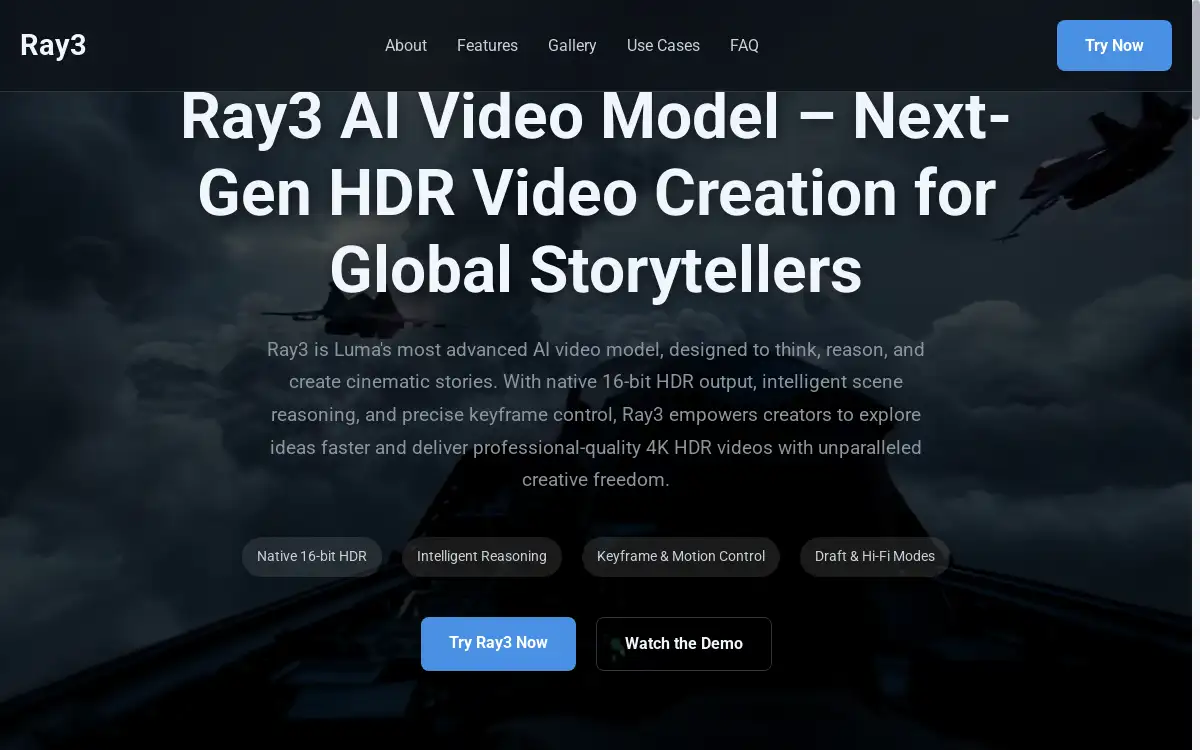
Ray3 is Luma AI's advanced video generation model that creates professional 4K HDR videos with intelligent reasoning and precise keyframe control for cinematic storytelling.
What is Ray3?
Ray3 is Luma AI's most sophisticated AI video generation model that revolutionizes how creators produce professional-quality videos. Unlike traditional text-to-video tools, Ray3 combines HDR video creation capabilities with intelligent reasoning to understand creative intent and generate cinema-grade content. This AI video model addresses the growing demand for high-quality video content by offering native 16-bit HDR output, advanced scene consistency, and professional-grade controls.
The platform serves filmmakers, content creators, advertisers, and game developers who need to produce stunning visuals quickly without compromising quality. Ray3's cinematic storytelling capabilities make it an essential tool for anyone looking to create compelling video content that stands out in today's competitive digital landscape. By integrating seamlessly into professional workflows through industry-standard formats like EXR, Ray3 bridges the gap between AI-generated content and professional video production.
Key Features of Ray3
Native 16-bit HDR Output
Ray3 produces cinema-grade visuals with exceptional dynamic range and color depth, setting new standards for AI video generation. The native HDR capability ensures professional-quality results that integrate seamlessly into high-end production pipelines.
Intelligent Scene Reasoning
The AI video model features advanced reasoning capabilities that ensure accurate physics, persistent character consistency, and logical object interactions. This intelligent understanding creates more believable and coherent video sequences.
Keyframe and Motion Control
Ray3 provides precise control over narrative elements through flexible keyframe control tools that define motion paths, camera movements, and object layouts. This feature enables exact storytelling and seamless loop creation for professional applications.
Draft and Hi-Fi Export Modes
The platform offers both rapid prototyping through Draft Mode and immaculate 4K HDR quality through Hi-Fi export. This dual approach allows cost-effective experimentation before committing to final high-quality renders.
EXR Format Support
Ray3 exports in industry-standard EXR format, enabling seamless integration into professional VFX and color grading workflows. This compatibility ensures the HDR video creation process fits naturally into existing production pipelines.
Text, Image, and Video Input Support
The versatile AI video generation model accepts multiple input types, including text prompts, images, and existing SDR video footage. This flexibility accommodates various creative workflows and project requirements.
Use Cases for Ray3
Film and Animation Previsualization
Ray3 accelerates the cinematic storytelling process by generating dynamic storyboards and complex sequence animations in minutes rather than weeks. Filmmakers can visualize their final vision quickly and make informed creative decisions early in production.
Advertising and Social Media Content
Content creators leverage Ray3's HDR video creation capabilities to produce eye-catching campaigns and engaging short-form content. The platform helps brands create compelling stories that capture audience attention and drive engagement.
Game Development and Virtual Production
Game developers utilize Ray3 to build immersive environments and design dynamic character animations with remarkable efficiency. The AI video model streamlines the creation of realistic in-game cinematics and virtual production elements.
Professional VFX and Post-Production
Visual effects artists integrate Ray3 into their workflows to generate high-quality footage that complements live-action material. The keyframe control features enable precise matching with existing footage and seamless composite integration.
Educational and Training Content
Educators and trainers use Ray3 to create engaging instructional videos that illustrate complex concepts through visual storytelling. The platform's reasoning capabilities ensure accurate representation of real-world scenarios and processes.
How to Use Ray3
-
Input Your Creative Vision: Start by providing text prompts, uploading images, or importing existing video footage to define your creative concept and desired outcome.
-
Configure Settings: Select between Draft Mode for rapid experimentation or Hi-Fi mode for final quality output, and adjust keyframe control parameters to match your project requirements.
-
Apply Reasoning Parameters: Utilize Ray3's intelligent reasoning features to ensure scene consistency, character persistence, and realistic physics interactions throughout your video sequence.
-
Generate and Review: Let the AI video generation model process your inputs and create initial footage, then review the results and make necessary adjustments to achieve your vision.
-
Export and Integrate: Export your final HDR video creation in EXR format or other professional formats for seamless integration into your existing post-production and color grading workflows.
Target Audience for Ray3
- Professional filmmakers and directors seeking rapid previsualization tools
- Content creators and social media managers producing high-quality video content
- Advertising agencies developing compelling visual campaigns
- Game developers creating cinematic sequences and environmental assets
- VFX artists and post-production professionals
- Educational content creators and corporate trainers
- Independent creators and storytellers exploring cinematic storytelling
- Production studios requiring efficient HDR video creation solutions
Is Ray3 Free?
Ray3 operates on a tiered pricing model that accommodates different user needs and project scales. While specific pricing details aren't publicly disclosed on the main website, the platform offers Draft Mode for cost-effective experimentation and exploration of creative ideas. This approach allows users to test concepts and refine their vision before investing in high-quality Hi-Fi exports.
The Draft Mode provides an affordable entry point for creators to experience Ray3's AI video generation capabilities without significant upfront costs. For professional applications requiring 4K HDR output and EXR format exports, premium pricing applies to ensure sustainable development of this advanced AI video model. Interested users should contact Luma AI directly for detailed pricing information and potential volume discounts for enterprise applications.
Frequently Asked Questions about Ray3
What makes Ray3 different from other AI video generation tools?
Ray3 stands out through its native 16-bit HDR video creation capabilities, advanced reasoning for scene consistency, and professional keyframe control features. Unlike basic text-to-video generators, Ray3 integrates seamlessly into professional workflows with EXR export support and cinema-grade output quality.
Can Ray3 maintain character consistency across video sequences?
Yes, Ray3's intelligent reasoning system ensures persistent character appearance and behavior throughout video sequences. The AI video model analyzes character attributes and maintains consistency while adapting to different scenes and camera angles for professional cinematic storytelling.
Does Ray3 support professional video production workflows?
Absolutely. Ray3 is designed specifically for professional integration with support for industry-standard formats like EXR, 4K HDR output, and compatibility with existing VFX and color grading pipelines. The platform bridges AI-generated content with traditional production workflows.
How does the Draft Mode versus Hi-Fi export system work?
Draft Mode enables rapid, cost-effective experimentation for exploring creative concepts and refining ideas. Once satisfied with the draft results, users can render the same sequence in Hi-Fi mode for immaculate 4K HDR quality suitable for final production use.
What types of input does Ray3 accept for video generation?
Ray3 accepts multiple input formats including text prompts for AI video generation, static images for animation, and existing SDR video footage for enhancement. This versatility allows creators to work with their preferred starting materials and creative processes.
Is Ray3 suitable for real-time video generation applications?
Ray3 is optimized for high-quality output rather than real-time generation. The AI video model prioritizes HDR video creation quality and cinematic storytelling precision over speed, making it ideal for planned content production rather than live applications.
Ray3 Tags
AI video generation, HDR video creation, cinematic storytelling, AI video model, keyframe control, 16-bit HDR output, professional video production, text-to-video AI, Luma AI Ray3, EXR video export, 4K HDR video generator, intelligent video reasoning