Introduction
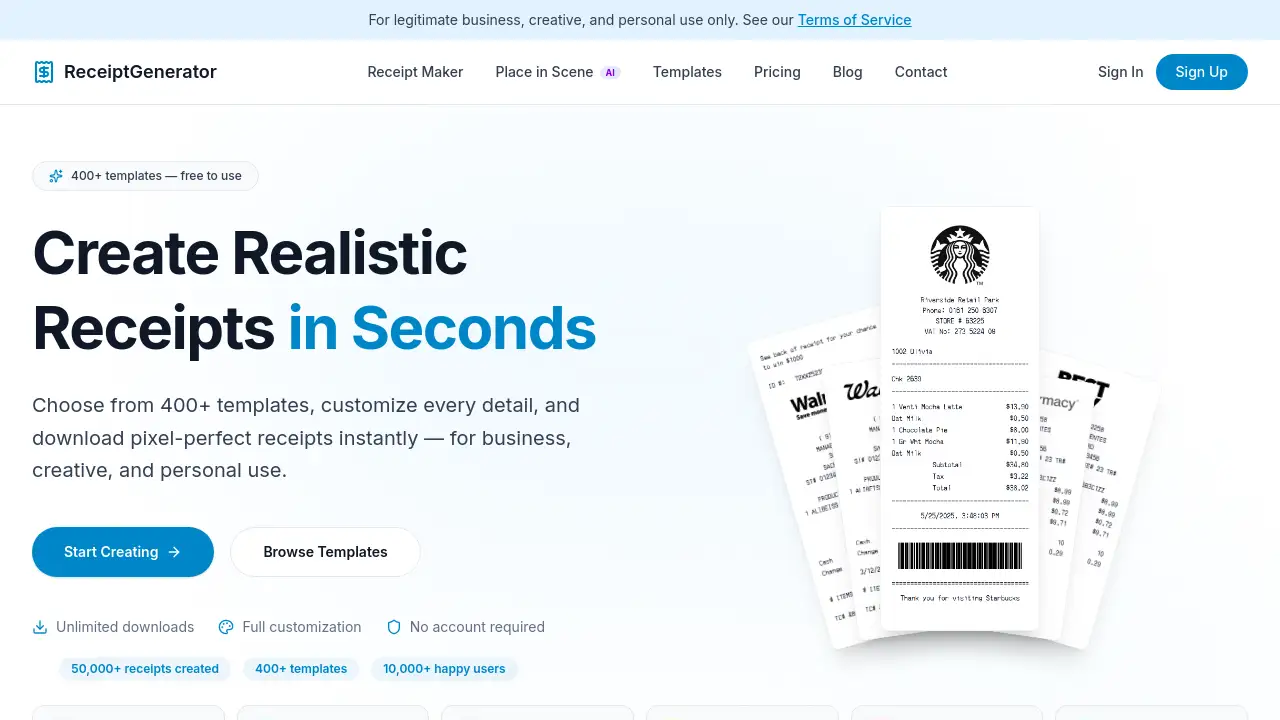
An online tool for creating realistic store receipts instantly with AI-powered features.
What is Receipt Generator?
Receipt Generator is an online platform designed to create authentic-looking retail and restaurant receipts. It solves the need for digital proof of purchase, expense documentation, and design assets without requiring physical receipts or a printer. This tool is suitable for businesses needing to generate transaction records, freelancers creating mockups for clients, students managing budgets, or individuals organizing personal expenses. The ability to produce realistic receipts quickly matters for streamlining administrative tasks, enhancing creative projects, and maintaining accurate financial records in a digital format.
Key Features of Receipt Generator
Extensive Template Library
With over 400 pre-built receipt templates, users can instantly generate receipts for major retailers like Walmart, Target, and CVS, as well as restaurants and pharmacies.
AI Place in Scene
This unique feature uses artificial intelligence to place a generated receipt onto a photo of any surface, creating a realistic "printed" image without needing a physical printer or scanner.
Drag-and-Drop Editor
A user-friendly editor allows for complete customization by letting users visually rearrange receipt blocks like headers, line items, totals, and barcodes with simple clicks.
Full Customization Control
Every detail on the receipt can be edited, including store information, individual line items, prices, tax rates, payment methods, and even stylistic elements like fonts and spacing.
Instant High-Resolution Export
Finished receipts can be downloaded immediately as high-resolution PNG or PDF files, ready for printing or digital use, with no waiting time for processing.
Realistic Thermal Printer Styling
The tool uses authentic thermal-style fonts and accurate retail receipt layouts to ensure the final output looks genuine and convincing.
Use Cases for Receipt Generator
Business Expense Tracking
Employees and freelancers can generate receipts for accurate record-keeping and reimbursement claims when a physical receipt is lost or unavailable.
Creative Design and Mockups
Graphic designers and marketers can create realistic receipt visuals for advertising materials, website layouts, app interfaces, or social media content.
Personal Budgeting and Organization
Individuals can use the tool to visualize spending, create records for tax purposes, or organize personal finance reports.
Educational Demonstrations
Teachers and students can generate receipts for economics, business, or math lessons to illustrate transaction concepts and financial literacy.
Software and App Testing
Developers and QA testers can create sample receipt data to test the functionality of point-of-sale (POS) systems, expense apps, or accounting software.
How to Use Receipt Generator
Using this online receipt maker is a straightforward three-step process that takes under a minute.
- Select a Template: Browse the library of over 400 receipt templates from stores like Walmart, Target, or Starbucks and choose one that fits your need.
- Customize Your Receipt: Use the drag-and-drop editor to modify all details. Edit the store name, address, list of purchased items, prices, taxes, discounts, and payment information.
- Download or Enhance: Download your finished receipt as a PNG or PDF. For extra realism, you can use the AI Place in Scene feature to generate a photo of the receipt on a desk, wallet, or other surface.
Target Audience for Receipt Generator
- Small Business Owners and Entrepreneurs
- Freelancers and Independent Contractors
- Marketing Agencies and Graphic Designers
- Accountants and Bookkeepers
- Students and Educators
- Individuals managing personal finances or expenses
Is Receipt Generator Free?
Receipt Generator operates on a freemium model. A free plan allows unlimited receipt generation and downloads, but images include a watermark. Paid subscriptions remove the watermark and unlock features like saving custom templates. The pricing plans, as listed, are:
| Plan | Price | Key Features |
|---|---|---|
| Weekly | $6.50/week | 5 credits/week, no watermark, unlimited downloads, save templates. |
| Monthly | $13.50/month | 25 credits/month, no watermark, unlimited downloads, save templates. |
| Lifetime | $23.50 one-time | 25 credits included, permanent access with all Pro features and future updates. |
Receipt Generator's Pros and Cons
| Aspect | Pros | Cons |
|---|---|---|
| Ease of Use | Intuitive drag-and-drop interface; no technical skills required. | The vast number of templates and options might be overwhelming initially. |
| Features & Quality | Huge template library; AI Place in Scene is unique; outputs are highly realistic. | The most realistic feature (AI scene) requires credits from a paid plan. |
| Pricing & Value | Generous free tier; lifetime plan offers excellent long-term value. | Free downloads contain a non-removable watermark, limiting professional use. |
| Accessibility | No account required to start; works directly in a web browser. | Advanced features like template saving require account creation. |
Frequently Asked Questions about Receipt Generator
Is Receipt Generator free to use?
Yes, the core receipt generator is free. Users can create and download unlimited receipts without an account, though free downloads will include a watermark.
How do I remove the watermark from my receipts?
The watermark is automatically removed by subscribing to any paid plan (Weekly, Monthly, or Lifetime). Once subscribed, all receipts you generate and download will be watermark-free.
What stores are included in the template library?
The library includes over 400 templates from major retailers like Walmart, Target, Best Buy, Costco, pharmacies like CVS and Walgreens, grocery stores like Kroger and ALDI, and restaurants like Starbucks, Chick-fil-A, and Applebee's.
Can I edit a receipt after I download it?
Yes, if you are logged into an account, you can save your customized receipts as templates. You can then revisit your dashboard to reload any saved receipt and continue editing it at any time.
What is the AI Place in Scene feature?
This AI-powered tool allows you to upload a generated receipt and place it onto a photo of any background (e.g., a wooden table, a kitchen counter). It generates a new image that makes the receipt look like it was physically printed and placed there.
What is your refund policy?
The platform states that all sales are final. As paid subscriptions grant instant access to digital features, refunds are not typically offered. Users can cancel a subscription at any time to prevent future charges.
Receipt Generator Tags
receipt generator, realistic receipts, free receipt maker, receipt templates, AI receipt generator, Walmart receipt, Target receipt, online receipt creator, digital receipt, expense tracking, receipt mockup, drag and drop receipt editor, custom receipts, high-resolution receipt, place receipt in photo