Introduction
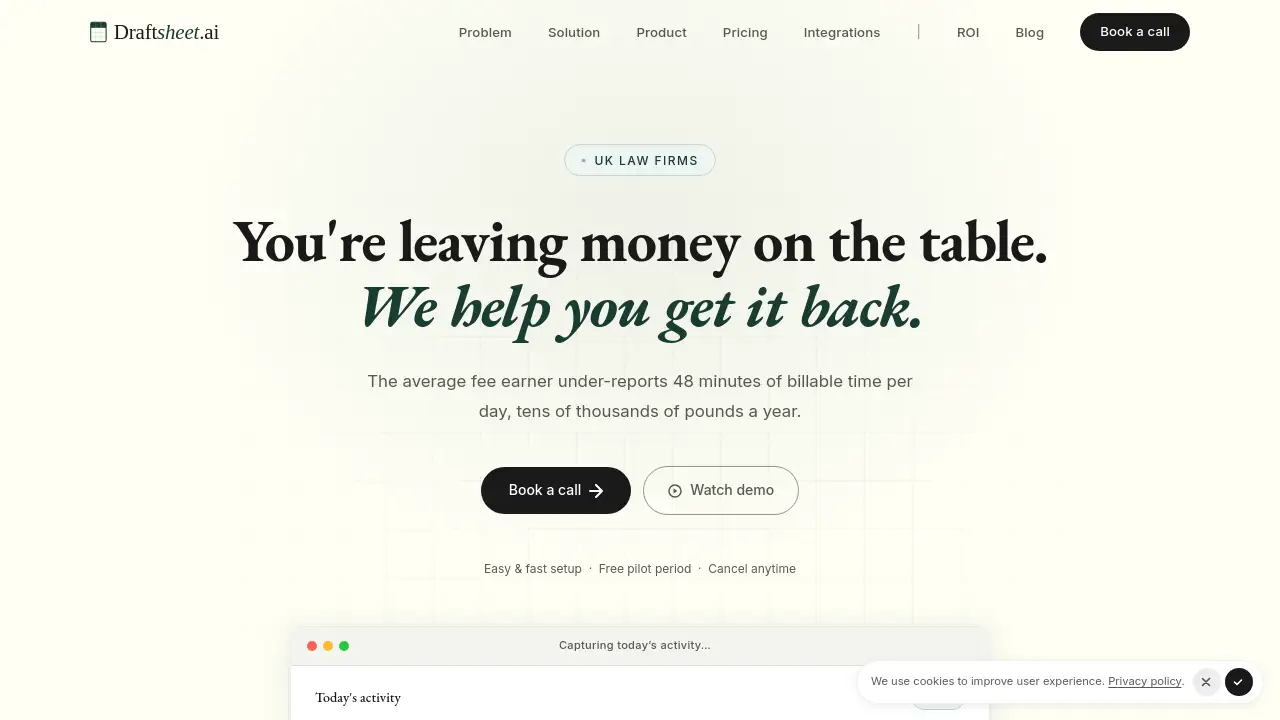
An AI-powered timesheet solution that automatically writes time entries for UK solicitors.
What is Draftsheet AI?
Draftsheet AI is a specialized software solution designed for law firms in the United Kingdom. It addresses a common and costly problem: the loss of billable hours due to inefficient time capture. The platform uses artificial intelligence to passively monitor a solicitor's work activity in the background, then automatically generates draft time entries. These entries are matched to the correct clients and matters, assigned appropriate billing codes, and include drafted narratives. This process aims to eliminate the need for manual time logging, timers, or end-of-day reconstruction from memory, allowing fee earners to focus on legal work while ensuring more accurate and comprehensive billing.
Key Features of Draftsheet AI
Passive Activity Capture
The software runs silently on a solicitor's desktop, capturing activity data without interrupting workflow; it does not record keystrokes, screenshots, or file contents.
AI-Powered Timesheet Generation
At the end of the day, the AI groups activities into sessions, intelligently matches them to clients and matters, assigns billing codes, and writes descriptive narratives for each entry.
Solicitor Dashboard
Each fee earner has a personal dashboard to review, approve, reassign, merge, split, or edit the AI-generated time entries in under 10 minutes.
Revenue Reporting Dashboard
Practice managers gain a real-time view of firm-wide performance, including captured hours, utilization rates, and billed versus recorded time to identify leakage.
Direct Billing System Integrations
Approved time entries can be exported directly to popular legal practice management systems like Clio, LEAP, and ActionStep, streamlining the billing workflow.
Self-Learning Personal Model
The system learns from every user edit and correction, continuously improving the accuracy of its client matching and narrative drafting for each individual solicitor.
Use Cases for Draftsheet AI
As a Cross-Check for Existing Systems
Firms can continue using their current time recording methods while using Draftsheet AI to capture missed billable hours, approving additional entries at day's end without changing core workflows.
As a Primary Automated Timesheet
Solicitors can rely entirely on Draftsheet AI for time capture, working without timers and simply reviewing a fully drafted timesheet at the end of each day.
For Solo Practitioners and Small Firms
Sole practitioners can automate their time tracking to recover lost billable hours without administrative overhead, directly impacting their revenue.
For Practice Management in Mid to Large Firms
Practice managers can use the revenue reporting and utilization dashboards to gain better financial oversight and address time leakage across teams proactively.
How to Use Draftsheet AI
- Install and Connect: After a quick setup, connect the software to your firm's practice management system to import clients, matters, and billing codes.
- Work Normally: Solicitors simply work on their computers as usual. The desktop agent captures activity passively in the background without any required action.
- Generate the Draft: At the end of the day, the solicitor clicks "Report." Draftsheet AI processes the day's activity and generates a draft timesheet within a minute.
- Review and Edit: The solicitor reviews the pre-filled entries on their dashboard, making any necessary reassignments or edits to narratives.
- Approve and Export: Once approved, the time entries are pushed directly to the firm's billing system or exported via CSV/PDF.
Target Audience for Draftsheet AI
- Solicitors and fee earners in UK law firms who bill by the hour.
- Sole practitioners and small legal practices looking to maximize revenue.
- Mid-sized to large law firm practice managers and finance teams.
- Legal firms currently using systems like Clio, LEAP, or ActionStep seeking enhanced time capture.
Is Draftsheet AI Free?
Draftsheet AI offers a free pilot period. After that, it operates on a per-seat annual subscription model with different tiers. The available plans are:
| Plan | Target Audience | Key Features |
|---|---|---|
| Solo | Sole practitioners & small firms | Passive capture, AI timesheet generation, billing code assignment, CSV/PDF export, 30-day retention. |
| Firm | Mid-sized firms | Everything in Solo, plus revenue reporting, direct billing integrations, utilization dashboard, 90-day retention. |
| Enterprise | Large firms | Everything in Firm, plus SSO/SAML, custom integrations, dedicated account manager, SLA, unlimited retention. |
The company offers a guarantee: recover 4 billable hours per month per solicitor or receive a full refund.
Draftsheet AI's Pros and Cons
| Aspect | Pros | Cons |
|---|---|---|
| Core Function | Truly passive capture requires no solicitor action, directly targeting time leakage. | Relies on desktop software running, which may raise initial privacy concerns for some users. |
| AI & Accuracy | Legal-specific AI improves with daily use through personal model training. | Initial entries may require corrections as the AI learns individual work patterns. |
| Integration | Direct integrations with major legal practice management systems reduce manual data entry. | May not integrate with every niche or legacy system a firm uses (though custom integrations are offered). |
| ROI & Pricing | Clear value proposition with a money-back guarantee based on recovered billable hours. | Annual contract may be less flexible than monthly subscriptions for some firms. |
Frequently Asked Questions about Draftsheet AI
How does Draftsheet AI capture time without being intrusive?
Draftsheet AI uses a lightweight desktop agent that monitors application usage and window titles to infer work activity. It explicitly does not capture keystrokes, take screenshots, or access file contents, focusing only on metadata to ensure privacy.
What legal practice management systems does it integrate with?
The platform offers direct integrations with systems including Clio, LEAP, ActionStep, Smokeball, PracticePanther, MyCase, Filevine, and Rocket Matter. Firms using other systems can request new integrations.
Is Draftsheet AI suitable for a sole practitioner?
Yes, the Solo plan is specifically designed for sole practitioners and small firms, providing core automated timesheet generation and export functionality at a corresponding price point.
How does the AI know which client and matter to assign to an activity?
The AI matches captured activity (like document filenames and email subjects) against the imported list of clients and matters from your practice management system. It learns from your corrections, becoming more accurate over time.
What happens during the free pilot period?
The free pilot allows full access to the software's features so a firm can validate the recovery of billable hours. At the end of the trial, a detailed recovery report is provided to demonstrate the potential return on investment.
Does Draftsheet AI work on both Windows and Mac computers?
Yes, the desktop agent and software are compatible with both Windows and Mac operating systems, and installation is stated to take under five minutes.
Draftsheet AI Tags
Draftsheet AI, automated time tracking for lawyers, AI timesheet software, legal billing software, UK solicitor time capture, recover billable hours, passive time tracking, law firm productivity, Clio integration, LEAP integration, time leakage solution, legal practice management