Introduction
Ascripto: email signature management, audit, and fix.
What is Ascripto?
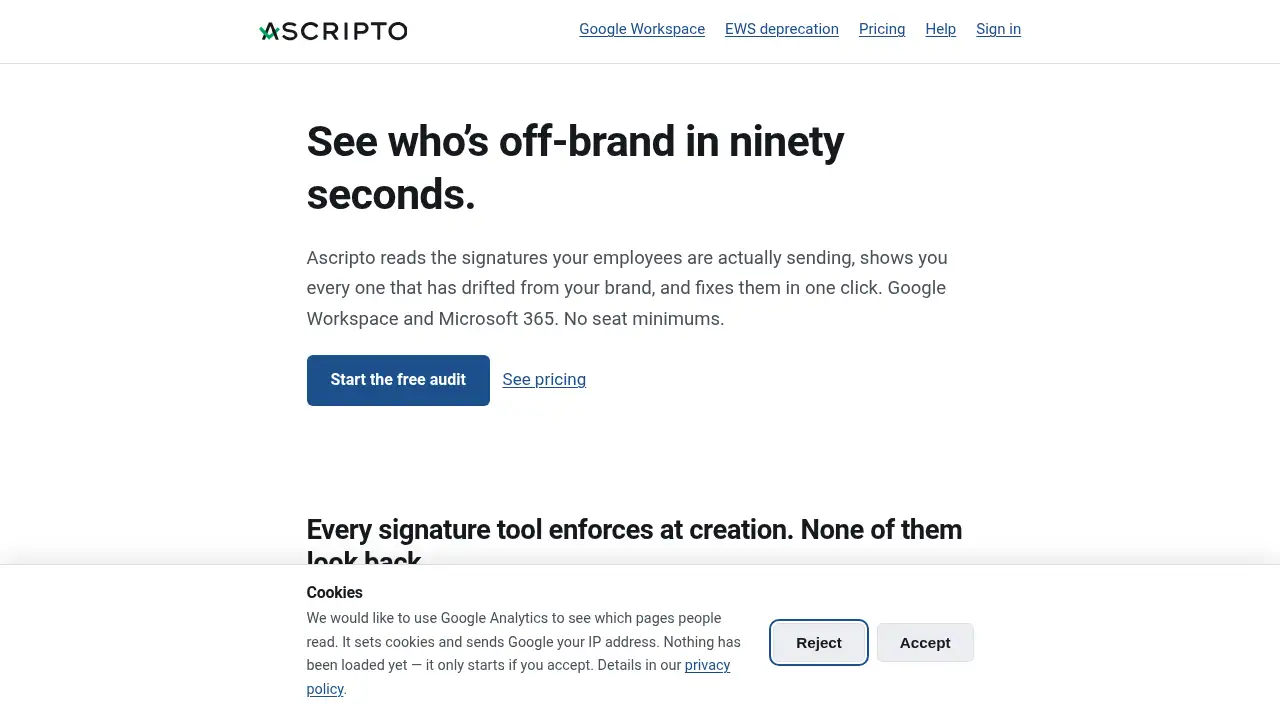
Ascripto is an email signature management tool built for Google Workspace and Microsoft 365. It helps an organization see which employees are sending off-brand email signatures, then fix every one from a central place. The product addresses a common gap: many signature tools enforce a template at creation but do not look back. Six months later, a team may still use an old logo, miss a legal disclaimer, or list a job title someone was promoted out of last year. Ascripto audits signatures, reports what is off-brand, and offers a way to deploy and hold the fix. It is suitable for IT administrators, operations teams, compliance staff, and small businesses that need cleaner email signatures without a large rollout. The free Ascripto audit matters because it shows the problem before a team pays for a fix. Paid plans start at €1 or $1 a seat a month, with no seat minimums.
Key Features of Ascripto
Email Signature Audit
Run a free, permanent Ascripto email signature audit to see how many employees have off-brand signatures, old logos, missing disclaimers, or outdated job titles. Ascripto reads signatures through Google Workspace or the Microsoft 365 Outlook add-in and gives a clear count.
One-Click Signature Fixes
Use Ascripto to deploy a signature template and fix every off-brand signature from one place. The paid plan holds the fix and supports Ascripto’s email signature management workflow without editing each employee’s signature manually.
Google Workspace Signature Management
Connect Google Workspace to Ascripto, allow signature access, and write signatures as a server-side property that reaches web and mobile with nothing installed. Directory changes can appear in signatures within a couple of minutes.
Microsoft 365 Signature Management
Deploy an Ascripto Outlook add-in once through an administrator to read signatures for the free audit and set them as people write on a paid plan. An optional Ascripto outbound relay can sign every message on its way out, whatever app sent it. This matters as Exchange Web Services is being disabled in phases from October 2026 to April 2027 and Microsoft Graph has not supported signature management.
No Seat Minimums
Pay for the people whose signatures Ascripto delivered that month rather than buying unused seats. The smallest bill is €9 or $9 a month, which covers a team of four as well as one of nine, and the Ascripto audit stays free at any size.
Self-Contained Deployments
Choose a self-contained Ascripto deployment with its own servers, database, and storage in a selected Azure region. The optional Microsoft 365 relay can be included or left out, and no other organization’s signatures, people, or mail share the deployment.
Use Cases for Ascripto
Rebranding and Logo Updates
After a rebrand, use Ascripto to find employees still using the previous logo and fix those email signatures in one pass. This keeps brand consistency across Google Workspace and Microsoft 365.
Legal Disclaimer Compliance
Use the Ascripto audit to see who is missing a required legal disclaimer and deploy a signature template that includes it. Compliance teams can review the audit and reduce manual checks.
Job Title and Directory Accuracy
Spot outdated job titles in employee signatures and align them with directory data. Ascripto can reflect a directory change in the signature within a couple of minutes on Google Workspace and within a few minutes on Microsoft 365.
Small Team Signature Management
Small businesses with a compliance requirement can start with a free Ascripto audit and move to a paid plan without a ten-seat minimum. A twelve-person firm can pay for the seats it uses, not a fixed base fee.
How to Use Ascripto
- Sign in to Ascripto with Google Workspace or connect the Microsoft 365 directory and allow signature access.
- Run the free Ascripto email signature audit to see the number of off-brand signatures, missing disclaimers, and outdated job titles.
- Review the findings in Ascripto and choose the signature template or fix needed for the organization.
- On a paid Ascripto plan, deploy the fix; for Microsoft 365, an administrator can deploy the Outlook add-in once, or the team can opt into the outbound relay.
- Use Ascripto to check back, monitor signature drift, and correct new issues as people edit signatures or change roles.
Target Audience for Ascripto
- IT administrators managing Google Workspace or Microsoft 365
- Small and midsize businesses with email disclaimer or brand consistency needs
- Compliance, HR, and operations teams responsible for employee signatures
- Organizations that need regional data control through self-contained deployments
- Teams that want a free email signature audit before committing to a paid tool
Is Ascripto Free?
Ascripto offers a permanently free email signature audit. Paid plans cover deploying and holding the fix, starting from €1 or $1 a seat a month. There are no seat minimums, and the smallest bill is €9 or $9 a month for a small team. Pricing details are available on the official Ascripto pricing page.
| Plan | Price | Features |
|---|---|---|
| Free Audit | $0 | Permanent email signature audit for Google Workspace and Microsoft 365; shows off-brand signatures, missing disclaimers, and outdated titles |
| Paid Plan | From €1 or $1 per seat per month | Deploy and hold signature fixes; no seat minimums; smallest bill is €9 or $9 per month |
Ascripto's Pros and Cons
| Aspect | Pros | Cons |
|---|---|---|
| Pricing | Free audit; paid plans start low; no seat minimums | Paid costs scale with active users; relay is an extra choice for some Microsoft 365 setups |
| Coverage | Works with Google Workspace and Microsoft 365; reaches mobile | Microsoft 365 audit fills in as people write in Outlook; add-in deployment can take a day to reach users |
| Control | One-click fixes; directory changes can update quickly | Client-side deployment is not strict enforcement; users can revert a Google Workspace signature field |
| Reliability | Self-contained deployments and regional data control are available | An outbound relay is a dependency in the mail path if chosen |
Frequently Asked Questions about Ascripto
What is Ascripto used for?
Ascripto is used for email signature management: it audits off-brand signatures in Google Workspace and Microsoft 365, then helps fix them. Teams use it to catch old logos, missing disclaimers, and outdated job titles.
Does Ascripto work with Google Workspace and Microsoft 365?
Yes. Ascripto supports Google Workspace through server-side signature writing and Microsoft 365 through an Outlook add-in and an optional outbound relay. The audit is free on both platforms, though Microsoft 365 results fill in as people write in Outlook.
Is the Ascripto email signature audit really free?
Yes, the audit is permanently free. It shows how many employees have off-brand signatures and can be used at any company size. Paid plans are for deploying and holding the signature fix.
How does Ascripto fix signatures on Microsoft 365?
On Microsoft 365, an administrator deploys the Outlook add-in once. The add-in reads signatures for the audit and, on a paid plan, sets them as people write. An opt-in outbound relay can also sign every message on the way out.
Does Ascripto require a minimum number of seats?
No. Ascripto has no seat minimums. Customers pay for people whose signatures were delivered that month, and the smallest bill is €9 or $9 a month.
Can Ascripto guarantee signature compliance?
No tool should promise strict enforcement in every case. On Google Workspace, Ascripto writes the same field a user can edit, so someone can revert it. The value is that Ascripto reports drift when it happens. On Microsoft 365, the audit depends on people opening Outlook and writing, and some apps or message types are not read.
Ascripto Tags
Ascripto, email signature management, email signature audit, signature management tool, Google Workspace signatures, Microsoft 365 signatures, Outlook add-in, off-brand signatures, email disclaimer management, small business email signatures, signature drift audit, no seat minimum email signatures