Introduction
BrickByClick: AI receptionist for calls and jobs.
What is brickbyclick?
BrickByClick is an AI receptionist and business management system for service companies. It answers calls, books jobs, tracks work in a CRM, supports crews with a mobile app, collects payments on site, and sends a monthly business report. The product is designed for businesses that want one place for the calls, the jobs, the payments, and the numbers. Instead of juggling separate tools, BrickByClick connects the front desk, office, crew, and money side of the business. This matters for small service teams that miss calls while working, lose track of quotes, or wait too long to invoice. BrickByClick is month to month, has no setup fees, and is described as live in about two weeks. It fits companies that need an AI receptionist, CRM, crew app, on-the-spot payments, and simple reporting without a long contract.
Key Features of brickbyclick
AI Receptionist Answers Every Call
The AI receptionist answers calls 24/7, greets callers in a chosen voice, and books new work into the calendar using set hours, services, and prices. It can recognize returning callers, move or cancel visits within rules, and call customers back when asked.
CRM Tracks Every Job
BrickByClick includes a CRM for contacts, a pipeline, a calendar, estimates, invoices, and a job tracker. The system shows every job from the first call to paid and flags things like quiet quotes, unbilled work, and promises that need attention.
Crew App Works On Site and Offline
The crew app gives technicians their visits, directions, notes, and equipment history on a phone. Crews can clock in, complete work orders, add photos and signatures, and keep working even when there is no signal.
On-the-Spot Payments
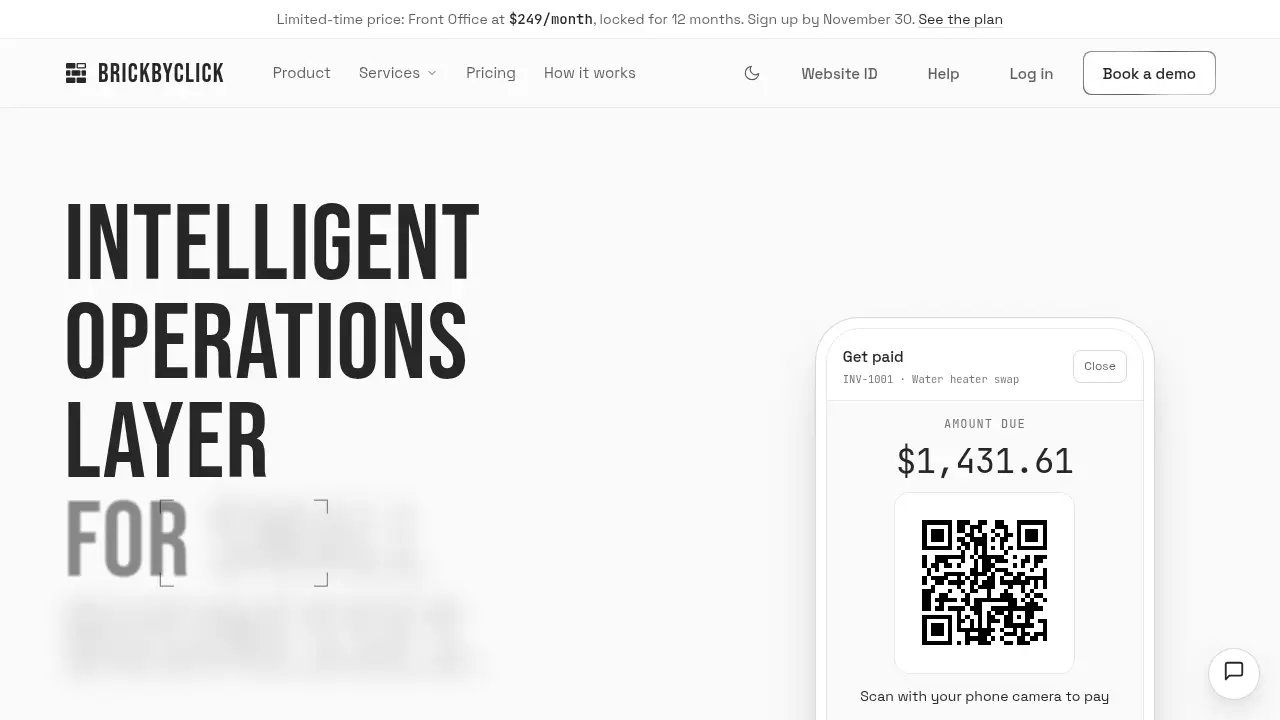
BrickByClick lets teams collect payment before leaving a job. Invoices can be paid by card, Apple Pay, Google Pay, or US bank payment through a QR code, and the invoice marks itself paid in the CRM.
Job Costing and Monthly Business Reports
The system compares receipts, hours, and card fees against the budget to show profit on each job. It also sends daily job reports and a monthly business report with money collected, profit, customer sources, trends, and a short list of what to work on next.
Estimates, Invoices, and Follow-Ups
BrickByClick supports estimates that customers accept online, with deposits where needed. It also sends follow-ups and review requests by email, helping teams reduce manual admin work.
Use Cases for brickbyclick
Home Service Contractors
Plumbers, HVAC teams, electricians, and repair companies can use the AI receptionist to answer calls after hours and book jobs into the calendar. The CRM and crew app then keep the office and field team on the same page.
Repair and Maintenance Teams
Maintenance businesses can track equipment history at each customer and give crews work orders with checklists, photos, and signatures. On-the-spot payments help close the job before the truck leaves.
Small Field Service Businesses
Small teams that cannot staff a full-time receptionist can rely on the AI receptionist to answer every call and book work. The monthly business report gives a simple view of what each job made and where the business is heading.
Office-Based Service Companies
Businesses without a field crew can still use the AI receptionist, CRM, payments, and reports. The crew app is optional, so office-based teams can skip that part and keep the rest of the system.
How to Use brickbyclick
- Choose a plan and sign up for BrickByClick. The free plan supports invoicing, while paid plans add the AI receptionist and more features.
- Set up the AI receptionist with business hours, services, prices, and greeting preferences so it can answer calls and book jobs correctly.
- Import contacts and configure the CRM for the pipeline, calendar, estimates, invoices, and job tracker.
- Invite crew members to the crew app, where they can see visits, clock in, complete work orders, and collect on-the-spot payments.
- Connect payments and review the daily job reports and monthly business report to track profit, job performance, and next steps.
Target Audience for brickbyclick
- Plumbing, HVAC, electrical, and repair contractors
- Maintenance and home service teams with field crews
- Small service businesses that miss calls during work hours
- Remodeling and installation companies that need job tracking and job costing
- Office-based service businesses that want an AI receptionist, CRM, payments, and reports without the crew app
Is brickbyclick Free?
BrickByClick has a free plan for basic invoicing, but the AI receptionist and full business management features require a paid plan. All plans are month to month with no setup fees, and the product is described as live in about two weeks.
| Plan | Price | Features |
|---|---|---|
| Free | $0/month | Free invoicing, customer list, email invoices with a pay link, card and bank payments through a Stripe account. |
| Starter | $99/month | CRM, job tracker, estimates, invoices, card payments, online booking page, crew app, job costing, daily job reports, monthly business report, and a website on a BrickByClick address. No AI receptionist, texting, own domain, or SEO. |
| Front Office | $249/month limited-time price, then $399/month | AI receptionist with its own local number and 500 minutes, CRM, crew app, estimates, invoices, online payments, job tracker, job costing, daily job reports, monthly business report, follow-ups, and a website. |
| Growth | $599/month | Front Office plus local SEO, Google Business Profile setup and management, 25 citations, 1 blog post a month, email campaigns, and a monthly strategy call. |
| Total Growth | $999/month | Growth plus 1,000 AI receptionist minutes, 2 blog posts a month, backlink building, unlimited website pages, a dedicated account manager, and priority support. |
Online payments use Stripe’s standard processing fees plus a BrickByClick fee of 0.5% per card payment, capped at $25. There is no BrickByClick fee on bank payments.
brickbyclick's Pros and Cons
| Aspect | Pros | Cons |
|---|---|---|
| Pricing | Free invoicing plan and month-to-month billing | The AI receptionist requires a paid plan |
| Features | One system for calls, jobs, payments, and reports | Some marketing features are only on higher plans |
| Setup | No setup fees and live in about two weeks | AI receptionist setup is not instant |
| Crew use | Crew app keeps working with no signal | The crew app is optional and may not fit office-only teams |
| Reporting | Daily job reports and a monthly business report support better decisions | Advanced business reporting depends on consistent job and payment data |
Frequently Asked Questions about brickbyclick
Does BrickByClick include an AI receptionist?
Yes. The Front Office, Growth, and Total Growth plans include an AI receptionist that answers calls, recognizes returning callers, and books, moves, or cancels visits within set rules.
How long does setup take?
BrickByClick is described as live in about two weeks. Setup includes configuring the AI receptionist with hours, services, and prices, setting up the CRM, and walking the office and crew through the system.
Can crews use the app without signal?
Yes. The crew app keeps working with no signal, storing work order details on the phone and sending them when the connection returns. Crews can still use checklists, photos, signatures, and time tracking on site.
How do on-the-spot payments work?
Crews tap Get paid, review the invoice filled in from parts used, adjust the price if needed, and show a QR code. Customers pay on their own phone by card, Apple Pay, Google Pay, or bank, and the invoice marks itself paid in the CRM.
Is there a contract?
No. Every BrickByClick plan is month to month with no setup fees, and the product can be canceled at any time.
What is included in the monthly business report?
The monthly business report shows money collected and profit against the previous month, what each job made, where customers came from, where the business is heading, and a short list of what to work on next. It is sent on the 1st and includes a PDF report.
brickbyclick Tags
brickbyclick, AI receptionist, AI receptionist for service businesses, field service CRM, crew app, on-the-spot payments, monthly business report, job costing, field service software, contractor CRM, booking and invoicing, month-to-month CRM