Introduction
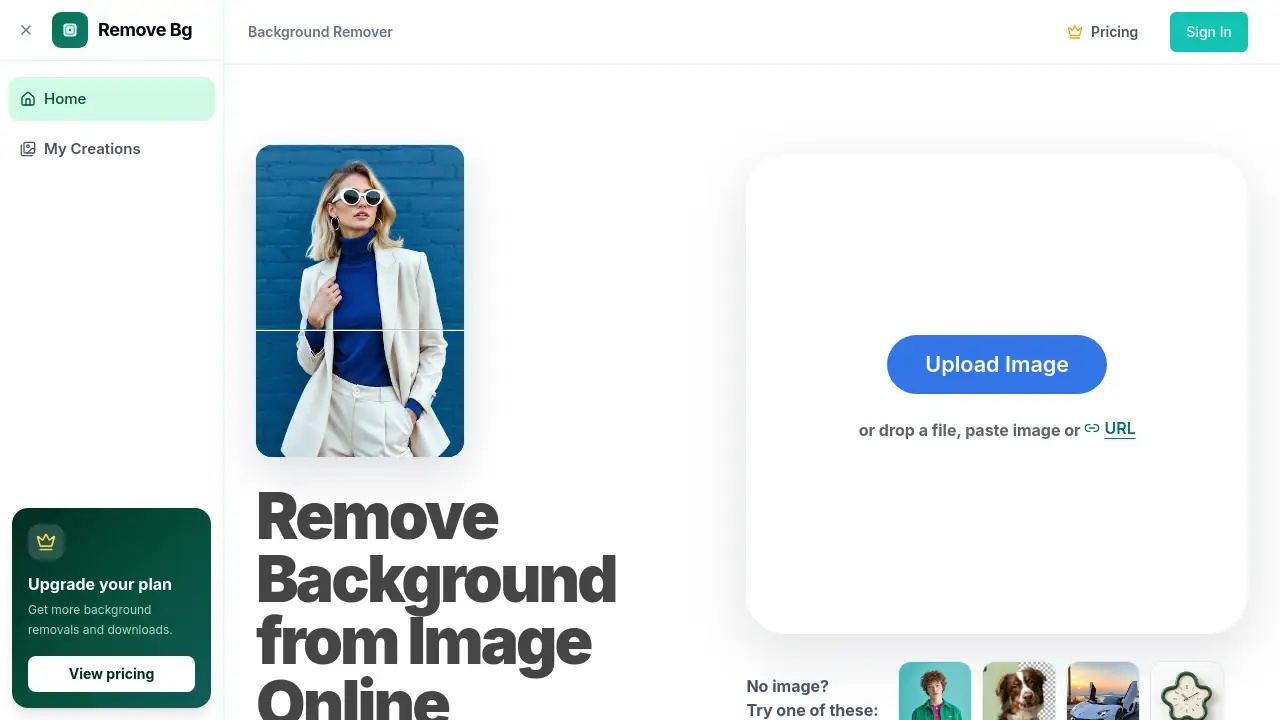
The AI Background Remover from remove-bg.dev is an online tool that turns ordinary images into subject-only cutouts. It automatically detects people, products, pets, logos, or other objects and removes the surrounding background. The result can be previewed and downloaded as a transparent PNG. This AI Background Remover is ideal for anyone who needs clean visual assets quickly.
What is AI Background Remover?
AI Background Remover is a browser-based image tool that separates the main subject from the rest of a photo. It solves a common problem: removing a busy, white, or unwanted background without using complicated photo-editing software. Users upload a JPG, PNG, or WebP file and see the background removed in seconds.
The smart algorithm detects edges and creates a cutout that can be saved as a transparent PNG. The service is designed for product photos, portraits, pets, logos, and everyday images. It matters because clean background removal is essential for online stores, real estate marketing, social media posts, and creative projects. With this AI background remover, even non-designers can create professional-looking assets right from their browser.
Key Features of AI Background Remover
Automatic Subject Detection
The tool identifies the main subject in seconds and removes the background without manual tracing. Users simply upload an image and let this AI background remover handle the selection process.
Fine Edge Preservation
The algorithm protects delicate details such as hair, fur, soft shadows, and complex outlines. This helps the final cutout look natural instead of rough or pixelated.
Transparent PNG Export
After processing, users can download a crisp transparent PNG ready for product listings, presentations, print designs, and digital marketing. The high-definition result keeps subjects sharp when placed on new backgrounds.
Erase and Restore Controls
Preview the cutout first, then use Erase to remove leftover areas or Restore to bring back parts of the subject. This gives users control over the final output before downloading.
URL and Drag-and-Drop Upload
Upload an image by dragging it into the upload area, selecting a file, or pasting an image URL. This flexible workflow makes it easy to remove background from image online without starting from scratch.
Private Browser Workflow
The whole background removal process happens through a simple browser workflow. Users can review every result and decide what to download, which adds confidence for work with real images.
Use Cases for AI Background Remover
Online Store Product Photos
E-commerce sellers can remove background from product shots to create consistent images for catalogs, marketplaces, ads, and store listings. This keeps the visual style uniform across the entire shop.
Real Estate and Property Marketing
Agents and marketers can isolate houses, floor plans, furniture, and room details for signs, brochures, presentations, and websites. These transparent PNG files are easy to reuse across different marketing materials.
Portrait and People Cutouts
Photographers and designers can use this AI background remover for headshots, group photos, and creative compositing. Fine edge handling makes people cutouts look clean and natural.
Pets, Logos, and Complex Subjects
The tool also works with pet photos, logos, cars, accessories, and images that contain multiple objects. This makes it a flexible option for a wide range of everyday projects.
How to Use AI Background Remover
Using the AI Background Remover takes only a few steps:
- Go to remove-bg.dev and select the background remover tool.
- Upload a JPG, PNG, or WebP file by dragging it into the upload area, choosing a file, or pasting an image URL.
- Wait a few seconds while the artificial intelligence detects the subject and removes the background.
- Preview the cutout and refine the edges with the Erase or Restore tools when needed.
- Download the final image as a transparent PNG file.
The whole process works in the browser, so there is no need to install software or learn complex mask tools.
Target Audience for AI Background Remover
- E-commerce sellers and online shop owners
- Real estate agents and property marketers
- Graphic designers and creative freelancers
- Photographers and photo editors
- Social media managers and content creators
- Small business owners who need product images quickly
Is AI Background Remover Free?
AI Background Remover is described as 100% automatic and free to try. New users receive trial credits so they can test the background removal service before paying. After the trial, users can choose a simple credit plan for continued background removal and other image tools.
The homepage does not list exact plan prices, so users should check the official pricing page for current details.
| Plan | Price | Features |
|---|---|---|
| Free Trial | $0 | Limited trial credits to test the AI background remover. |
| Paid Plans | See official pricing page | Credits for background removal and additional image tools. |
AI Background Remover's Pros and Cons
| Aspect | Pros | Cons |
|---|---|---|
| Pricing | Free trial available and no monthly contract required for credits. | Full details are not shown on the homepage; prices appear on the pricing page. |
| Speed | Automatic background removal takes only seconds. | Very complex images may still need manual Erase or Restore adjustments. |
| Ease of Use | Simple upload, preview, and download workflow. | Requires an internet connection because it runs in the browser. |
| Output Quality | HD transparent PNG download with good edge details. | Results can vary depending on image quality and subject complexity. |
Frequently Asked Questions about AI Background Remover
Is AI Background Remover really free?
The tool is free to try. Users get trial credits so they can test the background removal feature without paying. After using the trial, a paid credit plan is needed to continue removing backgrounds.
What image formats can I upload?
Users can upload JPG, PNG, and WebP files. It is also possible to paste an image URL instead of uploading a file from the device.
Does this background remover handle hair and fur?
Yes. The AI background remover is designed to preserve fine edges such as hair, fur, and soft shadows. For very difficult areas, the Erase and Restore tools provide extra control.
What type of file will I receive after processing?
After the background is removed, users can download the result as a transparent PNG. This file type is useful for e-commerce, printing, and graphic design work.
Do I need to install desktop software?
No. The remove background from image online process works directly in the browser. There is no software installation or manual tracing needed.
Can I use this background remover for product photos?
Yes. It is especially suitable for product photos used in online stores, marketplaces, ads, catalogs, and real estate visuals. The transparent PNG output helps keep listings consistent and professional.
AI Background Remover Tags
AI background remover, remove background from image online, transparent PNG, background remover tool, product photo background removal, remove image background, portrait cutout, real estate photo editing, transparent image download, online photo tool, remove bg, AI photo editor