Introduction
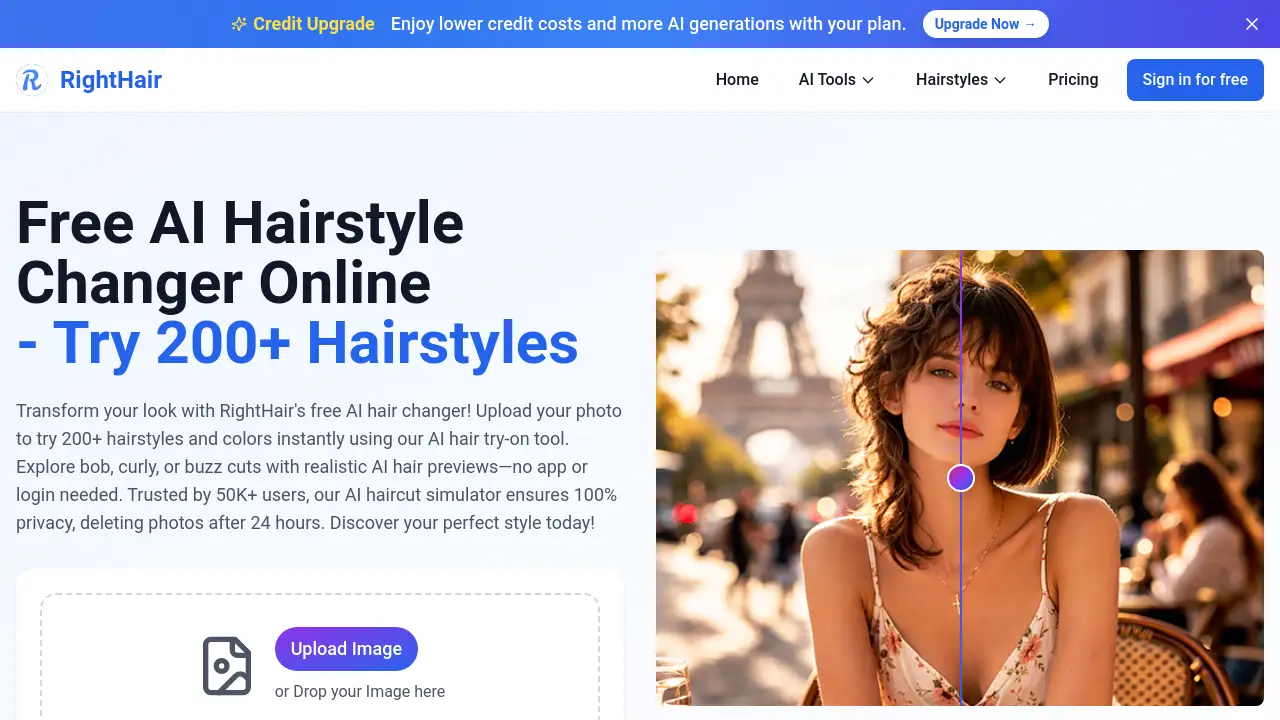
Righthair AI is a free AI hairstyle changer that lets people upload a photo and try on 200+ hairstyles and colors instantly. This AI hair try-on tool creates realistic previews without an app or login. Trusted by over 50,000 users, Righthair AI keeps photos private and deletes them within 24 hours.
What is Righthair AI?
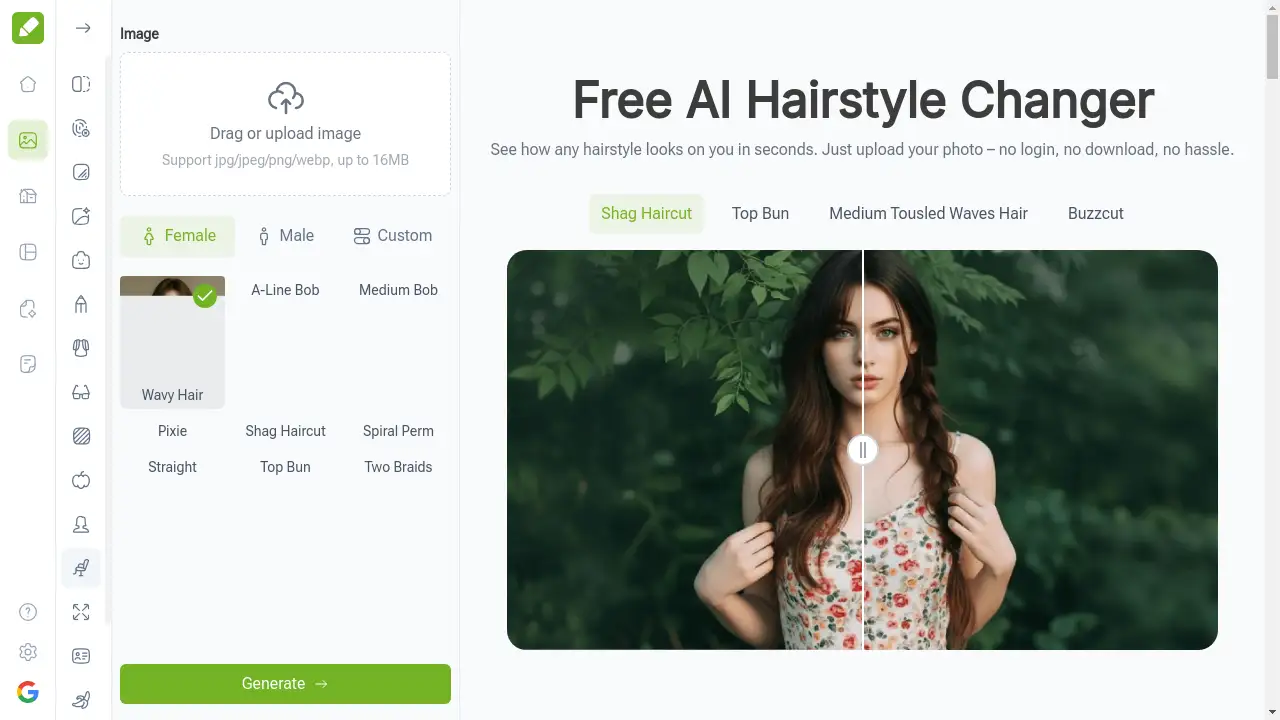
Righthair AI is an online AI hair try-on platform designed to make hairstyle experiments simple and risk-free. Users upload a portrait, choose from a large library of cuts, colors, and virtual styles, and see a realistic preview in seconds. The core purpose of Righthair AI is to help people visualize a new look before making a permanent change.
This AI hair changer also includes extra tools such as AI hair color changer, image to image, text to image, background remover, anime conversion, and photo upscaling. That makes Righthair AI more than a simple simulator; it works as a complete image editing assistant for beauty-related tasks.
The service matters because it removes the uncertainty from salon visits. Whether someone wants a bob, pixie, wolf cut, layered style, or bold color, Righthair AI shows how the result may appear on their own face. The platform is suitable for personal use, wedding planning, salon consultations, and creative projects.
Key Features of Righthair AI
200+ Hairstyle Library
Righthair AI offers more than 200 hairstyles, including bobs, pixie cuts, wolf cuts, shaggy looks, and layered cuts. This virtual hairstyle try-on library makes it easy to compare different lengths and textures.
AI Hair Color Changer
With the AI hair color changer, users can experiment with dozens of shades, from natural browns to fantasy colors. The realistic previews help users find a color that matches their skin tone without dyeing their hair.
Realistic AI Hair Try-On with Righthair AI
The AI hair try-on feature maps hairstyles onto the user's face with natural-looking results. It adjusts the shape, volume, and flow of the hair to match the photo orientation.
Bald Filter
The AI bald filter shows how a person looks without hair. It is useful for curiosity, medical planning, or creative projects.
Magic Tools and Image Editing Suite
Righthair AI includes AI style transfer, background remover, image upscaling, image extender, image-to-anime, and more. These tools make the platform useful beyond hairstyle previews.
Privacy and Speed
Photos are processed quickly and deleted after 24 hours. This privacy promise makes Righthair AI a safe choice for people who want to test looks without sharing personal images publicly.
Use Cases for Righthair AI
Wedding and Event Preparation
Brides and event attendees use Righthair AI to try elegant updos, formal waves, and color ideas before their big day. The AI hair try-on helps them show stylists exactly what they want.
Personal Style Discovery
People who love fashion use Righthair AI to explore bold cuts and colors without commitment. The free AI hair changer makes it easy to test a trendy look before visiting a salon.
Salon Consultations
Beauty professionals use Righthair AI during client consultations. They upload a portrait, preview different hairstyles, and discuss options that suit the client's face shape and preferences.
Fun and Entertainment
Users can apply the bald filter, age filter, or baby generator just for fun. This AI hair changer also powers the age and bald filters, and Righthair AI turns a simple selfie into a playful experience with shareable results.
Creative Projects
Content creators and designers use Righthair AI to generate hair references, create avatars, or plan photo shoots. The image-to-anime and style transfer tools add extra creative flexibility.
How to Use Righthair AI
Using Righthair AI is simple. The steps below show how to get the most from Righthair AI.
- Upload a photo — Go to the Righthair AI website and drag an image into the upload box. JPG, PNG, and other common formats are accepted up to 20MB.
- Choose a hairstyle or color — Browse the 200+ hairstyle library or open the AI hair color changer and pick a shade.
- Try extra tools if needed — Use the bald filter, age filter, or style transfer to explore more looks.
- Preview and download — Once the AI hair try-on finishes, view the result and download it. No app installation or login is required.
Target Audience for Righthair AI
- Style-conscious women and men who want to test new looks
- Brides and wedding guests planning event hairstyles
- Beauty professionals and hair stylists
- Salon clients who want to avoid bad haircuts
- Content creators and social media users
- People curious about aging, baldness, or fantasy colors
Is Righthair AI Free?
Righthair AI offers free access to many of its core tools, so users can start without paying. The free option allows basic AI hair try-on and a number of image tools. For users who need more generations, the platform offers paid plans with credits and lower credit costs per generation. Exact pricing details are available on the official Righthair AI pricing page.
| Plan | Price | Features |
|---|---|---|
| Free | $0 | Basic access to AI hair changer, limited credits, selected AI tools |
| Paid Plans | Varies | More AI generations, lower credit costs, full tool access |
Righthair AI's Pros and Cons
| Aspect | Pros | Cons |
|---|---|---|
| Ease of use | Simple upload and instant previews | Quality depends on photo clarity |
| Pricing | Free tier available | Advanced tools may require paid credits |
| Features | 200+ hairstyles and many AI tools | Some tools work better on frontal face photos |
| Privacy | Photos deleted after 24 hours | Users must wait for processing on older images |
| No install | Works in the browser without login | Requires internet connection |
Frequently Asked Questions about Righthair AI
Can I use Righthair AI for free?
Yes. Righthair AI provides free access to many features, including the AI hair try-on and AI hair changer. Users can upload a photo and explore 200+ hairstyles without paying. Paid plans are available for people who want more generations and lower credit costs.
Do I need to create an account?
No account is required for basic use. The Righthair AI website lets users upload an image and preview hairstyles directly. Some advanced tools may prompt users to sign in, but the main hair try-on experience is available without registration.
Is Righthair AI safe to use?
Righthair AI states that uploaded photos are deleted after 24 hours. The platform is designed for private, secure previews. Users should still avoid uploading sensitive images and follow the website's privacy policy.
What tools are included besides hairstyle preview?
Righthair AI includes an AI hair color changer, bald filter, age filter, image-to-image, text-to-image, background remover, AI style transfer, image upscaling, and many other AI tools. These extras make it a full image editing suite.
How realistic are the AI hair results?
The AI hair try-on results are generally realistic for frontal or clear photos. Righthair AI uses smart mapping to create natural-looking results. The quality may vary if the original photo is blurry, angled, or has very complex lighting.
Can beauty professionals use Righthair AI?
Yes. Beauty professionals use Righthair AI to show clients different hairstyle options during consultations. The platform helps reduce misunderstandings and supports confident decisions.
Righthair AI Tags
AI hairstyle changer, Righthair AI, AI hair try-on, virtual hairstyle try-on, AI hair color changer, online hair simulator, free AI hair changer, hairstyle try-on tool, AI bald filter, image to anime, background remover, AI photo tools