Introduction
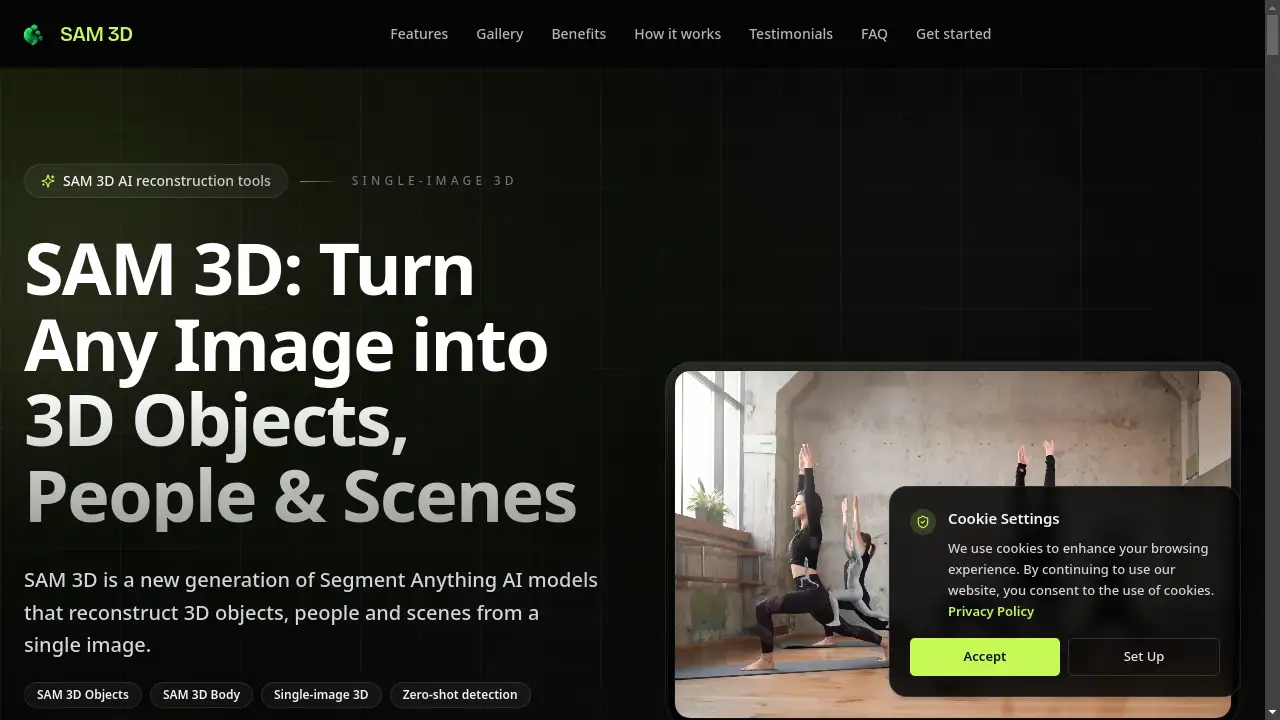
SAM 3D is a groundbreaking AI tool that transforms single images into detailed 3D models, revolutionizing digital asset creation.
What is Sam 3d?
SAM 3D is a family of advanced AI models developed by Meta, designed to perform single-image 3D reconstruction. This technology addresses a significant challenge in digital content creation: the traditionally time-consuming and expensive process of building 3D assets. Unlike classical methods that require multiple camera angles or specialized 3D scanners, SAM 3D can predict the full 3D shape, texture, and spatial layout of objects and people from just one photograph. The suite consists of two core models: SAM 3D Objects, which reconstructs objects and entire scenes, and SAM 3D Body, which specializes in estimating accurate 3D human pose and shape. This AI 3D generator is suitable for a wide range of users, from game developers and product designers to AR/VR creators and researchers, offering a fast, accessible, and scalable solution for generating production-ready 3D content.
Key Features of Sam 3d
Single-Image 3D Reconstruction
The core capability of SAM 3D is creating complete 3D models from a single input image, eliminating the need for multi-view capture systems or complex setups.
SAM 3D Objects for Scene Understanding
This foundation model can reconstruct the full 3D shape, material, and layout of multiple objects within a cluttered scene from one photo, providing impressive scene-level understanding.
SAM 3D Body for Human Avatars
Specializing in humans, this model delivers high-accuracy 3D human body pose and shape estimation from a single portrait, perfect for creating virtual characters and avatars.
Zero-Shot Detection and Segmentation
The models can detect and segment objects they were not explicitly trained on, offering remarkable flexibility for handling diverse, real-world images without prior model fine-tuning.
API for Integration and Automation
Both SAM 3D Objects and SAM 3D Body are accessible via a simple HTTP API, allowing developers to integrate single-image 3D reconstruction directly into their own applications and automated pipelines.
Export to Standard 3D Formats
Reconstructed assets can be downloaded in industry-standard formats like GLB, FBX, and OBJ, making them immediately usable in popular platforms like Blender, Unity, and Unreal Engine.
Use Cases for Sam 3d
E-commerce and Product Visualization
Turn standard product photos into interactive 3D models for 360° viewers, AR try-on experiences, and virtual staging, enhancing online shopping.
Game Development and Asset Creation
Rapidly generate environment props, characters, and scene layouts from reference images, significantly speeding up the pre-production and concepting phases for game developers.
AR/VR and Metaverse Development
Create 3D environments and avatars from real-world photos, providing a quick way to populate virtual worlds with realistic assets using SAM 3D AI technology.
Film and Animation Pre-Visualization
Use SAM 3D Body to quickly block out character poses and scenes from concept art or reference photos, streamlining the early stages of animation and film production.
Research and Motion Analysis
Apply the 3D reconstruction capabilities for academic and commercial research in fields like biomechanics, sports science, and robotics, analyzing human pose from in-the-wild imagery.
How to Use Sam 3d
The process to create a 3D model with SAM 3D is straightforward and designed for users of all skill levels.
- Upload an Image: Begin by uploading a single photo of an object, person, or scene. No special lighting or background is required.
- Select the Target: Use the integrated segmentation tools to click on or prompt the specific object or person you want to convert into 3D.
- Choose Reconstruction Model: Select either SAM 3D Objects (for objects/scenes) or SAM 3D Body (for people) to process the selected area.
- Process and Review: The AI will process the image and generate a 3D model. You can then rotate, zoom, and inspect the result from any angle.
- Download Your Asset: Once satisfied, download the reconstructed model in your preferred format (e.g., GLB, OBJ) for use in other software.
Target Audience for Sam 3d
- Game Developers and 3D Artists: For rapid prototyping and asset creation.
- E-commerce Managers and Product Designers: To create interactive 3D product displays.
- AR/VR and Metaverse Developers: For building immersive 3D environments and avatars.
- Animators and Film Pre-Vis Artists: For quick character and scene blocking.
- Researchers and Academics: In computer vision, robotics, and biomechanics.
- App Developers: Looking to integrate 3D scanning features into mobile applications.
Is Sam 3d Free?
Based on the reference information, SAM 3D offers a free trial to start. The homepage highlights a significant reduction in average cost compared to traditional methods, suggesting accessible pricing. For detailed and current pricing plans, it is best to visit the official SAM 3D website.
| Plan | Price | Features |
|---|---|---|
| Free Trial | Likely $0 | Access to core SAM 3D tools with limitations. |
| Paid Plans | Visit Official Site | Unlimited conversions, API access, batch processing, and priority support. |
Sam 3d's Pros and Cons
| Aspect | Pros | Cons |
|---|---|---|
| Speed & Efficiency | Dramatically faster than manual modeling or traditional photogrammetry (minutes vs. days). | Output may still require cleanup for ultra-high-precision professional use. |
| Accessibility | No specialized hardware or extensive 3D modeling expertise required; works from a simple photo. | As an AI model, results can vary based on input image quality and complexity. |
| Technology | Leverages state-of-the-art zero-shot detection and scene understanding from Meta's research. | Being a cloud-based AI service, it requires an internet connection for processing. |
| Integration | Well-documented API allows for easy integration into custom pipelines and automation. | Specific long-term pricing structure for high-volume commercial use is not detailed in provided content. |
Frequently Asked Questions about Sam 3d
What kind of images work best with SAM 3D?
Clear, well-lit photos with the subject in focus yield the best 3D reconstruction results. The tools are robust and can handle cluttered backgrounds, but simple backgrounds often make the initial segmentation step easier.
Do I need to train the SAM 3D AI models on my own data?
No. A key feature is zero-shot detection, meaning the models can generalize to new objects and scenes they haven't seen during training, so no user-specific training is required.
What 3D file formats can I export?
SAM 3D supports exports in standard, production-ready formats including GLB (for web and real-time), OBJ, and FBX, ensuring compatibility with most 3D software and game engines.
Can I use SAM 3D via an API for my own application?
Yes. Both SAM 3D Objects and SAM 3D Body offer API access, allowing developers to build the single-image 3D reconstruction capability directly into their own apps, websites, or automated workflows.
Is SAM 3D Body accurate for measuring human dimensions?
While SAM 3D Body provides highly accurate 3D pose and shape estimation from a single image, it is designed for visual representation and animation. It should not be relied upon for precise anthropometric or medical measurements.
How does SAM 3D handle complex scenes with multiple objects?
SAM 3D Objects is built for scene-level understanding. It can identify, segment, and reconstruct multiple objects within a single image, reasoning about their spatial relationships and layout.
Sam 3d Tags
SAM 3D, single-image 3D, 3D reconstruction, AI 3D generator, SAM 3D Objects, SAM 3D Body, zero-shot detection, 3D model from photo, Meta AI, 3D asset creation, AI reconstruction, 3D scanning, virtual avatar, game development, AR VR development