Introduction
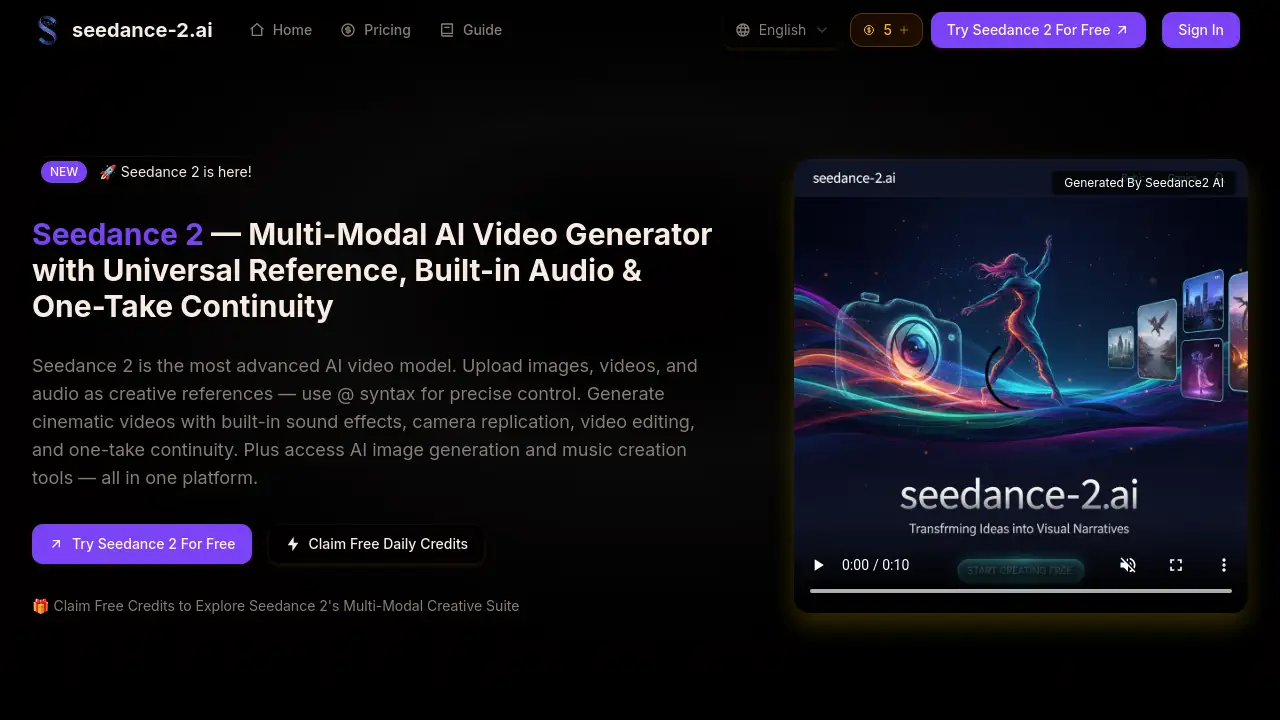
Seedance 2 is a powerful multi-modal AI video generator that creates cinematic clips from text, images, video, and audio.
What is Seedance 2?
Seedance 2 is an advanced AI video generator developed by ByteDance, designed to transform creative concepts into cinematic video content. It solves the challenge of producing high-quality, consistent video content quickly and affordably by leveraging a multi-modal input system. Unlike simpler text-to-video tools, Seedance 2 allows creators to upload images, videos, and audio files as references, using a unique @ syntax for precise control over the final output. This platform is suitable for a wide range of users, from social media creators and marketers to educators and filmmakers, who need to generate engaging videos with built-in audio, visual consistency, and professional camera movements without extensive production resources.
Key Features of Seedance 2
Multi-Modal 4-Input System
Seedance 2 accepts four types of creative input—images, videos, audio files, and text prompts—allowing users to combine up to 12 files in a single generation for maximum creative flexibility.
Universal Reference with @ Syntax
Users can assign precise roles to each uploaded asset using the @ syntax, such as @image1 as first frame or @video1 for camera movement, giving granular control over how references influence the final AI video.
Built-in Audio and Lip-Sync
The model generates videos with synchronized dialogue, sound effects, and background music, producing natural lip movements and offering music beat sync when an audio track is provided as a reference.
One-Take Continuity
Seedance 2 can generate fluid, unbroken sequences that maintain spatial and temporal consistency from start to finish, ideal for creating immersive tracking shots or walk-through scenes.
Camera and Action Replication
By uploading a reference video, creators can instruct Seedance 2 to replicate its specific camera movements, character actions, and visual effects, making complex cinematography accessible.
Video Editing and Extension
The platform allows for editing existing videos by swapping elements or extending clips with smooth continuity, generating outputs that range from 4 to 15 seconds in duration.
Use Cases for Seedance 2
Social Media Content Creation
Creators can quickly produce trending, eye-catching clips for platforms like TikTok and Instagram, using music beat sync to match visuals with popular audio tracks.
Marketing and Advertising
Marketing teams can generate product demos and ad variations by referencing successful video templates and swapping in new products or messaging, drastically reducing production time.
Educational and Explainer Videos
Educators and trainers can combine character images, scene descriptions, and narration prompts to create consistent and engaging educational content with built-in audio.
Film Pre-Visualization
Filmmakers and directors can use the one-take continuity and camera replication features to create detailed pre-visualization scenes, helping to plan shots and sequences before live shooting.
How to Use Seedance 2
- Upload References: Start by uploading your creative assets. You can add up to 9 images, 3 videos, and 3 audio files to a single project.
- Craft Your Prompt: Write a detailed text description of your desired video. Use the @ syntax (e.g.,
@image1 as first frame,@audio1 for background music) to specify how each uploaded file should be used. - Configure and Generate: Select your desired video resolution (16:9 or 9:16), duration, and other settings, then let Seedance 2 process your multi-modal inputs.
- Download and Share: Once generated, you can download your cinematic AI video, which is ready for use on social media, in presentations, or for commercial projects.
Target Audience for Seedance 2
- Social media content creators and influencers
- Digital marketing professionals and agencies
- Educators, trainers, and course creators
- Independent filmmakers and video editors
- Startup founders and small business owners
- Product managers and e-commerce teams
Is Seedance 2 Free?
Seedance 2 offers a free tier with daily credits, plus several subscription plans for higher volume usage. Based on the reference information, the pricing structure is as follows:
| Plan | Price (Monthly) | Key Features |
|---|---|---|
| Basic | $6.90 | 100 credits/month, remove watermark, commercial rights |
| Pro | $13.90 | 250 credits/month, priority processing, commercial rights |
| Max | $34.90 | 750 credits/month, priority processing, commercial rights |
| Pro Max | $59.90 | 1500 credits/month, priority processing, commercial rights |
Users can also claim one free credit every 24 hours to try the platform. A credit is required per video generation.
Seedance 2's Pros and Cons
| Aspect | Pros | Cons |
|---|---|---|
| Features | Advanced multi-modal input and precise @ syntax control. | May have a steeper learning curve than basic text-to-video tools. |
| Output Quality | Offers visual consistency, camera replication, and built-in audio. | Maximum video length is currently limited to 15 seconds per generation. |
| Workflow | Integrates video generation, editing, and extension in one platform. | Processing time may vary based on plan tier and server load. |
| Pricing | Affordable entry point with a free daily credit and scalable plans. | High-volume commercial users will need a subscription, adding to monthly costs. |
Frequently Asked Questions about Seedance 2
What is Seedance 2?
Seedance 2 is a multi-modal AI video generator from ByteDance. It creates cinematic videos by processing a combination of text prompts, images, video clips, and audio files as references, distinguished by its use of @ syntax for precise control.
What makes Seedance 2 different from other AI video generators?
Its key difference is the robust multi-modal reference system. While many generators accept only text or a single image, Seedance 2 allows the combination of multiple images, videos, and audio tracks with specific instructions, enabling features like camera replication and one-take continuity.
How does the universal reference @ syntax work?
After uploading assets like images or videos, you use the @ syntax in your text prompt (e.g., @video1 for camera movement) to assign a specific creative role to each file. This tells the AI video generator exactly how to utilize your references in the final output.
Can Seedance 2 generate videos with audio?
Yes. Seedance 2 has built-in audio capabilities. It can generate synchronized dialogue with lip-sync, ambient soundscapes, and background music. You can also upload your own audio files for the model to match visuals to the beat.
What are the video output limits?
Each video generation can produce a clip between 4 and 15 seconds in duration. Users can select from standard 16:9 or vertical 9:16 aspect ratios suitable for different platforms.
Is there a free way to try Seedance 2?
Yes. The platform offers a daily free credit that users can claim every 24 hours, allowing them to generate videos and test the multi-modal features without an immediate financial commitment.
Seedance 2 Tags
Seedance 2, AI video generator, multi-modal AI, cinematic AI video, text to video, video from image, AI video creator, @ syntax, universal reference, camera replication, one-take continuity, built-in audio, music beat sync, video editing AI, ByteDance AI