Introduction
An advanced AI video generation tool for creating cinematic content with native audio and multi-shot control.
What is Seedance 2.0 AI Video Generator?
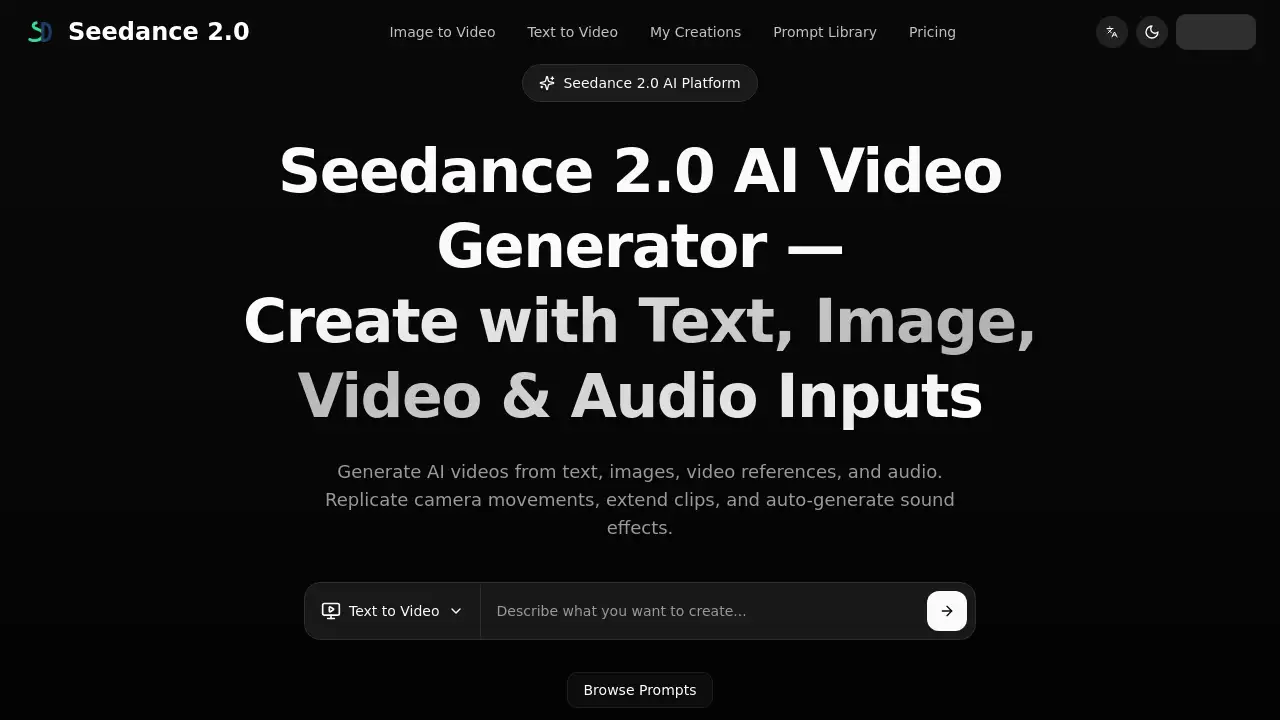
Seedance 2.0 AI Video Generator is a sophisticated video creation platform developed by ByteDance, designed to transform text descriptions, images, and audio into high-quality video clips. Unlike basic prompt-to-video tools, it addresses the challenge of producing cohesive, professional-grade video content by integrating visual and audio generation into a single, streamlined workflow. The product is suitable for marketing teams, content creators, and production houses looking to accelerate storyboarding, create ad variants, or refresh existing footage. Its significance lies in its ability to offer director-grade control and production-ready outputs, making advanced video generation more accessible and integrated into professional workflows.
Key Features of Seedance 2.0 AI Video Generator
Unified Audio-Video Generation
This core feature allows the model to generate synchronized picture, dialogue, sound effects, and background music in one cohesive process, eliminating the need for separate audio post-production.
Director-Grade Multi-Shot Control
The platform provides strong control over shot composition and cinematic pacing, enabling the creation of multi-shot narratives for richer scene coverage instead of simple single-take videos.
Multimodal Input Support
Seedance 2.0 accepts text, image, audio, and video inputs, giving creators multiple ways to steer and reference the generation process for more precise and aligned results.
Video Editing and Extension Workflows
Positioned as more than just a generator, it offers tools for editing, refreshing, and extending existing video clips, with workflows capable of reaching up to 60 seconds in length.
High-Fidelity Motion and Expression
Official demonstrations highlight the model's capability for smooth camera movements, clear subject motion, and natural emotional performances, contributing to more lifelike video content.
Benchmark-Led Performance
ByteDance positions Seedance 2.0 with strong results on industry leaderboards, providing a data-backed assurance of its technical capabilities in AI video generation.
Use Cases for Seedance 2.0 AI Video Generator
Accelerated Storyboarding and Pre-Visualization
Teams can use it to quickly visualize scene intent, camera language, and emotional beats, which is ideal for commercial concepts, product launch videos, and pitch materials before live production begins.
Creating Ad Variants with Integrated Audio
Marketing professionals can generate multiple ad versions where the dialogue, sound effects, and music are conceived alongside the visuals from the first draft, streamlining the creative process.
Refreshing and Extending Existing Content
Instead of starting from scratch, editors can improve timing, camera behavior, or seamlessly extend approved video clips, saving time and maintaining creative consistency.
Facilitating Clear Creative Review Cycles
The ability to attach text briefs, reference frames, and audio notes to a single generation request makes it easier for cross-functional teams to review and approve concepts collaboratively.
How to Use Seedance 2.0 AI Video Generator
- Access the Platform: Navigate to the official Seedance 2.0 interface, likely through
seedance.pageor a provider's platform. - Define Your Input: Start a new project by providing a detailed text description (video prompt). You can also upload reference images, audio, or video clips to guide the generation.
- Configure Settings: Adjust parameters like aspect ratio, resolution, and reference mode according to your desired output specifications.
- Generate and Review: Initiate the generation process. The Seedance 2.0 AI model will create a video clip with native audio based on your inputs.
- Iterate and Edit: Use the built-in editing tools to refine the generated clip, extend its length, or generate new variants until the result meets your requirements.
Target Audience for Seedance 2.0 AI Video Generator
- Marketing and Advertising Agencies
- Social Media Content Creators and Influencers
- Video Production Houses and Filmmakers
- Corporate Communications and In-House Creative Teams
- E-commerce Businesses for Product Promotions
Is Seedance 2.0 AI Video Generator Free?
Based on the reference information, the platform operates on a credit system. Generating a video costs credits (e.g., 15 credits per generation as indicated). While a free tier with limited credits may be available, the provided text shows "Remaining 0 credits," suggesting usage requires credit purchase or subscription. For detailed, up-to-date pricing and plan information, users should visit the official Seedance 2.0 website or contact their sales team.
Seedance 2.0 AI Video Generator's Pros and Cons
| Aspect | Pros | Cons |
|---|---|---|
| Workflow | Unified audio-video generation saves post-production time. | May have a steeper learning curve than simpler text-to-video tools. |
| Output Quality | Offers multi-shot control and high-fidelity motion for cinematic results. | Output length (e.g., 15s base) may require extension for longer scenes. |
| Functionality | Strong editing and extension features reduce need for full re-generation. | Pricing model based on credits could become expensive for high-volume users. |
| Usability | Supports multimodal inputs for more creative control and alignment. | Availability and specific features may depend on the provider/platform. |
Frequently Asked Questions about Seedance 2.0 AI Video Generator
What is the maximum video length Seedance 2.0 can generate?
Official materials highlight a base multi-shot output of 15 seconds. However, ByteDance also positions it for editing and extension workflows that can reach up to 60 seconds.
Does Seedance 2.0 create sound along with the video?
Yes, a key differentiator is its native audio generation. It can produce dialogue, sound effects, and background music in unison with the video, creating a unified audiovisual output.
Can I use my own images or videos to guide the generation?
Absolutely. Seedance 2.0 is designed to work with multimodal inputs, including images and source video clips, which you can use as references to steer the AI video generation process.
Who is the Seedance 2.0 AI video generator best suited for?
It is particularly suitable for professional teams and creators needing production-ready workflows, such as marketing agencies for ad creation, filmmakers for storyboarding, and content teams for rapid prototyping.
How does Seedance 2.0 compare to other AI video generators?
ByteDance positions it with stronger multi-shot control, native audio-video generation, and robust editing workflows compared to tools that produce simpler, single-take outputs from a prompt.
What do I need to start creating a video?
You primarily need a detailed text description of your scene. Optionally, you can prepare reference images, audio, or video clips to improve alignment and use the platform's settings to configure aspect ratio and resolution.
Seedance 2.0 AI Video Generator Tags
Seedance 2.0, AI video generator, text to video, native audio generation, multi-shot video AI, cinematic AI, video editing AI, ByteDance AI, AI video creation, video extension tool, multimodal AI, production-ready AI video