Introduction
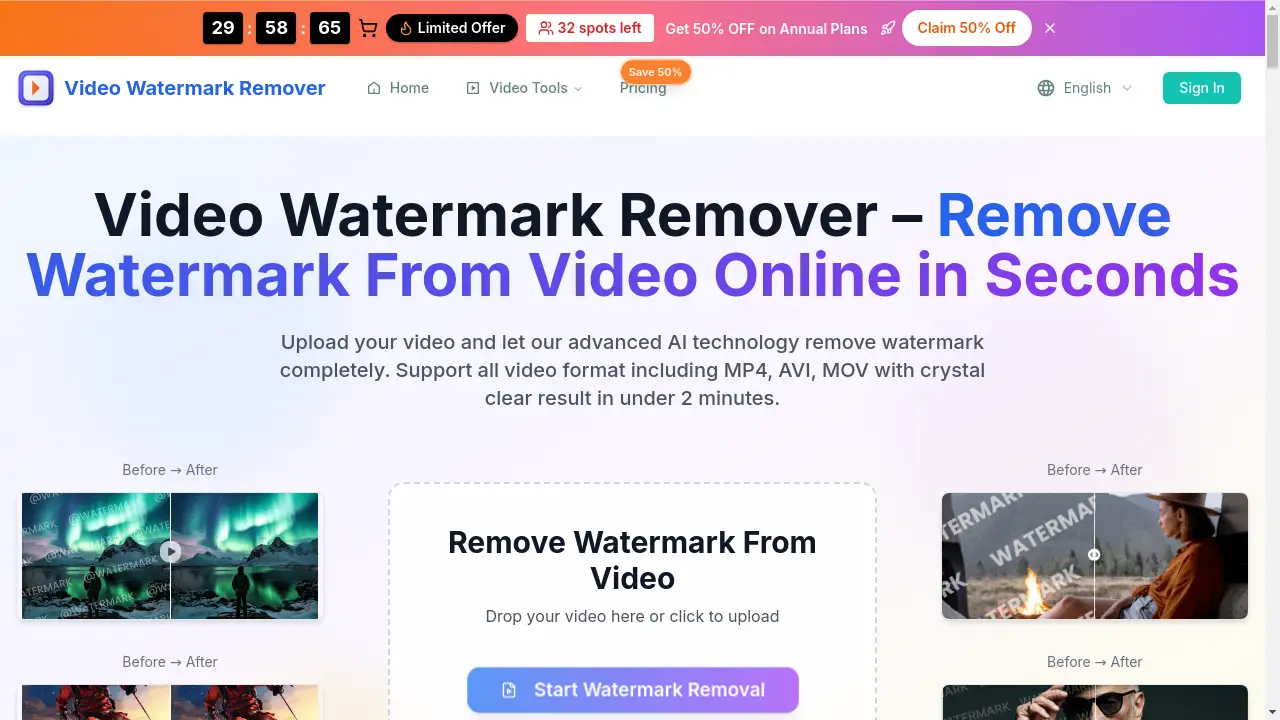
Video Watermark Remover is a free online tool that uses AI to clean watermarks from videos quickly.
What is Video Watermark Remover?
Video Watermark Remover is an AI-powered online service designed to detect and erase unwanted elements from video files. This tool solves the common problem of videos being cluttered with distracting logos, text, timestamps, or platform watermarks from TikTok, YouTube, and Instagram. It is suitable for a wide range of users, from individual social media creators and marketers to business professionals who need clean, professional-looking video content. By leveraging advanced AI technology, this video watermark remover offers a fast, accessible alternative to complex desktop editing software, making high-quality watermark removal achievable for anyone with an internet connection.
Key Features of Video Watermark Remover
Advanced AI-Powered Processing
The core of this tool uses cutting-edge deep learning algorithms to intelligently identify and remove watermarks while meticulously preserving the original video quality and detail.
Fast and Simple Online Tool
The process is entirely web-based, requiring no software installation or technical expertise; users can achieve fast watermark removal in just a few clicks, with results often ready in under two minutes.
High-Quality, Blur-Free Output
The AI video watermark remover is engineered to erase watermarks seamlessly, ensuring there are no blurred patches or visible traces left behind in the final, downloadable video.
Multi-Format Video Support
It supports a wide range of popular video formats including MP4, AVI, MOV, MKV, and WMV, providing flexibility for users working with diverse media sources.
Robust Privacy and Security
Uploaded videos are automatically deleted from the servers within 24 hours, guaranteeing user privacy and data security throughout the watermark removal process.
Cross-Device Accessibility
The online platform works seamlessly across desktop computers, tablets, and mobile devices, offering convenience and flexibility.
Use Cases for Video Watermark Remover
Cleaning Social Media Content
Creators can remove TikTok watermarks, Instagram watermarks, or YouTube watermarks from downloaded clips to repurpose content for other platforms or compilations.
Polishing Professional Presentations
Business professionals can eliminate dated logos, text overlays, or time stamps from training videos, demos, or presentation materials for a cleaner, more professional look.
Refining Marketing and Stock Footage
Marketing agencies and video editors can use it to remove logo from video stock footage or client-provided material, allowing for custom branding and seamless integration into projects.
Removing Unwanted Objects and Text
Beyond logos, the tool can erase subtitles, closed captions, price tags, stickers, photobombers, and other distracting elements to focus the viewer's attention.
How to Use Video Watermark Remover
Using the tool is a straightforward three-step process:
- Upload Your Video: Visit the website and upload your video file (up to 100MB). The platform supports formats like MP4, AVI, and MOV.
- Let AI Process: The Video Watermark Remover's AI automatically analyzes the video, detects the watermark or unwanted element, and removes it.
- Download the Result: Within minutes, you can preview and download the cleaned, watermark-free video in high quality.
Target Audience for Video Watermark Remover
- Social Media Content Creators and Influencers
- Digital Marketers and Advertising Agencies
- Small Business Owners and Entrepreneurs
- Videographers and Video Editors
- Educators and Trainers
- Anyone who needs to clean up video content quickly without professional editing skills
Is Video Watermark Remover Free?
The homepage indicates a free starting option. Detailed pricing is available through tiered subscription plans, with significant discounts offered on annual commitments.
| Plan | Price (Annual - 50% Off) | Key Features |
|---|---|---|
| Starter | $94.80/year | 120 removals/year, HD output, basic support, all popular formats. |
| Professional | $190.80/year | 360 removals/year, priority processing, advanced AI, batch processing, premium support. |
| Business | $382.80/year | 960 removals/year, API access, team collaboration, custom branding, 24/7 priority support. |
For the most current pricing and to check for any active free trial, users should visit the official Video Watermark Remover pricing page.
Video Watermark Remover's Pros and Cons
| Aspect | Pros | Cons |
|---|---|---|
| Ease of Use | Extremely simple, web-based process with no installation required. | Limited control over the AI's selection for advanced users who want manual editing. |
| Speed & Technology | Fast watermark removal powered by effective AI technology. | Processing time and quality may vary with very complex watermarks or low-source quality. |
| Output Quality | Generally produces high-quality, blur-free results. | Maximum input file size is 100MB, which may limit use for very long or high-resolution videos. |
| Cost | Offers a structured free trial/entry point and volume-based plans. | The free tier has usage limits; high-volume users need a paid subscription. |
Frequently Asked Questions about Video Watermark Remover
What video formats does the watermark remover support?
The video watermark remover supports a wide range of common formats including MP4, AVI, MOV, MKV, and WMV, ensuring compatibility with most video files.
How long does it take to remove a watermark?
The process is typically very fast. According to the provider, most videos are processed and ready for download in under two minutes.
Can I remove watermarks from TikTok, YouTube, and Instagram videos?
Yes, the AI video watermark remover is specifically designed to handle platform watermarks from TikTok, YouTube, Instagram, and others effectively.
Is the video quality preserved after removal?
The tool uses advanced algorithms aimed at removing the watermark while preserving the original video's clarity and resolution, resulting in a high-quality output.
Is my video data safe and private?
Yes, the service emphasizes security. Uploaded video files are automatically deleted from their servers within 24 hours of processing.
Do I need to create an account to use the tool?
The FAQ suggests registration is not mandatory for basic use, allowing for quick and easy access to the watermark removal service.
Video Watermark Remover Tags
video watermark remover, remove watermark from video, AI video watermark remover, remove watermark online, free watermark remover, remove TikTok watermark, remove YouTube watermark, remove Instagram watermark, remove logo from video, AI technology, fast watermark removal, watermark removal tool