Introduction
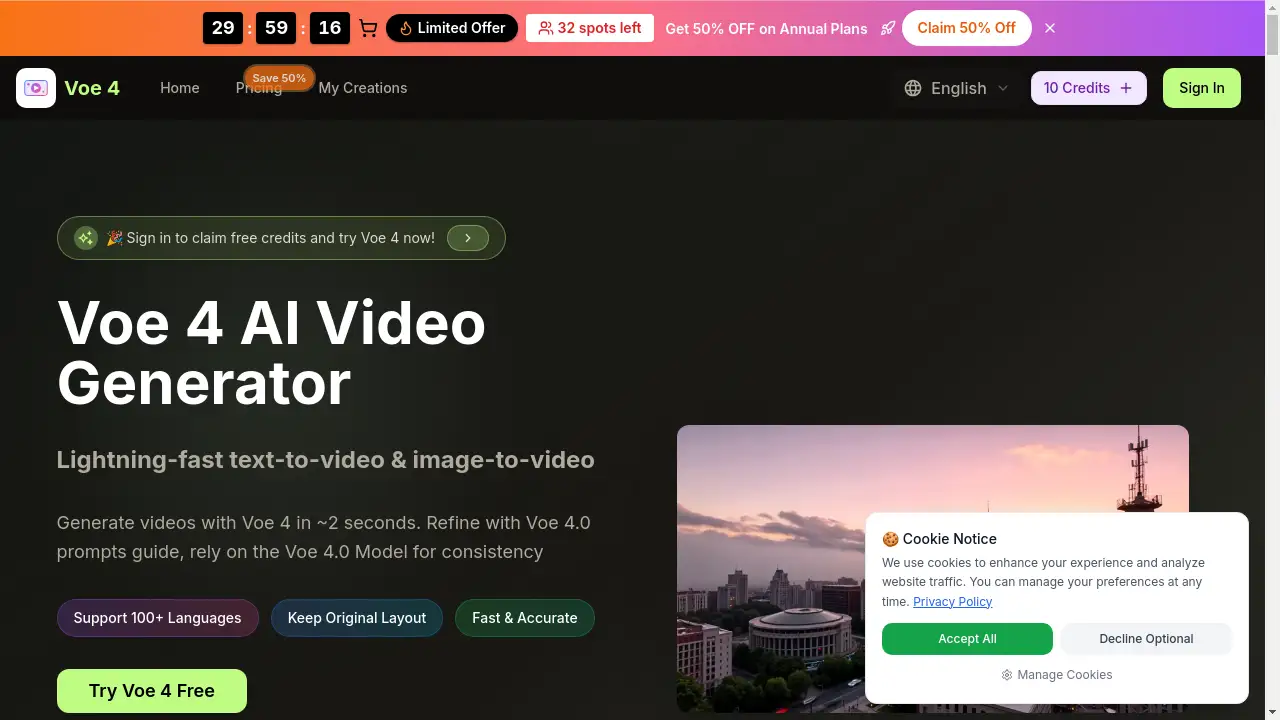
A lightning-fast AI video generator that creates videos from text or images in seconds.
What is Voe4 Video?
Voe4 Video, often referred to as the Voe 4 AI Video Generator, is a powerful online platform designed to simplify and accelerate video creation. It leverages the Voe 4.0 Model to transform simple text descriptions or existing images into short, high-quality videos. This tool addresses the common challenge of time-consuming and technically complex video production, making it accessible for creators, marketers, and businesses who need to produce visual content quickly. By offering instant AI video generation, it enables users to go from an idea to a shareable video asset in a matter of seconds, significantly streamlining workflows for social media, marketing, and storytelling.
Key Features of Voe4 Video
Lightning-Fast Generation
The Voe 4 AI Video Generator is engineered for speed, producing initial Voe 4.0 AI Video results in approximately 2 to 5 seconds, allowing for rapid ideation and iteration.
Text-to-Video and Image-to-Video Conversion
Users can create videos by simply typing a descriptive prompt or by uploading an image, giving flexibility in how content is initiated for AI video generation.
High-Resolution HD Output
The platform generates videos in crisp 720p HD or 1080p Full HD quality, ensuring outputs are suitable for professional use on various platforms.
Voe 4.0 Prompts Guide
An integrated guide helps users craft better text prompts to achieve more accurate and desired results from the Voe 4.0 Model, improving output fidelity.
Multi-Model and Multi-Aspect Ratio Support
It offers access to different AI models and supports various aspect ratios including 16:9, 9:16, and 1:1, catering to different platform requirements like YouTube, Instagram, or TikTok.
Commercial Usage Rights
Outputs created with Voe4 Video come with a license for commercial use, allowing creators to confidently use videos in client work, ads, and for monetization.
Use Cases for Voe4 Video
Social Media Content Creation
Quickly generate engaging short-form videos for platforms like Instagram Reels, TikTok, or YouTube Shorts to maintain a consistent posting schedule.
Marketing and Advertising
Produce promotional video clips, product demos, or ad variations rapidly to test concepts and accelerate campaign launches.
Storyboarding and Concept Visualization
Transform written scripts or ideas into visual sequences to plan film shoots, animations, or presentations more effectively.
Educational and Explainer Content
Create simple animated explainers or visual aids from text descriptions to enhance learning materials or tutorials.
How to Use Voe4 Video
- Access the Platform: Visit the Voe4 Video website and sign in to start a new project.
- Choose Input Method: Select either "Text to Video" or "Image to Video" as your starting point.
- Enter Your Prompt or Upload: Type a detailed text description using the Voe 4.0 prompts guide for best results, or upload a source image.
- Configure Settings: Adjust parameters like aspect ratio, video quality (HD), and duration.
- Generate and Refine: Click "Generate" to create your Voe 4.0 AI Video. Use the platform's editing tools to refine or generate new variations until satisfied.
Target Audience for Voe4 Video
- Social Media Managers and Content Creators
- Digital Marketers and Advertising Professionals
- Small Business Owners and Entrepreneurs
- Bloggers and Educators
- Independent Artists and Designers
Is Voe4 Video Free?
Voe4 Video offers a free trial with initial credits. For ongoing use, it operates on a credit-based subscription model. The website lists annual plans with a limited-time 50% discount.
| Plan | Price (Annual, 50% Off) | Key Features & Credits |
|---|---|---|
| Basic | $15.9/month | 1,000 credits/month, HD generation, commercial license, basic AI models. |
| Professional | $25.9/month | 2,000 credits/month, includes all Basic features plus access to advanced models (Veo 3, Sora 2), priority queue, and no watermark. |
| Enterprise | $49.9/month | 6,000 credits/month, all Professional features, designed for high-volume team and business use. |
Users can try Voe 4 ai online free with initial sign-up credits before committing to a paid plan.
Voe4 Video's Pros and Cons
| Aspect | Pros | Cons |
|---|---|---|
| Speed & Efficiency | Exceptionally fast instant AI video generation, ideal for quick turnarounds. | Video duration is currently limited to short clips (e.g., 5-10 seconds). |
| Ease of Use | Simple, intuitive interface for text-to-video conversion; low learning curve. | Advanced control over fine details like specific motion paths may be limited compared to professional software. |
| Output Quality | Delivers high-resolution Voe 4.0 AI Video suitable for many professional applications. | The quality and consistency can vary depending on the complexity of the prompt. |
| Pricing & Value | Clear pricing tiers; commercial license included; free trial available. | Can become costly for users who require a very high volume of video generation monthly. |
Frequently Asked Questions about Voe4 Video
What is the Voe 4.0 Model?
The Voe 4.0 Model is the core artificial intelligence engine that powers the Voe 4 AI Video Generator. It is responsible for interpreting text and image inputs to generate coherent, high-fidelity video sequences quickly.
How long does it take to generate a video?
Voe4 Video is designed for instant AI video generation, typically producing an initial video result in about 2 to 5 seconds, though final rendering time may vary slightly.
Can I use the videos for commercial purposes?
Yes, paid plans for Voe4 Video include a commercial use license. This means you can use the generated videos in client projects, advertisements, social media, and other monetized content.
Is there a free way to try Voe4 Video?
Yes, you can try Voe 4 ai online free by signing up on the website, which provides a number of free credits to test the AI video generation capabilities before purchasing a plan.
What video formats and qualities are supported?
The platform allows export in HD resolutions, specifically 720p and 1080p Full HD. It supports multiple aspect ratios to fit different social media and platform requirements.
Does Voe4 Video support audio generation?
Yes, one of its features is native audio generation, which can sync dialogue, ambient sound, and effects with the created video, reducing the need for separate audio editing tools.
Voe4 Video Tags
Voe4 AI Video Generator, Voe 4.0 AI Video, instant AI video generation, text to video, image to video, AI video creator, fast video maker, Voe 4.0 Model, Voe 4.0 prompts guide, try Voe 4 ai online free, HD video generator, commercial AI video