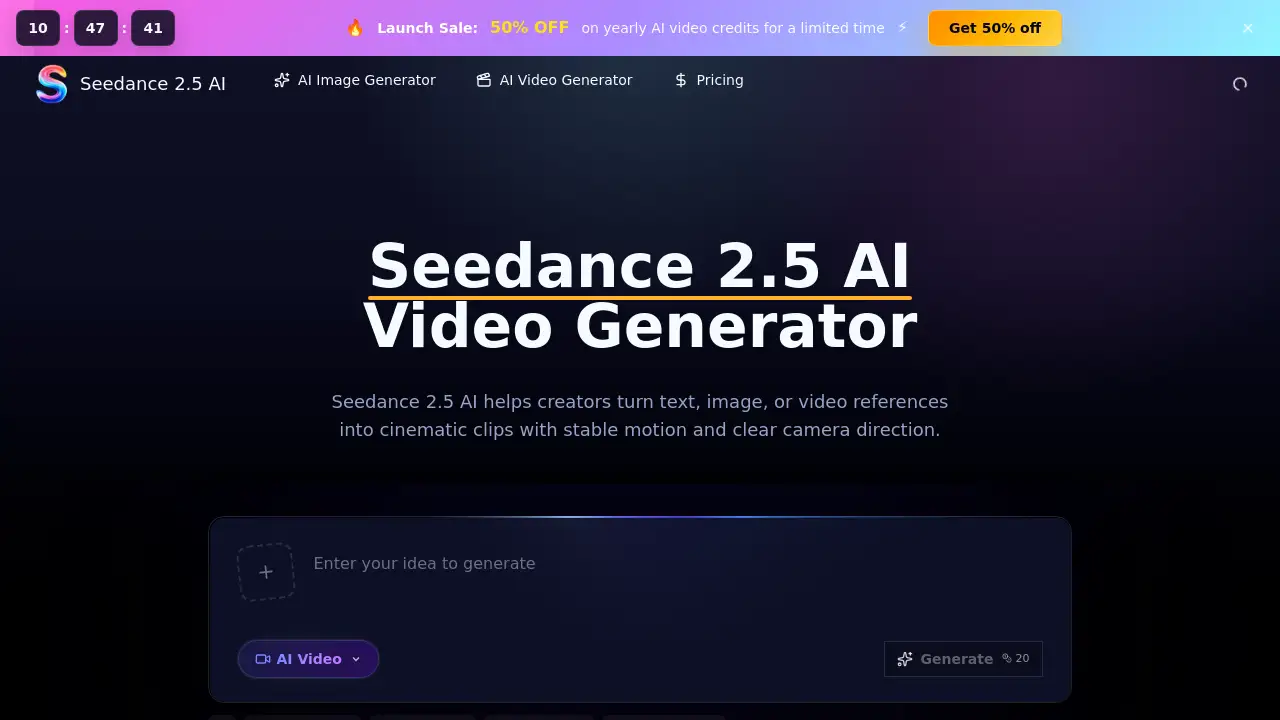
Introduction
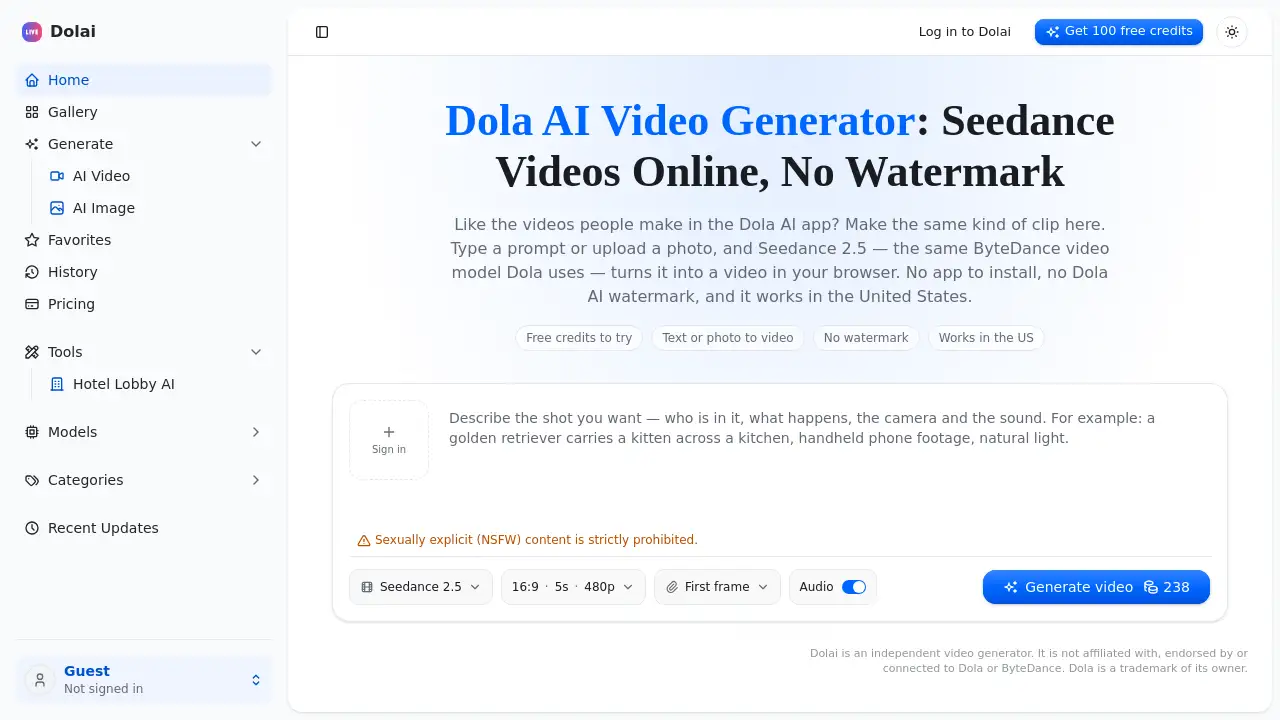
A free AI video generator for creating cinematic videos from text and images.
What is Seedance 2.5 AI?
Seedance 2.5 AI is a browser-based video generation workspace designed to help creators easily produce cinematic clips. The tool solves the problem of high cost and technical barriers in traditional video production by allowing users to generate polished video drafts directly from text prompts or visual references. It is suitable for marketers, content creators, designers, and teams who need to quickly create video content for social media, ecommerce, advertising, and concept pitching. By focusing on delivering stable motion and clear camera direction, Seedance 2.5 AI provides a practical solution for generating professional-looking video content without extensive filming or editing resources.
Key Features of Seedance 2.5 AI
Prompt Control for Detailed Scene Direction
This feature allows users to write comprehensive scene descriptions, including subjects, specific actions, camera movement, mood, and framing, all within a single text-to-video prompt.
Image-to-Video Creation from References
Users can upload a product photo, portrait, or any static image, and Seedance 2.5 AI will generate a video with controlled motion that stays true to the original composition and subject.
Model Consistency for Multi-Shot Planning
The underlying Seedance 2.5 model helps maintain consistency across related video clips, ensuring characters, products, lighting, and scene tone remain coherent for projects requiring multiple shots.
Cinematic Motion and Physics Control
The tool excels at interpreting prompts that describe physical actions like walking, fabric movement, or sports, resulting in smoother, more realistic motion and camera tracking.
Team Collaboration and Review Workflow
Teams can use the platform to compare different prompt versions, adjust references, manage generation credits, and download clips for efficient internal and client feedback cycles.
Browser-Based Creation with Direct Export
As a fully online tool, it enables creation, preview, and download of videos directly in the browser, streamlining the workflow from idea to final asset for real projects.
Use Cases for Seedance 2.5 AI
Product Teaser and Social Ad Creation
Marketing teams can quickly turn product photos and brief text hooks into engaging video ads for social media platforms, testing different concepts rapidly.
Ecommerce Video Content Production
Online retailers can animate static catalog shots to create short, eye-catching videos for product landing pages, enhancing customer engagement.
Cinematic Concept and Storyboarding
Filmmakers and concept artists can visualize scenes, test camera movements, and judge pacing for fantasy or narrative projects before committing to final production.
Client Pitches and Campaign Previews
Agencies can generate high-quality video drafts from mood boards or story ideas to present to clients, securing buy-in without the cost of a full production shoot.
How to Use Seedance 2.5 AI
Using the Seedance 2.5 AI video generator is a straightforward, three-step process conducted entirely in your web browser.
- Enter Your Prompt: Start by describing the video you want in the text box. For more control, you can optionally upload an image or a short video clip as a visual reference to guide the style, composition, or subject.
- Choose Parameters: Before generating, set your preferred video duration, aspect ratio (like 16:9 or 9:16 for social media), and output quality.
- Generate and Download: Click the generate button. After a short processing time, you can preview the result. If satisfied, download the finished video clip directly to your device.
Target Audience for Seedance 2.5 AI
- Marketing Professionals and Social Media Managers
- E-commerce Store Owners and Product Marketers
- Content Creators and Video Bloggers
- Design Agencies and Creative Teams
- Independent Filmmakers and Concept Artists
- Startup Founders and Entrepreneurs creating pitch materials
Is Seedance 2.5 AI Free?
Seedance 2.5 AI operates on a credit-based system. The platform offers a free trial to test its features. For ongoing use, users can choose from monthly plans, annual subscriptions (which offer savings), or pay-as-you-go credit packs. The exact consumption of credits depends on factors like video duration, output quality, and the type of generation (e.g., text-to-video vs. image-to-video). For the latest and most detailed pricing information, visitors should check the official Seedance 2.5 AI pricing page.
Seedance 2.5 AI's Pros and Cons
| Aspect | Pros | Cons |
|---|---|---|
| Accessibility | Completely browser-based; no software installation required. | Requires a stable internet connection for use. |
| Workflow | Streamlined process from prompt to download; excellent for rapid iteration. | Output is a draft; likely requires final editing or compositing for polished projects. |
| Cost | Offers a free trial and flexible credit plans, reducing upfront investment. | Credit consumption for longer/high-quality videos could add up for frequent users. |
| Output Quality | Excels at cinematic motion and following detailed prompts for a coherent result. | As with all AI generators, control is interpretive; precise, frame-by-frame control is not possible. |
Frequently Asked Questions about Seedance 2.5 AI
What is Seedance 2.5 AI?
Seedance 2.5 AI is an online platform that provides access to the Seedance 2.5 video generation model. It allows users to create video clips from text prompts or visual references, managing the entire workflow from creation to download in a browser.
What kind of videos can I create with this AI video generator?
You can create a wide variety of content, including product teasers, social media advertisements, ecommerce clips, cinematic scenes, concept videos for storyboarding, and previews for client presentations.
Does Seedance 2.5 AI support image-to-video generation?
Yes, it fully supports image-to-video creation. You can upload a reference image to guide the AI, helping maintain the subject's identity, composition, color palette, and influencing the type of motion in the generated clip.
What are credits and how do they work?
Credits are the unit used to generate videos. Each video generation consumes a certain number of credits based on the selected duration, quality, and model settings. Credits can be purchased via monthly plans, yearly subscriptions, or pay-as-you-go packs.
Is the tool suitable for team collaboration?
Yes, Seedance 2.5 AI includes features beneficial for teams, such as the ability to compare different prompt versions, share generated drafts for feedback, and manage a shared pool of credits, making it useful for collaborative projects.
What happens if my video generation fails?
If a generation fails before any output is created (e.g., due to a technical error), credits are typically refunded. However, if the AI completes the generation but the output is blocked by content moderation filters, credits may still be consumed.
Seedance 2.5 AI Tags
Seedance 2.5 AI, AI video generator, free video generator, text to video, image to video, cinematic video maker, AI video creator, online video tool, product video maker, social media video, ecommerce video, video from text, AI video generation, creative video tool