Introduction
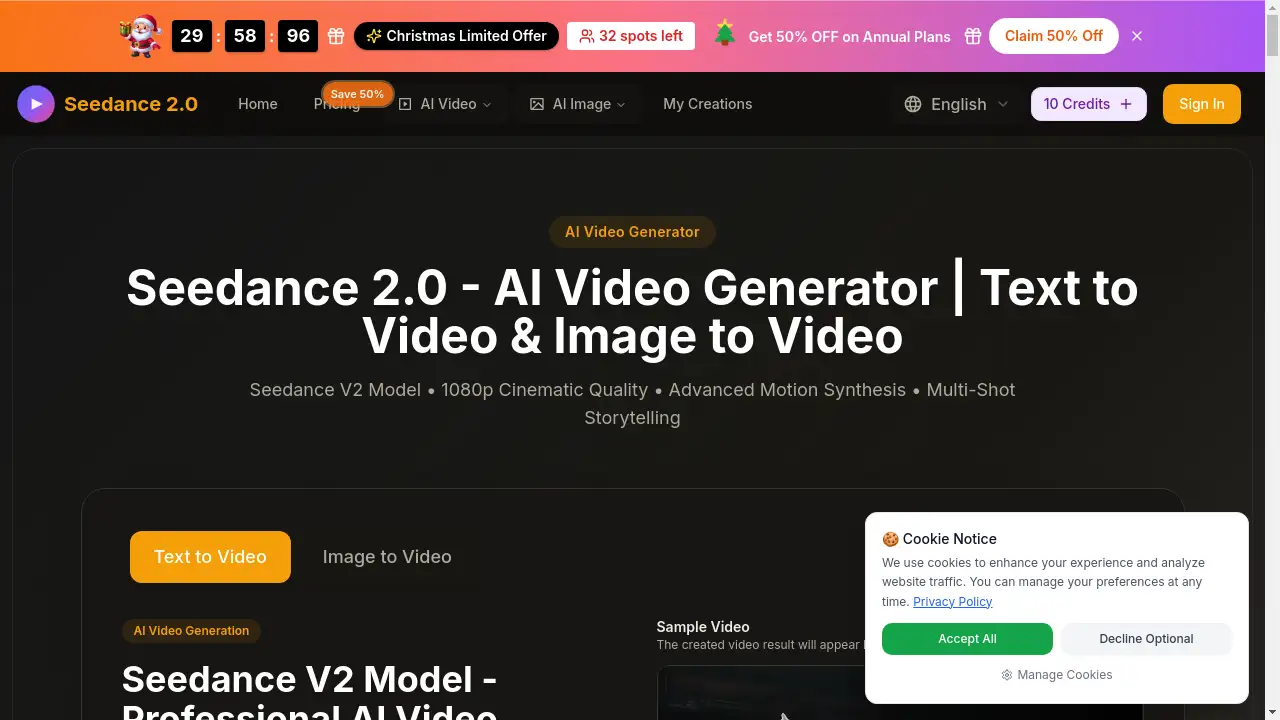
Seedance 3.0 is an AI video generator for turning ideas and images into short videos.
What is Seedance 3.0?
Seedance 3.0 is an AI video generator that turns text prompts, images, video clips, and audio into short videos. It is designed for people who want to create a product clip, character scene, or small story without a full production setup. The tool addresses a common problem: making a video often requires separate tools for visuals, motion, sound, and edits. Seedance 3.0 brings these steps into one workflow. Users can start with an idea or picture, choose a model and settings, generate a clip, then try new versions as they go. It suits content creators, shop owners, marketing teams, designers, teachers, and anyone testing a video idea. As a platform for short-form video creation, it is most useful for social posts, product demos, and creative drafts.
Key Features of Seedance 3.0
Multi-Material Input
Seedance 3.0 accepts images, video clips, and audio together in a single prompt. Each file can serve a role, such as the subject, camera move, or beat, so users can build one finished video from mixed materials.
Precise Video Editing
Point to a product, outfit, person, or background, and Seedance 3.0 changes only that part. The original motion, light, and camera path stay the same, which supports controlled edits without regenerating the whole clip.
Text to Video from Simple Descriptions
Describe who is in the scene, where they are, and what happens. Seedance 3.0 uses clear text to generate a video scene, and users can add details like weather, color, or camera direction.
Image to Video for Characters and Products
Upload a clear picture and describe the movement. Seedance 3.0 can make a drawn character wave, move the camera toward flowers, or turn a product photo into a short ad concept.
Sound-Aware Generation
Choose a model that supports sound and include audio or sound cues in the description. Seedance 3.0 can help match footsteps, rain, voice-over, or music rhythm to the action and mood.
Flexible Visual Styles and Output Sizes
Try the same story as a cartoon, clay animation, or movie-style scene. Users can choose a tall video for phone screens or a wide frame for larger scenes, then preview and download the result.
Use Cases for Seedance 3.0
Product Videos for Shops and Social Ads
Shop owners can upload product photos and describe a scene for Seedance 3.0. A pair of shoes, a coffee cup, or a new dress can become a short product video for a store page or social ad.
Character Animation and Story Ideas
Writers and game developers can upload a character image and describe actions. Seedance 3.0 helps test character animation, opening scenes, and short story moments before full production.
Music and Lyric Visuals
Creators can use Seedance 3.0 with a song or voice track and reference pictures. The tool can generate clips for music previews, lyric visuals, or social posts with a chosen mood.
Marketing Drafts and Client Pitches
Teams can make moving drafts to compare openings, backgrounds, and messages. Seedance 3.0 supports early ad ideas, so clients can review a direction before detailed production.
Classroom and Training Clips
Teachers can make a simple scene, such as a seed growing or rain falling, to introduce a lesson. Seedance 3.0 keeps the workflow short enough for a quick classroom visual.
How to Use Seedance 3.0
- Describe the idea in Seedance 3.0: who is there, where they are, and what happens. Add a clear reference picture if a specific character or product is needed.
- Choose a model, video length, and shape. Check the credit cost shown in the panel before generating.
- Click Generate and let Seedance 3.0 create the video.
- Review movement, picture quality, and sound. Download the clip if it works, or change the description and try another version.
- Use generation history to find past work and compare versions.
Target Audience for Seedance 3.0
- Content creators making short videos and social posts
- Marketing teams comparing ad ideas and scenes
- Shop owners creating product clips from existing photos
- Designers and studios making creative drafts
- Teachers and trainers building simple classroom visuals
- Anyone with an idea for a personal video project
Is Seedance 3.0 Free?
Pricing details are not clearly listed in the provided reference information. The homepage mentions checking a credit cost before generation, which suggests a credit-based system, but a confirmed free plan or exact paid tiers are not shown. Users should check the official Seedance 3.0 website for current pricing, trial availability, and credit rules.
| Plan | Price | Features |
|---|---|---|
| Free | Not confirmed | Free or trial availability is not clearly stated in the reference |
| Paid | Not specified | Credit cost may apply; check the official site for current tiers |
Seedance 3.0's Pros and Cons
| Aspect | Pros | Cons |
|---|---|---|
| Features | Mixed media input, precise edits, text to video, image to video, and sound-aware options | Available features depend on the chosen model |
| Workflow | Simple process with generation history and quick version testing | Users need clear prompts and reference images for best control |
| Use cases | Useful for product clips, character scenes, music visuals, and classroom ideas | Short-form focus may not fit advanced production needs |
| Pricing | Credit cost is shown before generating | Exact pricing and free-plan details are not clear in the reference |
Frequently Asked Questions about Seedance 3.0
What is Seedance 3.0 best used for?
Seedance 3.0 is best for short video creation such as product clips, character animation, music visuals, social posts, and simple story scenes. It is not a full replacement for complex professional production.
Does Seedance 3.0 support text and image prompts for video?
Yes. Seedance 3.0 supports text to video and image to video workflows. Users can describe a scene or upload a picture and describe the movement they want.
Can Seedance 3.0 edit an existing video?
Yes, according to the reference, Seedance 3.0 supports precise editing. Users can point to a product, person, outfit, or background and change only that part while keeping motion, light, and camera work.
Does Seedance 3.0 work with audio?
Some models support sound. Users can include audio or sound cues, and Seedance 3.0 can help match footsteps, rain, voice-over, or music rhythm to the scene.
Is Seedance 3.0 suitable for product videos?
Yes. Shop owners and marketing teams can upload product photos and describe a scene. Seedance 3.0 can create product video drafts for social ads, store pages, and client reviews.
How long does a Seedance 3.0 video take?
The reference does not state a fixed generation time. It depends on the selected model, length, settings, and current platform load. Users should check the generation panel for options and credit cost.
Seedance 3.0 Tags
Seedance 3.0, AI video generator, text to video, image to video, AI video creation, precise video editing, product videos, character animation, multi-material input, video with sound, short video maker, AI product ad maker