Introduction
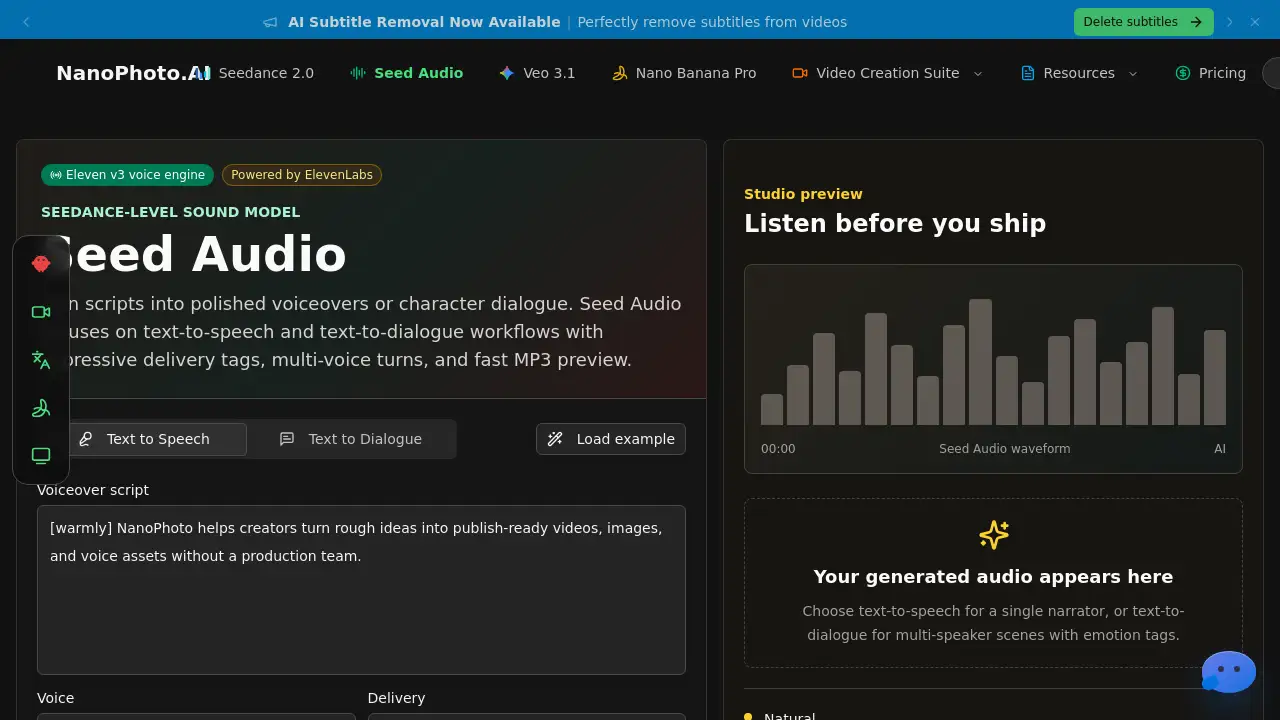
Seed Audio AI is a browser-based AI text-to-speech tool that turns scripts into natural voice audio for voiceovers, narration, and more.
What is seed audio?
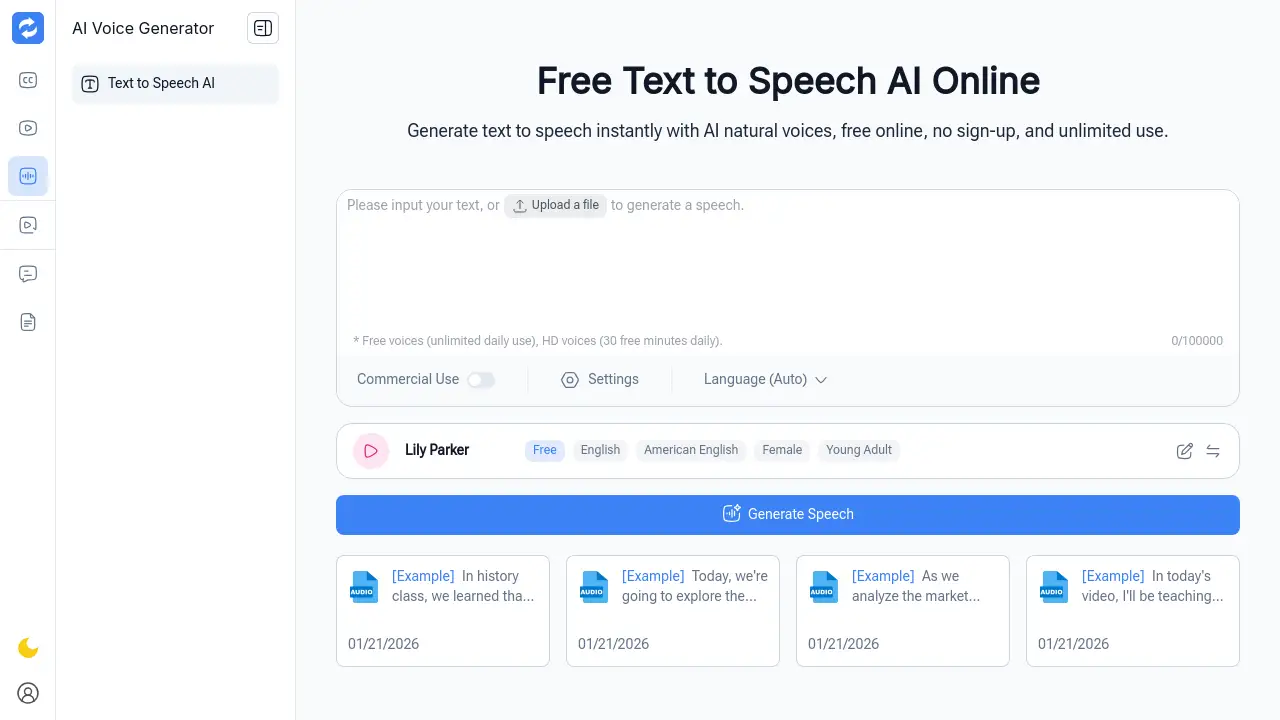
Seed Audio AI is an online AI text-to-speech workspace designed to help content teams and individual creators produce voice audio drafts quickly without scheduling studios or hiring talent. The platform lets users paste a script, choose from a voice library, adjust delivery settings like speed and emotion, and generate audio that can be previewed, downloaded, or shared. It solves common bottlenecks in traditional voice production—slow booking cycles, expensive revisions, and inconsistent delivery across projects. By keeping all voice direction, language coverage, and revisions inside one browser-based surface, Seed Audio AI makes the AI voice generator workflow repeatable and scalable for everyday content needs.
Key Features of seed audio
Browser-Based Workspace
No software installation is needed. Everything happens inside the browser, from script editing to audio generation and export.
Emotion Tags and Delivery Controls
Users can insert emotion tags into text to shape delivery—calm, energetic, dramatic—and adjust speed and volume sliders for fine control over pacing.
Voice Library with Variety
The library offers voices by language, gender, and use case (narrator, podcast host, audiobook voice, character). Voices can be previewed before applying.
Export and Download Audio
Generated audio can be previewed instantly, downloaded as MP3, or shared via a link. History keeps past projects available for reuse.
Reusable Delivery Settings
Saved voice direction, pacing, and emotion preferences can be applied across multiple projects, ensuring consistency in series or campaigns.
History and Share Links
All generated audio is stored in history, with shareable links for team review rounds without requiring downloads.
Use Cases for seed audio
Video Marketing Voiceovers
Draft short-form video voiceovers from campaign scripts, then review pacing and tone before final publishing.
Course Narration
Turn lesson scripts into narration drafts so course teams can check clarity, speed, and delivery before recording.
Podcast Production
Create podcast intros, host reads, and segment drafts with reusable voice direction for review rounds.
Audiobook Drafting
Prepare audiobook chapter drafts from long scripts and adjust delivery before investing in final production.
Agency Creative Review
Test voice direction across ad concepts, product demos, and landing-page videos before committing budget.
Documentation Audio
Convert help-center scripts into audio drafts for internal review and accessibility planning.
How to Use seed audio
- Paste or type your script into the editor. The AI processes natural language for expressive speech output.
- Choose a voice from the library by language, gender, or use case. Preview voices to find the best match.
- Adjust delivery settings – speed, volume, and emotion tags – to match the tone you need (calm, energetic, dramatic).
- Generate the audio, preview the result, then download the MP3 file or share a link. The project is saved to history for future edits.
Target Audience for seed audio
- Content creators producing voiceovers for social media and YouTube
- Educators and e-learning teams creating course narration
- Podcasters drafting intros, ads, and segment reads
- Marketers generating ad voiceovers and product demos
- Audiobook producers preparing chapter drafts
- Agencies testing voice direction across multiple campaigns
- Documentation teams converting text to audio for accessibility
Is seed audio Free?
Seed Audio AI offers free audio credits to start. For continued use, subscription plans provide monthly allowances. One-time credit packs are also available.
| Plan | Price (yearly) | Monthly Bytes | Key Features |
|---|---|---|---|
| Creator | $99/year | 500 KB | Voiceover workflow, MP3 download, history, standard support |
| Pro | $249/year | 1.8 MB | Priority queue, long-form narration, advanced pacing, priority support |
| Studio | $499/year | 5 MB | Team production, batch narration, shared history, production controls |
Credit packs (one-time):
| Pack | Price | Credits |
|---|---|---|
| Creator Credit Pack | $19 | 400 KB |
| Pro Credit Pack | $29 | 750 KB |
| Studio Credit Pack | $49 | 1.5 MB |
seed audio's Pros and Cons
| Aspect | Pros | Cons |
|---|---|---|
| Speed | Generate draft audio in minutes, no booking needed | Requires internet connection; browser-dependent |
| Cost | Transparent subscription pricing; free credits available | High-volume users may find credit costs add up |
| Iteration | Easily adjust settings and regenerate without re-recording | Limited to the voice library; custom voices not yet available |
| Consistency | Reusable delivery settings keep output uniform across projects | Emotion tags may not capture every subtle nuance |
| Collaboration | Share links and history enable remote team review | No real-time collaborative editing yet |
Frequently Asked Questions about seed audio
What audio formats does Seed Audio AI support?
The platform exports generated audio as MP3 files, which can be downloaded and used in video editors, podcast hosts, or audiobook tools.
Can I use the generated audio for commercial purposes?
Yes, Seed Audio AI allows commercial use where your plan and rights permit. Check the specific plan details for commercial workflow allowances.
How do the audio credits work?
Each month you receive a specific amount of audio credits (e.g., 500 KB for Creator). Credits represent the total length of generated audio. Unused credits expire after 30 days on subscription plans.
Is there a free trial or free version?
Seed Audio AI starts with free audio credits, letting you test the tool before committing to a paid plan. No credit card is required for the initial free credits.
Can I adjust the emotion and pacing of the AI voice?
Yes. You can insert emotion tags (e.g., "happy", "sad", "energetic") directly into the script text, and adjust speed (0.5x–2.0x) and volume sliders to match the desired delivery.
Does Seed Audio AI support multiple languages?
The voice library includes voices in different languages and regional accents. The platform supports language-specific script input and voice selection for multilingual projects.
seed audio Tags
Seed Audio AI, AI text-to-speech, voice generator, browser text-to-speech, voiceover tool, narration software, AI voice generation, text to voice, audio production, content creation, voiceover workflow, speech synthesis