Introduction
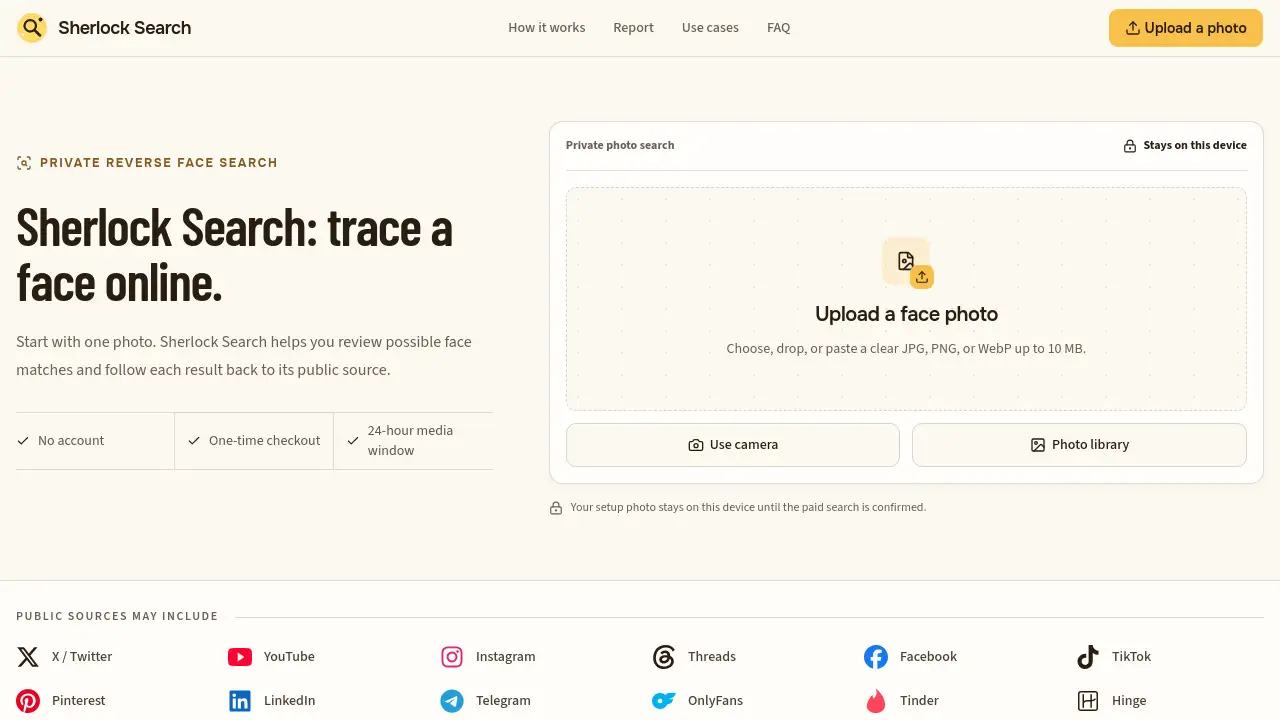
Sherlock Search is a private reverse face search tool that lets users upload one photo and trace where a face appears online. Designed for quick reviews of possible matches, it returns public source links, confidence labels, and account context so people can investigate profiles, impersonation, and social media footprints without creating an account. For anyone who needs a face search online with source links, Sherlock Search offers a simple starting point.
What is Sherlock Search?
Sherlock Search solves the problem of finding where a photo or face has been publicly posted. Many users need a face search online that goes beyond simple thumbnails. As a reverse face search service, Sherlock Search submits one face photo to a provider, compares it, and shows possible matches with links to public pages. It is suitable for those who want to check identities, investigate photo reuse, or audit their own online footprint. This matters because a copied photo can appear under different names, dates, and contexts. A reverse face search result can be a lead, not final proof, so source links help users verify facts before making a conclusion. Sherlock Search makes that verification easier by placing confidence and context side by side.
Key Features of Sherlock Search
Upload one clear photo
Select, drop, paste, or take a photo with one visible face. The image remains on the user's device until the paid search is confirmed. This lets users control the reverse face search process from the very start.
Private photo search
Sherlock Search keeps setup photos on the device and does not require an account. This makes it easier for privacy-focused users to run a private reverse face search without creating a social profile. The only email collected by Stripe is for the payment receipt and recovery link.
24-hour media window
Search media is retained for up to 24 hours. Users receive a recovery link and should keep it until the report is fully reviewed. The window gives users enough time to inspect matches and open source pages.
One-time checkout
There are no recurring subscriptions. After a readiness check, users complete a secure Stripe checkout to unlock a search pack. This one-time search pack model is useful for people who need occasional face search online help.
Public source links
Possible matches are connected to public platforms such as X/Twitter, YouTube, Instagram, Threads, Facebook, TikTok, Pinterest, LinkedIn, Telegram, OnlyFans, Tinder, and Hinge when publicly indexed. Sherlock Search does not create these platforms, but it helps users run a reverse face search and find where a face appears.
Confidence labels
The report keeps confidence labels with each match. Sherlock Search helps users review the most promising candidates first before opening the public page.
Source context
Every useful result includes account, date, caption, and surrounding context. Users can follow the source and verify details manually. Sherlock Search supports responsible investigation by keeping source context together.
Use Cases for Sherlock Search
Profile check
Look beyond a profile name. If a copied photo appears beside a different name or biography, Sherlock Search gives users context to decide whether an online identity is consistent. A reverse face search can reveal that the same image exists on another account.
Photo reuse investigation
Trace where a face may have been reposted. Users can inspect dates, captions, usernames, and the earliest accessible source before reporting impersonation. The source links in a Sherlock Search report make this type of reverse face search more practical.
Self-audit of public footprint
Search a photo a user owns to find possible public copies, forgotten profiles, or pages that may need review or removal. Many people use Sherlock Search to run a face search online on their own content.
How to Use Sherlock Search
- Upload: Choose one clear photo with one visible face. The user can preview it before continuing. Sherlock Search accepts JPG, PNG, or WebP files.
- Unlock: Select a one-time search pack and complete secure Stripe checkout. No account is required. This step starts the full comparison and makes the reverse face search possible.
- Review: Run the comparison with one credit, then inspect confidence labels and the public page behind each result. Sherlock Search keeps the entire report private to the guest wallet.
Target Audience for Sherlock Search
- People who want to verify an online identity with a reverse face search
- Users who suspect their photos are being reused
- Professionals who do basic public-source checks
- Social media users who want to audit their own footprint
- Journalists or researchers looking for source-linked face search online results
- Privacy-conscious users who prefer a no-account reverse face search tool like Sherlock Search
Is Sherlock Search Free?
Sherlock Search does not advertise a free search plan. The homepage describes a one-time checkout with search packs and no subscription. There is no publicly listed price in the reference content, so users should check the official pricing page for current rates. What is clear is that using Sherlock Search requires completing a paid search pack before the real comparison begins.
| Plan | Price | Features |
|---|---|---|
| Search pack | One-time payment (see official site) | One search credit, private report, 24-hour media retention |
| Guest upload | Free to start | Upload and preview only; no comparison until payment |
Sherlock Search's Pros and Cons
| Aspect | Pros | Cons |
|---|---|---|
| Privacy | No account needed, photo stays on device until confirmation | Results depend on public indexing |
| Payment | One-time checkout, no recurring subscription | Price not clearly stated on homepage |
| Output | Confidence labels and source links help context | Possible matches are leads, not identity proof |
| Data handling | Media retained for up to 24 hours | Users must keep recovery link to review report |
Frequently Asked Questions about Sherlock Search
What does Sherlock Search do?
Sherlock Search submits one face photo to a reverse face search provider and returns possible visual matches connected to public web pages. These results are leads for review, not proof of identity.
Do I need to create an account?
No. Users choose a photo, complete a one-time Stripe checkout, and return to a private guest wallet. Stripe collects an email for the receipt and recovery link.
When does the real search begin?
The first photo starts a short readiness sequence. The full provider comparison begins only after payment is verified and the user confirms the final photo.
What if no useful matches appear?
A completed zero-match reverse face search means the comparison ran but did not return useful candidates. It does not prove the face is absent online because some pages may be private, unindexed, removed, or visually different.
How long is search media retained?
Search media is retained for up to 24 hours. Users should keep the emailed recovery link until they finish reviewing the private report from Sherlock Search.
Can a similarity score confirm identity?
No. Users should always open the source and compare names, dates, captions, locations, and independent evidence before reaching a conclusion.
Sherlock Search Tags
Sherlock Search, reverse face search, face search online, private photo search, face recognition, search face on web, photo trace tool, social media face search, one-time search pack, source-linked report, public source verification, online identity check