Automate business tax preparation and save on accountant fees with Taxing.app.
What is Taxing.app?
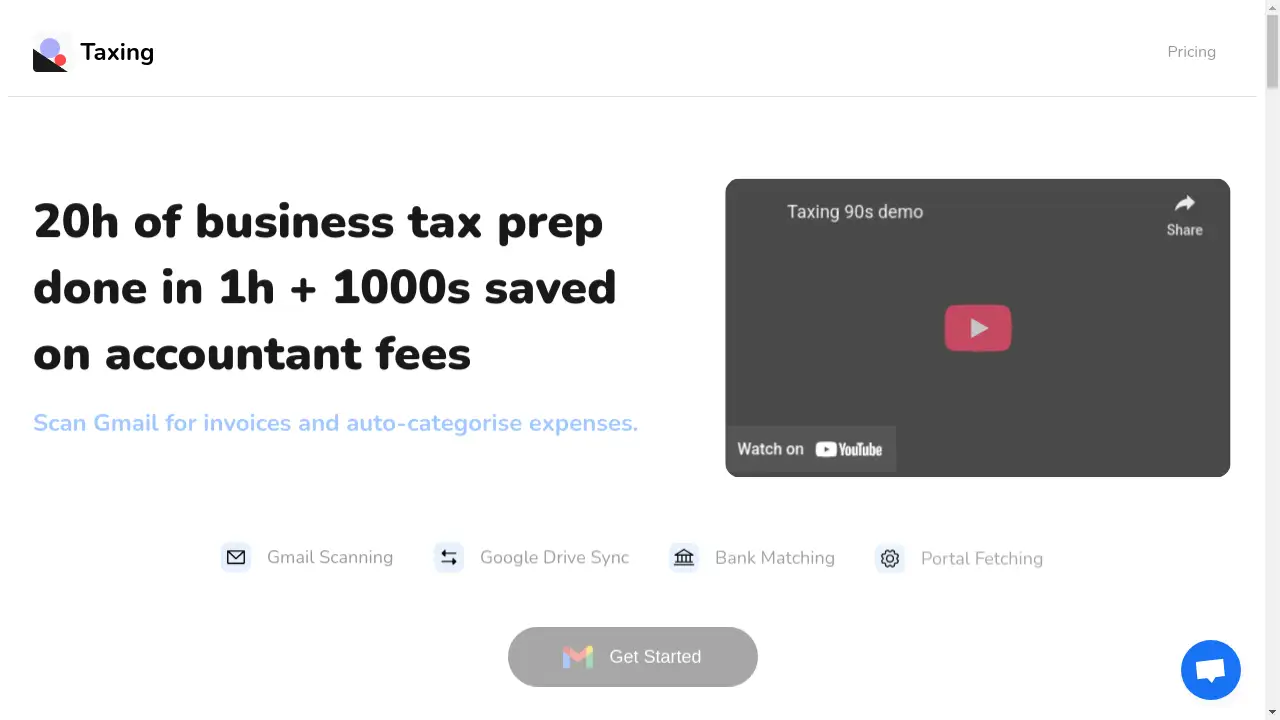
Taxing.app is a specialized software tool designed to automate the tedious process of gathering and organizing business invoices and receipts for tax purposes. It addresses the common problem faced by business owners and freelancers: spending countless hours manually tracking down financial documents from various sources like email inboxes, web portals, and physical copies. This digital tool significantly reduces administrative overhead by automatically scanning, categorizing, and centralizing expense documentation. By streamlining this initial data collection phase, which often takes over 20 hours, Taxing.app can complete it in about an hour, saving users substantial time and potentially thousands in accountant fees. It is particularly suitable for self-employed individuals, freelancers, and small to medium-sized businesses that need an efficient way to manage their tax prep workflow. The platform emphasizes an open ecosystem, integrating with tools like Google Drive and preparing for future connections with major accounting software.
Key Features of Taxing.app
Gmail Invoice Scanning
The tool automatically scans a connected Gmail inbox to identify and extract invoice attachments, locating missing documents in minutes rather than hours.
Browser Extension for Portal Fetching
A browser extension intercepts PDF downloads from various web portals, allowing users to fetch invoices up to ten times faster by reducing clicks on platforms like Amazon, LinkedIn, and Adobe.
Physical Receipt Digitization
Users can easily digitize physical receipts by sending photos via Telegram or email, ensuring that all paper-based expenses are incorporated into their digital records.
Direct File Upload
For maximum flexibility, invoices and receipts can be added to the system through a simple drag-and-drop interface for PDF files.
Google Drive and Sheets Integration
All processed invoices are automatically saved and organized in the user's Google Drive and can be synced to Google Sheets, creating a ready-to-share package for an accountant.
Automated Expense Categorization
The software automatically classifies expenses into relevant categories, including VAT, and supports German DATEV SK03/SK04 schemas to facilitate local tax compliance.
Bank Transaction Matching
This feature compares the collected invoices against the user's bank transaction feed to quickly identify any discrepancies or missing payments.
Centralized Document Hub
Taxing.app acts as a single place to collect all financial documents from disparate sources, creating a unified and organized repository.
Use Cases for Taxing.app
Streamlining Freelancer Tax Prep
Freelancers can use the tool to automatically gather invoices from all their clients via email and portals, drastically cutting down the time spent on quarterly or annual tax preparation.
Small Business Expense Management
Small business owners can consolidate receipts from multiple employees and vendors into one centralized location, simplifying bookkeeping and ensuring no deductible expense is missed.
Preparing for Accountant Review
By automatically categorizing expenses and exporting them to Google Drive, users can provide their tax accountant with a perfectly organized set of documents, reducing the accountant's workload and associated fees.
Managing High Volume E-commerce Transactions
Online sellers on platforms like Amazon can use the browser extension to rapidly download a high volume of transaction invoices, keeping pace with fast-moving business activity.
How to Use Taxing.app
Using Taxing.app involves a straightforward process to automate your tax document collection.
- Connect Your Data Sources: Begin by granting the application permission to securely scan your Gmail account for invoice attachments. Install the browser extension for one-click invoice downloading from web portals.
- Collect Documents: The system will automatically start scanning and fetching invoices. For physical receipts, simply take a photo and send it to a designated Telegram bot or email address provided by Taxing.app.
- Review and Categorize: The platform automatically extracts key metadata and sorts expenses into categories like VAT. You can review the organized list of invoices within the tool.
- Export and Share: With one click, export all your processed and categorized invoices directly to a folder in your Google Drive and a linked Google Sheet, which can then be shared with your accountant.
Target Audience for Taxing.app
- Freelancers and independent contractors
- Small and medium-sized business owners
- Self-employed individuals and sole traders
- E-commerce sellers
- Startups and entrepreneurs
Is Taxing.app Free?
Taxing.app operates on a credit-based pricing model that scales with the number of invoices processed, positioning itself as a more affordable alternative to similar services. It offers a generous free plan that allows users to process their first 50 invoices at no cost. Premium tiers are available for businesses with higher volumes, starting at $50 for 400 invoices and scaling up for larger enterprises. A key benefit is that purchased credits never expire, providing flexibility. It is important to note that as an early-stage product, some advanced features like automatic bank matching and exports to accounting software are on the roadmap but not yet fully available.
Frequently Asked Questions about Taxing.app
What is the current development stage of Taxing.app?
The product is currently in an early access phase, described as an "alpha+" stage. Even in this state, it is functional and can automate a significant portion, potentially up to 50%, of the manual tax preparation work.
Does Taxing.app offer refunds?
As an early-stage product that may have bugs or missing features, Taxing.app currently does not offer cash refunds. However, the support team is noted as being very responsive and liberal with refilling processing credits if users encounter issues or are dissatisfied early on.
Is Taxing.app SOC compliant?
No, Taxing.app is not currently SOC compliant. Businesses with strict compliance requirements should consider this before use.
How does the bank transaction matching work?
The feature compares the invoices you have collected within Taxing.app against a feed of your bank transactions. This helps you quickly spot any invoices that are missing from your records or payments that have not been matched to a corresponding document.
Which accounting software does it integrate with?
Currently, the primary integration is with Google Drive and Google Sheets. Integrations with popular accounting software like SevDesk, Xero, and others are listed on the product roadmap for future development.
How does the browser extension improve efficiency?
The browser extension automates the process of downloading invoices from web portals by intercepting the PDF generation, which can reduce the number of clicks and time required by approximately 90%.
Taxing.app Tags
Taxing.app, automate tax preparation, business tax software, invoice scanning, expense categorization, Gmail scanning, browser extension, Google Drive sync, bank transaction matching, save on accountant fees, freelance tax tool, digital receipt management