Introduction
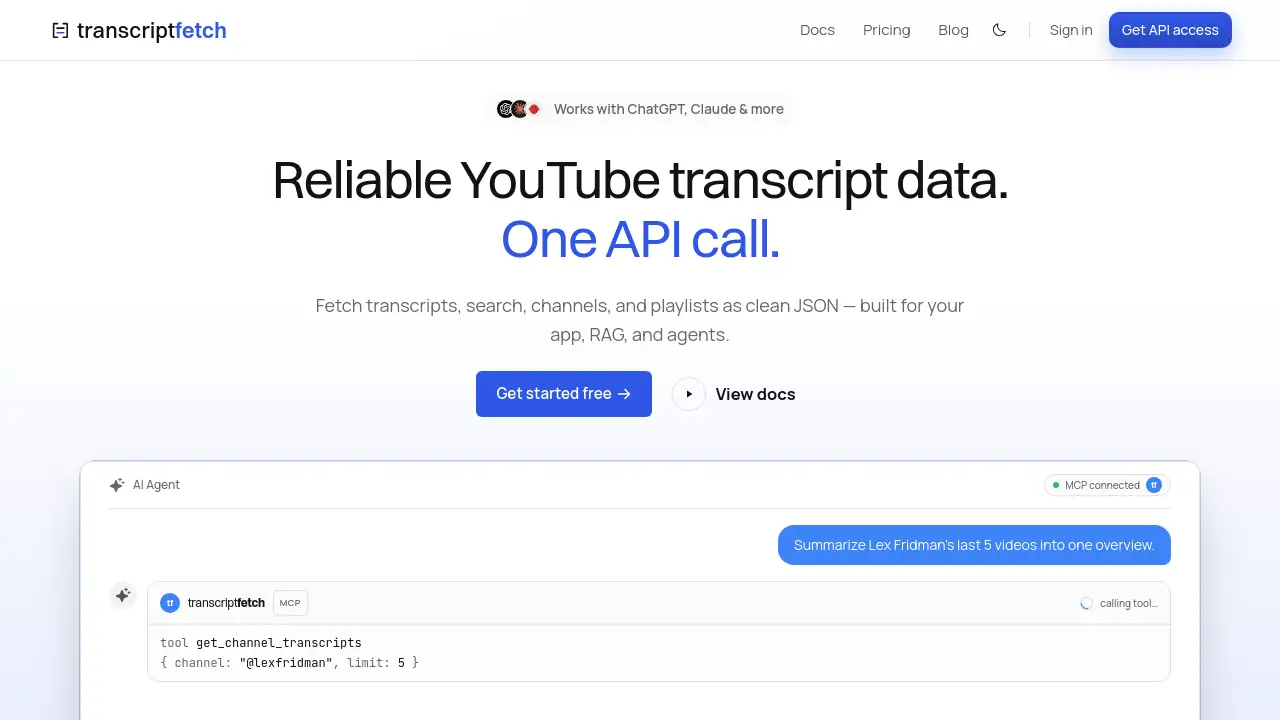
Fetch YouTube transcripts at scale with TranscriptFetch, a developer-focused API that provides clean JSON output from videos, channels, playlists, and keyword searches.
What is TranscriptFetch?
TranscriptFetch is a specialized API service designed to retrieve YouTube transcripts reliably and efficiently. Many developers and researchers struggle with extracting captions from YouTube videos due to IP blocks, inconsistent formatting, and the maintenance burden of custom scrapers. TranscriptFetch solves this by offering a single, unified API that handles all the heavy lifting. It delivers structured JSON data with per-segment timestamps, ready to be used in LLM pipelines, RAG systems, and various research workflows. This product is ideal for AI developers, data scientists, content analysts, and anyone who needs to process YouTube transcript data at scale without building and maintaining their own infrastructure. The main keyword "Fetch YouTube transcripts" is central to its value proposition, as it transforms a complex, time-consuming task into a simple API call.
Key Features of TranscriptFetch
One API Call, Clean JSON Output
Every request to the TranscriptFetch API returns the same structured JSON payload, regardless of the source. Whether you request a single video, an entire channel, a playlist, or a keyword search, the response format is consistent and includes per-segment timestamps. This makes it easy to drop into any pipeline without additional parsing.
Intelligent Block and Rate Limit Handling
The service uses rotating infrastructure to navigate around IP blocks and API rate limits automatically. Developers do not need to manage proxies or implement retry logic. This is a core benefit for users who need to fetch YouTube transcripts at scale without interruption.
Comprehensive YouTube Source Support
TranscriptFetch covers all major YouTube data sources through a single API. Users can fetch transcripts from individual video URLs, channel handles (including @name or /c/name), full playlists, and even keyword search results. Each source expands automatically into its complete video set.
AI-Powered Fallback for Missing Captions
When a video lacks manual or auto-generated captions, TranscriptFetch automatically falls back to a transcription service. Instead of receiving an empty result, you get usable text. This significantly increases coverage and reliability for your YouTube transcript data workflows.
MCP Server and Agent Skills Integration
TranscriptFetch provides native integration with the Model Context Protocol (MCP), allowing AI agents and assistants to fetch transcripts mid-task without any glue code. It works seamlessly with tools like Claude, ChatGPT, Cursor, and VS Code.
Use Cases for TranscriptFetch
Powering Your Application
Integrate the API with a single HTTP request to enable transcript features in your app. Blocks, retries, and scaling are handled automatically, allowing you to focus on your core product.
Building RAG and Knowledge Bases
Index YouTube transcripts as documents for Retrieval-Augmented Generation systems. The structured JSON with timestamps makes it easy to ground AI answers with citations to the original video source.
Enabling AI Agents and Assistants
Agents can fetch YouTube transcripts mid-task via the MCP server. This enables real-time access to video content without requiring developers to write custom integration code.
Conducting Large-Scale Research and Analysis
Pull transcripts from an entire channel, a comprehensive playlist, or a keyword-based search set for in-depth analysis. Researchers can process thousands of videos efficiently and programmatically.
How to Use TranscriptFetch
- Sign up and get credits: Visit the TranscriptFetch website and create an account. You will receive 100 free credits to start, no credit card required.
- Obtain your API key: After signing up, generate a unique API key from your dashboard for authentication.
- Make an API call: Send a simple HTTP request to the TranscriptFetch endpoint with your chosen YouTube source (video ID, channel handle, playlist URL, or search query).
- Receive clean JSON: The API returns a structured JSON payload containing the transcript with per-segment timestamps. Requests that fail or have no transcript are not charged.
- Process the data: Use the JSON output directly in your LLM pipeline, RAG system, research project, or application. The data is ready to use without any additional cleanup.
Target Audience for TranscriptFetch
- AI and Machine Learning Developers: Need clean transcript data for training models or building LLM applications.
- Data Scientists and Researchers: Require large-scale video transcript analysis for academic or market research.
- RAG and Knowledge Base Builders: Looking to index YouTube content for grounding AI responses.
- AI Agent and Assistant Developers: Building agents that need real-time access to YouTube video content.
- No-Code/Low-Code Workflow Users: Integrating transcripts into tools like n8n, Make, and Zapier.
- Content Analysts and Marketers: Analyzing video content and trends from YouTube channels.
Is TranscriptFetch Free?
TranscriptFetch offers a free tier and a pay-as-you-go plan, with no subscriptions or recurring fees.
| Plan | Price | Features |
|---|---|---|
| Free | $0 | 100 free credits, all 4 sources, full JSON with timestamps, community support |
| Pay as you go | $0.005 per successful fetch | Everything in Free, concurrent batch jobs, MCP server + agent skills, email support |
The pay-as-you-go model ensures you only pay for successful fetches. Failed, blocked, or no-transcript fetches are never charged. Credits also never expire.
TranscriptFetch's Pros and Cons
| Aspect | Pros | Cons |
|---|---|---|
| Pricing | Pay only for success; credits never expire; no subscriptions | Per-fetch cost can add up with very high volume |
| Features | Single API for all sources; AI fallback; clean JSON output | Requires API integration; no built-in GUI for viewing transcripts |
| Ease of Use | Simple one-call API; extensive documentation; MCP integration | Initial setup requires technical knowledge for API calls |
| Scalability | Handles blocks and rate limits; no hard cap on batch jobs | Advanced features like MCP server are not in the free tier |
Frequently Asked Questions about TranscriptFetch
What types of YouTube sources does TranscriptFetch support?
TranscriptFetch supports four main sources: individual video URLs, channel handles (both @name and /c/name), playlist URLs, and keyword search queries. All sources return the same structured JSON format.
How does the AI fallback work for missing captions?
If a video has no manual or auto-generated captions, the API automatically falls back to a transcription service. This ensures you get usable text instead of an empty result. Videos that still cannot be transcribed are reported in the response with a reason.
Can I process an entire YouTube channel at once?
Yes. TranscriptFetch’s batch jobs run concurrently with a configurable limit, and there is no hard cap on job size. Processing large channels is a primary use case for the service.
Does TranscriptFetch handle YouTube IP blocks and rate limits?
Yes. The API uses rotating infrastructure to automatically fetch through IP blocks and rate limits. Developers do not need to manage proxies or implement retry logic.
Do credits expire?
No. Credits on TranscriptFetch are non-expiring. You can buy them once and use them whenever you need, without worrying about resets or subscriptions.
How fast is the API response?
The median response time is approximately 1.2 seconds per fetch. Cached results are returned even faster, making it suitable for real-time applications.
TranscriptFetch Tags
Fetch YouTube transcripts, YouTube transcript API, video transcript JSON, transcript for LLM, RAG transcript data, AI agent transcripts, YouTube channel scraper, clean JSON output, YouTube data extraction, scalable transcript API