Introduction
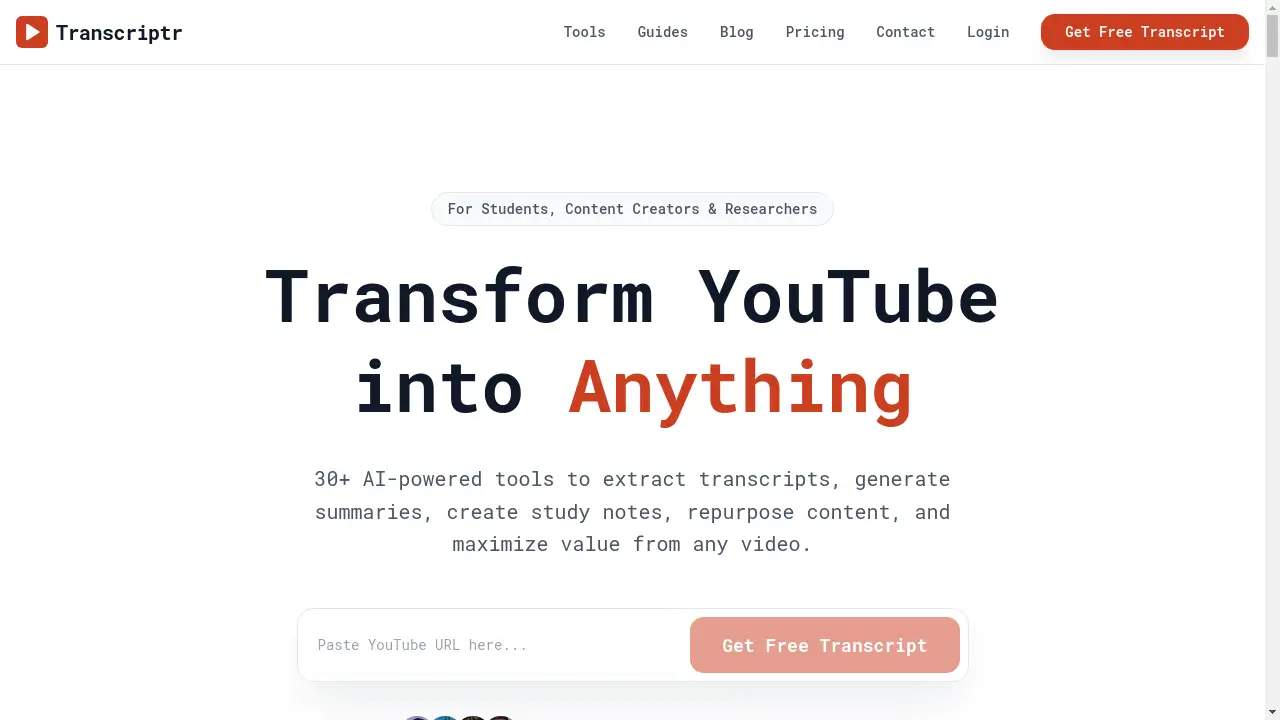
Transform YouTube videos into summaries, blog posts, study notes, and more with Transcriptr, an AI-powered video content repurposing tool.
What is Transcriptr?
Transcriptr is an online platform designed to extract and repurpose content from YouTube videos. It solves the time-consuming problem of manually transcribing videos, taking notes, or reformatting content for different mediums. By pasting a simple YouTube link, users can instantly access a full transcript and then utilize a suite of over 30 AI-powered tools to generate new materials. This product is highly suitable for students looking to create efficient study notes, content creators aiming to repurpose a single video into multiple formats like blog posts and social media threads, and researchers needing to analyze or summarize long-form video interviews. Its significance lies in its ability to maximize the value and utility of video content, turning passive viewing into active, productive output.
Key Features of Transcriptr
Instant Transcript Extraction
Get a full text transcript from any YouTube video in seconds with a single click, eliminating manual typing or complex software.
Multi-Format Content Generation
Choose from over 30 AI tools to transform video transcripts into diverse formats, including SEO-optimized blog articles, viral Twitter threads, and Anki-ready flashcards.
Advanced Study Tools
Automatically generate structured study aids like Cornell notes and concept maps from lecture videos, helping students learn more effectively.
AI-Powered Deep Analysis
Surface key insights, identify recurring themes, and extract concise summaries to quickly grasp the core takeaways from any video.
125+ Language Translation
Instantly auto-translate transcripts into any supported language, making content accessible to a global audience.
Smart Content Editing
Automatically remove unwanted sections like sponsor messages, intros, and outros from the extracted text for cleaner results.
Use Cases for Transcriptr
Accelerating Academic Study
Students can paste lecture URLs to instantly generate comprehensive study notes, flashcards, and concept maps, saving hours of manual work.
Streamlining Content Creation
Creators and marketers can repurpose a single webinar or tutorial video into a blog post, a Twitter thread, and multiple short clips for different platforms.
Conducting Efficient Research
Researchers and analysts can process hundreds of hours of interview or documentary footage, using AI to identify patterns and extract summaries for reports.
Enhancing Video SEO
Podcast hosts and video producers can effortlessly create detailed show notes and transcripts, which improve search engine visibility and audience accessibility.
How to Use Transcriptr
Using Transcriptr is a straightforward, three-step process designed to be completed in under two minutes.
- Paste Your YouTube URL: Copy the link of any YouTube video and paste it into Transcriptr’s input field on the website.
- Select Your Desired Tool: Choose from the library of 30+ AI tools to specify your desired output, such as a summary, blog post, or set of flashcards.
- Export and Use Your Content: Copy the generated text directly, download it as a file, or share it to your preferred application for immediate use.
Target Audience for Transcriptr
- Students: From high school to postgraduate levels, anyone needing to convert lecture videos into study materials.
- Content Creators: YouTubers, podcasters, bloggers, and social media managers looking to maximize content reach.
- Researchers & Analysts: Professionals who need to process, summarize, and derive insights from large volumes of video interviews or presentations.
- Educators & Trainers: Teachers and corporate trainers who create educational content and need accompanying notes or summaries.
- Non-Native Speakers: Individuals who benefit from translated transcripts to better understand video content in other languages.
Is Transcriptr Free?
Transcriptr offers a free-to-start model, allowing users to begin transforming videos without requiring a credit card. The generous free plan provides access to core transcript extraction and basic tools, which is sufficient for casual or low-volume use. For users with higher demands, such as processing many videos or accessing advanced AI formats, Transcriptr offers affordable premium options. These paid tiers unlock the full suite of over 30 tools, higher usage limits, and enhanced features, providing significant value for power users, students, and professionals.
Frequently Asked Questions about Transcriptr
Is Transcriptr really free to use?
Yes, Transcriptr has a free tier that allows users to paste YouTube links and generate transcripts and basic outputs without any payment, making it easy to try the core features.
What languages does Transcriptr support for translation?
The platform supports auto-translation for over 125 languages, enabling users to get transcripts and generated content in their preferred language instantly.
Can I use Transcriptr for videos other than YouTube?
Currently, Transcriptr is specifically optimized for YouTube video URLs. Its deep integration with the YouTube platform ensures fast and reliable transcript extraction.
How accurate are the AI-generated summaries and notes?
The AI tools are designed to identify key points and main ideas from the transcript text. While highly effective for creating structured overviews and study materials, the output should be reviewed for critical applications.
What kind of content formats can Transcriptr create?
Transcriptr can generate a wide range of formats, including blog posts, Twitter threads, study flashcards, Cornell notes, concept maps, and various types of summaries from bullet points to full articles.
Is there a limit on video length for the free plan?
While the free plan is accessible, it may have limitations on the number of videos processed or the length of videos for certain AI tools. Premium plans offer higher or unlimited allowances.
Transcriptr Tags
YouTube transcript, video to text, AI summary tool, study notes generator, content repurposing, flashcard maker, video to blog post, Twitter thread generator, research analysis tool, language translation, Transcriptr AI, online transcription