Introduction
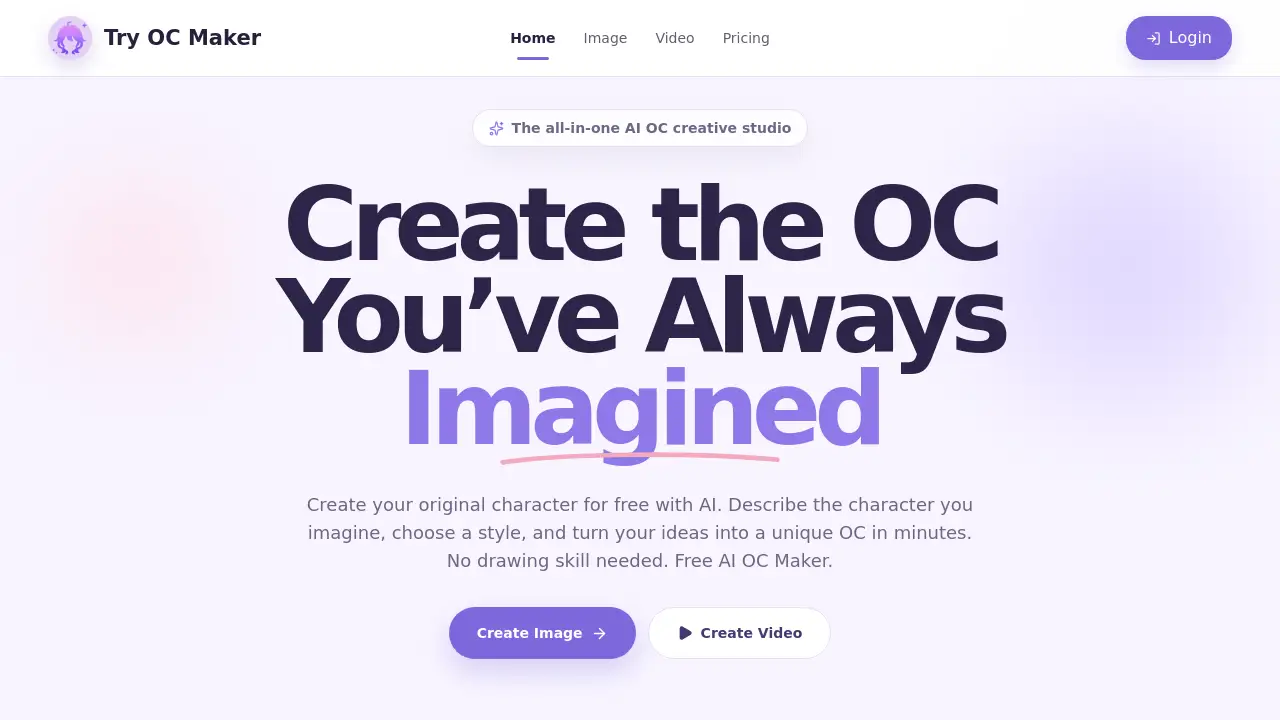
Try OC Maker is an AI OC Maker that helps creators turn simple prompts into anime characters, fantasy OCs, roleplay avatars, and full-body character designs. This free online tool lets anyone build a unique original character in minutes without drawing skills. It also supports video creation, making it an all-in-one AI OC creative studio.
What is Try OC Maker?
Try OC Maker is a browser-based AI OC Maker focused on original character creation. Many people have character ideas but cannot draw or afford a character designer. This platform solves that problem by letting users describe an idea in a prompt, choose a style, and receive a visual design almost instantly.
The tool goes beyond simple image generation. It helps users design faces, hairstyles, outfits, expressions, accessories, weapons, and full-body looks. It also includes a video creator for turning a static OC image into a short moving clip. Because it is an AI OC Maker, no artistic skill is required, and the creative process becomes faster and more playful.
Key Features of Try OC Maker
OC Image Creator
Describe a character with a prompt or reference image, and Try OC Maker generates original character art in one consistent anime style. Users can adjust face, hairstyle, outfit, expression, accessories, weapons, and full-body composition.
OC Video Creator
Turn a static OC image into a moving video with poses, expressions, camera motion, action scenes, and story moments. This feature keeps the same character identity while adding motion.
Multiple AI Models
Choose from models like Seedream 5.0 Pro, Nano Banana Pro, Flux 2 Pro, GPT Image 2, Wan 2.7, Kling 3.0, and Grok Imagine. Each model supports different creative goals, such as quick variations, precise edits, or cinematic art direction.
Consistency Workflow
Keep one original character and create every version with a consistency workflow. Reusing a fixed character prompt or uploading a reference image helps preserve the same face, outfit, and character details across different poses and backgrounds.
OC Scenes for Every Moment
Use pre-designed scene examples that match creative moments like battle poses, casual outfits, or story scenes. These options reduce time spent writing long prompts and help creators quickly visualize how an OC looks in action.
Free AI Creative Studio
The platform is positioned as a free AI OC Maker for quick character building. The homepage highlights free access, making it easy for new users to test prompts, styles, and video creation.
Use Cases for Try OC Maker
Anime Character Concept Art
Creators can generate anime characters for personal art projects, comics, or animation references. The platform can produce multiple variations of the same character in different outfits and moods.
Roleplay Avatars
Players and roleplayers can build roleplay avatars that match their character backstory. A simple prompt can become a full-body avatar with visible outfits, weapons, and style details.
Fantasy OC Design
Writers building fantasy OCs can quickly visualize characters like elves, knights, mages, and monsters. The tool helps make the character design more concrete before writing scenes or commissioning art.
Full-Body Character Sheets
Designers can create full-body character sheets with front view, side view, expressions, and weapon designs. This is useful for animation teams, comic creators, and game developers.
Storyboarding and Video Clips
Use the video creator to animate an OC image for short story moments. This helps creators preview how a character moves, reacts, and appears in a scene.
How to Use Try OC Maker
- Open the official website and go to the OC Maker page.
- Write a prompt describing the character, including face, hair, outfit, and accessories.
- Choose an AI model and style, then generate the image.
- Use a reference image or repeat key details to keep the same character in new poses.
- Switch to the video creator to animate the character or create short scenes.
Target Audience for Try OC Maker
- Writers and storytellers
- Gamers and roleplayers
- Animators and video creators
- Comic and manga artists
- Streamers and social media creators
- Hobbyists with no drawing skill
Is Try OC Maker Free?
The platform offers a free entry point, as the homepage states "Create your original character for free with AI" and "Free AI OC Maker." The exact paid plan details are not listed in the public homepage content. Based on available information, the platform includes:
| Plan | Price | Features |
|---|---|---|
| Free | $0 | Prompt-based OC image creation, video creation, access to multiple AI models, basic consistency tools |
| Paid | Not listed | Check the official website for current pricing and usage limits |
Try OC Maker's Pros and Cons
| Aspect | Pros | Cons |
|---|---|---|
| Ease of use | No drawing skill needed, prompt-based workflow | Fine details may change between generations |
| Creativity | Multiple styles, models, and scene templates | Character consistency still requires manual prompt control |
| Video capability | Built-in animation generator for OC images | Not ideal for complex long-form animation |
| Pricing | Free entry point for new users | Paid plan details are not clearly listed |
| Output quality | Strong anime-style results with full-body options | Results depend on prompt quality and chosen model |
Frequently Asked Questions about Try OC Maker
Can I create a full-body character sheet with front view, side view, expressions, and weapons?
Yes. The platform supports prompts like "full-body character sheet," "front view," "side view," "expression sheet," and "weapon design." For cleaner results, create body views and expressions separately.
How can I keep the same OC consistent across different generations?
Use the same core character details every time, including face, hair, eyes, outfit, colors, and accessories. For better consistency, upload a reference image and only change the pose, expression, or background.
Can I use a reference image to create or update my OC?
Yes. Upload a clear OC image to help keep the same face, outfit, and character identity while creating new poses, outfits, expressions, or style variations.
What is the difference between an AI OC Maker and an AI Anime Character Generator?
The main difference is that an AI Anime Character Generator creates anime characters, while an AI OC Maker focuses on original character creation, including full-body designs, reference images, poses, expressions, avatars, and character sheets.
Can I create the same OC in different poses?
Yes. Keep the same character description or reference image, then only change the pose or action, such as sitting, running, battle stance, or holding a weapon.
Can I sell AI-generated anime art?
It depends on the tool license, local laws, and the image content. Original OCs are safer than copyrighted characters. Always check usage rights before selling merch, adoptables, or commercial designs.
Try OC Maker Tags
AI OC Maker, Try OC Maker, OC creator, original character generator, anime character maker, roleplay avatar generator, fantasy OC design, full-body character sheet, AI animation generator, character consistency tool, free AI OC Maker, OC art generator