Introduction
A comprehensive HR software solution for employee scheduling, time tracking, and payroll management.
What is Turnapp?
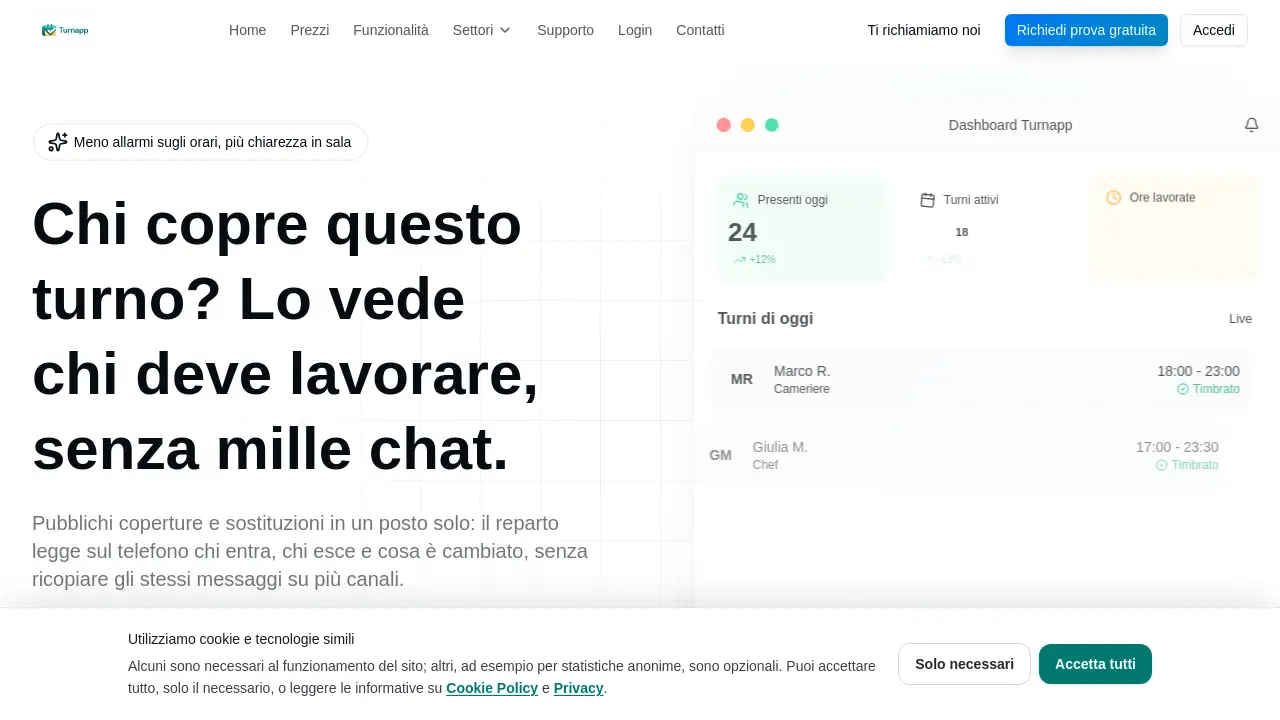
Turnapp is an all-in-one human resources (HR) platform designed to simplify team management for businesses. It addresses common workplace challenges like unclear shift schedules, chaotic shift swaps via messaging apps, manual time tracking, and complex payroll processing. The software combines essential functions—such as employee scheduling, digital clock-in/out, leave management, and payroll reporting—into a single, intuitive system. This integration aims to replace fragmented communication on WhatsApp or other chat groups, providing a central source of truth for who is working and when. Turnapp is particularly well-suited for sectors like food and beverage, including restaurants and bars, where variable shifts, part-time staff, and last-minute changes are common. By automating and streamlining these processes, Turnapp helps managers save time, reduce errors, and improve operational clarity for their entire staff.
Key Features of Turnapp
Intelligent AI Shift Scheduling
The platform uses an AI algorithm to generate optimized work schedules automatically. It respects employee contracts, working hour constraints, and individual preferences, saving managers hours of manual planning and ensuring fair shift distribution.
Comprehensive Employee Management
Store all staff information in one place, including personal details, contracts, documents, and skill sets. This centralized employee management system simplifies HR administration and ensures easy access to critical personnel data.
Real-Time Time Tracking
Monitor worked hours, overtime, and attendance live. The platform supports multiple clock-in methods, including smartphone verification with GPS geofencing and traditional NFC/RFID badge systems for precise and secure timekeeping.
Leave and Permission Management
Handle holiday requests and approvals through a digital workflow. This feature includes a shared calendar, automating the process of managing leave and permissions and providing full visibility into staff availability.
Smartphone GPS Clock-In
Employees can clock in and out directly from their mobile devices. This method includes GPS verification and geofencing capabilities to confirm location, offering flexibility and security for teams on the go.
Automated Notifications
Keep the team informed with automatic push notifications for new shifts, schedule changes, and approval requests. This reduces reliance on group chats and ensures everyone receives timely updates.
Payroll and Reporting
Generate ready-to-use reports for payroll processing directly within the platform. The software also allows payroll slips to be sent securely to employees via the app, streamlining the entire compensation cycle.
Use Cases for Turnapp
Managing Variable Shifts in Restaurants
For restaurants with complex, variable shifts and split schedules, Turnapp provides a clear visual calendar. It simplifies last-minute substitutions and helps managers scale staff up or down for peak periods efficiently.
Coordinating Mixed Full-Time and Part-Time Teams
Businesses with a combination of full-time and part-time employees can use Turnapp to balance schedules fairly. The AI scheduler accounts for different contract types to create an equitable roster for all staff members.
Handling Last-Minute Shift Swaps
Employees can request shift swaps directly in the app, which managers can approve with one click. This self-service shift swap functionality reduces administrative overhead and prevents miscommunication.
Streamlining Payroll Preparation
Instead of manually compiling timesheets, managers can use Turnapp’s automated reports. These payroll-ready reports consolidate all worked hours, overtime, and leave data, making the process of generating paychecks faster and more accurate.
How to Use Turnapp
- Sign Up and Set Up: Begin by creating an account on the Turnapp website. You can import or manually add your employee list, entering details like roles, contracts, and availability. The platform boasts a quick setup process.
- Create the Schedule: Use the drag-and-drop interface or activate the AI scheduler to generate your team's work shifts. You can view the schedule in a weekly or monthly format and make adjustments as needed.
- Communicate and Manage: Publish the schedule. Employees will receive notifications and can view their shifts in the app. They can also request time off or propose shift swaps, which you can approve directly within the platform.
- Track Time and Attendance: Employees clock in and out using their preferred method (smartphone GPS or physical badge). You can monitor attendance in real-time from the dashboard.
- Run Reports and Process Payroll: At the end of the pay period, generate reports detailing hours worked, overtime, and absences. Use these reports to facilitate payroll processing and distribute digital pay slips.
Target Audience for Turnapp
- Restaurant, Bar, and Café Owners and Managers
- HR Managers and Administrators in the hospitality and retail sectors
- Businesses with shift-based, hourly employees
- Companies managing mixed teams of full-time and part-time staff
- Operations managers seeking to reduce administrative time and improve schedule clarity
Is Turnapp Free?
The provided reference information does not list specific pricing plans. However, it prominently mentions a 30-day free trial, allowing potential users to test the platform's full functionality. For detailed information on subscription plans, features, and pricing, it is best to visit the official Turnapp website or contact their sales team directly.
Turnapp's Pros and Cons
| Aspect | Pros | Cons |
|---|---|---|
| Functionality | All-in-one platform covering scheduling, time tracking, and payroll. | Feature depth in specific areas (e.g., advanced payroll tax calculations) may require verification. |
| Usability | Intuitive interface with drag-and-drop scheduling and mobile app. | Teams resistant to moving away from traditional methods (like paper schedules or chat groups) may face an adoption curve. |
| Technology | Offers modern solutions like AI scheduling and GPS mobile clock-in. | Reliance on smartphone app for employees requires a digitally-engaged team. |
| Industry Fit | Highly tailored for the needs of restaurants and the food & beverage sector. | May have features less relevant for standard 9-to-5 office environments. |
| Support | Offers dedicated Italian language support and a hands-on trial period. | Information on global, multi-language support is not specified in the provided content. |
Frequently Asked Questions about Turnapp
What is Turnapp used for?
Turnapp is an HR management software used primarily for creating and publishing employee work schedules, tracking time and attendance via smartphone or badge, managing leave requests, and generating reports for payroll processing.
How does the AI shift scheduling work?
The AI scheduling algorithm automatically creates shift rosters by considering predefined rules such as employee contracts, maximum working hours, availability, and role requirements. It aims to optimize coverage and ensure a fair distribution of shifts, saving managers significant planning time.
Can employees swap shifts themselves?
Yes, Turnapp includes a feature for shift swaps. Employees can propose to exchange shifts with a colleague directly within the app. The change requires manager approval, streamlining the process and keeping all communication and updates in one centralized place.
What methods are available for clocking in and out?
Turnapp supports two main methods: smartphone clock-in with GPS location verification (including geofencing) and traditional physical clock-in using NFC or RFID badges. This flexibility allows businesses to choose the system that best fits their operational needs.
Is there a free trial available?
Yes, Turnapp offers a full-featured 30-day free trial. This allows businesses to set up their team, test the scheduling, time tracking, and other features, and evaluate the platform's fit for their needs without any initial cost.
Does Turnapp integrate with other payroll software?
The reference information states that Turnapp can generate payroll-ready reports. For specific integrations with third-party payroll or accounting software, it is recommended to contact Turnapp's support team directly for the most current information.
Turnapp Tags
employee scheduling software, shift planning, time tracking app, HR management platform, payroll software, restaurant management tool, AI shift scheduler, mobile clock-in, GPS time tracking, leave management, shift swap app, team management software