Introduction
Unblur Image: unblur image online free with AI.
What is Unblur Image?
Unblur Image is a browser-based AI image enhancement tool designed to help users unblur image online without installing software or creating an account. It targets common problems in blurry photos, such as motion blur, lens blur, soft focus, and low-resolution detail. The tool is suitable for casual users, online sellers, portrait photographers, content creators, and families restoring old photos. It matters because clearer images are easier to read, share, publish, and trust.
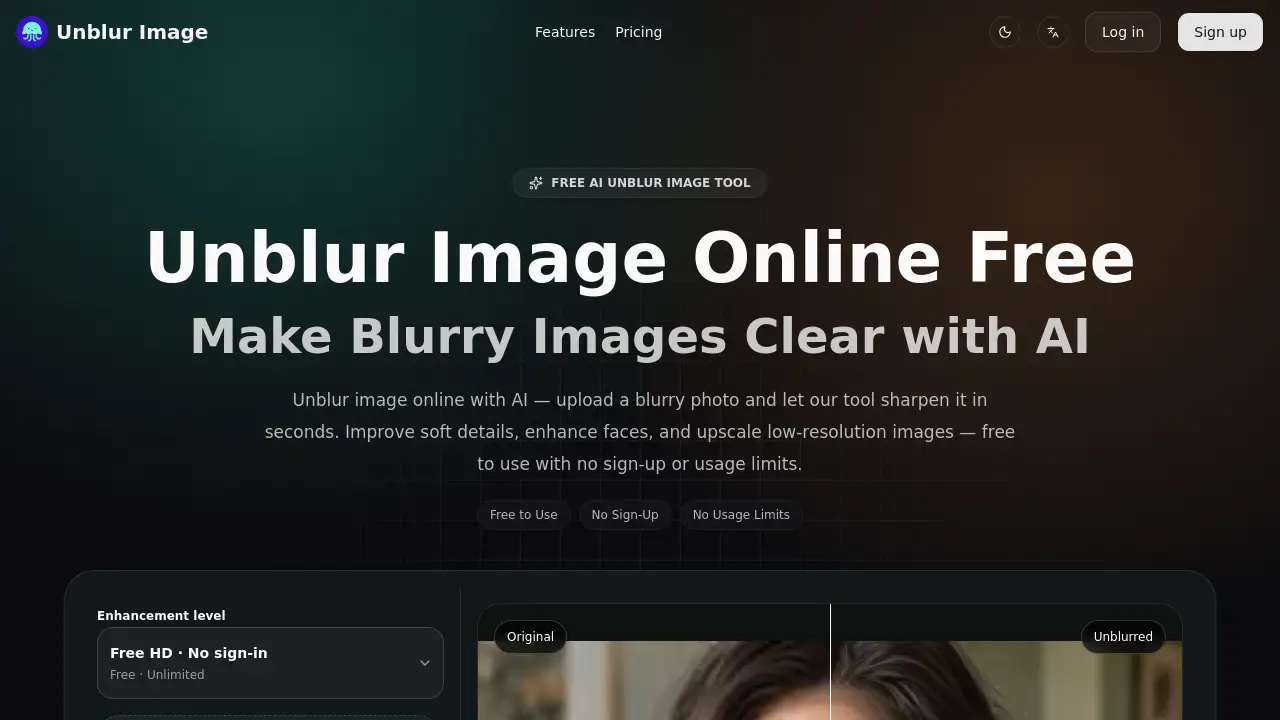
According to the product page, Unblur Image works as a free AI unblur image tool that can sharpen faces, clean up screenshots, and improve product photos in seconds. It combines AI deblurring, image sharpening, face enhancement, and upscale images options in a simple workflow. Users can upload a blurry image, preview the result, and download a clearer version without signing up or paying. The tool is built for quick online use rather than advanced manual editing, so it is best for people who want a direct way to unblur images without learning complex software.
Key Features of Unblur Image
AI Unblur and Deblur Images Instantly
Use AI to unblur image online in one click. The tool helps improve motion blur, lens blur, and soft focus without manual editing, making blurry shots clearer in seconds.
Face Recovery and Portrait Sharpening
Recover facial details lost to blur when you unblur portrait images. Face enhancement can improve eyes, hair, and portrait edges while keeping the photo natural rather than over-processed.
2x / 4x AI Upscaling
Sharpen and enlarge an unblurred image at the same time. Upscale images up to 4x while preserving visible detail, so results are easier to use on larger screens and layouts.
Text and Document Unblurring
Make blurry text easier to read in screenshots, scanned documents, and photos of whiteboards. This feature helps unblur text images without opening desktop editing software.
Noise Reduction and Clarity Enhancement
Reduce grain, compression artifacts, and scan noise where possible while preserving the main subject. It is useful when a blurry photo also needs a cleaner finish.
Before/After Preview and Simple Controls
Compare the original blurry image against the AI result before downloading. Users can choose an upscale level and enable face enhancement for portraits, then review the difference instantly.
Use Cases for Unblur Image
E-commerce Product Photos
Sellers can unblur product images and upscale them with AI so details are easier to inspect before publishing. Clearer product photos can make listings look more trustworthy.
Portraits and Selfies
A slightly out-of-focus selfie can become a clearer portrait with face enhancement. This is useful for profile photos, social posts, and group shots where facial detail matters.
Old Photo Restoration
Scanned family photos, vintage prints, and older snapshots often look soft or blurry. Unblur Image can help improve clarity so these images are easier to view and share.
Text Screenshots and Documents
Students, office workers, and researchers can unblur text images from screenshots or scanned pages. The tool aims to make characters and edges sharper so text is easier to read.
Content Creation and Design
Creators can sharpen screenshots, enhance design assets, and unblur images for thumbnails, social posts, and presentations. The browser-based workflow keeps quick image fixes simple.
How to Use Unblur Image
- Upload a blurry image. Drag and drop a PNG, JPEG, JPG, or WebP file, or click to browse.
- Choose enhancement options. Select an upscale level such as 2x or 4x, and enable face enhancement for portraits if needed.
- Let AI unblur image online. The tool analyzes the image and applies deblurring and sharpening automatically.
- Compare before and after. Use the preview to check whether the result looks clearer and still natural.
- Download the result. Save the unblurred image in high quality without creating an account.
Target Audience for Unblur Image
- Everyday users with blurry phone photos
- E-commerce sellers who need clearer product images
- Portrait and selfie enthusiasts
- Families restoring old or scanned photos
- Content creators and designers
- Students and office workers handling blurry screenshots or documents
Is Unblur Image Free?
The product page lists Unblur Image as a free tool with no sign-up and no usage limits. No paid plan is shown in the reference content, so the table below reflects the free offering described on the site.
| Plan | Price | Features |
|---|---|---|
| Free | $0 | AI unblur image online, face enhancement, 2x/4x upscaling, before/after preview, no sign-up, no usage limits listed |
Because online tools can change their pricing or limits, users should check the official site for the latest terms before relying on it for ongoing work.
Unblur Image's Pros and Cons
| Aspect | Pros | Cons |
|---|---|---|
| Pricing | Free to use with no sign-up or usage limits listed | No paid tier or advanced account features are described |
| Features | AI deblurring, face enhancement, 2x/4x upscaling, text sharpening, and preview | May not fully fix extreme blur or very low-resolution images |
| Usability | Simple browser workflow for desktop and mobile | Limited manual editing controls for fine adjustments |
| Access | Supports common formats and requires no installation | Online processing requires uploading images, so sensitive files need caution |
Frequently Asked Questions about Unblur Image
Is Unblur Image really free to use?
Yes. The product page states that users can unblur image online for free without a credit card, trial period, or payment step. It also lists no usage limits.
Do I need an account to unblur an image online?
No. Unblur Image can be used from the public page without creating an account or signing in. Users can upload, process, preview, and download results directly.
What types of blur can the AI unblur image tool fix?
It works best on motion blur, lens blur, and soft focus. Results may vary for extremely low-resolution images or photos that are completely out of focus.
Can I upscale images and enhance faces at the same time?
Yes. The tool offers upscale options up to 4x and includes face enhancement for portraits. Users can combine both settings before downloading the unblurred image.
Does Unblur Image add a watermark?
No. According to the product page, the unblur image tool does not add a watermark to enhanced results, so the downloaded image can be used without extra branding.
Can I use unblurred images for commercial purposes?
Users can use enhanced images for personal or commercial projects as long as they already have the rights to the original image. The product page states that no attribution is required for the processed output.
Unblur Image Tags
unblur image online, AI unblur image, unblur images free, make blurry photos clear, face enhancement, upscale images, image sharpening, unblur text images, photo restoration, free AI image enhancer, no sign-up photo editor, blurry picture fixer