Introduction
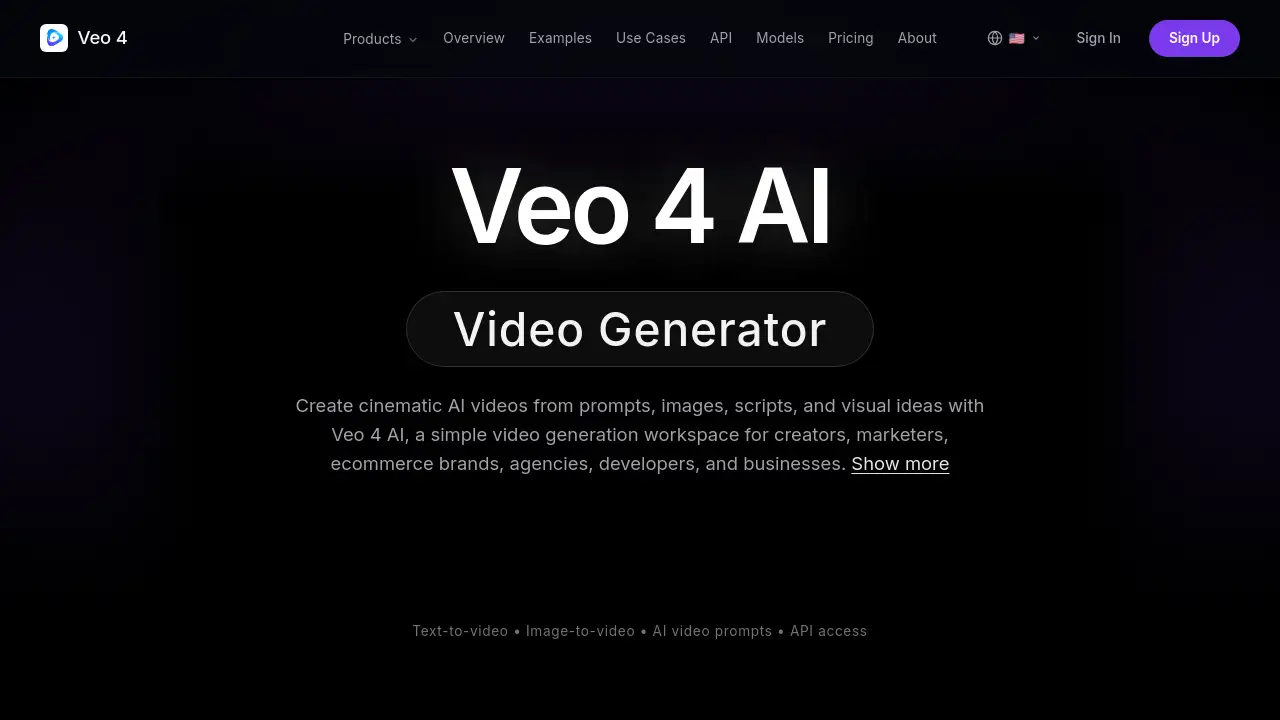
Veo 4 AI is a versatile AI video generation platform designed to transform text, images, and ideas into high-quality cinematic video concepts quickly and efficiently.
What is Veo 4 Ai?
Veo 4 AI is an AI-powered video generation workspace that simplifies the process of creating video content. It addresses the challenges of traditional video production—such as high costs, complex logistics, and long timelines—by enabling users to generate cinematic and realistic videos directly from prompts and visual references. The platform is built for a wide range of users, from individual content creators and marketers to ecommerce brands, agencies, and developers. By offering tools for text-to-video, image-to-video, and video-to-video workflows, Veo 4 AI allows teams to explore creative directions, test campaign concepts, and produce polished video drafts without the need for extensive production resources.
Key Features of Veo 4 Ai
Text-to-Video Generation
Users can turn written descriptions into video clips by detailing subjects, settings, camera movements, and moods, enabling the creation of everything from fantasy scenes to hyper-realistic product visuals.
Image-to-Video Animation
The platform can animate static images, such as product photos or concept art, adding motion, lighting, and cinematic effects to bring them to life as short video clips.
Video Extend and Video-to-Video
This capability allows users to seamlessly extend existing video clips or transform them into new styles, providing flexibility for editing and creative experimentation within a single workspace.
Speech-to-Video Creation
By uploading audio clips, users can generate synchronized video content, making it a useful tool for creating presentations, ads, or social media content with narrated visuals.
Advanced Creative Controls
The platform offers detailed controls over output style, motion intensity, camera direction, and aspect ratio, giving users precise command over the final look and feel of their AI video concepts.
Developer-Friendly API
For integration into custom applications, the Veo 4 AI API provides endpoints for text-to-video, image-to-video, and media delivery, supporting automated and scalable video generation workflows.
Use Cases for Veo 4 Ai
Social Media Content Creation
Ideal for generating engaging short-form video concepts for platforms like TikTok, Instagram Reels, and YouTube Shorts, helping creators maintain a consistent posting schedule.
Ecommerce Product Videos
Brands can dynamically showcase products by transforming static photos into high-quality video ads with professional motion and lighting, enhancing online catalogs and campaigns.
Marketing and Advertising Campaigns
Marketing teams can rapidly prototype and test different ad concepts, storyboards, and landing page videos, accelerating the campaign development cycle.
Film Previsualization and Storyboarding
Filmmakers and directors can use the tool to visualize scenes, experiment with camera angles, and establish moods before committing to full-scale production.
Design and Motion Concepts
Designers can animate brand assets, mockups, and mood boards to present motion-based creative directions to clients or stakeholders.
Integrated SaaS and App Development
Developers can leverage the Veo 4 AI API to build AI video generation features directly into their own creative tools, marketing platforms, or automation systems.
How to Use Veo 4 Ai
The process for creating videos with Veo 4 AI is straightforward and can be broken down into a few key steps.
- Enter a Video Prompt: Describe the desired scene in detail. This includes the subject, action, setting, camera movement, lighting, mood, and any audio direction.
- Upload an Image Reference (Optional): To guide the AI's visual style, users can upload a reference image such as a product photo, character design, or scene concept.
- Choose Creative Direction: Select from various output parameters like style, motion intensity, realism level, and aspect ratio to tailor the final video.
- Generate and Refine: The platform creates the video concept. Users can then preview the result, make adjustments to the prompt, and generate variations until they are satisfied.
- Download or Integrate: The final video can be downloaded for use or, through the API, seamlessly delivered into an existing app or workflow.
Target Audience for Veo 4 Ai
- Content Creators & Influencers producing videos for social media platforms.
- Marketing Professionals & Ad Agencies developing campaign assets and ads.
- Ecommerce Brands & Retailers creating product demos and promotional videos.
- Graphic Designers & Motion Artists exploring animated concepts.
- Filmmakers & Video Producers for pre-production storyboarding.
- Developers & SaaS Companies looking to integrate AI video features into their products.
Is Veo 4 Ai Free?
Veo 4 AI operates on a subscription-based model with tiered plans. The available pricing plans are:
| Plan | Price | Key Features & Credits |
|---|---|---|
| Starter | $29.99/month | 3,000 credits, access to core models, videos up to 5 seconds, 720p quality. |
| Creator | $49.99/month | 6,000 credits, videos up to 10 seconds, 1080p quality, priority processing. |
| Studio | $99.99/month | 15,000 credits, videos up to 15 seconds, 1080p quality, priority processing and support. |
The platform also mentions a next-generation "Veo 4" model is coming soon, which may introduce new pricing or plan structures. For the most current details, visitors should check the official Veo 4 AI website.
Veo 4 Ai's Pros and Cons
| Aspect | Pros | Cons |
|---|---|---|
| Speed & Workflow | Dramatically faster than traditional video production; all-in-one workspace reduces tool switching. | Output length is currently limited to shorter clips (up to 15s on top plan). |
| Accessibility | Makes high-quality video generation accessible to non-professionals like marketers and creators. | Advanced creative control requires learning effective prompt engineering. |
| Features | Covers multiple input methods (text, image, speech) and offers a powerful API for developers. | The upcoming "Veo 4" model with extended features (like 30s clips, 4K) is not yet released. |
| Cost | Subscription plans can be cost-effective for teams compared to hiring production crews. | May represent a significant expense for individual users or those with very light usage needs. |
Frequently Asked Questions about Veo 4 Ai
What types of videos can I create with Veo 4 AI?
You can create a wide variety of cinematic and realistic videos, including social media clips, product demonstrations, advertising concepts, fantasy or sci-fi scenes, animated storyboards, and motion-based design previews.
Do I need video editing experience to use Veo 4 AI?
No, the platform is designed to be user-friendly. The primary skill needed is the ability to write descriptive prompts. However, understanding basic concepts of filmmaking (like camera angles) can help you create more precise and effective prompts.
What is the difference between Veo 3.1 and the upcoming Veo 4?
Veo 3.1 is the currently available model, supporting generation of videos up to 10 seconds. The announced Veo 4 model promises extended capabilities, including longer clip durations (up to 30 seconds), 4K resolution support, and enhanced motion and detail.
Can I use Veo 4 AI for commercial projects?
Yes, the generated video concepts are intended for use in commercial projects like social media ads, product campaigns, and marketing materials. Users should review the platform's Terms of Service for specific licensing details.
How does the Veo 4 AI API work for developers?
The Veo 4 AI API allows developers to integrate AI video generation into their own applications. It provides endpoints for text-to-video and image-to-video generation, along with tools to check generation status and retrieve finished video assets programmatically.
What video formats and resolutions does it support?
The current Veo 3.1 model supports outputs in 720p and 1080p resolutions. The platform allows users to define the aspect ratio (like 9:16 for social media) during the creative direction step.
Veo 4 Ai Tags
AI video generator, text to video, image to video, cinematic AI video, video creation platform, Veo 4 AI, AI video editor, video extend, speech to video, video marketing tool, content creator tools, AI video API, ecommerce video, social media video maker