Introduction
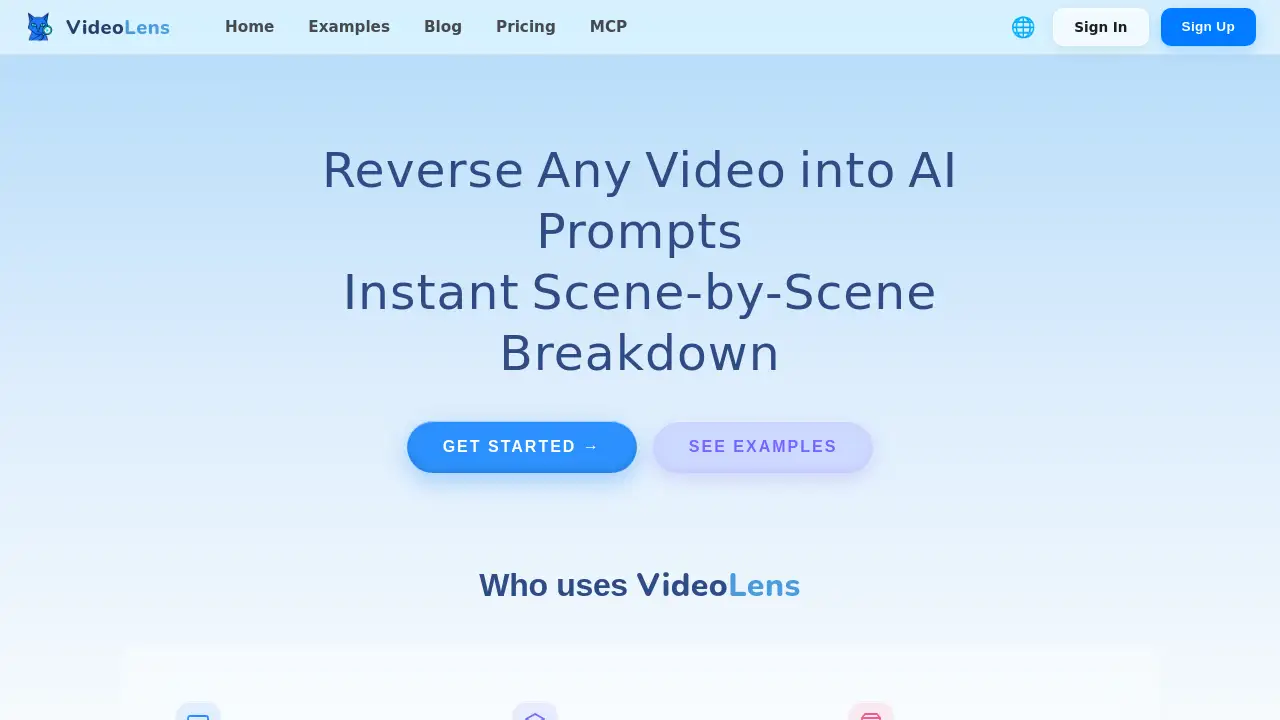
VideoLens is a practical AI tool that turns short-form social media videos into structured prompts for content creation. The core promise is simple: any TikTok, Douyin, or Xiaohongshu video can become a learning object and a creative template. Users paste a link or upload a clip, and the system processes that content into a full breakdown of scenes, spoken words, and on-screen text. Instead of guessing why a video performs well, creators get a direct path from a successful video to AI prompts they can reuse in their own work. This video to AI prompts workflow is especially useful for teams that need to produce content consistently, because it removes the guesswork from trend analysis and makes creative insight shareable.
What is VideoLens?
VideoLens is a web-based platform that converts popular short videos into useful AI prompts and script templates. Its core function is to reverse-engineer video content. After pasting a public link or uploading a local file, the tool analyzes each scene and extracts the production details that matter. VideoLens is designed for creators, marketers, and brand teams who want to study trending videos closely and turn observations into a repeatable video to AI prompts method.
The problem it solves is the time wasted on manual video research. Many creators watch a viral video and feel it is good, but they cannot clearly identify what to copy and what to change. VideoLens separates the video into named parts and organizes them into one clean report. The report includes a shot by shot breakdown, a full transcript, on-screen copy, and a ready-to-use creation script. The built-in video transcript extractor captures spoken words accurately, so users can quote exact phrases in their own plans.
This matters because the short-video market is crowded and fast-moving. A reliable video to AI prompts converter helps brands benchmark competitors, e-commerce sellers study product demos, and independent creators learn new formats faster. The platform turns raw video content into reusable creative assets, giving users a visible edge.
Key Features of VideoLens
One-Click Link or Upload Analysis
VideoLens accepts a public link or a direct video file. After submitting, the platform quickly processes the content and returns a structured breakdown without manual editing.
Shot-by-Shot Breakdown
This feature divides the video into individual scenes and explains each one in order. A shot by shot breakdown of framing, transitions, and beat-synced background music shows exactly how the video is built.
Full Transcript Extraction
All spoken words are transcribed automatically. This video transcript extractor gives creators access to exact wording for hooks, explanations, and calls to action.
On-Screen Copy Detection
Text that appears on the screen, such as captions, titles, and subtitles, is captured separately. This is useful for understanding how creators guide attention with visual words.
Ready-to-Use Script Generation
After the analysis, users receive a creation script they can adapt quickly. The script is produced by the video to AI prompts engine, so the output matches the original structure while leaving room for new ideas.
Batch Benchmark Analysis
Teams can analyze multiple videos from the same account or the same niche. This helps build topic and script playbooks from real data.
Use Cases for VideoLens
Learn Viral Hooks and Pacing
Creators can break down viral videos to study how the first seconds capture attention. The shot by shot breakdown makes it easy to copy effective pacing in a new context.
Build Topic and Script Playbooks
Marketers can batch-analyze benchmark accounts and turn the results into reusable playbooks. Each playbook connects video examples to a video to AI prompts template for future production.
Reverse-Engineer Product Video Hooks
E-commerce sellers can upload competitor product videos to see how the hook, benefits, and call to action are arranged. The output helps them build their own conversion logic for a different product.
Study Prompt Craft from Admired Videos
Creators who want to improve AI prompt skills can study videos they admire. The tool reveals the structure and style that can be translated into prompts for other AI tools.
How to Use VideoLens
The workflow is simple:
- Find a TikTok, Douyin, or Xiaohongshu video, or select a local clip.
- Copy the video link or drag the file into the VideoLens upload box.
- Start the analysis and wait for the report.
- Read the scene breakdown, transcript, and on-screen copy.
- Use the generated script as a base for a new creation.
- Optional: save the result as a prompt template for future videos.
For a video to AI prompts conversion, this process takes much less time than manual review. It is designed for people who want to spend more time creating and less time researching.
Target Audience for VideoLens
- Content Creators who want to understand trending videos and make similar content faster.
- Social Media Marketers who need to benchmark competitors and track video patterns.
- Brand and Agency Teams that produce short-form video for multiple clients.
- E-commerce Sellers who want to reverse-engineer product videos and improve conversion hooks.
- Video Editors looking for a cleaner way to analyze structure, transitions, and music.
- AI and Prompt Enthusiasts who want to build a video to AI prompts library.
Is VideoLens Free?
The public VideoLens homepage does not list exact pricing for premium plans. A free version or trial mode may be available for testing the core workflow. For current plan limits, visit the official pricing page.
| Plan | Price | Features |
|---|---|---|
| Free / Trial | $0 | Basic analysis, scene breakdown, transcript extraction, on-screen copy |
| Pro / Paid | See official site | Batch analysis, unlimited prompt generation, advanced exports, priority support |
VideoLens's Pros and Cons
| Aspect | Pros | Cons |
|---|---|---|
| Ease of Use | Simple link or upload; no editing skills needed | New users may need time to understand all outputs |
| Research Speed | Turns a 60-second video into a structured report fast | Breakdown quality depends on video clarity |
| Output Quality | Combines transcript, on-screen copy, and script in one place | Niche formats may show limits in language or style |
| Pricing | Free tier lets users test the core workflow | Full pricing is not clearly listed on the homepage |
Frequently Asked Questions about VideoLens
What kinds of videos can VideoLens analyze?
VideoLens supports TikTok, Douyin, and Xiaohongshu videos. Users can paste a public link or upload a local clip for analysis.
Do I need to download a video before using VideoLens?
No. Pasting a link is enough for public videos. Downloading is only needed if you want to upload a file that is not publicly accessible.
How accurate is the shot-by-shot breakdown?
Accuracy depends on video quality and scene clarity. For most well-lit, clearly edited short videos, the shot by shot breakdown is reliable. Some niche content may need manual review.
Can I use the generated prompts for commercial work?
The output is designed to support creative work, and using it for your own projects is the main intended use case. Check the terms of the original video source for content boundaries.
Does VideoLens extract on-screen text as well?
Yes. The tool captures on-screen copy separately from the spoken transcript, and the video transcript extractor keeps everything organized in one report. This includes captions, title overlays, and bottom text common in short-form videos.
Is VideoLens free or paid?
A free or trial mode may be available for testing. For full features like unlimited prompt generation and batch analysis, users should check the official pricing page.
VideoLens Tags
video to AI prompts, reverse-engineer video prompts, TikTok video analysis, shot by shot breakdown, video transcript extractor, AI prompt generator, Xiaohongshu video breakdown, Douyin video analysis, viral video script, content creation tool, short video analysis, prompt engineering