Introduction
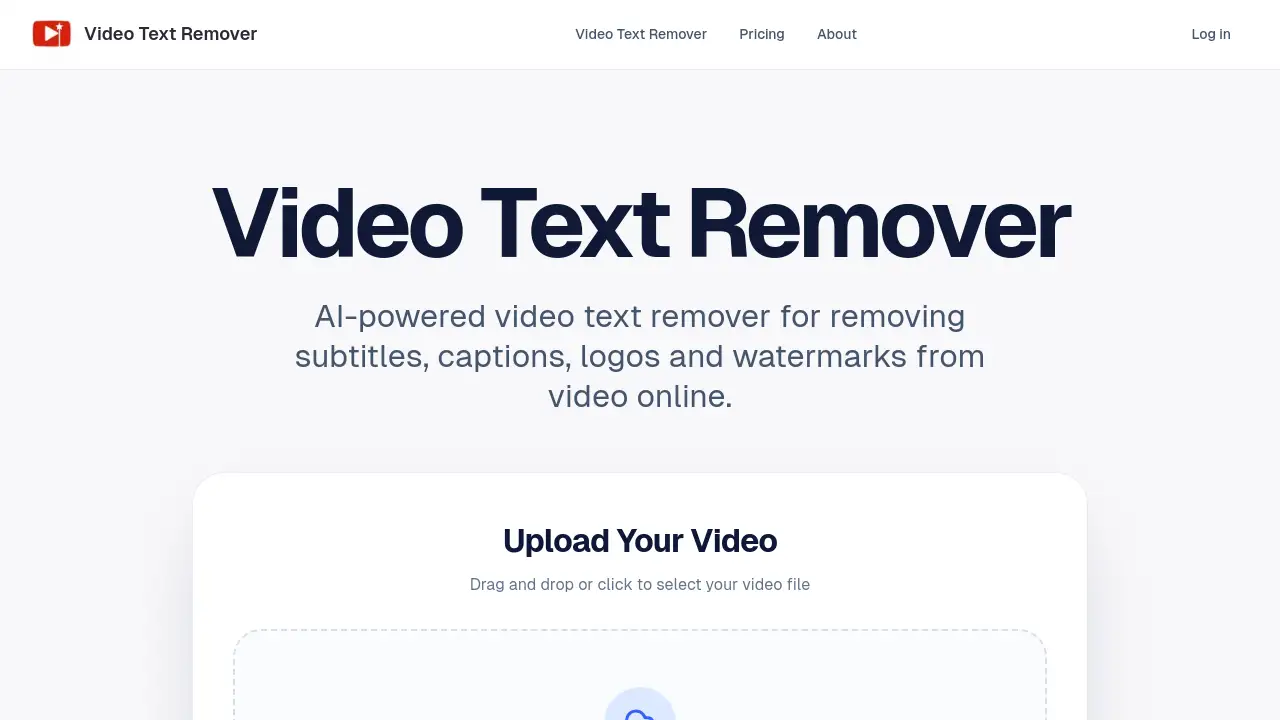
An AI-powered tool for removing text and objects from videos online.
What is Video Text Remover?
Video Text Remover is a web-based application designed to help users clean up their video content by eliminating unwanted text overlays and objects. It solves a common problem for content creators: having a great video clip marred by distracting subtitles, platform-specific watermarks like TikTok logos, branded captions, or intrusive objects in the frame. Unlike basic editing methods such as cropping or blurring, this tool uses artificial intelligence to intelligently rebuild the background behind the removed element, aiming for a natural-looking result. It is particularly suitable for social media creators, marketers, and editors who need to quickly repurpose or polish videos for platforms like TikTok, Instagram Reels, or YouTube Shorts without installing complex desktop software.
Key Features of Video Text Remover
AI-Powered Video Text Removal
The core functionality uses AI to remove subtitles, captions, logos, and watermarks from videos by reconstructing the background, aiming for a seamless look instead of just covering text with a blur.
Dual Cleanup Modes
One editor provides two distinct modes: one for removing text elements like subtitles and watermarks, and another for erasing objects, people, or other distractions from the video frame.
Preview Before Full Export
Users can generate a short preview of the cleanup result first to check the quality before committing credits to process the entire video, offering better control over the final output.
Account-Based History
All processed videos and results are saved in a personal account history, allowing users to revisit, compare, and continue editing previous projects without starting from scratch.
Optimized for Short-Form Video
The tool is specifically built and optimized for the fast-paced workflow of creating content for TikTok, Reels, Shorts, and other short-form video platforms where quick turnaround is essential.
Flexible Credit-Based System
Access is granted through a pay-as-you-go credit system or subscription plans, catering to both occasional users and high-volume creators or agencies with different processing needs.
Use Cases for Video Text Remover
Cleaning Social Media Reposts
Creators can remove TikTok watermarks or Instagram captions from videos they wish to repost on another platform, maintaining a clean and professional look across their channels.
Preparing Tutorial and Educational Content
Instructors can clean up screen recordings by removing unnecessary UI text, subtitles, or watermarks to create focused, distraction-free tutorial videos.
Enhancing Marketing and Promotional Clips
Marketing teams can erase branded logos or text overlays from stock footage or user-generated content to create polished, on-brand promotional materials for campaigns.
Object and Distraction Removal
Beyond text, users can remove unwanted objects, people, or photobombers from their video clips, useful for refining travel vlogs, product shots, or real estate videos.
How to Use Video Text Remover
Using Video Text Remover involves a straightforward, browser-based process:
- Upload Your Video: Visit the website, drag and drop your video file (MP4, MOV, or WEBM format, up to 500MB), or click to select it from your device.
- Select Cleanup Mode: Choose between the text removal mode (for subtitles, watermarks) or the object removal mode.
- Mark the Area: Use the editor to highlight the specific text, logo, or object you want to remove from the video frame.
- Generate a Preview: Initiate a short preview to see how the AI cleans the selected area. This step uses a small amount of credits.
- Export the Clean Video: If satisfied with the preview, proceed to export the fully processed, cleaned video file for download.
Target Audience for Video Text Remover
- Social Media Content Creators and Influencers
- Digital Marketers and Social Media Managers
- Video Editors and Production Freelancers
- Educators and Online Course Creators
- Small Business Owners creating promotional content
- Agencies handling client video content at scale
Is Video Text Remover Free?
Video Text Remover operates on a credit-based system. It is not completely free, but it offers flexible plans. Users purchase credits to perform actions like generating previews and full video exports. The platform provides three main subscription tiers for recurring credit allowances, all billed annually with a discount.
| Plan | Price (Annual) | Key Features & Credit Allowance |
|---|---|---|
| Basic | $100/year | 400 credits/month, AI text/watermark removal, up to 1080p export. |
| Pro | $200/year | 1000 credits/month, priority processing, commercial use support, better for complex scenes. |
| Agency | $500/year | 3000 credits/month, high-volume capacity, priority queue and support, early feature access. |
All plans include the full AI cleanup toolkit, and users can cancel anytime through billing management.
Video Text Remover's Pros and Cons
| Aspect | Pros | Cons |
|---|---|---|
| Ease of Use | Simple, web-based workflow with no software installation. | Processing power depends on internet connection and server queue. |
| Output Quality | AI aims for natural background reconstruction, not just blurring. | Results may vary on complex backgrounds; preview feature is essential. |
| Pricing & Access | Flexible credit system suits varying usage levels; previews prevent credit waste. | No true free tier; costs can add up for individuals processing many long videos. |
| Features | Combines text and object removal in one tool; optimized for short-form content. | Maximum file size is 500MB, which may limit some high-resolution source files. |
Frequently Asked Questions about Video Text Remover
What video formats are supported?
Video Text Remover supports common video formats including MP4, MOV, and WEBM files for upload and processing.
How does the AI video text remover work?
The tool uses AI to analyze the area around the text or object you mark. It attempts to reconstruct the background pixels that were behind the element, creating a clean result that blends with the surrounding scene.
Can I remove a TikTok watermark with this tool?
Yes, removing TikTok watermarks is a primary use case. You can upload your video, select the watermark area, and use the AI to generate a cleaned version without the logo.
What is the difference between a preview and a full export?
A preview processes only a short segment of your video (a few seconds) to show you the cleanup quality, using fewer credits. A full export processes the entire video length for download.
Are there any usage limits?
The main limits are a maximum file size of 500MB per upload and the consumption of credits for each preview and export operation. Your monthly credit allowance depends on your chosen plan.
Is the cleaned video watermarked?
No, based on the available information, videos exported after using Video Text Remover do not contain a watermark from the tool itself, allowing for clean, publish-ready output.
Video Text Remover Tags
video text remover, AI video text remover, remove watermark from video, TikTok watermark remover, remove subtitles from video, online video editor, clean social media videos, remove logo from video, object removal tool, video cleanup AI, repost videos, short-form video tool, remove captions