Introduction
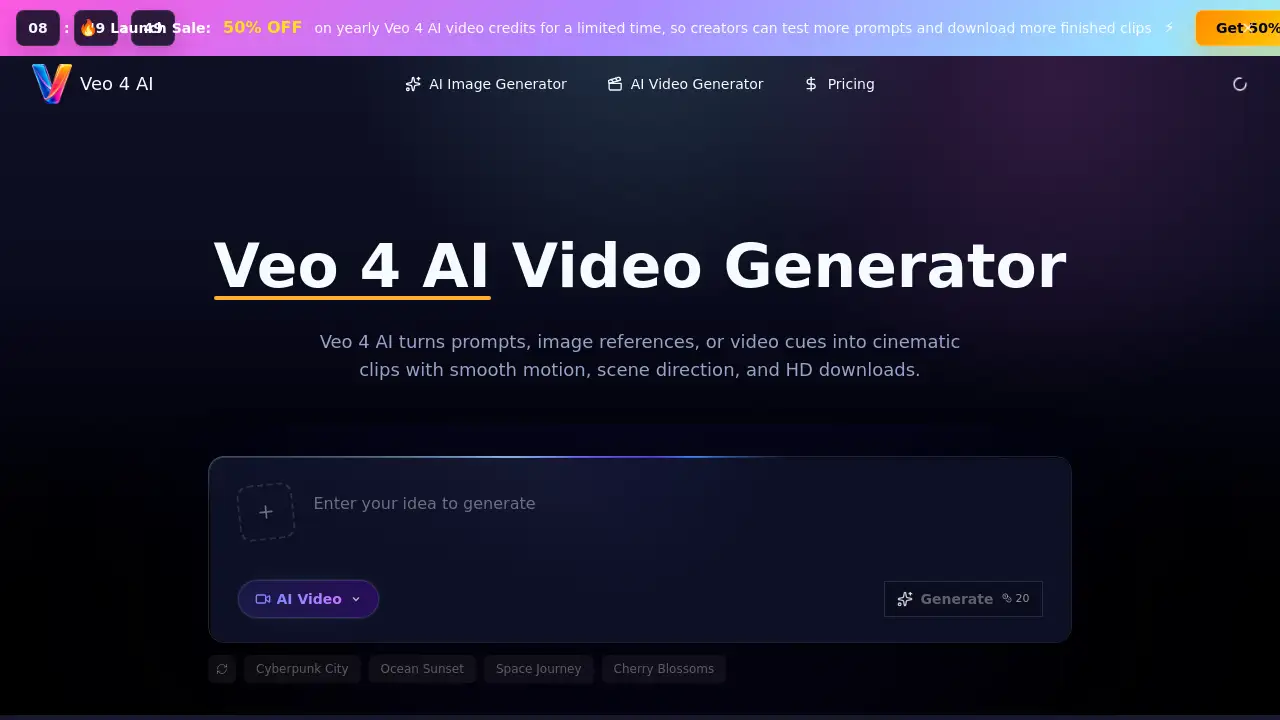
Veo 4 AI is a free, online AI video generator for creating cinematic clips.
What is Veo 4 AI?
Veo 4 AI is an independent, browser-based workspace designed to transform creative ideas into polished video drafts. This AI video generator addresses the common challenge of producing high-quality visual content quickly and without the need for extensive production resources. By converting text prompts, reference images, or video cues into cinematic clips with smooth motion and scene direction, it serves as a powerful tool for visual planning and rapid prototyping. The platform is particularly suitable for marketing teams, content creators, e-commerce businesses, and independent filmmakers who need to test concepts, create client previews, or generate assets for social media and advertising campaigns. The ability to generate text to video and image to video content in HD makes it a practical solution for turning static ideas into dynamic, reviewable footage.
Key Features of Veo 4 AI
Prompt Control for Stronger Direction
Users can describe actors, products, scenes, actions, lens style, camera movement, and pacing in a single, detailed prompt to give the Veo 4 AI generation clear and specific creative direction.
Image-to-Video Creation
Starting with a product photo, portrait, or mood board image, the AI video generator can produce controlled motion videos, allowing the reference image to guide subject identity, composition, and overall style.
Consistency Across Related Shots
The tool helps maintain consistency in subject identity, wardrobe, lighting, and background tone when generating multiple related shots, making it easier to build cohesive scenes or campaigns.
Cinematic Motion Generation
Veo 4 AI is capable of rendering complex motions such as walking, fabric movement, water effects, sports action, and smooth camera tracking, contributing to a more professional and cinematic feel.
Practical Review Workflow
The platform includes features to compare different prompt versions, adjust references, preview outputs, and manage credits, facilitating an efficient feedback and iteration cycle for teams.
Use Cases for Veo 4 AI
Social Media and Advertising Clips
Create engaging social ads, campaign teasers, and promotional clips for platforms like Instagram, TikTok, and YouTube without organizing a full video shoot.
E-commerce Product Videos
Transform static catalog images into dynamic product motion studies or demonstration videos for landing pages and online stores.
Concept Scenes and Storyboards
Quickly visualize and pitch cinematic storyboards, fantasy scenes, or narrative concepts to clients or team members before committing to production.
Client Previews and Pitches
Generate alive, motion-rich previews to make scene pitches, campaign ideas, or visual directions feel more tangible and convincing during presentations.
How to Use Veo 4 AI
Using the Veo 4 AI Video Generator involves a straightforward three-step process accessible directly from a web browser.
- Enter Your Prompt: Describe the desired video in text. For more precise results, you can optionally upload an image or a short video as a visual reference to guide the subject, scene, or specific motion.
- Choose Parameters: Set key video specifications such as duration, aspect ratio (e.g., vertical for Stories, widescreen for YouTube), and output quality before initiating the generation.
- Generate and Download: Click the generate button. After a short processing time, preview the resulting clip. If satisfied, download the finished HD video for use in your projects or for sharing feedback.
Target Audience for Veo 4 AI
- Marketing and Advertising Teams
- Social Media Content Creators and Influencers
- E-commerce Store Owners and Product Marketers
- Independent Filmmakers and Video Editors
- Creative Agencies and Freelancers
- Educators and Trainers creating visual content
Is Veo 4 AI Free?
Based on the product description, Veo 4 AI is promoted as a free AI video generator. The reference information also mentions a credit-based system for generations, suggesting there may be usage limits or premium tiers. For the most accurate and current details on plans, pricing, and credit allocation, users should visit the official Veo 4 AI website or its pricing page directly.
Veo 4 AI's Pros and Cons
| Aspect | Pros | Cons |
|---|---|---|
| Accessibility | Free-to-use, browser-based platform requiring no software installation. | Credit system may limit extensive use for high-volume creators. |
| Speed & Efficiency | Dramatically accelerates the video ideation and drafting phase compared to traditional production. | Output is a draft or prototype; may not replace final, professionally shot footage for all use cases. |
| Creative Control | Offers detailed prompt control and the use of image/video references for guided output. | Requires learning to write effective prompts for optimal results, which has a learning curve. |
| Output Quality | Generates cinematic motion and allows for HD video downloads. | As an AI tool, it may sometimes produce unexpected or imperfect results that need iteration. |
Frequently Asked Questions about Veo 4 AI
What is Veo 4 AI?
Veo 4 AI is a browser-based AI video generator that creates short cinematic clips from text prompts, images, or video references. It functions as a planning and prototyping workspace for projects like promotional clips, storyboards, and social media content, helping users move from concept to reviewable footage quickly.
What can I create with Veo 4 AI?
You can create a wide range of video content, including product teasers, social media advertisements, e-commerce clips, cinematic storyboards, concept scenes for pitches, and preview videos for client feedback.
Does Veo 4 AI support image-to-video generation?
Yes, a core feature of Veo 4 AI is image-to-video creation. You can upload a reference image (like a product photo or portrait) to guide the AI in maintaining subject identity, scene composition, and style while generating motion.
How should I write a good prompt for Veo 4 AI?
For the best results, write clear, concrete prompts that describe the subject, action, setting, camera movement (e.g., slow pan, close-up), lighting, mood, and desired video duration. Starting with a strong brief helps the AI video generator produce a more accurate and useful draft.
Is there a difference between Veo4, Veo 4.0, and Veo 4 AI?
These terms are common variants or misspellings people use when searching for this tool. They generally refer to the same product—the Veo 4 AI Video Generator. For clarity, it's best to use the official spelling, but these search terms will often lead to the correct platform.
Can I download the videos I create?
Yes, once Veo 4 AI finishes generating your clip, you can preview it directly in the browser and then download the video file in HD quality for use in your projects, presentations, or for sharing with clients.
Veo 4 AI Tags
Veo 4 AI, AI video generator, text to video, image to video, free AI video maker, cinematic video generator, online video creator, AI video editor, prompt to video, social media video maker, ecommerce video creator, storyboard generator, video marketing tool