Introduction
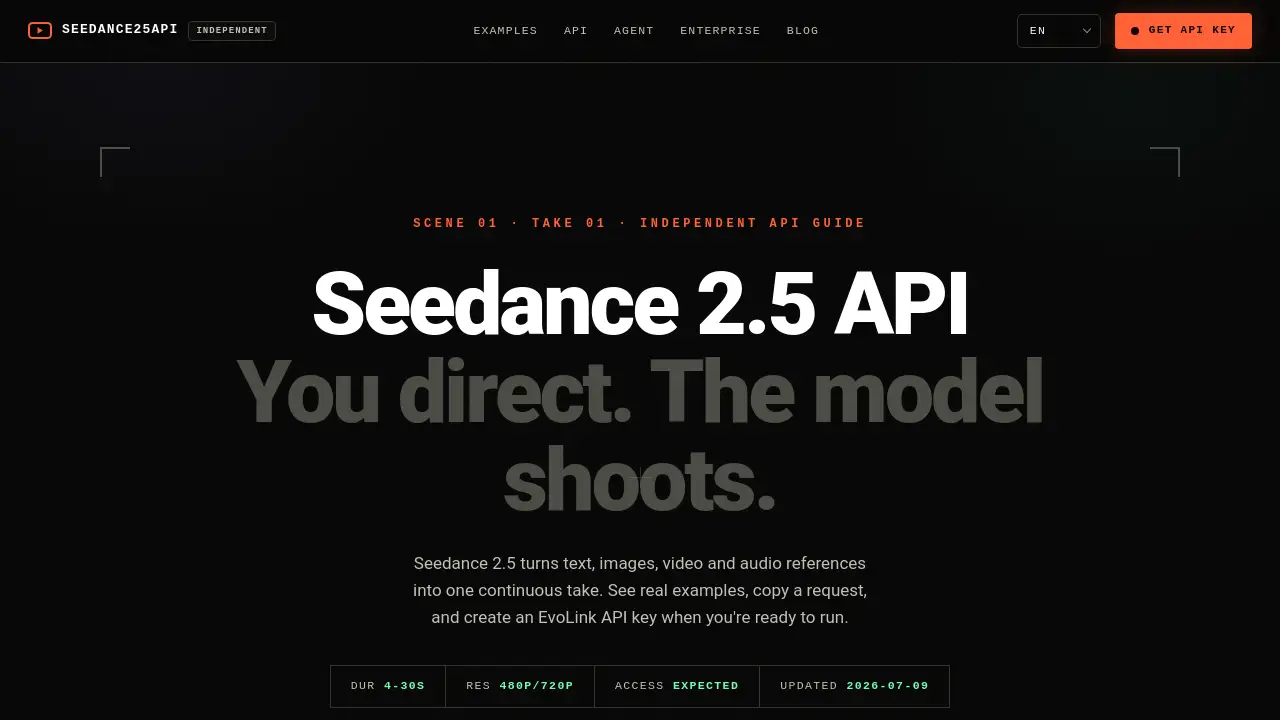
Seedance 2.5 API is a powerful video generation tool that transforms text, images, video, and audio references into seamless, continuous video takes. This developer-focused API guide helps users integrate advanced AI video creation into their workflows.
What is Seedance 2.5 API?
Seedance 2.5 API is an independent video generation interface that allows developers and AI agents to create cinematic, high-quality videos programmatically. The API turns text descriptions and multi-modal inputs (images, existing video clips, audio references) into one continuous, smooth take lasting between 4 and 30 seconds. It supports output resolutions of 480p and 720p, making it suitable for a range of applications from social media content to professional video production.
The primary problem this API solves is the complexity of generating coherent, narratively driven video content from simple prompts. Instead of stitching together multiple clips, the model creates a single, uninterrupted scene with fluid camera movements and consistent visual style. This makes it ideal for developers building creative tools, marketing platforms, or content generation pipelines. The API is designed with flexibility in mind, allowing users to configure model parameters, set callback URLs for asynchronous processing, and integrate with coding agents through a straightforward request schema.
Seedance 2.5 API matters because it democratizes high-end video production. By providing programmatic access to a model that handles complex scene transitions, lighting, and camera work, it empowers individuals and teams to produce professional-looking videos without expensive hardware or specialized skills.
Key Features of Seedance 2.5 API
Multi-Modal Input Support
The API accepts text, images, video clips, and audio references as input. This allows users to combine different media types to guide the video generation process, ensuring the output matches their creative vision.
Continuous Take Video Generation
Unlike traditional video generators that create isolated clips, Seedance 2.5 API produces one uninterrupted take. The model handles smooth camera movements, seamless scene transitions, and consistent lighting throughout the 4 to 30-second duration.
Configurable Duration and Resolution
Users can set video duration between 4 and 30 seconds and choose between 480p and 720p output resolutions. This flexibility allows the API to serve both quick prototypes and higher-quality final deliverables.
Asynchronous Job Processing
The API supports both polling and callback_url methods for handling video jobs asynchronously. This means developers can initiate video generation and continue working while the model processes in the background.
API Key Handoff and Security
The system uses EvoLink API keys for authentication. Developers can guide users to create their own keys through a secure dashboard, preventing hardcoded credentials and ensuring safe, customizable access.
Use Cases for Seedance 2.5 API
Social Media Content Creation
Content creators can use the API to generate short, cinematic video clips for platforms like Instagram, TikTok, or YouTube Shorts. With just a text prompt, they can produce professional-looking visuals that engage audiences.
Marketing and Brand Advertisements
Marketing teams can create high-end brand blockbusters or product showcases programmatically. The API handles complex visual effects like motion blur, volumetric lighting, and material detail, making it suitable for polished advertising content.
Game Trailers and Creative Prototyping
Game developers can generate cinematic trailers or concept videos from simple scene descriptions. The API supports epic fantasy, sci-fi, or heritage styles, helping teams visualize ideas quickly without full production resources.
How to Use Seedance 2.5 API
- Get an API Key: Visit the EvoLink dashboard to create an EvoLink API key. Do not hardcode keys; guide users to generate their own.
- Configure the Model: Set parameters like duration (4 to 30 seconds) and resolution (480p or 720p). Keep the model configurable so you can switch between versions.
- Build Your Request: Use the request schema from the OpenAPI documentation. Include text, images, video references, or audio as input. Validate duration, resolution, and reference counts before sending.
- Send and Monitor: Submit the request using either polling or a callback_url for asynchronous processing. Verify provider support before production use.
- Handle the Response: Receive the generated video as a file URL. Adjust your code to handle errors and retries as needed.
Target Audience for Seedance 2.5 API
- Software developers integrating AI video generation into applications
- Coding agents and AI enginees building automated creative workflows
- Content creators seeking programmatic video production tools
- Marketing teams needing scalable video assets for campaigns
- Game developers prototyping cinematic trailers or sequences
- Tech startups exploring AI-driven media generation
Is Seedance 2.5 API Free?
The exact pricing for Seedance 2.5 API has not been published publicly yet. According to the reference material, public rates are expected but not confirmed. Access is currently listed as "expected," meaning the API may be in a preview or beta phase.
It is likely that usage will be billed based on factors like video duration, resolution, and number of API calls. Users should check the official Seedance API documentation or the EvoLink pricing page for the most up-to-date information on free tiers or trial options.
Seedance 2.5 API's Pros and Cons
| Aspect | Pros | Cons |
|---|---|---|
| Pricing | Expected to be affordable for teams and developers | Public rates not yet published, making budgeting uncertain |
| Features | Advanced AI video generation with seamless transitions and multi-modal input | Output resolution currently limited to 480p/720p, no 4K support |
| Ease of Use | Clear documentation, request examples, and API key handoff guide | Requires programming knowledge to integrate; no visual interface for non-developers |
| Flexibility | Configurable model parameters and asynchronous processing | Some features (like 4K) are only in examples and not yet available in the API |
| Support | Detailed prompt examples and OpenAPI schema available | Provider support must be verified before production use |
Frequently Asked Questions about Seedance 2.5 API
How do I get started with Seedance 2.5 API?
Visit the EvoLink dashboard to create an API key, then review the request schema and code examples provided on the Seedance API guide. No hardcoded keys are needed.
What are the video duration and resolution limits?
The API supports durations from 4 to 30 seconds and resolutions of 480p and 720p. Higher resolutions like 4K are shown in examples but may not be available at launch.
Can I use images or video clips as input?
Yes. The API accepts text, images, video, and audio references to guide the generation process. This allows for more creative control over the final output.
Is there a free trial or free tier available?
Public pricing information has not been released yet. Users should check the official Seedance API documentation for updates on free trials or introductory offers.
How do I handle long video processing times?
The API supports asynchronous job processing. You can use polling or set a callback_url to receive the completed video without waiting synchronously.
What should I do if I get an error with my request?
Validate that your duration, resolution, and reference counts are within allowed limits. Ensure your API key is correctly configured and that the provider supports the model version you are using.
Seedance 2.5 API Tags
Seedance 2.5 API, video generation API, AI video API, continuous take video, EvoLink API key, developer video tool, text to video API, AI video generation, async video processing, multi-modal video, video production API, creative AI tools