Introduction
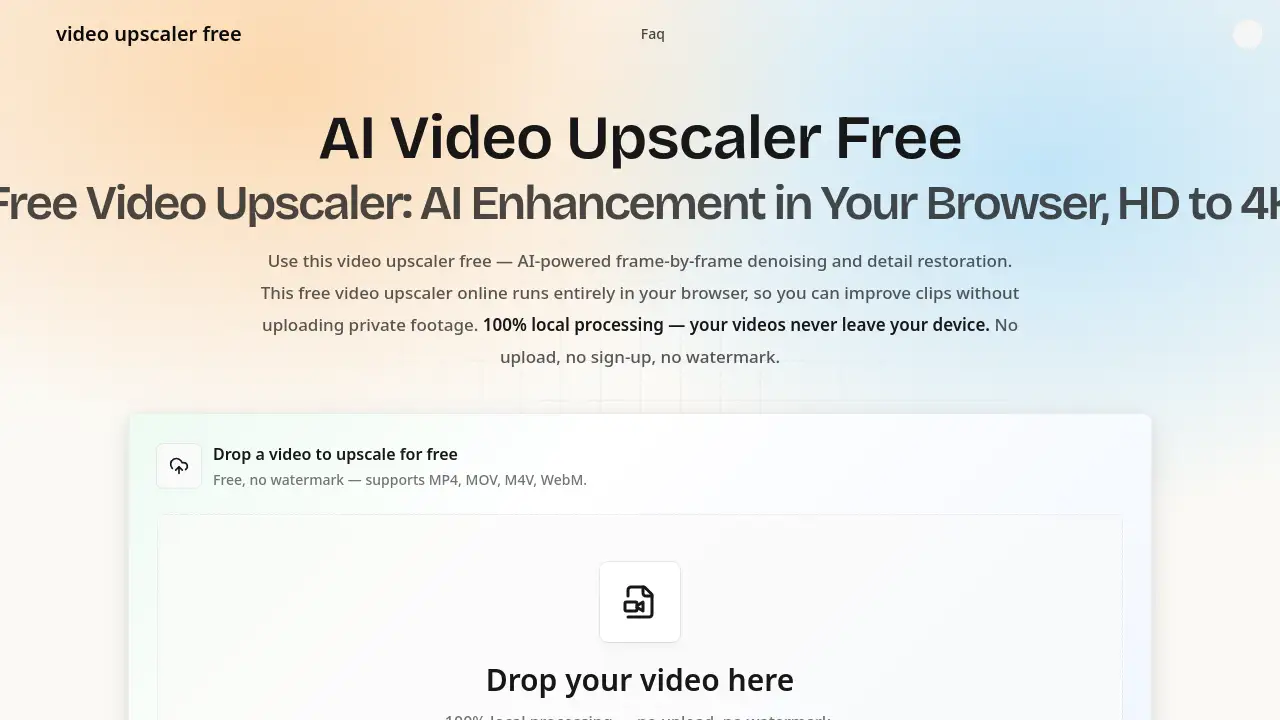
Video Upscaler Free is a browser-based AI video upscaler.
What is Video Upscaler Free?
Video Upscaler Free is an AI video upscaler that runs locally in a web browser. It helps users improve low-quality clips without uploading private footage. The tool uses WebGPU to run a super-resolution model on the device, then applies frame denoising and detail restoration. It is designed for people who want a free video upscaler online with no login, no watermark, and no cloud upload by default. Instead of sending files to a server, this video upscaler free processes video frames on the user’s own GPU. That privacy-first approach makes it useful for family videos, client footage, and personal projects. The main trade-off is that local output is capped at 2K; true 4K enhancement is available through a cloud option that may have resource fees. For everyday HD enhancement, this video upscaler free offers a practical balance of quality, privacy, and cost.
Key Features of Video Upscaler Free
AI Super Resolution
Use AI super resolution to reconstruct missing details rather than stretch pixels. This video upscaler free supports 2x upscaling locally, with sharp edges and richer textures for HD video upscaler tasks.
Frame-by-Frame Denoising
Remove noise, grain, and compression artifacts from every frame. This free video upscaler online helps clean night shots, old footage, and low-light clips.
AI Detail Restoration
Restore faces, hair, text, and fine textures frame by frame. The AI video upscaler identifies key details and makes blurred content more recognizable.
Local Browser Processing
Process video locally with WebGPU acceleration for HD enhancement. This local video upscaler keeps files on the device, so no upload, cloud storage, or account is required.
One-Click Auto Enhancement
Analyze and enhance a clip with one click. The video upscaler free applies upscaling, denoising, and detail restoration without manual parameter tuning.
No Watermark or Login
Open the page and start without sign-up, email, or credit card. This free online video upscaler adds no watermark to the enhanced MP4 output.
Up to 4K Options
Use free local 2x upscaling up to 2K, or choose cloud-based 4K enhancement when a larger AI model is needed. Cloud processing may require upload and resource fees.
Use Cases for Video Upscaler Free
Restore Old & Low-Quality Videos
Bring old recordings, VHS transfers, and compressed files back to life. Use this video upscaler free to reduce noise and sharpen details for archive projects.
Enhance Anime & Cartoons
Clean compression artifacts and sharpen linework in animation. A free video upscaler can make anime and cartoon footage look clearer on modern screens.
Upscale Social Media Shorts
Improve phone clips for TikTok, Reels, and YouTube Shorts. This video upscaler free online helps turn ordinary recordings into cleaner, higher-resolution content.
Improve Product Demo Videos
Sharpen product close-ups and make on-screen text easier to read. The video upscaler free is useful for e-commerce demos, SaaS walkthroughs, and training clips.
Preserve Family Videos
Restore aging family recordings without sending private memories to a server. This free video upscaler online supports local processing, making it a safer choice for personal archives.
How to Use Video Upscaler Free
- Open Video Upscaler Free in a WebGPU-capable browser such as Chrome or Edge.
- Drag and drop an MP4, MOV, WebM, or M4V file. The video upscaler free keeps the file on the device.
- Let the AI video upscaler analyze each frame and apply 2x upscaling, denoising, and detail restoration.
- Download the enhanced MP4. No upload, no login, and no watermark are required for local processing. For 4K cloud enhancement, review resource fees before starting.
Target Audience for Video Upscaler Free
- Content creators who need a free video upscaler for social clips.
- Families restoring old videos with a local video upscaler.
- E-commerce sellers improving product demo videos.
- Anime fans and editors using an AI video upscaler.
- Privacy-focused users who prefer no-upload video enhancement.
- Beginners who want a video upscaler free with one-click controls.
Is Video Upscaler Free Free?
Video Upscaler Free has a free local plan and an optional cloud 4K path. The free plan is the core video upscaler free offer: local WebGPU processing, 2x upscaling up to 2K, denoising, detail restoration, no watermark, and no login. The cloud 4K option may involve resource fees because it uses larger server-side models; those fees are shown before processing. There is no mandatory subscription mentioned for local use.
| Plan | Price | Features |
|---|---|---|
| Free local | $0 | Browser-based WebGPU processing, 2x upscaling up to 2K, frame denoising, detail restoration, no watermark, no login |
| Cloud 4K enhancement | Resource fees may apply | Cloud processing, larger AI model, true 4K output potential, upload required, fees shown before processing |
Video Upscaler Free's Pros and Cons
| Aspect | Pros | Cons |
|---|---|---|
| Pricing | Free local processing with no account | Cloud 4K enhancement may have resource fees |
| Privacy | Local processing keeps videos on the device | Requires a WebGPU-capable browser |
| Output | No watermark; clean MP4 export | Local output is capped at 2K; 4K needs cloud processing |
| Speed | WebGPU acceleration can speed up processing | Long or large videos depend on device GPU and memory |
| Formats | Supports MP4, MOV, WebM, and M4V input | Output is always MP4 H.264 |
| Ease of use | One-click auto enhancement; no installation | Very large files may be slower; under 500 MB is recommended |
Frequently Asked Questions about Video Upscaler Free
Is Video Upscaler Free really free?
Yes. The core video upscaler free service runs in the browser at no cost, with no watermark and no login. Cloud-based 4K enhancement may have resource fees.
Does Video Upscaler Free upload my videos?
No. The local video upscaler processes files on the device via WebGPU. The video upscaler free does not upload footage during local processing. Cloud 4K is different and requires upload.
Can Video Upscaler Free output 4K?
Local processing caps at 2K. This video upscaler free uses 2x super-resolution locally. True 4K requires the cloud option, which may have fees.
What formats and file sizes are supported?
Supports MP4, MOV, WebM, and M4V input; output is MP4 H.264. No hard size limit applies locally, but under 500 MB is recommended. This free video upscaler online depends on GPU memory.
Which browsers work with Video Upscaler Free?
Works in WebGPU-capable Chromium browsers like Chrome and Edge. The AI video upscaler needs a compatible GPU and browser; no plugin is required.
Does Video Upscaler Free add watermarks?
No. The video upscaler free adds no watermark. Output is a clean MP4 for sharing or archiving.
Video Upscaler Free Tags
video upscaler free, free video upscaler, AI video upscaler, online video upscaler, free online video upscaler, local video upscaler, HD video upscaler, upscale video to 4K, AI super resolution, frame denoising, WebGPU video upscaler, no watermark video upscaler