Introduction
Virmii is an AI VTuber maker designed to turn a single character image into a ready-to-use 3D VTuber avatar. It combines model generation, VRM management, browser face tracking, and OBS streaming in one online workspace. This makes Virmii a practical option for creators who want a recognizable avatar without jumping between many tools.
What is Virmii?
Virmii is an AI VTuber maker for creators who want a simple path from a character idea to live streaming. It solves a common problem: creating a 3D VTuber avatar usually requires separate tools for modeling, rigging, animation, and streaming. Virmii brings those steps together. Users upload a character reference image, generate a textured model, manage VRM models, test browser face tracking, and send the avatar to OBS. The product suits illustrators, 3D artists, new VTubers, and anyone who already owns a VRM. The service is independent and maintained by SymphonyIceAttack. It matters because the AI VTuber maker shortens the production pipeline while preserving the character design.
Key Features of Virmii
AI Model Generation from a Reference Image
Virmii's AI VTuber maker workflow starts with a character reference image and uses AI to generate a textured 3D VTuber avatar. This lets illustrators keep the face, outfit, and color palette they already designed.
VRM Management Workspace
Virmii provides a private model library where users can upload, preview, and manage VRM models. The finished avatar is rigged and ready for compatible tools.
Browser Face Tracking
Virmii uses browser face tracking with a standard webcam to drive head movement, gaze, blinks, and expressions in real time. This makes the live avatar feel responsive without extra tracking hardware.
OBS Live Output
Virmii gives streamers a private live stage URL to add in OBS. This live stage output turns the browser-tracked avatar into a broadcast-ready video source.
Consistent Character Views
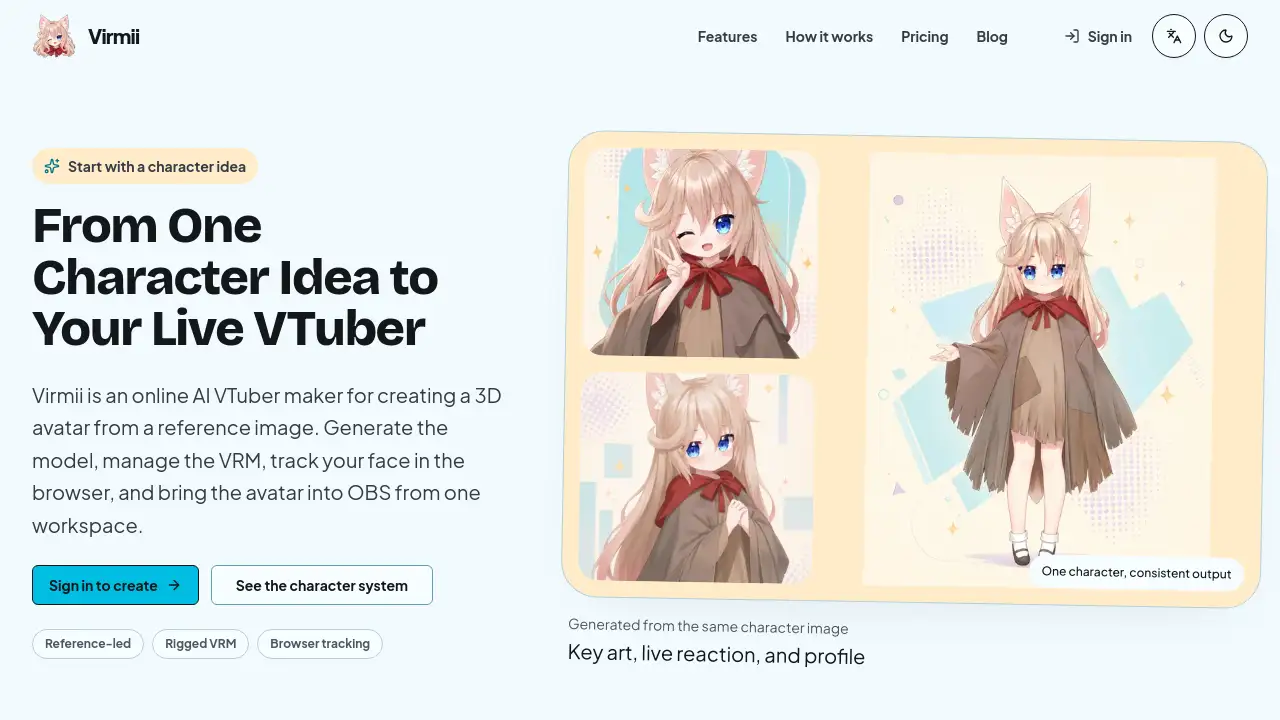
The same generated character appears as key art, live reaction, and profile crop. These views show how the avatar identity holds up in thumbs, streams, and social media created through the AI VTuber maker.
Use Cases for Virmii
Illustrators with a Character Design
An illustrator can upload a reference image and let Virmii turn it into a 3D VTuber avatar. The generated model keeps the original design, so the character remains recognizable on stream.
Streamers Who Want to Launch Quickly
A new streamer can use Virmii's AI VTuber maker to avoid months of technical setup. They generate a model, test browser face tracking, and add the OBS live output URL to their broadcast.
VRM Owners Who Need a Preview Space
A creator who already has VRM models can upload a file and preview it in the browser. Virmii supports head and body movement, and models with facial controls can also blink and lip-sync.
How to Use Virmii
Using Virmii as an AI VTuber maker is a guided five-step process:
- Upload a clear character reference image.
- Let AI generate the textured 3D VTuber avatar.
- Preview and manage VRM models in the workspace.
- Enable browser face tracking with your camera.
- Add the private live stage URL to OBS and start streaming.
Target Audience for Virmii
- Illustrators who want to see their original character become a live VTuber.
- 3D artists and modelers who need a faster route for VRM models.
- New streamers who want to become a VTuber without a large production team.
- Existing VRM owners who need browser-based tracking and OBS live output.
- Content creators who need consistent key art, live reaction, and profile images.
- Anyone who wants an AI VTuber maker that handles the whole path from character image to live stream.
Is Virmii Free?
The available reference information does not include an official pricing plan for Virmii. No confirmed free tier or paid subscription details are listed. To get accurate pricing, users should visit the official Virmii website and check the current plans or signup information.
| Plan | Price | Features |
|---|---|---|
| Free / Trial | Not confirmed | Not stated in available materials |
| Paid Plan | Not confirmed | Not stated in available materials |
Virmii's Pros and Cons
| Aspect | Pros | Cons |
|---|---|---|
| Workflow | Combines AI model generation, VRM management, browser-based tracking, and OBS live output in one workspace | Requires some learning when setting up OBS and streaming |
| Character Identity | Preserves face, outfit, and palette from the reference image | Output quality depends on the clarity of the uploaded image |
| Compatibility | Accepts existing VRM models and keeps the model for compatible tools | Advanced facial tracking depends on the model's facial setup |
| Pricing | Offers a simple path for creators who want a quick VTuber start | Pricing is not transparent in the reviewed materials |
Frequently Asked Questions about Virmii
Does Virmii create an avatar from any reference image?
Virmii is an AI VTuber maker that uses a character reference image to generate a textured 3D VRM model. The best results come from a clear image that shows the design fully. The tool cannot guarantee good output from unclear or incomplete images.
Can I upload my own VRM to Virmii?
Yes. Virmii supports existing VRM models in a private model library. Users can preview the model, check its movement, and send it to the OBS live stage. Models with the right facial setup can blink and lip-sync, while others still get head and body movement.
What equipment do I need for browser face tracking?
Virmii uses browser face tracking with a standard camera. Users do not need motion capture suits or face-tracking hardware. The browser reads head movement, gaze, blinks, and expressions in real time.
How does Virmii connect to OBS?
Virmii provides a private live stage URL. Users add this URL as a browser source in OBS. This OBS live output lets the avatar appear on stream while the user remains in control from the Virmii workspace.
Is Virmii only for experienced 3D artists?
No. Virmii is an online AI VTuber maker designed for creators at different levels. Illustrators, modelers, and new streamers can use the same guided workflow. The main requirement is a character idea and a clear starting image.
Does Virmii work with existing VTuber workflows?
Yes. Virmii produces a rigged VRM that can be downloaded and used in compatible tools. The browser tracker also makes it easy to preview movement before committing to an external streaming setup.
Virmii Tags
AI VTuber maker, 3D VTuber avatar, VRM models, browser face tracking, OBS live output, VTuber streaming, AI avatar generator, VRM management, online VTuber maker, character reference image, VTuber for OBS, rigged VRM