Introduction
An AI Video Enhancer improves low-quality videos to stunning 4K clarity online.
What is AI Video Enhancer?
An AI Video Enhancer is an online tool designed to automatically improve the quality of videos. It addresses the common problem of footage that appears blurry, noisy, or low-resolution, often caused by poor lighting, device limitations, or compression during uploads. This video quality booster is suitable for anyone who wants better-looking videos without the need for advanced editing skills or expensive software. By using AI-powered processing, it enhances clarity, sharpness, and detail, making it a valuable tool for content creators, marketers, and businesses looking to present professional video content.
Key Features of AI Video Enhancer
Upscale to 4K Resolution
The tool can enhance and upscale video resolution up to 4K, transforming low-quality footage into high-definition content suitable for modern displays and platforms.
Automatic Clarity Enhancement
It automatically analyzes each frame to improve video clarity, reduce blur, and sharpen details without requiring users to manually adjust complex settings or sliders.
Simple Browser-Based Process
As a fully online video enhancer, it works directly in your web browser, requiring no software downloads or high-end hardware, making it accessible from any device.
Fast and User-Friendly Workflow
The platform is built with a zero-learning-curve approach, allowing users to improve video quality quickly through a straightforward upload-and-process system, ideal for beginners and professionals alike.
Use Cases for AI Video Enhancer
Reviving Old or Archival Footage
The AI Video Enhancer is perfect for restoring old family videos, historical clips, or archival footage that has degraded in quality over time, bringing them back to life with enhanced detail.
Preparing Professional Marketing Content
Businesses and marketers can use it to enhance video quality for product demos, promotional ads, and social media clips, ensuring their content looks sharp and engaging to potential customers.
Improving User-Generated Content
Content creators and influencers can quickly polish videos recorded on smartphones or in suboptimal conditions before publishing, maintaining a consistent, high-quality standard for their audience.
Optimizing E-commerce Listings
Online sellers can use the tool to create clearer and more appealing product videos for their listings, which can help improve customer trust and potentially increase sales.
How to Use AI Video Enhancer
Using the AI Video Enhancer is a simple three-step process designed for speed and ease.
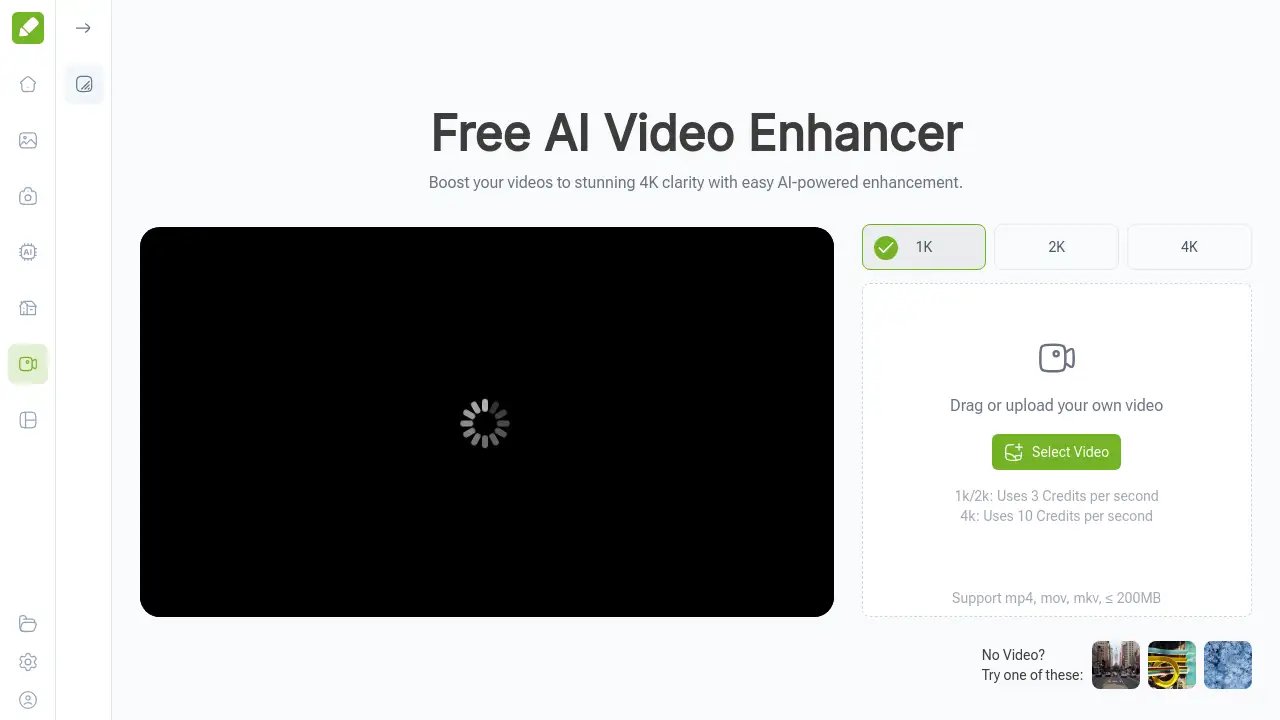
- Upload Your Video: Click the upload button on the tool's interface and select your video file. The platform supports common formats like MP4, MOV, and MKV.
- Select Enhancement Option: Choose your desired output resolution, such as 1K, 2K, or 4K. The AI will then begin processing your video automatically.
- Download the Enhanced Video: Once processing is complete, you can preview the result and download the newly enhanced, high-quality video file to your device.
Target Audience for AI Video Enhancer
- Content Creators & Influencers: Individuals who produce video content for platforms like YouTube, TikTok, or Instagram and need a quick way to improve visual quality.
- Digital Marketers & Social Media Managers: Professionals responsible for creating compelling video ads and promotional content for brands.
- E-commerce Sellers & Small Businesses: Owners who need high-quality product videos to showcase their items online.
- Educators & Trainers: Those creating instructional or presentation videos who want to ensure clarity and professionalism.
- General Users: Anyone with personal videos, such as event recordings or family memories, that they wish to restore and enhance.
Is AI Video Enhancer Free?
The AI Video Enhancer operates on a credit-based system. While there is a free tier or trial that allows users to test the service, ongoing use requires credits. The credit cost varies depending on the output resolution chosen.
| Output Resolution | Credit Cost per Second of Video |
|---|---|
| 1K or 2K | 3 Credits |
| 4K | 10 Credits |
Users can purchase credit packs on the VisualGPT platform. For the most current pricing and credit bundle details, it is best to visit the official AI Video Enhancer page.
AI Video Enhancer's Pros and Cons
| Aspect | Pros | Cons |
|---|---|---|
| Ease of Use | Extremely simple, browser-based process with no learning curve. | Advanced users have limited manual control over enhancement parameters. |
| Accessibility | Works on any device with an internet connection; no software install. | Requires a stable internet connection for uploading and processing. |
| Output Quality | Can significantly improve clarity and upscale resolution up to 4K. | Results depend on the quality of the source video; extremely poor footage may have limits. |
| Cost | Pay-as-you-go credit system can be economical for occasional use. | Enhancing longer videos or frequent use at 4K can consume credits quickly. |
Frequently Asked Questions about AI Video Enhancer
What video formats does the AI Video Enhancer support?
The tool supports common video formats including MP4, MOV, and MKV. Uploaded files must be 200MB or smaller for processing.
Do I need any video editing experience to use this tool?
No editing experience is necessary. The AI Video Enhancer is designed for users of all skill levels. You simply upload your video, and the AI handles the complex enhancement process automatically.
How long does it take to enhance a video?
Processing time depends on the length and resolution of your original video, as well as the selected output quality (e.g., 4K takes longer than 1K). Shorter clips are typically processed in just a few seconds to minutes.
Will the AI Video Enhancer change the style or colors of my video?
The primary goal of the AI Video Enhancer is to improve clarity, sharpness, and detail. It is not designed to apply heavy filters or dramatically alter the color grading, aiming to preserve the original look and feel of your footage.
Is my video data safe when using the online enhancer?
While the service processes videos online, it is advisable to review the platform's privacy policy for specific details on data handling, retention, and security practices.
Can I use the enhanced videos commercially?
Yes, you retain the rights to your original and enhanced videos. They can be used for personal projects, social media, marketing, e-commerce, and other commercial purposes.
AI Video Enhancer Tags
AI video enhancer, improve video quality, video quality booster, enhance video clarity, upscale video to 4K, online video enhancer, blurry video fix, AI video upscaler, restore old videos, professional video quality, free video enhancer online, social media video tool