Introduction
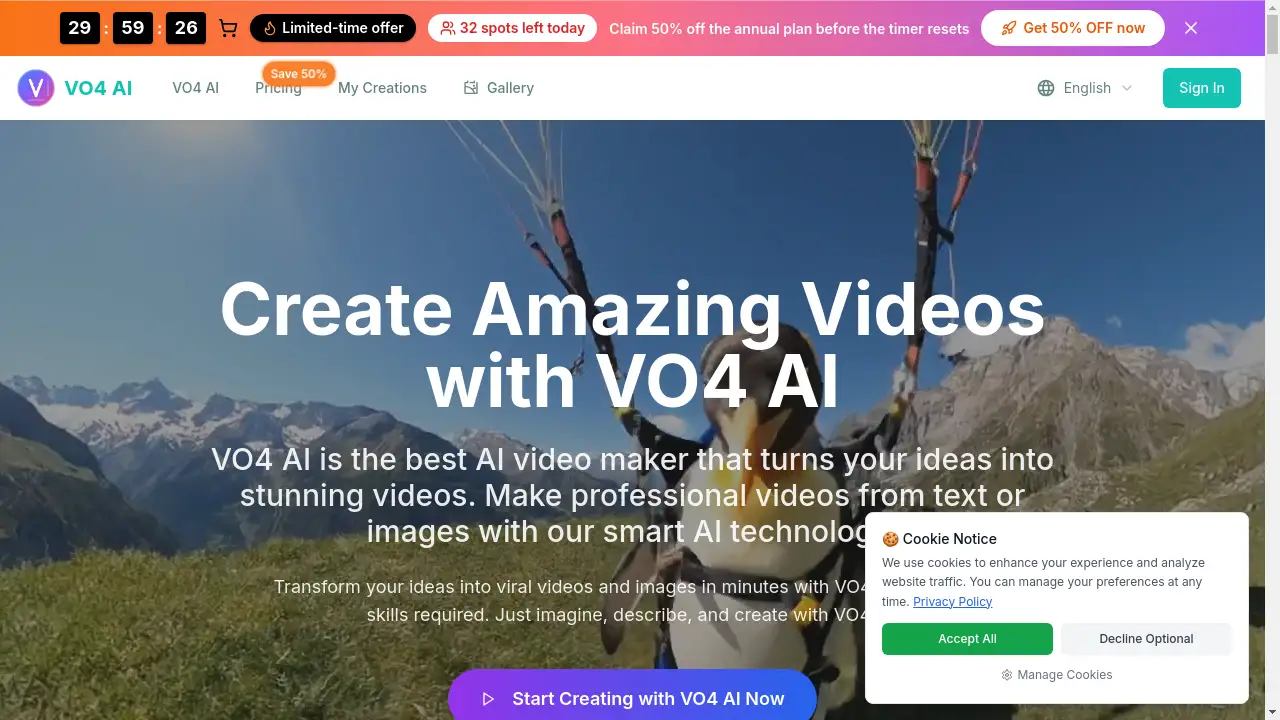
VO4 AI is an innovative AI video maker that transforms text or images into professional, viral-style 6-second videos.
What is VO4 AI?
VO4 AI is an online platform designed to simplify video creation using artificial intelligence. It addresses the common challenges of producing high-quality marketing and social media content, which typically require significant time, budget, and editing skills. This tool allows anyone, from individual creators to marketing teams, to generate short, engaging videos from a simple text description or a static image. By leveraging advanced AI technology, VO4 AI automates the complex process of video editing, enabling users to create professional-looking videos in minutes without any prior experience. This makes it a powerful solution for enhancing digital marketing efforts and social media presence.
Key Features of VO4 AI
AI-Powered Video Generation
The core of VO4 AI is its ability to interpret text prompts and automatically generate complete 6-second videos, complete with motion, effects, and sound.
Image-to-Video Transformation
Users can upload static photos and animate them into cinematic video content, adding movement, transitions, and ambient soundscapes with a simple text description.
Multiple Creative Modes
The platform offers different generation modes, including 'Fast' for quick drafts and 'Normal' for higher-quality results, providing flexibility based on the user's needs.
Watermark-Free Exports
Even on its free tier, VO4 AI allows users to download their generated videos without any watermarks, a feature not commonly offered by other AI video makers.
Library of Motion Styles
With over 10 dynamic presentation styles, users can tailor the look and feel of their AI-generated videos to match specific scenarios, from ads to personal slideshows.
Browser-Based Simplicity
The entire workflow runs directly in a web browser, requiring no software downloads, plugins, or a steep learning curve to start creating.
Use Cases for VO4 AI
Social Media Marketing
Create eye-catching, short-form video ads and promotional clips for platforms like TikTok, Instagram Reels, and YouTube Shorts to drive engagement.
Brand Storytelling
Startups and small businesses can produce professional corporate or product marketing videos on a budget, maintaining brand consistency with custom intros and logos.
Content Creation
Bloggers, influencers, and freelance creators can quickly generate visual content to accompany articles or posts, saving hours on manual video editing.
Personal Projects
Animate personal photos into dynamic memory reels or bring landscape images to life with realistic effects like flowing water and moving clouds.
How to Use VO4 AI
Using VO4 AI is a straightforward, three-step process:
- Describe Your Idea: Go to the VO4 AI website and either type a detailed text prompt describing your video scene, characters, and actions, or upload an image as a visual starting point.
- Configure Settings: Select your preferred video quality mode (Fast or Normal) and choose from the available motion styles to define the output's look.
- Generate and Download: Initiate the AI generation. Once processing is complete (typically 100-300 seconds), preview your video and download the watermark-free file directly to your device.
Target Audience for VO4 AI
- Social Media Managers and Marketers
- Small Business Owners and Startup Teams
- Digital Content Creators and Influencers
- Freelancers and Solopreneurs
- Individuals with no video editing experience
Is VO4 AI Free?
VO4 AI operates on a credit-based system. It offers a free starting tier with credits, and users can upgrade to paid plans for more capacity. Based on the provided information, the available plans are:
| Plan | Price (Yearly) | Key Features |
|---|---|---|
| Basic | $9.9/month (billed yearly) | 9,600 credits/year, up to 80 videos/month, 1080p resolution, standard quality. |
| Professional (Most Popular) | $19.9/month (billed yearly) | 24,000 credits/year, up to 200 videos/month, advanced quality, priority support, commercial license. |
| Business | $49.9/month (billed yearly) | 72,000 credits/year, up to 600 videos/month, advanced quality, expert support, commercial license. |
Note: Each standard video generation consumes 80 credits. Plans can be canceled anytime.
VO4 AI's Pros and Cons
| Aspect | Pros | Cons |
|---|---|---|
| Ease of Use | Extremely simple, browser-based interface with no learning curve. | Creative control is limited compared to professional editing software. |
| Cost & Value | Free watermark-free exports; affordable entry point for professional features. | High-volume users may find credit consumption for videos relatively high. |
| Output Quality | Generates professional-looking 1080p videos suitable for social media. | Videos are currently limited to a short 6-second format. |
| Technology | Utilizes advanced AI for text-to-video and image-to-video generation. | As an AI tool, results can sometimes be unpredictable and require prompt refinement. |
Frequently Asked Questions about VO4 AI
What kind of videos can VO4 AI create?
VO4 AI specializes in generating short, 6-second videos ideal for social media platforms. It can create marketing clips, animate landscapes, transform product photos, and produce branded content from text or image inputs.
Do I need video editing skills to use VO4 AI?
No, video editing skills are not required. VO4 AI is designed as a no-code AI video maker. The platform handles all aspects of editing, motion, and effects automatically based on your description.
Can I use VO4 AI videos for commercial purposes?
Yes, commercial use is permitted. The Professional and Business plans include a commercial use license, allowing you to use the generated videos in client projects, advertisements, and other commercial applications.
How long does it take to generate a video?
The processing time for generating a video with VO4 AI typically ranges from 100 to 300 seconds (approximately 2 to 5 minutes), depending on the selected mode and server load.
What is the difference between the 'Fast' and 'Normal' modes?
The 'Fast' mode prioritizes speed, generating a video draft more quickly, which is useful for testing ideas. The 'Normal' mode takes slightly longer but produces a video with higher quality and more refined details.
Can I cancel my VO4 AI subscription?
Yes, subscriptions can be canceled at any time. According to the website, users should contact support via email at [email protected] to process a cancellation.
VO4 AI Tags
AI video maker, text to video AI, image to video AI, viral video generator, social media video creator, AI video editor, marketing video tool, free AI video generator, watermark-free video, create short videos, AI content creation, online video maker