Introduction
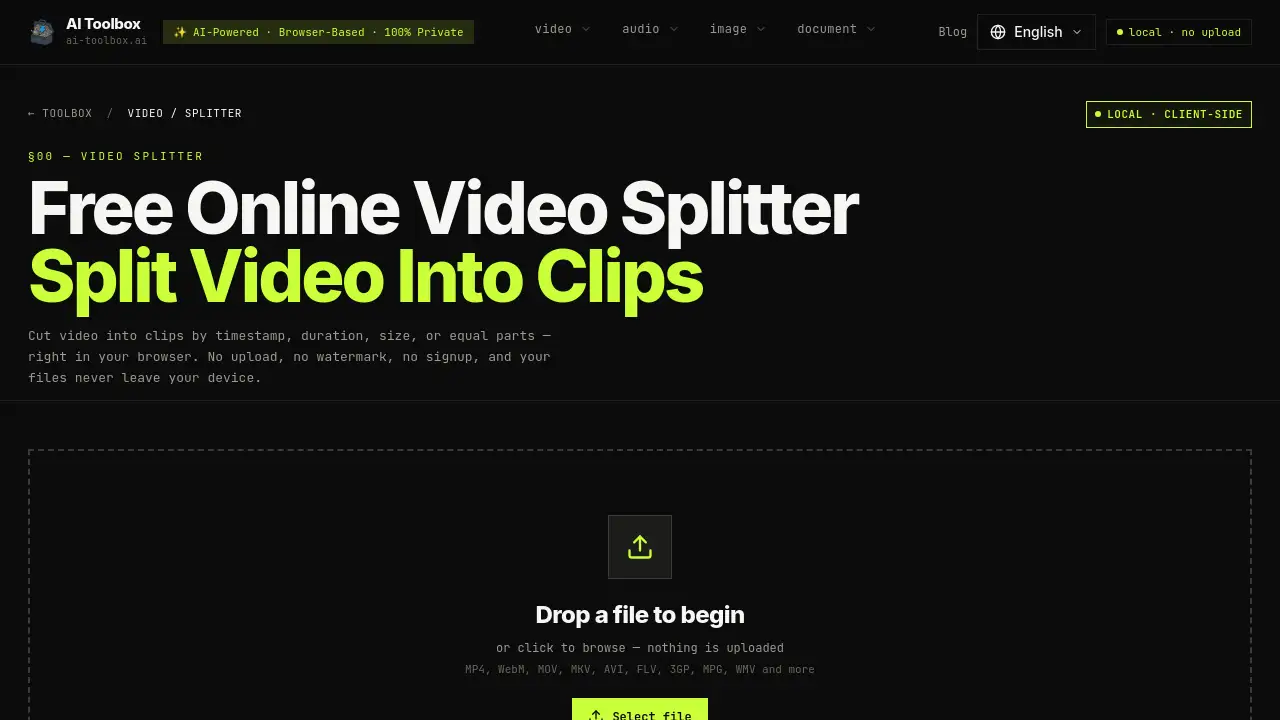
Need a fast and private video splitter that works entirely in your browser? The AI Toolbox Video Splitter lets you cut video into clips by duration, file size, or timestamps without uploading a single frame. It's free, requires no account, and leaves no watermark on your exports.
What is AI Toolbox Video Splitter?
AI Toolbox Video Splitter is a free online tool designed to split video into clips directly on your device. Unlike cloud‑based alternatives, this local video splitter runs entirely inside your browser using WebAssembly-compiled FFmpeg. Your files never leave your machine, making it ideal for private or sensitive footage. It supports a wide range of formats (MP4, WebM, MOV, MKV, AVI, and more) and offers four splitting methods: by manual timestamps, by equal parts, by fixed duration, or by file size. Whether you're a content creator, a student editing lectures, or a casual user trimming home videos, this tool provides a simple, zero‑upload way to split videos without sacrificing speed or security.
Key Features of AI Toolbox Video Splitter
100% Local Processing
All video processing happens in your browser. No data is sent to any server, so your footage stays private even after you close the tab. This makes it one of the most secure free video splitter tools available.
Four Split Modes
Choose the method that fits your workflow: Manual Split with precise timeline markers, Equal Parts for uniform chapters, Split by Duration for fixed‑length clips (e.g., 30 seconds), or Split by Size to meet platform upload limits.
Fast Mode (Stream Copy)
Enable Fast Mode to split video instantly by copying the original streams without re-encoding. Cuts snap to the nearest keyframe (usually within a second), but you save minutes on large files. Ideal for quick, quality‑preserving splits.
Advanced Re‑encoding Options
When Fast Mode is off, you can re‑encode clips to change container formats (MP4, WebM, MOV, MKV, AVI) and adjust quality (High, Medium, Low). This provides frame‑accurate cuts and format flexibility, though it takes longer.
No Upload, No Signup, No Watermark
Use the split video online tool without creating an account or waiting for file transfers. All exports are watermark‑free, and you can process unlimited files of any size (limited only by your device memory).
Wide Format Support
Supports MP4, WebM, MOV, MKV, AVI, FLV, 3GP, MPG, WMV, and many other video formats. The tool automatically detects the file type and handles it locally.
Mobile & Desktop Friendly
Works on desktop browsers (Chrome, Edge, Brave recommended) and on mobile (Chrome for Android handles moderate files; iOS Safari has limited performance). For large 4K files, a desktop browser is best.
Use Cases for AI Toolbox Video Splitter
Trimming Conference Recordings
Split a long lecture or webinar into equal‑length chapters using the Equal Parts mode. Each clip becomes a distinct topic segment that’s easy to share or archive.
Preparing Content for Social Media
Use Split by Duration to cut videos into 90‑second clips for Instagram Reels, 10‑minute segments for TikTok, or 60‑second shorts for YouTube. The local video splitter ensures no quality loss during quick exports.
Meeting Upload Size Limits
When a file is too large for email or a messaging app, split it by file size. Choose Split by Size and specify a target MB per clip. The tool estimates cut points from bitrate to fit your limits.
Editing Private Videos
For confidential footage (e.g., medical recordings, internal meetings), the no upload guarantee means your data never leaves your device. Use manual timestamps to extract precise clips without any cloud exposure.
How to Use AI Toolbox Video Splitter
- Select Your Video – Drag and drop a file onto the page or click to browse. The video splitter loads instantly in your browser.
- Choose Split Method – Pick Manual Split, Equal Parts, Split by Duration, or Split by Size. Enable Fast Mode for instant stream‑copy splitting.
- Set Split Points – Click on the waveform/thumbnail timeline to add points, or enter exact timecodes. Drag markers to refine positions.
- Split & Download – Click "Split Video". Each clip downloads individually or all together. No upload, no waiting.
Target Audience for AI Toolbox Video Splitter
- Content Creators – YouTubers, TikTokers, and Instagram influencers needing quick clip extraction without quality loss.
- Students & Educators – Splitting lecture recordings into chapter‑sized segments for easier review.
- Business Professionals – Trimming meeting recordings or training videos for sharing while keeping data local.
- Casual Users – Anyone needing to cut a home video or shorten a clip for social media without extra software.
- Privacy‑Conscious Users – Those who prefer a browser‑based solution that never uploads their files to the cloud.
Is AI Toolbox Video Splitter Free?
| Plan | Price | Features |
|---|---|---|
| Free | $0 | Unlimited splits, no upload, no watermark, no signup, Fast Mode, all split methods, export in original or chosen format/quality. |
There is no paid tier. The free online video splitter is completely free forever, with no hidden limits on file size or number of uses.
AI Toolbox Video Splitter's Pros and Cons
| Aspect | Pros | Cons |
|---|---|---|
| Privacy | Videos never leave your device; 100% local processing. | None – privacy is a clear advantage. |
| Speed | Fast Mode splits instantly via stream copy. | Re-encoding mode can be slow on older devices or large files. |
| Cost | Completely free, no account required. | No premium features to unlock (though every feature is already free). |
| Platform Support | Works on desktop and mobile; Chromium browsers recommended. | iOS Safari performance is limited; very large 4K files may lag on mobile. |
| Output Quality | Fast Mode preserves original quality bit‑for‑bit. | Fast Mode cuts snap to keyframes; frame‑exact cuts require re-encoding (slower). |
| Format Flexibility | Supports many input formats and output containers. | AV1 re-encoding not supported in browser (only stream copy). |
Frequently Asked Questions about AI Toolbox Video Splitter
Is it safe to split video online with this tool?
Yes. The video splitter processes everything locally in your browser. Your files are never uploaded, making it completely private and secure. Close the tab and no trace remains.
What video formats can I split?
You can split MP4, WebM, MOV, MKV, AVI, FLV, 3GP, MPG, WMV, and many more. The local video splitter automatically detects the format and processes it.
How do I split video into equal parts?
Select the Equal Parts mode, enter the number of segments you want (e.g., 4), and click Split Video. The tool divides your video into equal‑length clips automatically.
Can I split videos of any size?
Yes – because processing happens on your device, there is no server‑imposed file size limit. Your computer’s memory is the only constraint. For very large files, enable Fast Mode for quicker processing.
What’s the difference between Fast Mode and normal mode?
Fast Mode splits video instantly using stream copy (no re-encoding), but cuts snap to the nearest keyframe (usually within a second). Normal mode re-encodes for frame‑accurate cuts and allows you to change output format and quality.
Does the tool work on mobile devices?
Mostly. Chrome on Android handles moderate‑sized videos well. iOS Safari is slower due to limited WebAssembly performance. For large or 4K files, a desktop browser is recommended.
Can I split a video without losing quality?
Yes. Enable Fast Mode – it copies original video and audio streams without re-encoding, so quality is identical to the source. The only trade‑off is that cuts align to keyframes, which may be a second or two off from your chosen point.
How do I split a video for Instagram, TikTok, or YouTube Shorts?
Use the Split by Duration mode and set the segment length to the platform’s limit (e.g., 90 seconds for Instagram Reels, 10 minutes for TikTok, 60 seconds for YouTube Shorts). You can also use manual splitting for precise transitions.
AI Toolbox Video Splitter Tags
video splitter, split video online, free video splitter, local video splitter, browser-based video splitter, no upload video splitter, no watermark video cutter, FFmpeg browser tool, split by duration, split by size, equal parts video splitter, privacy-first video tool