Introduction
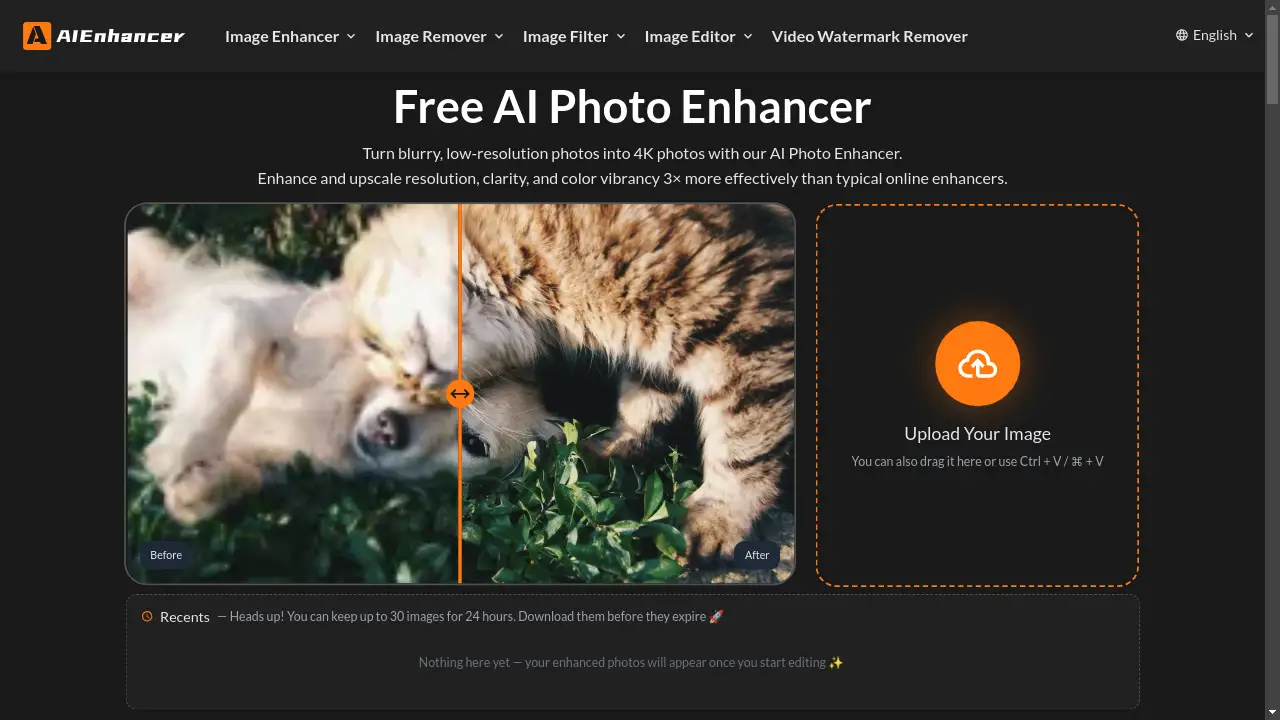
An AI Photo Enhancer that upscales, sharpens, and restores images to 4K quality.
What is AIEnhancer?
AIEnhancer is an online artificial intelligence tool designed to improve the quality of digital images. It addresses common photo issues such as blurriness, low resolution, poor color, and noise. The tool is suitable for a wide range of users, from individuals looking to restore old family photos to professionals needing to polish product images. Its significance lies in its ability to intelligently reconstruct image details, offering a level of enhancement that goes beyond simple filters or basic editing software, making high-quality photo restoration accessible to everyone.
Key Features of AIEnhancer
AI-Powered Upscaling
The tool transforms low-resolution images into stunning 4K quality by rebuilding missing details rather than just enlarging pixels.
Detail Sharpening and Noise Removal
It intelligently removes haze, noise, and pixelation to make photos look crisp and clean without over-editing.
Color Restoration and Vibrancy
Dull or washed-out images are revived with enhanced color vibrancy and balanced tones for a more lifelike appearance.
Old Photo Restoration
This feature specializes in restoring faded, scratched, or damaged old photos, bringing lost details and colors back to life.
AI-Generated Image Correction
It detects and corrects common distortions in AI-generated art, such as warped faces or unnatural textures.
Multiple Enhancement Modes
Users can select from specialized modes like Balanced, Strong, Old Photo, Digital Art, and HD Upscale for tailored results.
Use Cases for AIEnhancer
Restoring Old Photographs
Users can digitize and enhance vintage family photos, removing scratches and restoring faded colors for preservation.
Fixing Blurry Images
The AI Photo Enhancer is effective at correcting motion blur and out-of-focus areas in photos, making them sharp and clear.
Upscaling Low-Resolution Pictures
Pixelated or compressed images from social media or old digital cameras can be enlarged to high-resolution 4K quality.
Enhancing Digital Artworks
Illustrations, paintings, and anime can be refined, with the tool improving clarity and fixing artifacts.
Improving Product Photos
E-commerce sellers can use it to make product images more professional by enhancing sharpness and color vibrancy.
Beautifying Dark and Noisy Shots
Photos taken in low-light conditions can be brightened and have noise removed for a cleaner, more vibrant finish.
How to Use AIEnhancer
Using the AI Photo Enhancer is a straightforward process that requires no technical expertise or software installation.
- Upload Your Image: Drag and drop or upload a photo directly to the website. The tool supports various image types.
- Select Enhancement Mode: Choose from options like Balanced for everyday photos, Strong for very low-quality images, Old Photo for restoration, or Digital Art for illustrations.
- Preview the Result: The AI processes the image within seconds, providing a side-by-side comparison of the original and the enhanced version.
- Download in High Quality: Once satisfied with the preview, download the final image in high resolution, up to 4K.
Target Audience for AIEnhancer
- Photographers and hobbyists looking to salvage blurry or imperfect shots.
- Individuals and families wishing to restore and preserve old printed photographs.
- Digital artists and designers creating or refining illustrations and AI-generated artwork.
- E-commerce business owners and marketers needing high-quality product images.
- Social media users and content creators who want to improve the visual quality of their posts.
Is AIEnhancer Free?
AIEnhancer offers a generous free plan that allows users to enhance, repair, and upscale their photos online at no cost. The service is accessible through a web browser without any downloads or installations. According to the provided information, users can process and store up to 30 images for 24 hours. While the core photo enhancement features are free, some advanced capabilities may be part of a subscription plan.
Frequently Asked Questions about AIEnhancer
How to enhance photo quality?
Upload an image to AIEnhancer, select the desired enhancement mode for upscaling or restoration, and the AI will process it to improve clarity, detail, and color, often resulting in a 4K quality photo.
Can AI Photo Enhancer fix blurry photos?
Yes, the AI Photo Enhancer is designed to intelligently sharpen edges and textures, effectively removing motion blur and correcting out-of-focus areas.
How can I improve colors and lighting in my photos?
The tool automatically balances brightness, contrast, and saturation, restoring vivid and natural-looking colors to dull or poorly lit images.
Can it repair AI-generated images with distortions?
Absolutely. A dedicated mode detects and corrects common issues in AI-generated art, such as warped faces, distorted objects, or unnatural textures.
What types of images can I enhance?
You can enhance a wide variety of images, including old photos, low-resolution pictures, blurry shots, dark or noisy images, and digital artworks.
Is AIEnhancer suitable for professional use?
Yes, it delivers high-resolution, sharp, and color-accurate results that are suitable for professional portfolios, e-commerce listings, and prints.
Do I need to install software to use it?
No, AIEnhancer is a completely web-based tool. It runs online and is accessible through any modern browser without requiring downloads.
AIEnhancer Tags
AI Photo Enhancer, online image enhancer, photo restoration, unblur image, image sharpener, upscale image to 4K, AI image quality enhancer, fix blurry photos, enhance old photos, color correction, noise removal, digital art enhancement, HD picture converter