Introduction
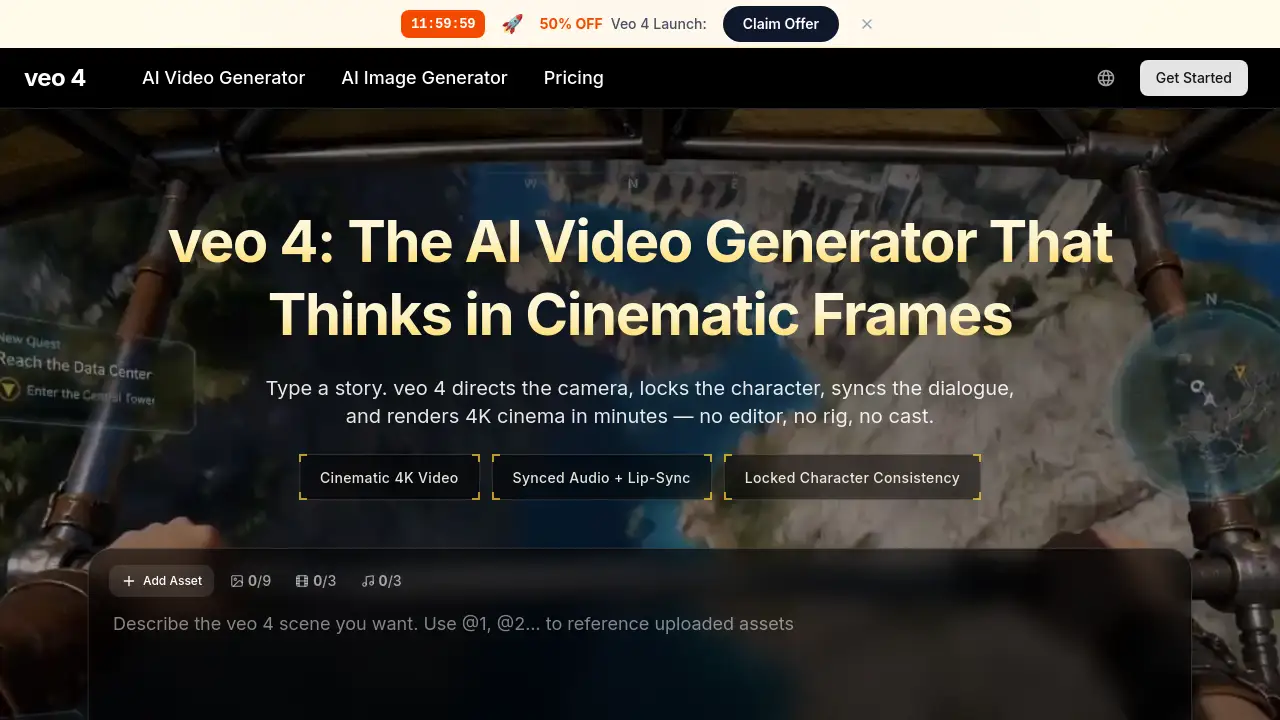
Veo 4 is an advanced AI video generator that creates cinematic-quality videos from text prompts.
What is Veo 4?
Veo 4 is a state-of-the-art AI video generator designed to transform simple text descriptions into professional-quality cinematic videos. The tool addresses the significant time, cost, and technical skill barriers typically associated with video production. It allows users to generate 4K resolution clips with synchronized audio, consistent character appearances, and dynamic camera movements in minutes, not weeks. Veo 4 is particularly suitable for independent filmmakers, marketers, educators, content creators, and businesses looking to rapidly produce high-fidelity video content for storytelling, advertising, or educational purposes without needing a full film crew or complex editing software. Its relevance lies in democratizing cinematic production, making advanced video creation accessible to a much wider audience.
Key Features of Veo 4
Cinematic Camera Language
The AI understands real directing vocabulary like dolly shots, rack focus, and drone orbits, rendering them with believable physics to create professional-grade cinematic video.
Synced Dialogue and Foley
Veo 4 generates lip-synced speech with natural inflection and matching ambient sounds, ensuring the AI video has the complete auditory polish of a real film.
Locked Character Consistency
Character anchoring keeps a subject's face, wardrobe, and identity consistent across multiple shots and aspect ratios, which is crucial for storytelling and brand campaigns.
Multi-Shot Storyboarding
Users can define a sequence of shots (wide, medium, close-up) in a single workflow, and the model maintains visual continuity to create a cohesive narrative.
Director's Overlay Editor
This feature allows for post-render adjustments to camera paths or motion intensity without needing to completely regenerate the entire AI-generated video.
Fast 4K Rendering
The model is optimized for speed, reportedly 40% faster than its predecessor, delivering high-resolution cinematic clips in a matter of minutes.
Use Cases for Veo 4
Independent Film Pre-Visualization
Filmmakers can storyboard scenes, prototype lighting, and render full sequences to visualize ideas before any physical production begins.
Rapid Marketing Campaign Creation
Brands and performance marketers can quickly spin up and test multiple visual hooks for ads, social media cuts, and hero films to identify the most effective variant.
Scalable E-commerce Product Videos
Teams can transform simple product packshots into engaging 4K reels with synced ambience for platforms like TikTok and online stores, produced at scale.
Educational Content Illustration
Educators and course creators can animate complex concepts—like chemical reactions or historical events—with perfectly synced narration to enhance learning materials.
How to Use Veo 4
Using Veo 4 to create a video involves a straightforward three-step process:
- Input Your Idea: Write a detailed text prompt describing the scene, characters, mood, and specific camera movements. You can also upload a reference image to guide the style.
- Direct the Output: Select your desired aspect ratio, video length, and resolution. Toggle audio on and use available controls like the motion slider or fixed-shot toggle to fine-tune the scene.
- Download and Publish: Once rendered, download the broadcast-grade MP4 file with embedded audio. The video is ready to be published on social media, websites, or presentations.
Target Audience for Veo 4
- Independent Filmmakers and Storyboard Artists
- Brand, Performance, and Social Media Marketers
- E-commerce and Creative Agency Teams
- Educators, Trainers, and Online Course Creators
- Startup Founders and Solo Entrepreneurs
- Content Creators, YouTubers, and Streamers
Is Veo 4 Free?
Veo 4 operates on a credit-based subscription model. The available plans, as listed on its website, are:
| Plan | Price (Billed Yearly) | Key Features |
|---|---|---|
| Lite | $7.9/month ($94.8/year) | 400 credits/month, 1080p resolution, 1 concurrent generation, commercial license. |
| Pro (Most Popular) | $17.9/month ($214.8/year) | 1,500 credits/month, 1080p resolution, 4 concurrent generations, priority speed. |
| Ultra | $49.9/month ($598.8/year) | 4,400 credits/month, 1080p resolution, 10 concurrent generations, fastest speed, dedicated support. |
All paid plans include access to the Veo 4 cinematic AI video generator, AI image generation, and full commercial rights. There is no mentioned free tier, but users should check the official website for any trial offers.
Veo 4's Pros and Cons
| Aspect | Pros | Cons |
|---|---|---|
| Output Quality | Professional 4K cinematic video with excellent audio sync and camera work. | Maximum resolution for standard plans is 1080p; 4K may be a higher-tier feature. |
| Workflow & Speed | Extremely fast rendering; collapses days of work into minutes. Integrates directing, audio, and editing in one tool. | Requires learning effective prompt engineering to fully leverage cinematic controls. |
| Accessibility | Makes high-end video production accessible to non-professionals. No need for expensive equipment or crews. | Subscription cost may be high for very casual individual users. |
| Features | Unique combination of character consistency, native Foley, and post-render editing controls in one platform. | Pricing is based on credits, which requires budgeting video projects against a monthly allowance. |
Frequently Asked Questions about Veo 4
What kind of videos can I create with Veo 4?
You can create a wide range of AI-generated videos, including short films, product commercials, social media clips, educational explainers, and music video concepts. The key is using descriptive prompts that include camera directions and scene details.
Does Veo 4 create the audio as well?
Yes, Veo 4 generates synced dialogue with lip-sync, along with matching ambient soundscapes and Foley effects (like footsteps or rustling), creating a complete audio-visual experience.
How does Veo 4 maintain character consistency?
The tool uses a "character anchoring" feature. Once a character is defined, the AI model locks their visual identity—including face and wardrobe—across different shots and scenes within a project.
Can I edit a video after Veo 4 generates it?
Yes, to some extent. The Director's Overlay Editor allows you to adjust elements like the camera path or motion intensity after the initial render without having to regenerate the entire cinematic clip from scratch.
What are the video resolution and format options?
Videos can be rendered up to 4K cinematic quality, depending on the plan. The output is delivered as an MP4 file with embedded audio, ready for publishing on various platforms.
Who owns the videos created with Veo 4?
According to the provided information, all paid plans come with a full commercial license, meaning you own the rights to the videos you create and can use them for commercial purposes.
Veo 4 Tags
Veo 4, AI video generator, cinematic video, AI video, text to video, video creation tool, AI film maker, character consistency, lip sync AI, 4K video generator, marketing video tool, content creation, video production, AI director, synced audio