Introduction
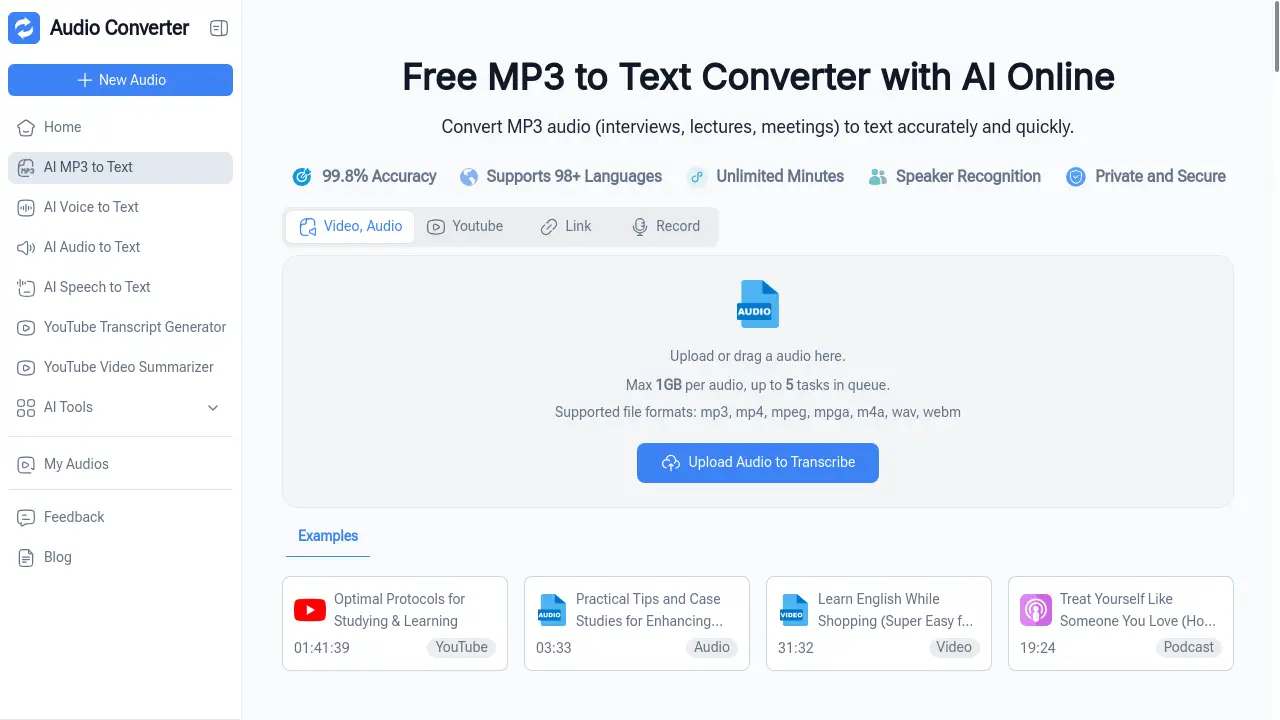
An online AI tool for converting MP3 audio files into accurate text transcripts instantly.
What is MP3 to Text Converter?
The MP3 to Text Converter is an online, AI-powered service designed to automatically transcribe audio from MP3 files into written text. It solves the time-consuming and often tedious problem of manual transcription for interviews, lectures, meetings, podcasts, and other audio recordings. This tool is suitable for a wide range of users, from students and journalists to professionals and content creators, who need to extract and utilize spoken information quickly. The ability to get accurate transcripts efficiently matters because it saves hours of work, enhances accessibility, and helps in organizing and reviewing important audio content.
Key Features of MP3 to Text Converter
100% Free & Unlimited Use
The tool offers completely free transcription with no conversion limits, fees, or hidden usage caps, allowing users to convert as many MP3 files as needed.
Batch Uploads & Large File Support
Users can upload multiple MP3 files simultaneously in a batch process and handle large audio files up to 100MB, perfect for long meetings or full lectures.
AI-Powered Fast Transcription
Leveraging advanced artificial intelligence, the service delivers accurate transcripts from audio in just seconds, eliminating long waiting times.
Auto-Summary & Mind Map Generation
After converting MP3 to text, the AI automatically generates a concise summary of key points and creates a visual mind map for clear, quick reviews and better content organization.
No Sign-Up Required
The entire conversion process can be accessed and used immediately without requiring any account registration or login, prioritizing user convenience and privacy.
Use Cases for MP3 to Text Converter
Academic Lecture Notes
Students can upload recorded lecture MP3s to get a full text transcript for study guides, making review sessions more efficient and comprehensive.
Interview Transcription
Journalists and researchers can quickly convert interview audio files into accurate text, streamlining the quoting process and accelerating article or report writing.
Meeting Minutes Creation
Professionals and office managers can transform lengthy meeting recordings into organized written notes and summaries, ensuring nothing important is missed.
Podcast Show Notes
Podcast hosts can generate transcripts for their episodes to create detailed show notes, improve accessibility for listeners, and enhance SEO for their content.
Accessibility for Hard of Hearing
Individuals can use the tool to convert audio content like webinars or voice messages into text, making information more accessible without needing to replay audio.
How to Use MP3 to Text Converter
Using this online MP3 to Text Converter is a straightforward, three-step process designed for speed and ease.
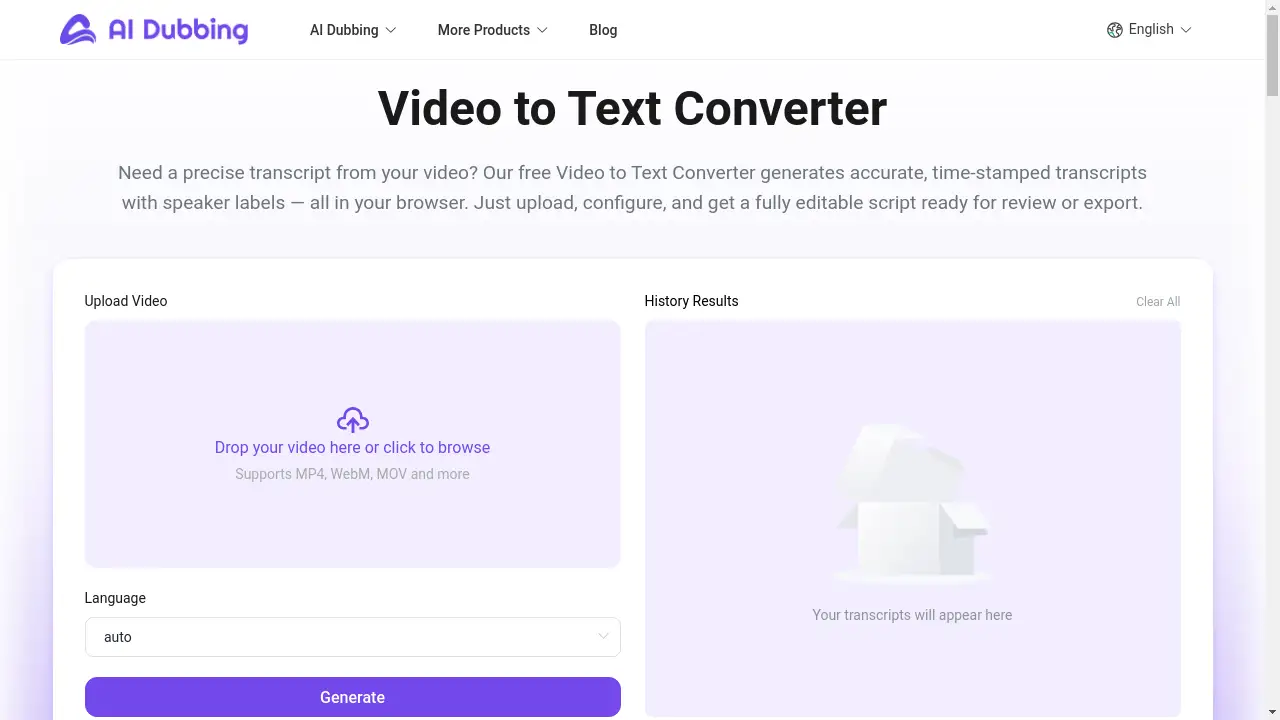
- Upload Your MP3 File or Link: Start by clicking to upload your local MP3 audio file directly from your device. Alternatively, you can paste a valid public audio link into the provided field.
- Initiate AI Transcription: Once the file or link is provided, the AI automatically begins processing and transcribing the audio. This typically completes in just a few seconds.
- Download and Review Results: When the transcription is finished, you can immediately download the text file. The auto-generated summary and mind map are also available to view on the same results page for quick insights.
Target Audience for MP3 to Text Converter
- Students and Academics
- Journalists, Writers, and Researchers
- Business Professionals and Office Managers
- Podcasters and Content Creators
- Individuals who are Deaf or Hard of Hearing
- Freelancers and Legal Professionals
Is MP3 to Text Converter Free?
Yes, the MP3 to Text Converter operates on a completely free model. There is a generous free plan that includes unlimited conversions without any usage caps, batch upload functionality, support for files up to 100MB, and access to the auto-summary and mind map features. No sign-up is required to use these features. The product description and homepage do not mention any premium or paid versions, indicating that all advertised features are available at no cost.
Frequently Asked Questions about MP3 to Text Converter
Is there a limit on how many MP3 files I can convert?
No, the tool offers unlimited use. You can convert any number of MP3 files to text without hitting a usage cap or being charged a fee.
How accurate is the AI transcription?
The AI is designed to provide accurate transcripts. The accuracy can depend on audio quality, background noise, and speaker clarity, but for clear recordings, it delivers highly reliable text conversion.
Can I upload multiple files at once?
Yes, the MP3 to Text Converter supports batch uploads. You can select and upload several MP3 files simultaneously to transcribe them all in one go, saving significant time.
What is the maximum file size supported?
The service supports MP3 files up to 100MB in size. This is sufficient for most long-form audio like extended lectures, interviews, or meeting recordings.
Do I need to create an account to use it?
No, an account is not required. The tool is designed for immediate use with no sign-up necessary, allowing for quick and private audio to text conversion.
What happens to my audio files after transcription?
Based on the available information, the tool is an online processor. For privacy, it is generally expected that files are deleted from the server after processing, but users should refer to the website's privacy policy for specific data handling details.
MP3 to Text Converter Tags
mp3 to text converter, audio to text, free transcription, online mp3 converter, ai transcription, convert mp3 to text, accurate transcripts, batch audio transcription, lecture transcription, interview transcript, meeting notes, podcast transcription, audio file to text, no sign up transcription, auto summary tool