Introduction
Billllama: AI invoice automation for your books.
What is Billllama?
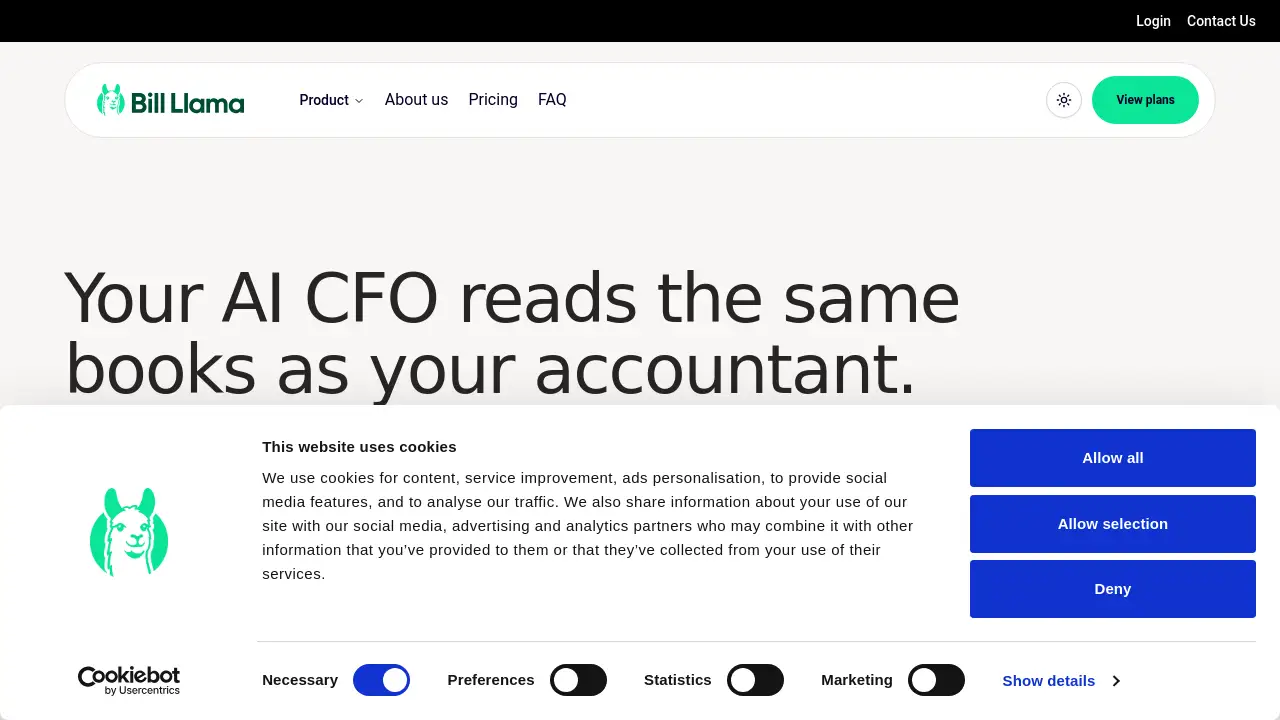
Billllama is an AI invoice automation platform that connects to a business email inbox, extracts invoices and receipts, organizes them, and syncs them to an accountant or accounting ledger. It solves the problem of manual data entry by turning scattered paperwork into structured records. The product is designed for UK, US, and EU businesses that want faster bookkeeping, clearer cash flow, and less admin. Billllama also reads bank and ledger data from tools such as Xero, QuickBooks, FreeAgent, and Sage. Then it answers questions in plain English about cash, spend, and who owes money. As invoice automation software, it focuses on records first: every answer is calculated from the user's own invoices, bills, statements, and connected ledger. That makes Billllama useful for founders, finance managers, and accountants who need reliable numbers without hiring a full-time CFO.
Key Features of Billllama
Inbox-to-Ledger Invoice Collection
Billllama scans a connected inbox twice a day and collects invoices and receipts, including attachments. This AI invoice automation reduces manual filing and keeps source documents in one place.
Accounting Software Integration
Connect Xero, QuickBooks, FreeAgent, or Sage so Billllama reads the same transactions as the accountant. Reviewed supplier bills can be sent back as drafts or unpaid bills using supplier, account, and tax mappings set by the user.
Ask Your Finances Anything
Users can ask plain-English questions about runway, aged debtors, open payables, budgets, and unusual spend. This AI invoice automation answers with charts and tables, based on calculations from invoices, bills, statements, and ledger data.
Daily Monitoring and Alerts
Billllama checks cash, receivables, and payables every day and sends email alerts only when something changes enough to need attention. An optional Monday summary explains what moved and what to do next.
Bank Statement Matching
Import a supported bank statement and Billllama lines transactions up against invoices and bills it already holds. This AI invoice automation flags unmatched or ambiguous items for review instead of guessing.
Secure Financial Data Handling
AI requests are routed through EU endpoints by default, with zero retention and encrypted files. Roles decide who can manage billing, approve documents, or send exports to the ledger.
Retroactive Scanning and Exports
Pick a date range and scan older mail to fill in previous months. Collected invoices and receipts can be exported as files if an accountant prefers a traditional handoff.
Use Cases for Billllama
Small Business Bookkeeping Automation
Small teams can use Billllama to collect receipts and supplier bills without chasing paperwork. The AI invoice automation keeps records complete for month-end and tax preparation.
Cash Flow and Receivables Management
Founders can ask who owes money, how long cash will last, and which bills to pay first. Billllama builds these answers from unpaid sales invoices, bank balances, and ledger transactions. This AI invoice automation supports better cash decisions.
Accountant Collaboration
Accountants invited to a workspace can review shared chats, folders, and draft exports. Billllama works from the same ledger data, so less time is spent correcting missing records.
Month-End Preparation
Daily checks and a tidy-up list show duplicate bills, price jumps, and missing records before month end. AI invoice automation can shorten review time and reduce last-minute surprises.
UK, US, and EU Business Operations
Billllama is available to UK, US, and EU businesses, with EU AI routing by default. This helps companies with data location and privacy preferences.
How to Use Billllama
- Connect a business inbox and accounting software such as Xero, QuickBooks, FreeAgent, or Sage.
- Import bank statements or let the ledger feed supply transactions.
- Use retroactive scanning to fill in older invoices and receipts.
- Ask questions about cash, spend, debtors, payables, or budgets.
- Review and approve mappings before anything is exported to the ledger.
- Let Billllama run daily checks and send alerts or an optional Monday summary.
Billllama does not move money, pay bills, or post entries without approval. That approval step keeps AI invoice automation under user control.
Target Audience for Billllama
- Small and medium-sized businesses
- Freelancers, contractors, and solo founders
- Finance managers and bookkeepers
- Accounting firms managing multiple clients
- UK, US, and EU companies using supported inbox and ledger tools
- Teams that want AI invoice automation without a full finance department
Is Billllama Free?
The reference information does not list a free plan or public pricing. Billllama is described as available to UK, US, and EU businesses, and the homepage includes an invite-only path for team members. Because plan details are not shown, users should check the official Billllama website for current pricing, trial availability, and access requirements. There is no clear evidence in the provided content that Billllama is free. If the product is priced, the value will likely depend on how much AI invoice automation a business needs each month.
Billllama's Pros and Cons
| Aspect | Pros | Cons |
|---|---|---|
| Automation | Collects invoices and receipts from email, reducing manual data entry | Requires a connected inbox and clean source records |
| Features | Includes AI CFO-style questions, daily checks, and bank statement matching | Some features depend on supported integrations |
| Integrations | Works with Xero, QuickBooks, FreeAgent, and Sage; exports to other tools | Odoo, e-conomic, and Holded are export only |
| Security | EU AI endpoints by default, zero retention, encrypted files | Users must configure roles and approval settings |
| Access | Available to UK, US, and EU businesses | Public pricing and free plan details are not listed |
Frequently Asked Questions about Billllama
What is Billllama?
Billllama is an AI invoice automation platform that reads invoices from email, organizes receipts, connects to accounting software, and answers financial questions from the user's own records.
Which accounting tools does Billllama integrate with?
Billllama integrates with Xero, QuickBooks, FreeAgent, and Sage. Odoo, e-conomic, and Holded are described as export only. It can also read bank statements and connected inboxes.
Does Billllama pay bills or move money?
No. Billllama never moves money, never pays a bill, and posts nothing until the user approves the mapping. It is an invoice automation and record-keeping tool, not a payment service.
Is Billllama safe for financial data?
Billllama says AI requests are routed through EU endpoints by default, with zero retention and encrypted files. Roles control who can manage billing, approve documents, or send exports to the ledger.
Can Billllama work with Gmail, Outlook, or other email?
The homepage lists Outlook and any IMAP mailbox. Gmail users can forward invoices to a Billllama address where forwarding is available, or connect Gmail as an IMAP mailbox with an app password.
Is Billllama available in the UK, US, and EU?
Yes. Billllama is available to UK, US, and EU businesses. The homepage also mentions an invite-only path for team members, so access details may vary.
Billllama Tags
Billllama, Bill Llama, AI invoice automation, invoice automation software, automated invoice processing, invoice extraction, accounts payable automation, bookkeeping automation, accounting software integration, AI CFO, invoice management, receipt scanning