Introduction
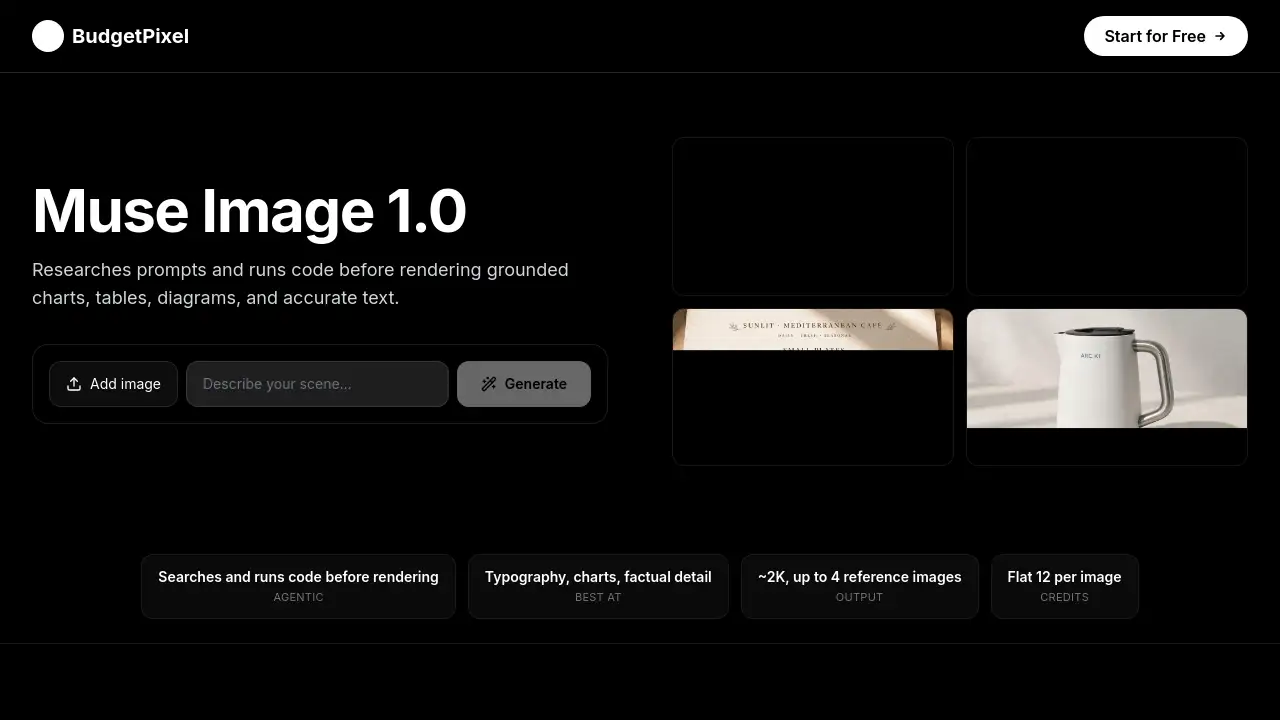
Meta Muse Image 1.0 on BudgetPixel AI is an agentic AI image generator that plans before rendering images. It can search for context, run code to build charts and tables, and produce accurate text inside visuals. The model supports roughly 2K output, up to four reference images, and targeted edits. This review covers its features, pricing, use cases, and target audience.
What is Meta Muse Image 1.0 on BudgetPixel AI?
Meta Muse Image 1.0 on BudgetPixel AI is Meta’s agentic AI image generation model, offered through the BudgetPixel AI workshop and developer API. Instead of directly creating a picture from a prompt, the model first reasons through the brief and plans the composition. When needed, it can research the prompt, run code, inspect a draft, and refine details through extra passes.
The main problem it solves is the challenge of creating information-rich visuals. Many AI image generators struggle with readable text, structured tables, precise charts, and consistent references. Meta Muse Image 1.0 addresses this by treating facts and layout as part of the generation process. It is suitable for designers, marketers, product teams, and anyone who wants professional-looking images with accurate details.
This model matters because it moves beyond simple “nice-looking images.” It focuses on grounded results, clear typography, and structured layouts, which makes it useful for business graphics, educational content, and commercial visual work.
Key Features of Meta Muse Image 1.0 on BudgetPixel AI
Research-Grounded Image Generation
Meta Muse Image 1.0 can use web and image search during planning when a prompt depends on real-world context. This improves grounding for knowledge-heavy visuals, but important facts should still be verified.
Code-Built Charts and Tables
The model can write and run code to construct charts, plots, and other precise elements before composing the final image. This makes values and copy part of the layout instead of decorative approximations.
Accurate Text and Typography
Clean in-image typography is one of the strongest features. It supports readable labels, headings, menus, tables, posters, and infographics, which makes this AI image generator suitable for editorial-style visuals.
Multi-Reference Composition
Users can upload up to four reference images and combine people, products, clothing, and environments in one coherent scene. The model preserves identity, garment details, and object geometry.
Targeted Image Editing
Meta Muse Image 1.0 also supports single-image editing. Users can upload an image and describe changes such as replacing an object, revising text, adjusting the background, or restyling a room.
API and MCP Access
The model is available through the BudgetPixel developer API and MCP server. This allows text-to-image generation, image editing, and reference-based work from Claude, Cursor, or other AI-enabled tools.
Use Cases for Meta Muse Image 1.0 on BudgetPixel AI
Research-Grounded Infographics
Create labelled diagrams and explainers with researched context, legible copy, and clear factual structure. This is useful for educational content and data-driven storytelling.
Charts and Reports
Turn supplied values into polished charts and report graphics. The model treats numbers as real data, which helps produce accurate visual summaries.
Restaurant Menus
Lay out exact item names, sections, prices, and hierarchy in a readable menu. This use case benefits from the model’s strong typography and structured layout abilities.
Product Photography
Create realistic catalog scenes while preserving requested labels, specifications, materials, and proportions. This helps product teams produce clean visuals for e-commerce.
Multi-Reference Campaigns
Combine people, products, clothing, and environments from up to four references into one campaign image. This supports advertising and brand storytelling.
How to Use Meta Muse Image 1.0 on BudgetPixel AI
Using Meta Muse Image 1.0 on BudgetPixel AI is straightforward:
- Write a detailed prompt in the image workshop. State the subject, audience, visual style, and intended format. Include exact copy, labels, values, or facts.
- Upload up to four reference images if needed. Select an available aspect ratio and choose High or Low reasoning.
- Generate the roughly 2K image, then inspect names, values, labels, and reference details.
- Verify important facts and request focused edits until the image is ready to use.
Target Audience for Meta Muse Image 1.0 on BudgetPixel AI
- Graphic designers who need clean charts and readable text
- Marketers creating campaign visuals and product images
- Content creators making infographics and explainer content
- Product teams building e-commerce catalog scenes
- Developers using an AI image generator through API or MCP
- Small business owners who want professional graphics without a design team
Is Meta Muse Image 1.0 on BudgetPixel AI Free?
Meta Muse Image 1.0 on BudgetPixel AI is not free. It runs on a credit-based system with no per-model surcharges and no surprise billing.
| Plan | Price | Features |
|---|---|---|
| BudgetPixel AI Studio | 12 credits per image | Generate images in the workshop, no aspect-ratio surcharge |
| Premium Plan and Above | Plan-based | Includes API access and MCP access, same 12 credits per image |
High and Low reasoning options cost the same amount. Failed API generations are not charged.
Meta Muse Image 1.0 on BudgetPixel AI's Pros and Cons
| Aspect | Pros | Cons |
|---|---|---|
| Pricing | Flat 12 credits per image, no extra cost for High reasoning | Requires a credit-based account, no permanent free tier |
| Features | Strong text rendering, charts, tables, and reference support | Important facts still need manual verification |
| Editing | Supports targeted natural-language edits and 2K output | Single-image editing may not suit complex multi-layer projects |
| API | Developer API and MCP server available | API access requires Premium plan and above |
| Ease of Use | Simple prompt-and-generate workflow | Best results depend on detailed, clear prompts |
Frequently Asked Questions about Meta Muse Image 1.0 on BudgetPixel AI
What is Meta Muse Image 1.0?
Meta Muse Image 1.0 is an agentic AI image generation model available on BudgetPixel AI. It plans before rendering, can research prompts, run code for structured visuals, and support image editing with reference images.
Can Meta Muse Image 1.0 research a prompt?
Yes. Its agentic workflow can use web and image search when a task benefits from outside context or visual references. This improves grounding for knowledge-heavy prompts, but the results are not factual guarantees.
Does Meta Muse Image 1.0 render text, charts, and tables well?
Yes. Structured information is one of its main strengths. The model can use code to build plots and precise elements, and its typography supports readable labels, headings, menus, tables, posters, and infographics.
Can I use reference images with Meta Muse Image 1.0?
Yes. Users can provide up to four reference images and assign roles such as subject, product, clothing, environment, or visual style. This helps create coherent multi-reference compositions.
Is there an API for Meta Muse Image 1.0?
Yes. The model is available through the BudgetPixel developer API at the POST /v1/images/muse-image-1.0 endpoint. API usage costs 12 credits per image, and failed generations are not charged.
How much does Meta Muse Image 1.0 on BudgetPixel AI cost?
Each generation costs a flat 12 credits in the workshop. High and Low reasoning cost the same, and the credit charge does not change with the selected aspect ratio.
Meta Muse Image 1.0 on BudgetPixel AI Tags
Meta Muse Image 1.0, BudgetPixel AI, AI image generator, image generation, image editing, reference images, charts and tables, 2K image, text-to-image, infographic generation, MCP server, developer API